
ROS 2 & Robot Software Architecture (Fundamentals) · Lesson 16
Capstone — Build a ROS 2 6DOF Robot System
Est. 90–120 min
Why
Why this capstone matters
Think of a wedding kitchen in a big Indian family function. There are separate counters for rotis, dal, sabzi and sweets, and one head cook who decides the order of serving. Every counter does one job well, the head cook only gives instructions, and if the gas runs out at one counter, the head cook stops that dish before the guests get half-cooked food. A 6DOF ROS 2 system works the same way: small nodes, clear interfaces, one planner that gives orders, and safety checks that stop everything cleanly.
Lesson 15 joined the pieces for two joints using our own MoveJoint action. In this capstone you will build the version that real robot teams use for six joints: a URDF with six revolute joints, ros2_control with a joint_trajectory_controller that offers the standard control_msgs/action/FollowJointTrajectory action, a pick-and-place planner node, a serial bridge to six hobby servos, and an acceptance test that must pass before power-on. Everything you learnt in Lessons 1–15 is used here at least once.
Concept
The full 6DOF system, one layer at a time
1. What we are building
| Layer | What runs | Interface | Lesson |
|---|---|---|---|
| Description | arm6.urdf — 6 revolute joints, limits, world … tool0, camera_link | robot_description parameter/topic | 13 |
| State + frames | robot_state_publisher | subscribes /joint_states, publishes /tf, /tf_static | 12–13 |
| Hardware abstraction | ros2_control_node (controller_manager) with mock_components/GenericSystem | command + state interfaces per joint | new |
| Sensing | joint_state_broadcaster | publishes /joint_states (sensor_msgs/JointState) | 4–5 |
| Control | arm_controller (joint_trajectory_controller) | action /arm_controller/follow_joint_trajectory | 7, 15 |
| Planning | pick_place (our node) | action client, ~/start service, ~/status topic | 6, 7, 10, 15 |
| Bench hardware | servo_bridge + Arduino six_servo_bridge.ino | serial line J a1 … a6 | 4, 7 |
| Bring-up | arm6_system_launch.py + arm6_controllers.yaml | launch arguments, parameter file | 8–10 |
| Acceptance | system_check.sh (ros2 CLI) | PASS/FAIL report | 11 |
2. ros2_control in one paragraph
Until now our own nodes talked to the servos directly. Real robots put a standard layer in between called ros2_control. The controller_manager loads a hardware component described in the URDF (inside a <ros2_control> tag) and controllers that read state interfaces (for example each joint’s position) and write command interfaces (each joint’s target position). The ros2_control docs describe mock components as trivial simulations that mirror commands to states, so you can test controllers, launch files and even MoveIt integration without hardware. That is exactly what we use first: mock_components/GenericSystem. Later, the same controllers can drive real motors by swapping only the hardware plugin.
joint_state_broadcaster
Reads every joint state interface and publishes
/joint_states. It replaces the hand-writtenjoint_state_nodeof Lesson 5.joint_trajectory_controller (we call it arm_controller)
Accepts whole-arm trajectories on the action
<controller_name>/follow_joint_trajectoryof typecontrol_msgs/action/FollowJointTrajectory, interpolates them and writes position commands every cycle.Tolerances
If a joint drifts outside its path tolerance while moving, the goal is aborted, the client is told why, and the current position is held. If it does not reach its goal tolerance by the end time plus
goal_time, the goal also fails.All joints or none
With
allow_partial_joints_goal: false, every goal must name all six joints. A goal that forgets one is refused — a typo cannot leave a joint uncontrolled.
3. The FollowJointTrajectory result codes
| error_code | Name | What it usually means for our arm |
|---|---|---|
| 0 | SUCCESSFUL | Reached the goal inside the goal tolerance. |
| -1 | INVALID_GOAL | Something about the goal is wrong, for example a trajectory in the past. |
| -2 | INVALID_JOINTS | The joint names do not match the controller’s joints. |
| -3 | OLD_HEADER_TIMESTAMP | The trajectory header time is too old. |
| -4 | PATH_TOLERANCE_VIOLATED | A joint fell too far behind while moving — a stuck or overloaded servo. |
| -5 | GOAL_TOLERANCE_VIOLATED | The arm did not settle close enough to the final point in time. |
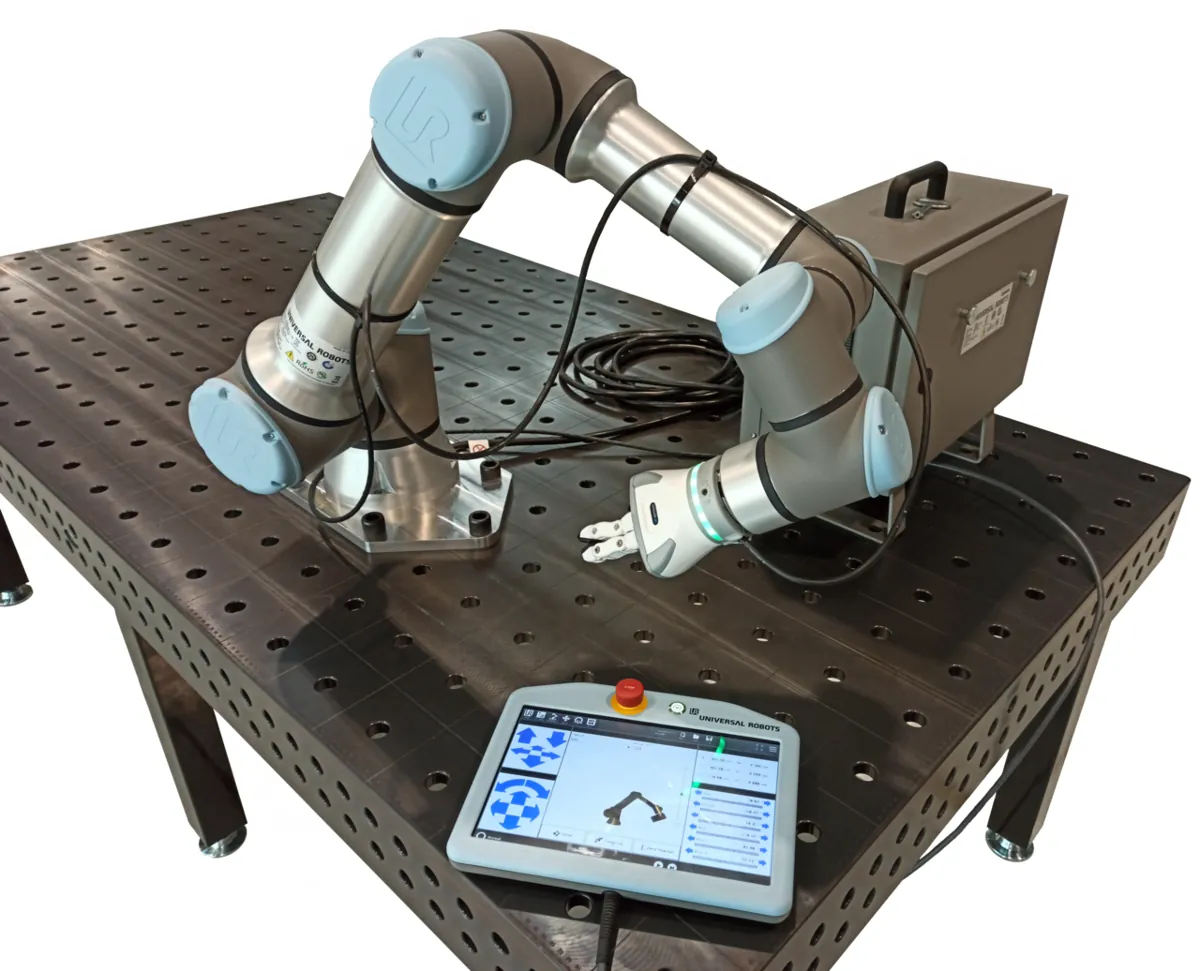
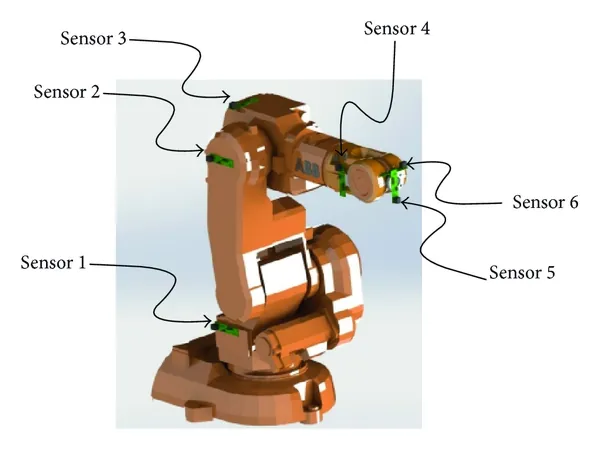
Visual
Visualise it: build and validate the architecture
Assemble nodes, Topic/Service/Action links and TF frames for a 6DOF pick-and-place arm — then Validate → Architecture Valid / Incomplete. (An educational simulator, not a live ROS 2 runtime.)
Interactive · ROS 2 architecture capstone
Educational ROS 2 architecture simulator — not a live ROS 2 / DDS runtime
Node palette
Communication palette · connect system
Frame palette · TF tree (world … tool_link)
- world → base_link
Placed graph (4 nodes · 0 links · 1 TF)
Code lab
Code lab: the whole 6DOF system, first in plain Python
sixdof_system_sim.py needs no ROS. It copies the shape of the real system so you can see every check with numbers: (1) the TF tree must have one root and reach tool0, (2) every subscriber needs a publisher of the same type and every action client a server, (3) a pick-and-place job is limit-checked, timed with a shared duration (cubic peak speed = 1.5·d/T, from Stage 9) and executed by a pretend controller that returns FollowJointTrajectory-style result codes. Run python3 sixdof_system_sim.py.
"""sixdof_system_sim.py - Stage 10 capstone: a whole 6DOF ROS 2 system, checked in plain Python.

No ROS needed. It copies the SHAPE of the real system so you can see every check:
  1. TF tree check   - one root, one parent per link, world ... tool0 connected
  2. Graph check     - every subscriber has a publisher of the same type,
                       every action client has a server
  3. Pick-and-place  - 6-joint waypoints -> limit check -> shared duration
                       -> FollowJointTrajectory-style goal -> execute -> result code
Four runs: a good job, a goal with 5 joint names, a waypoint outside a limit,
and a wrist servo that sticks halfway (path tolerance).
Models are simple teaching models, not a real controller.
"""
import math

JOINTS = ['joint1', 'joint2', 'joint3', 'joint4', 'joint5', 'joint6']
LIMIT_DEG = {  # (min, max) for a desk arm with hobby servos, degrees
    'joint1': (-90, 90), 'joint2': (-80, 80), 'joint3': (-80, 80),
    'joint4': (-90, 90), 'joint5': (-80, 80), 'joint6': (-90, 90)}
VMAX_DEG_S = 60.0          # slowest servo speed we allow, deg/s
PATH_TOL_DEG = 8.0         # |actual - desired| allowed while moving
GOAL_TOL_DEG = 2.0         # allowed error at the end
# FollowJointTrajectory result codes (control_msgs)
SUCCESSFUL, INVALID_GOAL, INVALID_JOINTS = 0, -1, -2
PATH_TOLERANCE_VIOLATED, GOAL_TOLERANCE_VIOLATED = -4, -5


# ---------- 1. TF tree ----------
TF_EDGES = [  # (parent, child)
    ('world', 'base_link'), ('base_link', 'link1'), ('link1', 'link2'),
    ('link2', 'link3'), ('link3', 'link4'), ('link4', 'link5'),
    ('link5', 'link6'), ('link6', 'tool0'), ('world', 'camera_link')]


def check_tf(edges):
    problems, parent = [], {}
    for p, c in edges:
        if c in parent:
            problems.append(f'{c} has two parents ({parent[c]}, {p})')
        parent[c] = p
    links = {x for e in edges for x in e}
    roots = sorted(l for l in links if l not in parent)
    if len(roots) != 1:
        problems.append(f'expected 1 root, found {roots}')
    chain, cur = [], 'tool0'
    while cur in parent and len(chain) < 20:
        chain.append(cur)
        cur = parent[cur]
    chain.append(cur)
    if cur != 'world':
        problems.append('tool0 is not connected to world')
    return problems, ' -> '.join(reversed(chain))


# ---------- 2. ROS graph ----------
# node: (publishes, subscribes, action_servers, action_clients); names are (name, type)
GRAPH = {
    'controller_manager': ([], [], [], []),
    'joint_state_broadcaster': ([('/joint_states', 'sensor_msgs/JointState')], [], [], []),
    'arm_controller': ([], [], [('/arm_controller/follow_joint_trajectory', 'control_msgs/FollowJointTrajectory')], []),
    'robot_state_publisher': ([('/tf', 'tf2_msgs/TFMessage'), ('/robot_description', 'std_msgs/String')],
                              [('/joint_states', 'sensor_msgs/JointState')], [], []),
    'target_publisher': ([('/target_pose', 'geometry_msgs/PoseStamped')], [], [], []),
    'pick_place': ([('/pick_place/status', 'std_msgs/String')],
                   [('/joint_states', 'sensor_msgs/JointState'), ('/target_pose', 'geometry_msgs/PoseStamped')],
                   [], [('/arm_controller/follow_joint_trajectory', 'control_msgs/FollowJointTrajectory')]),
    'servo_bridge': ([], [('/joint_states', 'sensor_msgs/JointState')], [], []),
}


def check_graph(graph):
    pubs = {(n, t) for g in graph.values() for n, t in g[0]}
    servers = {(n, t) for g in graph.values() for n, t in g[2]}
    problems = []
    for node, (_, subs, _, clients) in graph.items():
        for name, typ in subs:
            if (name, typ) not in pubs:
                problems.append(f'{node}: nobody publishes {name} [{typ}]')
        for name, typ in clients:
            if (name, typ) not in servers:
                problems.append(f'{node}: no action server for {name}')
    return problems


# ---------- 3. Pick and place ----------
HOME = [0, 0, 0, 0, 0, 0]
JOB = [  # (label, six joint angles in degrees, gripper after this point)
    ('pre-grasp', [30, 35, 40, 0, 45, 0], 'open'),
    ('grasp', [30, 45, 50, 0, 40, 0], 'close'),
    ('lift', [30, 30, 35, 0, 50, 0], None),
    ('place', [-40, 40, 45, 0, 40, 90], 'open'),
    ('home', HOME, None)]


def check_limits(points):
    for label, q, _ in points:
        for name, deg in zip(JOINTS, q):
            lo, hi = LIMIT_DEG[name]
            if not lo <= deg <= hi:
                return f'{label}: {name} = {deg} deg is outside [{lo}, {hi}]'
    return None


def shared_duration(q0, q1):
    """Cubic move: peak speed = 1.5*d/T. Pick T so the busiest joint stays under VMAX."""
    d = max(abs(b - a) for a, b in zip(q0, q1))
    return max(0.5, round(1.5 * d / VMAX_DEG_S + 0.049, 1))


def cubic(a, b, s):
    return a + (b - a) * (3 * s * s - 2 * s * s * s)


def execute(goal_names, q_start, q_goal, T, stuck=None, dt=0.02):
    """Pretend controller. Rejects bad joint names, then follows the cubic with a lag."""
    if sorted(goal_names) != sorted(JOINTS):
        missing = sorted(set(JOINTS) - set(goal_names))
        return INVALID_JOINTS, f'missing {missing}', q_start
    actual = list(q_start)
    t = 0.0
    while t < T + 0.5:
        s = min(t / T, 1.0)
        desired = [cubic(a, b, s) for a, b in zip(q_start, q_goal)]
        for i in range(6):
            if stuck and JOINTS[i] == stuck[0] and actual[i] >= stuck[1]:
                continue   # gear slips / servo stalls here
            actual[i] += (desired[i] - actual[i]) * min(1.0, dt / 0.05)  # 50 ms lag
        err = max(abs(d - a) for d, a in zip(desired, actual))
        if err > PATH_TOL_DEG:
            j = max(range(6), key=lambda i: abs(desired[i] - actual[i]))
            return (PATH_TOLERANCE_VIOLATED,
                    f'{JOINTS[j]} off by {abs(desired[j]-actual[j]):.1f} deg at t={t:.2f}s; holding',
                    actual)
        t += dt
    end_err = max(abs(g - a) for g, a in zip(q_goal, actual))
    if end_err > GOAL_TOL_DEG:
        return GOAL_TOLERANCE_VIOLATED, f'end error {end_err:.1f} deg', actual
    return SUCCESSFUL, f'end error {end_err:.2f} deg', actual


def run_job(title, job, names=JOINTS, stuck=None):
    print(f'\n=== {title} ===')
    bad = check_limits(job)
    if bad:
        print(f'  PLANNER REJECT before sending anything: {bad}')
        return False
    q = list(HOME)
    for label, target, grip in job:
        T = shared_duration(q, target)
        code, msg, q = execute(names, q, target, T, stuck)
        print(f'  {label:<9} T={T:.1f}s  result={code:>2}  {msg}')
        if code != SUCCESSFUL:
            print('  ABORT: stop the job, do not open/close the gripper, hold position')
            return False
        if grip:
            print(f'            gripper -> {grip} (std_srvs/SetBool service)')
    return True


if __name__ == '__main__':
    print('--- 1. TF tree ---')
    tf_problems, chain = check_tf(TF_EDGES)
    print('  chain:', chain)
    print('  problems:', tf_problems or 'none')
    broken = TF_EDGES + [('base_link', 'link3')]
    print('  with a copy-paste mistake:', check_tf(broken)[0])

    print('--- 2. ROS graph ---')
    print('  problems:', check_graph(GRAPH) or 'none')
    no_jsb = {k: v for k, v in GRAPH.items() if k != 'joint_state_broadcaster'}
    for p in check_graph(no_jsb):
        print('  without joint_state_broadcaster ->', p)

    print('--- 3. Pick and place ---')
    ok1 = run_job('Run A: good job', JOB)
    ok2 = run_job('Run B: goal lists only 5 joints', JOB, names=JOINTS[:5])
    too_far = [JOB[0], ('grasp', [30, 95, 50, 0, 40, 0], 'close')] + JOB[2:]
    ok3 = run_job('Run C: grasp needs joint2 = 95 deg', too_far)
    ok4 = run_job('Run D: wrist (joint5) sticks at 20 deg', JOB, stuck=('joint5', 20))

    print('\n--- Acceptance report ---')
    checks = [('TF tree connected', not tf_problems),
              ('Graph complete', not check_graph(GRAPH)),
              ('Good job succeeds', ok1),
              ('Wrong joint list refused', not ok2),
              ('Out-of-limit waypoint refused', not ok3),
              ('Stuck joint aborts and holds', not ok4)]
    for name, passed in checks:
        print(f'  [{"PASS" if passed else "FAIL"}] {name}')
    print('  SYSTEM', 'READY FOR BENCH TEST' if all(p for _, p in checks) else 'NOT READY')
Output (run with python3 sixdof_system_sim.py)
--- 1. TF tree ---
  chain: world -> base_link -> link1 -> link2 -> link3 -> link4 -> link5 -> link6 -> tool0
  problems: none
  with a copy-paste mistake: ['link3 has two parents (link2, base_link)']
--- 2. ROS graph ---
  problems: none
  without joint_state_broadcaster -> robot_state_publisher: nobody publishes /joint_states [sensor_msgs/JointState]
  without joint_state_broadcaster -> pick_place: nobody publishes /joint_states [sensor_msgs/JointState]
  without joint_state_broadcaster -> servo_bridge: nobody publishes /joint_states [sensor_msgs/JointState]
--- 3. Pick and place ---

=== Run A: good job ===
  pre-grasp T=1.2s  result= 0  end error 0.00 deg
            gripper -> open (std_srvs/SetBool service)
  grasp     T=0.5s  result= 0  end error 0.00 deg
            gripper -> close (std_srvs/SetBool service)
  lift      T=0.5s  result= 0  end error 0.00 deg
  place     T=2.3s  result= 0  end error 0.00 deg
            gripper -> open (std_srvs/SetBool service)
  home      T=2.3s  result= 0  end error 0.00 deg

=== Run B: goal lists only 5 joints ===
  pre-grasp T=1.2s  result=-2  missing ['joint6']
  ABORT: stop the job, do not open/close the gripper, hold position

=== Run C: grasp needs joint2 = 95 deg ===
  PLANNER REJECT before sending anything: grasp: joint2 = 95 deg is outside [-80, 80]

=== Run D: wrist (joint5) sticks at 20 deg ===
  pre-grasp T=1.2s  result=-4  joint5 off by 8.3 deg at t=0.72s; holding
  ABORT: stop the job, do not open/close the gripper, hold position

--- Acceptance report ---
  [PASS] TF tree connected
  [PASS] Graph complete
  [PASS] Good job succeeds
  [PASS] Wrong joint list refused
  [PASS] Out-of-limit waypoint refused
  [PASS] Stuck joint aborts and holds
SYSTEM READY FOR BENCH TESTTry it: place the nodes, choose Topic / Service / Action for each link, build the TF chain, then press Validate.
Interactive · ROS 2 architecture capstone
Educational ROS 2 architecture simulator — not a live ROS 2 / DDS runtime
Node palette
Communication palette · connect system
Frame palette · TF tree (world … tool_link)
- world → base_link
Placed graph (4 nodes · 0 links · 1 TF)
Step 1 — the robot description: arm6.urdf
Six revolute joints with limits in radians (±90° and ±80°, the same numbers as the planner and the Arduino), simple cylinder visuals for RViz, a fixed tool0 at the tip and a fixed camera_link above the table. At the bottom, the <ros2_control> block tells controller_manager to use mock_components/GenericSystem with one position command interface and position + velocity state interfaces per joint.
<?xml version="1.0"?>
<!-- arm6.urdf - educational 6DOF desk arm (Stage 10 capstone).
     6 revolute joints, limits in radians, simple cylinder visuals.
     The ros2_control block uses mock_components/GenericSystem, which mirrors
     commands to states - perfect for testing the whole pipeline with no hardware. -->
<robot name="arm6">
  <link name="world"/>
  <link name="base_link">
    <visual><geometry><cylinder radius="0.05" length="0.05"/></geometry>
      <origin xyz="0 0 0.025"/></visual>
  </link>
  <joint name="world_to_base" type="fixed">
    <parent link="world"/><child link="base_link"/>
  </joint>
  <link name="link1">
    <visual><geometry><cylinder radius="0.02" length="0.04"/></geometry>
      <origin xyz="0 0 0.020"/></visual>
  </link>
  <joint name="joint1" type="revolute">
    <parent link="base_link"/><child link="link1"/>
    <origin xyz="0 0 0.05"/>
    <axis xyz="0 0 1"/>
    <limit lower="-1.5708" upper="1.5708" effort="1.0" velocity="1.0"/>
  </joint>
  <link name="link2">
    <visual><geometry><cylinder radius="0.02" length="0.12"/></geometry>
      <origin xyz="0 0 0.060"/></visual>
  </link>
  <joint name="joint2" type="revolute">
    <parent link="link1"/><child link="link2"/>
    <origin xyz="0 0 0.04"/>
    <axis xyz="0 1 0"/>
    <limit lower="-1.3963" upper="1.3963" effort="1.0" velocity="1.0"/>
  </joint>
  <link name="link3">
    <visual><geometry><cylinder radius="0.02" length="0.1"/></geometry>
      <origin xyz="0 0 0.050"/></visual>
  </link>
  <joint name="joint3" type="revolute">
    <parent link="link2"/><child link="link3"/>
    <origin xyz="0 0 0.12"/>
    <axis xyz="0 1 0"/>
    <limit lower="-1.3963" upper="1.3963" effort="1.0" velocity="1.0"/>
  </joint>
  <link name="link4">
    <visual><geometry><cylinder radius="0.02" length="0.04"/></geometry>
      <origin xyz="0 0 0.020"/></visual>
  </link>
  <joint name="joint4" type="revolute">
    <parent link="link3"/><child link="link4"/>
    <origin xyz="0 0 0.10"/>
    <axis xyz="0 0 1"/>
    <limit lower="-1.5708" upper="1.5708" effort="1.0" velocity="1.0"/>
  </joint>
  <link name="link5">
    <visual><geometry><cylinder radius="0.02" length="0.04"/></geometry>
      <origin xyz="0 0 0.020"/></visual>
  </link>
  <joint name="joint5" type="revolute">
    <parent link="link4"/><child link="link5"/>
    <origin xyz="0 0 0.04"/>
    <axis xyz="0 1 0"/>
    <limit lower="-1.3963" upper="1.3963" effort="1.0" velocity="1.0"/>
  </joint>
  <link name="link6">
    <visual><geometry><cylinder radius="0.02" length="0.03"/></geometry>
      <origin xyz="0 0 0.015"/></visual>
  </link>
  <joint name="joint6" type="revolute">
    <parent link="link5"/><child link="link6"/>
    <origin xyz="0 0 0.04"/>
    <axis xyz="0 0 1"/>
    <limit lower="-1.5708" upper="1.5708" effort="1.0" velocity="1.0"/>
  </joint>
  <link name="tool0"/>
  <joint name="link6_to_tool0" type="fixed">
    <parent link="link6"/><child link="tool0"/>
    <origin xyz="0 0 0.03"/>
  </joint>
  <link name="camera_link"/>
  <joint name="world_to_camera" type="fixed">
    <parent link="world"/><child link="camera_link"/>
    <origin xyz="0.30 0 0.40" rpy="0 1.5708 0"/>
  </joint>

  <ros2_control name="Arm6MockSystem" type="system">
    <hardware>
      <plugin>mock_components/GenericSystem</plugin>
    </hardware>
    <joint name="joint1">
      <command_interface name="position"/>
      <state_interface name="position">
        <param name="initial_value">0.0</param>
      </state_interface>
      <state_interface name="velocity"/>
    </joint>
    <joint name="joint2">
      <command_interface name="position"/>
      <state_interface name="position">
        <param name="initial_value">0.0</param>
      </state_interface>
      <state_interface name="velocity"/>
    </joint>
    <joint name="joint3">
      <command_interface name="position"/>
      <state_interface name="position">
        <param name="initial_value">0.0</param>
      </state_interface>
      <state_interface name="velocity"/>
    </joint>
    <joint name="joint4">
      <command_interface name="position"/>
      <state_interface name="position">
        <param name="initial_value">0.0</param>
      </state_interface>
      <state_interface name="velocity"/>
    </joint>
    <joint name="joint5">
      <command_interface name="position"/>
      <state_interface name="position">
        <param name="initial_value">0.0</param>
      </state_interface>
      <state_interface name="velocity"/>
    </joint>
    <joint name="joint6">
      <command_interface name="position"/>
      <state_interface name="position">
        <param name="initial_value">0.0</param>
      </state_interface>
      <state_interface name="velocity"/>
    </joint>
  </ros2_control>
</robot>
Step 2 — controllers: arm6_controllers.yaml
This follows the joint_trajectory_controller user docs: the controller type under controller_manager, then the joints, interfaces, allow_partial_joints_goal: false, and per-joint trajectory (path) and goal tolerances in radians. 0.14 rad is about 8°, 0.035 rad about 2° — the same as the Python sim.
# arm6_controllers.yaml - controller_manager setup for the 6DOF capstone.
# Pattern from the ros2_controllers joint_trajectory_controller user docs (Jazzy).
controller_manager:
  ros__parameters:
    update_rate: 50  # Hz

    joint_state_broadcaster:
      type: joint_state_broadcaster/JointStateBroadcaster

    arm_controller:
      type: joint_trajectory_controller/JointTrajectoryController

arm_controller:
  ros__parameters:
    joints: [joint1, joint2, joint3, joint4, joint5, joint6]
    command_interfaces: [position]
    state_interfaces: [position, velocity]
    action_monitor_rate: 20.0
    allow_partial_joints_goal: false   # a goal must name all 6 joints
    constraints:
      stopped_velocity_tolerance: 0.01
      goal_time: 0.5                   # extra seconds allowed to settle
      joint1: {trajectory: 0.14, goal: 0.035}   # rad (~8 deg path, ~2 deg goal)
      joint2: {trajectory: 0.14, goal: 0.035}
      joint3: {trajectory: 0.14, goal: 0.035}
      joint4: {trajectory: 0.14, goal: 0.035}
      joint5: {trajectory: 0.14, goal: 0.035}
      joint6: {trajectory: 0.14, goal: 0.035}
Step 3 — one launch file for everything
The layout follows the official ros2_control_demos example 1 for Jazzy: ros2_control_node, robot_state_publisher with the robot description, and one spawner per controller with --param-file. In Jazzy the controller manager reads the URDF from the /robot_description topic that robot_state_publisher publishes. We add our pick_place node, and servo_bridge only when you pass a port.
"""arm6_system_launch.py - bring up the whole 6DOF capstone system (ROS 2 Jazzy).

Starts: robot_state_publisher (URDF -> /robot_description + TF),
        ros2_control_node (controller_manager; reads the URDF from /robot_description),
        spawners for joint_state_broadcaster and arm_controller,
        pick_place (our planner node) and, if port is set, servo_bridge (to the Arduino).
Pattern follows the ros2_control_demos example_1 launch file (jazzy branch).
Package name: arm6_system  (urdf/, config/, launch/ installed to share/arm6_system).
"""
from launch import LaunchDescription
from launch.actions import DeclareLaunchArgument
from launch.conditions import IfCondition
from launch.substitutions import Command, LaunchConfiguration, PathJoinSubstitution, PythonExpression
from launch_ros.actions import Node
from launch_ros.parameter_descriptions import ParameterValue
from launch_ros.substitutions import FindPackageShare


def generate_launch_description():
    share = FindPackageShare('arm6_system')
    urdf = PathJoinSubstitution([share, 'urdf', 'arm6.urdf'])
    controllers = PathJoinSubstitution([share, 'config', 'arm6_controllers.yaml'])
    port = LaunchConfiguration('port')

    robot_description = ParameterValue(Command(['cat ', urdf]), value_type=str)

    return LaunchDescription([
        DeclareLaunchArgument('port', default_value='',
                              description='Arduino serial port, e.g. /dev/ttyACM0 (empty = no hardware)'),

        Node(package='robot_state_publisher', executable='robot_state_publisher',
             parameters=[{'robot_description': robot_description}], output='both'),

        Node(package='controller_manager', executable='ros2_control_node',
             parameters=[controllers], output='both'),

        Node(package='controller_manager', executable='spawner',
             arguments=['joint_state_broadcaster', '--param-file', controllers]),

        Node(package='controller_manager', executable='spawner',
             arguments=['arm_controller', '--param-file', controllers]),

        Node(package='arm6_system', executable='pick_place', output='screen',
             parameters=[{'max_speed_deg_s': 60.0, 'stale_s': 0.3}]),

        Node(package='arm6_system', executable='servo_bridge', output='screen',
             parameters=[{'port': port}],
             condition=IfCondition(PythonExpression(["'", port, "' != ''"]))),
])# arm6_system/setup.py (ament_python package) - the parts that matter
from glob import glob
from setuptools import setup
package_name = 'arm6_system'
setup(
name=package_name,
packages=[package_name],
data_files=[
('share/ament_index/resource_index/packages', ['resource/' + package_name]),
('share/' + package_name, ['package.xml']),
('share/' + package_name + '/urdf', glob('urdf/*.urdf')),
('share/' + package_name + '/config', glob('config/*.yaml')),
('share/' + package_name + '/launch', glob('launch/*_launch.py')),
],
entry_points={'console_scripts': [
'pick_place = arm6_system.pick_place_node:main',
'servo_bridge = arm6_system.servo_bridge_node:main',
]},
)
# package.xml <exec_depend> lines:
# rclpy sensor_msgs std_msgs std_srvs trajectory_msgs control_msgs
# robot_state_publisher controller_manager ros2_control ros2_controllers
# joint_state_broadcaster joint_trajectory_controller launch_ros python3-serialStep 4 — the planner: pick_place_node.py
The planner owns the job and nothing else. It refuses to start if any waypoint is outside the limits, if /joint_states is stale, or if the action server is not ready. For each waypoint it builds a JointTrajectory with all six joint names, one point that arrives at rest, and a duration from the speed limit. After each result it checks error_code; anything other than SUCCESSFUL stops the job and the controller holds position. The gripper uses the set_gripper SetBool service from Lesson 6.
"""pick_place_node.py - Stage 10 capstone planner for the 6DOF arm (rclpy, ROS 2 Jazzy).

Runs a fixed pick-and-place job through ros2_control's joint_trajectory_controller:
  action client  /arm_controller/follow_joint_trajectory  (control_msgs/action/FollowJointTrajectory)
  subscribes     /joint_states                            (sensor_msgs/msg/JointState)
  service client gripper/set_gripper                      (std_srvs/srv/SetBool, Lesson 6; optional)
  publishes      ~/status                                 (std_msgs/msg/String)
Safety: limit check before sending, all 6 joints in every goal, shared duration from a
speed limit, refuse to start on stale joint_states, stop the job on any non-zero error_code.
Start the job with:  ros2 service call /pick_place/start std_srvs/srv/Trigger
"""
import math

import rclpy
from rclpy.action import ActionClient
from rclpy.node import Node
from builtin_interfaces.msg import Duration
from control_msgs.action import FollowJointTrajectory
from sensor_msgs.msg import JointState
from std_msgs.msg import String
from std_srvs.srv import SetBool, Trigger
from trajectory_msgs.msg import JointTrajectory, JointTrajectoryPoint

JOINTS = ['joint1', 'joint2', 'joint3', 'joint4', 'joint5', 'joint6']
LIMIT_DEG = [(-90, 90), (-80, 80), (-80, 80), (-90, 90), (-80, 80), (-90, 90)]  # = arm6.urdf
JOB = [  # (label, degrees, gripper after: True close / False open / None)
    ('pre-grasp', [30, 35, 40, 0, 45, 0], False),
    ('grasp', [30, 45, 50, 0, 40, 0], True),
    ('lift', [30, 30, 35, 0, 50, 0], None),
    ('place', [-40, 40, 45, 0, 40, 90], False),
    ('home', [0, 0, 0, 0, 0, 0], None)]


class PickPlace(Node):
    def __init__(self):
        super().__init__('pick_place')
        self.declare_parameter('max_speed_deg_s', 60.0)
        self.declare_parameter('stale_s', 0.3)
        self.client = ActionClient(self, FollowJointTrajectory,
                                   '/arm_controller/follow_joint_trajectory')
        self.gripper = self.create_client(SetBool, 'gripper/set_gripper')
        self.status = self.create_publisher(String, '~/status', 10)
        self.create_subscription(JointState, '/joint_states', self.on_joints, 10)
        self.create_service(Trigger, '~/start', self.on_start)
        self.q = None          # latest joint angles, degrees, in JOINTS order
        self.stamp = None      # when they arrived
        self.step = None       # index into JOB while running

    # ---------- inputs ----------
    def on_joints(self, msg):
        pos = dict(zip(msg.name, msg.position))
        if all(j in pos for j in JOINTS):
            self.q = [math.degrees(pos[j]) for j in JOINTS]
            self.stamp = self.get_clock().now()

    def fresh(self):
        if self.stamp is None:
            return False
        age = (self.get_clock().now() - self.stamp).nanoseconds * 1e-9
        return age < self.get_parameter('stale_s').value

    def say(self, text):
        self.get_logger().info(text)
        self.status.publish(String(data=text))

    # ---------- start ----------
    def on_start(self, request, response):
        for label, q, _ in JOB:
            for name, deg, (lo, hi) in zip(JOINTS, q, LIMIT_DEG):
                if not lo <= deg <= hi:
                    response.success, response.message = False, f'{label}: {name} {deg} outside [{lo},{hi}]'
                    return response
        if self.step is not None:
            response.success, response.message = False, 'job already running'
        elif not self.fresh():
            response.success, response.message = False, 'joint_states missing or stale'
        elif not self.client.server_is_ready():
            response.success, response.message = False, 'arm_controller action server not ready'
        else:
            self.step = 0
            self.send_step()
            response.success, response.message = True, 'job started'
        return response

    # ---------- one waypoint ----------
    def send_step(self):
        label, target, _ = JOB[self.step]
        if not self.fresh():
            return self.stop('joint_states went stale; not sending')
        vmax = self.get_parameter('max_speed_deg_s').value
        d = max(abs(b - a) for a, b in zip(self.q, target))
        T = max(0.5, 1.5 * d / vmax)            # cubic peak speed = 1.5 d / T
        point = JointTrajectoryPoint()
        point.positions = [math.radians(x) for x in target]
        point.velocities = [0.0] * 6             # arrive at rest
        point.time_from_start = Duration(sec=int(T), nanosec=int((T % 1) * 1e9))
        goal = FollowJointTrajectory.Goal()
        goal.trajectory = JointTrajectory(joint_names=JOINTS, points=[point])
        goal.goal_time_tolerance = Duration(sec=0, nanosec=500_000_000)
        self.say(f'{label}: sending, T = {T:.2f} s')
        self.client.send_goal_async(goal).add_done_callback(self.on_goal_response)

    def on_goal_response(self, future):
        handle = future.result()
        if not handle.accepted:
            return self.stop('goal rejected by arm_controller')
        handle.get_result_async().add_done_callback(self.on_result)

    def on_result(self, future):
        result = future.result().result
        label, _, grip = JOB[self.step]
        if result.error_code != FollowJointTrajectory.Result.SUCCESSFUL:
            return self.stop(f'{label}: error_code {result.error_code} {result.error_string}')
        self.say(f'{label}: done')
        if grip is not None and self.gripper.service_is_ready():
            self.gripper.call_async(SetBool.Request(data=grip))  # Lesson 6 gripper server
            self.say('gripper ' + ('close' if grip else 'open'))
        self.step += 1
        if self.step == len(JOB):
            self.step = None
            self.say('JOB COMPLETE')
        else:
            self.send_step()

    def stop(self, why):
        self.step = None
        self.say('JOB STOPPED: ' + why)   # controller holds its last position


def main():
    rclpy.init()
    node = PickPlace()
    try:
        rclpy.spin(node)
    except KeyboardInterrupt:
        pass
    node.destroy_node()
    rclpy.try_shutdown()


if __name__ == '__main__':
    main()
Step 5 — the acceptance test
This is Priya’s printed page as a script. It uses only ROS 2 CLI tools from Lesson 11 and ros2 control verbs, prints PASS/FAIL for each check, and only starts the job if every check passes and you add --run-job.
#!/usr/bin/env bash
# system_check.sh - acceptance test for the 6DOF capstone (run while arm6_system_launch.py is up).
# Prints PASS/FAIL per check. Nothing here moves the arm except the final, optional job.
source ~/arm_ws/install/setup.bash
pass=0; fail=0
check() {  # check "name" command...
  if "${@:2}" >/dev/null 2>&1; then echo "[PASS] $1"; pass=$((pass+1));
  else echo "[FAIL] $1"; fail=$((fail+1)); fi
}
check "controllers active" bash -c "ros2 control list_controllers | grep -q 'arm_controller.*active'"
check "joint_state_broadcaster active" bash -c "ros2 control list_controllers | grep -q 'joint_state_broadcaster.*active'"
check "/joint_states is publishing" timeout 5 ros2 topic echo --once /joint_states
check "TF world -> tool0 exists" bash -c "timeout 5 ros2 run tf2_ros tf2_echo world tool0 | grep -q Translation"
check "trajectory action server" bash -c "ros2 action list | grep -q /arm_controller/follow_joint_trajectory"
check "pick_place start service" bash -c "ros2 service list | grep -q /pick_place/start"
ros2 control list_hardware_interfaces
echo "PASS=$pass FAIL=$fail"
if [ "$fail" -eq 0 ] && [ "$1" = "--run-job" ]; then
  echo "Starting the job. Keep a hand on the servo power switch."
  ros2 service call /pick_place/start std_srvs/srv/Trigger
  timeout 30 ros2 topic echo /pick_place/status
fisudo apt install ros-jazzy-ros2-control ros-jazzy-ros2-controllers
cd ~/arm_ws && colcon build --packages-select arm6_system && source install/setup.bash
ros2 launch arm6_system arm6_system_launch.py
# second terminal
bash src/arm6_system/system_check.sh # all PASS?
ros2 control list_controllers # arm_controller, joint_state_broadcaster: active
ros2 action list -t # /arm_controller/follow_joint_trajectory
ros2 service call /pick_place/start std_srvs/srv/Trigger
ros2 topic echo /pick_place/statusStep 6 — bench build: six servos follow ROS 2
With mock hardware, /joint_states mirrors the commands of arm_controller. servo_bridge_node.py forwards those angles 20 times a second to the Arduino as J a1 a2 a3 a4 a5 a6. The sketch clamps every joint to the URDF limits, limits speed to 150°/s, and holds if no line arrives for one second (the LED blinks). This is open loop — hobby servos do not report their angle — so the system cannot detect a stuck servo on the real bench. Writing a real ros2_control hardware interface with feedback is the Research challenge.
| Part | Connection | Note |
|---|---|---|
| Servo 1–6 signal | Arduino pins 3, 5, 6, 9, 10, 11 | signal wire only |
| Servo 1–6 power (red) | separate 5–6 V supply + | never from Arduino 5 V or a GPIO |
| Servo 1–6 ground (brown/black) | supply − and Arduino GND | common ground is required for the signal |
| Supply | rated for the sum of all six stall currents | read each servo’s datasheet; add a power switch |
| Arduino UNO | USB to the ROS 2 computer | runs six_servo_bridge.ino at 115200 baud |
// six_servo_bridge.ino - Stage 10 capstone: 6 hobby servos follow ROS 2 (Arduino UNO).
// Receives lines from servo_bridge_node.py:  J a1 a2 a3 a4 a5 a6   (degrees, joint1..joint6)
// Joint 0 deg = servo 90 deg (centre).  Firmware clamps to the same limits as arm6.urdf,
// limits speed, and HOLDS (stops updating) if no line arrives for 1 s.
//
// POWER: servos get their OWN 5-6 V supply sized for all six (check each servo's datasheet
// stall current and add them up). Supply GND joins Arduino GND. NEVER power servos from
// the Arduino 5 V pin or any GPIO - signal wires only on pins 3, 5, 6, 9, 10, 11.
// The Servo library supports up to 12 servos on an UNO (and disables analogWrite on 9 and 10).
#include <Servo.h>

const uint8_t PINS[6] = {3, 5, 6, 9, 10, 11};
const int LO[6] = {-90, -80, -80, -90, -80, -90};   // degrees, same as arm6.urdf
const int HI[6] = { 90,  80,  80,  90,  80,  90};
const float MAX_STEP = 3.0;          // degrees per 20 ms tick = 150 deg/s
const unsigned long TIMEOUT_MS = 1000;

Servo servo[6];
float target[6] = {0, 0, 0, 0, 0, 0};
float now[6]    = {0, 0, 0, 0, 0, 0};
unsigned long lastLine = 0, lastTick = 0;
char buf[64];
uint8_t len = 0;

void parseLine(char *s) {
  if (s[0] != 'J') return;
  float v[6];
  char *p = s + 1;
  for (int i = 0; i < 6; i++) {
    char *end;
    v[i] = strtod(p, &end);
    if (end == p) { Serial.println(F("ERR need 6 numbers")); return; }
    p = end;
  }
  for (int i = 0; i < 6; i++) target[i] = constrain(v[i], LO[i], HI[i]);
  lastLine = millis();
}

void setup() {
  Serial.begin(115200);
  pinMode(LED_BUILTIN, OUTPUT);
  for (int i = 0; i < 6; i++) {
    servo[i].attach(PINS[i]);
    servo[i].write(90);              // start at joint 0 = centre
  }
  Serial.println(F("READY six_servo_bridge"));
}

void loop() {
  while (Serial.available()) {
    char c = Serial.read();
    if (c == '\n') { buf[len] = 0; parseLine(buf); len = 0; }
    else if (len < sizeof(buf) - 1) buf[len++] = c;
  }
  bool alive = (millis() - lastLine) < TIMEOUT_MS;
  digitalWrite(LED_BUILTIN, alive ? HIGH : (millis() / 250) % 2);  // blink = holding
  if (millis() - lastTick >= 20) {
    lastTick = millis();
    if (!alive) return;              // no fresh command: keep the last pulse, do not move on
    for (int i = 0; i < 6; i++) {
      float d = constrain(target[i] - now[i], -MAX_STEP, MAX_STEP);
      now[i] += d;
      servo[i].write((int)(90 + now[i]));
    }
  }
}"""servo_bridge_node.py - send /joint_states to the six-servo Arduino (rclpy, ROS 2 Jazzy).
With mock_components/GenericSystem, /joint_states mirrors what arm_controller commands,
so forwarding it to the servos makes the real arm follow the ROS 2 plan.
This is OPEN LOOP: hobby servos do not report their angle back. A real system writes a
ros2_control hardware interface instead (see the Research challenge).
Line sent to the Arduino: J a1 a2 a3 a4 a5 a6\n (degrees, joint1..joint6)
"""
import math
import rclpy
from rclpy.node import Node
from sensor_msgs.msg import JointState
try:
import serial # pip/apt: python3-serial
except ImportError:
serial = None
JOINTS = ['joint1', 'joint2', 'joint3', 'joint4', 'joint5', 'joint6']
class ServoBridge(Node):
def __init__(self):
super().__init__('servo_bridge')
self.declare_parameter('port', '/dev/ttyACM0')
self.declare_parameter('rate_hz', 20.0)
port = self.get_parameter('port').value
self.link = serial.Serial(port, 115200, timeout=0.1) if serial else None
if self.link is None:
self.get_logger().warn('pyserial missing: printing lines instead of sending')
self.latest = None
self.create_subscription(JointState, '/joint_states', self.on_joints, 10)
self.create_timer(1.0 / self.get_parameter('rate_hz').value, self.tick)
def on_joints(self, msg):
pos = dict(zip(msg.name, msg.position))
if all(j in pos for j in JOINTS):
self.latest = [math.degrees(pos[j]) for j in JOINTS]
def tick(self):
if self.latest is None:
return
line = 'J ' + ' '.join(f'{a:.1f}' for a in self.latest) + '\n'
if self.link:
self.link.write(line.encode())
else:
self.get_logger().info(line.strip())
def main():
rclpy.init()
node = ServoBridge()
try:
rclpy.spin(node)
except KeyboardInterrupt:
pass
node.destroy_node()
rclpy.try_shutdown()
if __name__ == '__main__':
main()# 1. servo power OFF. Upload six_servo_bridge.ino. Open Serial Monitor: READY six_servo_bridge
# 2. close the Serial Monitor (only one program may use the port)
ros2 launch arm6_system arm6_system_launch.py port:=/dev/ttyACM0
# 3. servos still unpowered: check the bridge lines with ros2 node info /servo_bridge
# 4. switch servo power ON - the arm goes to home (all joints 0 deg = servo 90 deg)
bash src/arm6_system/system_check.sh --run-jobDebugging the 6DOF system
| Symptom | Likely cause | Fix |
|---|---|---|
| spawner waits forever | controller_manager has no robot description, or the hardware plugin failed to load | Read the ros2_control_node log; check the <ros2_control> block and that ros-jazzy-ros2-control is installed |
arm_controller stays inactive | joint names in YAML differ from the URDF | ros2 control list_hardware_interfaces and compare names letter by letter |
| Goal returns −2 INVALID_JOINTS | trajectory names fewer than 6 joints or a misspelt name | Use the same JOINTS list everywhere |
| Goal returns −4 on the bench | path tolerance too tight for the speed, or a servo is overloaded | Lower max_speed_deg_s; check the supply voltage under load |
| RViz shows no arm / “No transform” | robot_state_publisher not getting /joint_states | ros2 topic hz /joint_states; is joint_state_broadcaster active? |
| Servos twitch or the Arduino resets | servos powered from the Arduino, or no common ground | Separate supply, grounds joined, short thick power wires |
| Real arm lags RViz | open-loop bridge + slow servos | Expected; slow down, or close the loop (Research challenge) |
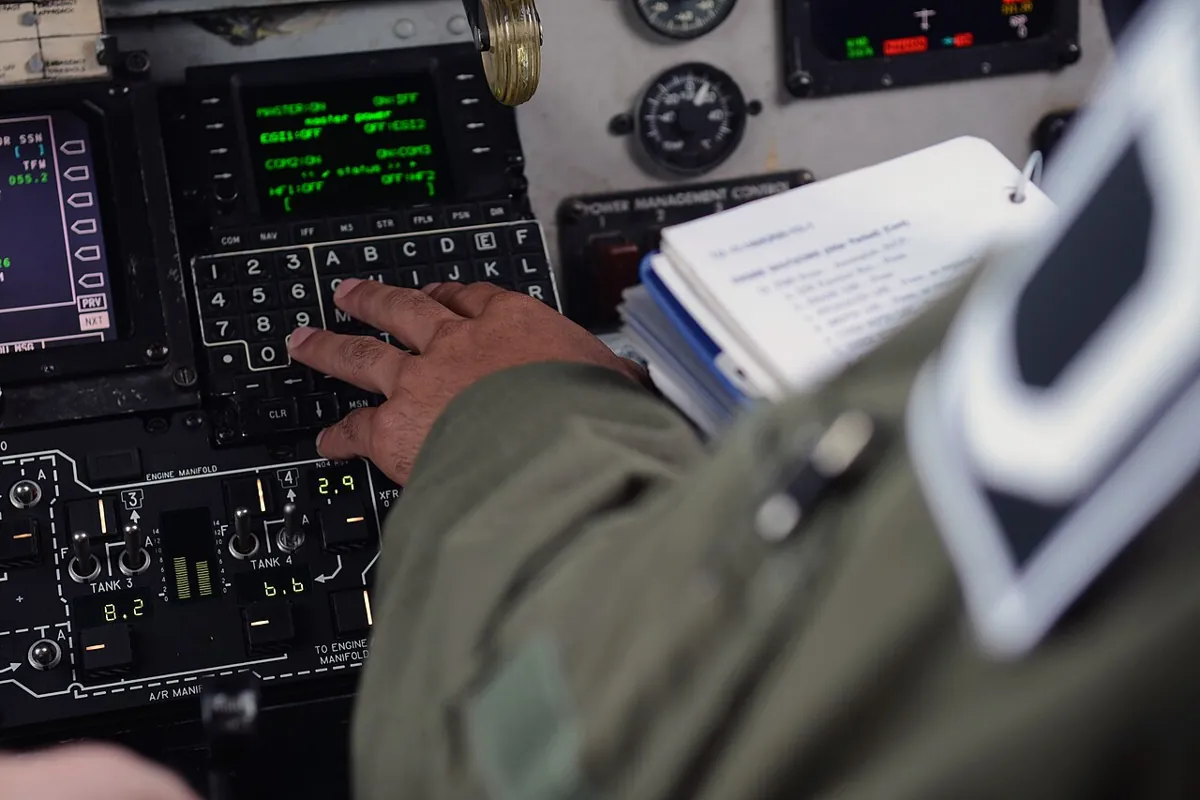
system_check.sh plays the same role: no PASS, no power-on.Photo: U.S. Air Force · Public domain · Source: Wikimedia Commons · resized, converted to WebPReal world
6DOF systems in the real world
- MoveIt: the MoveIt docs describe
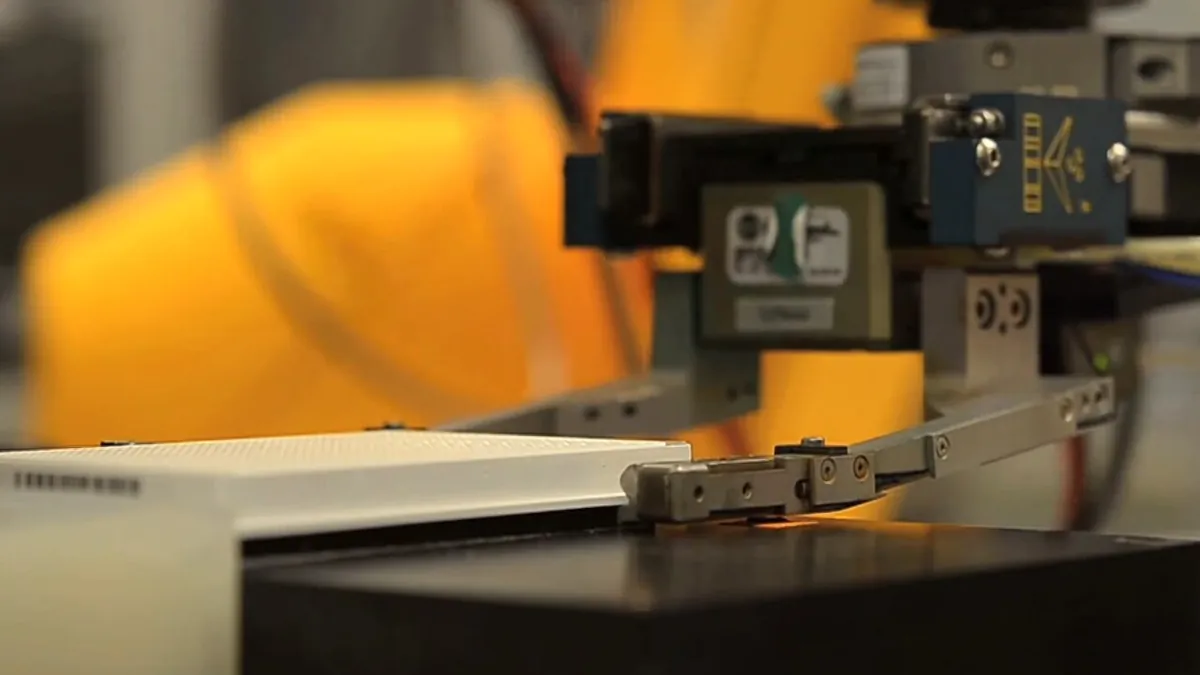
move_groupas an integrator node. It reads the URDF fromrobot_description, listens to/joint_states, uses TF (published by robot_state_publisher), and talks to the robot’s controllers through the FollowJointTrajectory action — the server on the robot, such as ourarm_controller, is not part of move_group. Ourpick_placenode plays the role move_group will play when you reach the Perception, Planning & Manipulation stage. - Lab automation: robot arms move sample plates between machines all day in drug-screening labs. The pattern is the same as our job: home, pre-grasp, grasp, lift, place, home — with checks after every step.
Think
Think about it
Think
On the bench, the wrist servo stalls against the table, but the job keeps running and the planner reports JOB COMPLETE. In the Python sim, the same fault gave error −4. Why the difference, and what would you change?
Experiment
Capstone lab: bring it up, test it, break it, fix it
Part A needs only Python (20 min). Part B needs ROS 2 Jazzy with ros2_control (40 min). Part C needs six servos, an UNO and a separate servo supply (40 min).
Experiment
Bring it up, test it, break it, fix it
You will need
- `sixdof_system_sim.py` and Python 3
- Architecture capstone simulator (in your browser)
- Optional: ROS 2 Jazzy, `ros-jazzy-ros2-control`, `ros-jazzy-ros2-controllers`, the `arm6_system` package
- Optional bench: Arduino UNO, 6 hobby servos, 5–6 V supply rated for all six, power switch, jumper wires
Steps
- Part A: run `sixdof_system_sim.py`. Change `VMAX_DEG_S` to 30. Predict the new T for “place”, then run.
- Part A: add a seventh waypoint of your own. Make one with joint4 = 120° and confirm the planner refuses it.
- Part A: in the architecture simulator, build the pick-and-place graph and get “Architecture Valid”. Then delete the feedback link and read the error.
- Part B: launch `arm6_system_launch.py`, run `system_check.sh`, and get six PASS lines.
- Part B: start the job and watch RViz (add a RobotModel display) and `/pick_place/status`.
- Part B: stop `joint_state_broadcaster` with `ros2 control set_controller_state joint_state_broadcaster inactive`, then try to start the job. Read the refusal.
- Part C: wire the servos with the separate supply, run the bench steps with `max_speed_deg_s` 30, and keep a hand on the power switch.
Interactive · ROS 2 architecture capstone
Educational ROS 2 architecture simulator — not a live ROS 2 / DDS runtime
Node palette
Communication palette · connect system
Frame palette · TF tree (world … tool_link)
- world → base_link
Placed graph (4 nodes · 0 links · 1 TF)
Each fault is caught at the layer that owns it: the planner refuses bad waypoints and stale data, the controller refuses wrong joint names and checks tolerances, the Arduino clamps angles and holds on silence. On mock hardware and on open-loop servos, tolerance checks cannot see a stall — real feedback is the next step.
Knowledge check
Stage 10 final check
Knowledge check
1. ROS 2 is best described as…
2. A continuous stream like /joint_states should use a…
3. Opening or closing the gripper once is a good fit for a…
4. Which interface does joint_trajectory_controller offer for whole-arm motions?
5. What does mock_components/GenericSystem do?
6. With allow_partial_joints_goal: false, a goal naming only five of six joints…
7. A joint falls far behind while moving. The goal ends with…
8. Which node turns /joint_states into the TF tree?
9. Why does the planner use one shared duration for all six joints?
10. In the MoveIt architecture, who provides the FollowJointTrajectory action server?
11. Where should six servos get their power?
12. The Stage 10 interactives (including the capstone simulator) are…
Mini assignment
Capstone assignment
Mini assignment
Capstone: your documented 6DOF ROS 2 system
Build, test and document the 6DOF system so that another student could bring it up from your notes alone. Mark Stage 10 complete when you are done.
Deliverables
- Architecture diagram: every node, topic, service, action and the TF chain world → tool0 (+ camera_link), with interface types.
- Output of `sixdof_system_sim.py` with your own waypoints and one fault of your own design that the checks catch.
- Optional (ROS 2): `system_check.sh` output with six PASS lines, `ros2 control list_controllers`, and the `/pick_place/status` log of one full job.
- Optional (bench): photo of your wiring showing the separate servo supply and common ground, plus a 20-second video of the job.
- One paragraph: what this system still cannot detect (hint: open loop) and how you would fix it.
Do this, step by step
- Run
python3 sixdof_system_sim.py, setVMAX_DEG_Sto 30 and predict the new T for “place” before running. - Add a seventh waypoint of your own, then one with joint4 = 120° and confirm the planner refuses it.
- Design one fault of your own that the checks catch, and save the output.
- Draw the full architecture: every node, topic, service, action and the TF chain world → tool0 (+ camera_link).
- Write the bring-up steps so another student can follow them alone; optional: run
system_check.shand get six PASS lines.
Stuck? Hints, one at a time
- In the code T = 1.5 × d ÷
VMAX_DEG_S(rounded up, at least 0.5 s), so halving 60 → 30 deg/s roughly doubles T. - Check joint limits on every waypoint before a job starts — refuse the whole job, not just one move.
- The system is open loop on the servos: it cannot detect a stalled or slipped joint without real position feedback.
Challenges (pick by level)
- 🟢 Beginner: Add a
speed_scaleparameter (0.1–1.0) topick_placeand use it in the duration formula. - 🟡 Intermediate: Send the whole job as one trajectory with five points (increasing
time_from_start) instead of five goals. Compare total time. - 🟠 Advanced: Subscribe to the action feedback and publish the largest joint error on
~/max_error_deg; plot it with rqt_plot. - 🔴 Expert: Take target poses from
/target_pose(PoseStamped incamera_link), transform with TF2 and solve 6DOF IK for the grasp waypoint (Stage 8). - ⚫ Research: Write a ros2_control hardware interface (
SystemInterface) for your servos with real position feedback (pots or smart servos), so path tolerances work on the bench. Then generate a MoveIt config with the Setup Assistant and let move_group drive yourarm_controller.
Stage 10 complete — what next?
You can now describe a robot, bring it up with launch files and parameters, control it through ros2_control, plan a job with actions, check frames with TF2, choose QoS, debug with the CLI, and refuse to power on until a checklist passes. Next, continue to Stage 11 — Computer Vision for Robotics, where the camera_link in your URDF starts producing real targets. In Stage 12 (Simulation) the same URDF and controllers will drive a simulated arm, so you can test with physics before touching the bench.
Look back: Lesson 15: Connecting Sensors, Controllers & Planners. Next: Stage 11 L01: Why Robots Need Vision. Related: Stage 11 — Computer Vision, Stage 12 — Simulation.
Sources
- ros2_controllers (jazzy) — joint_trajectory_controller user docs — YAML example,
<controller_name>/follow_joint_trajectory,allow_partial_joints_goal, tolerances abort and hold. - ros2_controllers (jazzy) — joint_state_broadcaster user docs — publishes state interfaces on
/joint_states. - control_msgs — FollowJointTrajectory.action — goal fields,
goal_time_tolerance, resulterror_codevalues. - ros2_control (jazzy) — Mock Components user docs — GenericSystem mirrors commands to states for offline testing.
- ros2_control (jazzy) — ros2controlcli user docs —
ros2 control list_controllers,list_hardware_interfaces. - ros2_control_demos (jazzy) — example 1 launch file — ros2_control_node, robot_state_publisher, spawner with
--param-file. - MoveIt 2 docs — The move_group node — robot_description, /joint_states, TF, FollowJointTrajectory controller interface.
- Arduino Servo library — up to 12 servos on most boards, pins 9/10 PWM note, separate supply with grounds connected.
- ROS 2 Jazzy docs — Using URDF with robot_state_publisher (Python) — robot_description and TF from joint states.
- Photos: Wikimedia Commons (credits under each image).
Self-attested for now — keep artifacts in your lab notebook.
Complete
Today's goal
0 of 1 done today
Mark this lesson complete when you have worked the experiment, knowledge check, and assignment (even roughly).