
ROS 2 & Robot Software Architecture (Fundamentals) · Lesson 15
Connecting Sensors, Controllers & Planners
Est. 60–80 min
Why
Why this lesson matters
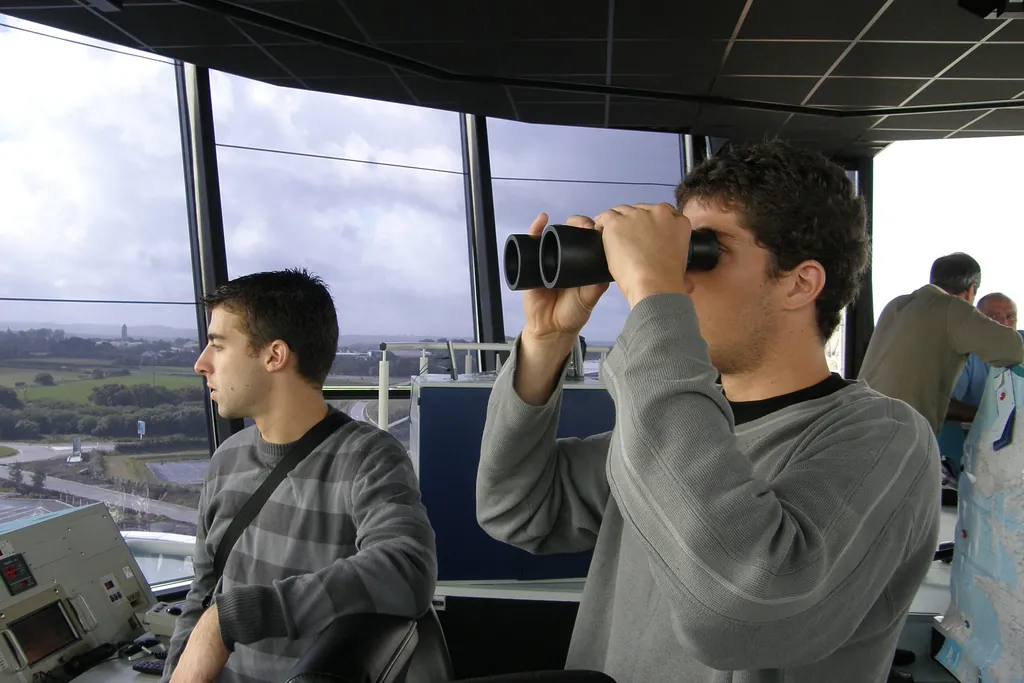
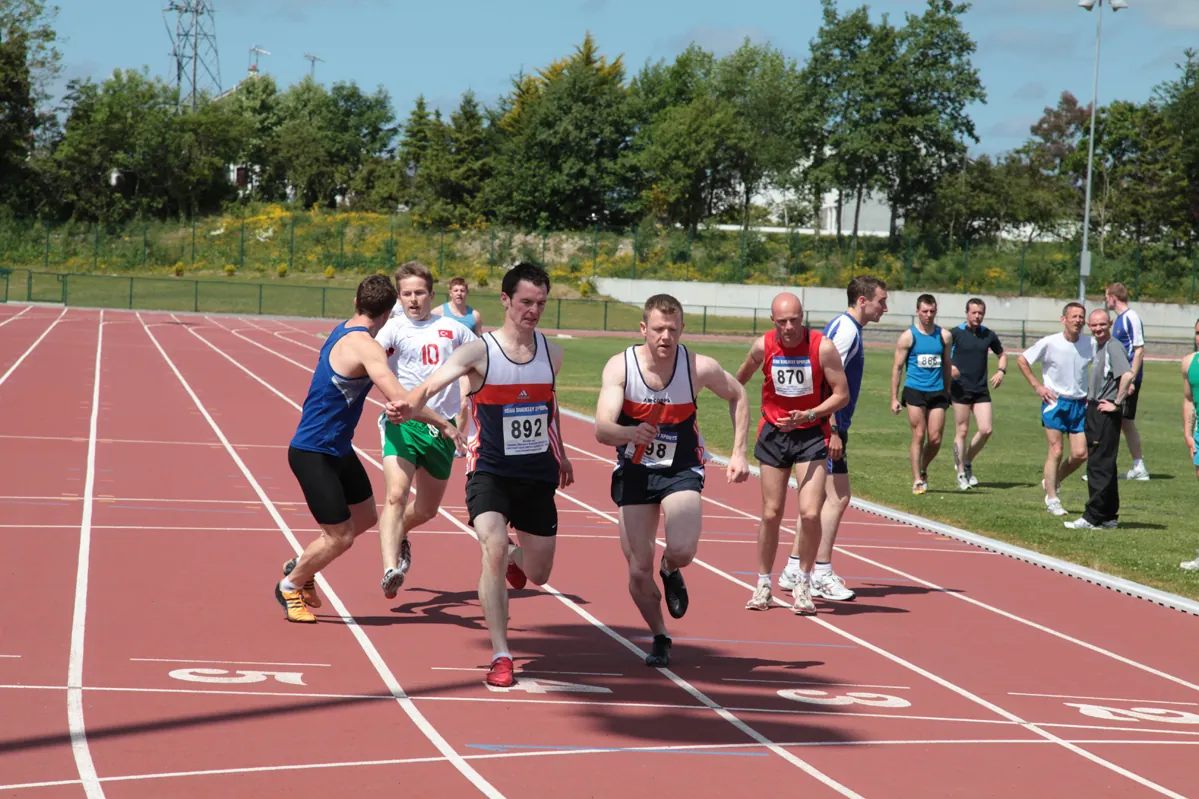
Think of a dosa counter in a busy South Indian restaurant. One person takes the order (a sensor — it notices what is wanted). The order slip goes to the right station (that is TF — putting the request in the right place and frame). The head cook decides the steps: batter, spread, masala, fold (that is the planner). The cook’s hands follow those steps with feedback from eyes and the sound of the tawa (that is the controller). And the manager watches: if the gas stops, everything stops (that is the supervisor). Each person is good at one job, and they talk only through slips and short calls — just like ROS 2 nodes talk through topics, services and actions.
In this lesson you will connect the Stage 7 controller, the Stage 8 inverse kinematics and the Stage 9 trajectories into one ROS 2 pipeline for the 2-joint desk arm. First you will run the whole pipeline as plain Python so you can see every number, then you will read a real rclpy planner node and a launch file that starts everything together.
Concept
One pipeline: sense → frame → plan → control → check
1. Five jobs, five owners
| Job | Owner node | ROS 2 interface | Built in |
|---|---|---|---|
| Sense the joints | joint_state_node | topic joint_states (sensor_msgs/JointState, radians) | Lesson 5 |
| Know where things are | robot_state_publisher + TF2 | /tf, /tf_static | Lessons 12–13 |
| Decide the motion | reach_planner | subscribes reach_target (geometry_msgs/PointStamped) | This lesson (IK from Stage 8, timing from Stage 9) |
| Carry out the motion | move_joint_server × 2 | action move_joint (goal, feedback, result, cancel) | Lesson 7 (cubic s(t) at 50 Hz) |
| Stay safe | planner’s supervisor timer + servers’ limits | cancel goals; reject bad goals | This lesson |
2. Choose the right interface for each arrow
- Streams (joint angles, camera points) → topics. They keep coming; if one is missed, the next one replaces it. Use the sensor-data QoS (Lesson 14).
- Long jobs that need progress and can be stopped (move the shoulder) → actions. The planner gets feedback and can cancel.
- Quick questions (open the gripper, reset a counter) → services (Lesson 6).
- Where is frame A relative to frame B? → TF2
lookup_transform(Lesson 12). Never hard-code the camera position inside the planner. - Settings (link lengths, duration, stale limit) → parameters (Lesson 10), loaded by a launch file (Lesson 9).
3. The data flow, step by step
A target arrives
Someone (a camera node, a button, or you with
ros2 topic pub) publishes aPointStamped. Theheader.frame_idsays which frame the point is in — for examplearm1/camera_link.TF puts it in the base frame
The planner asks TF2 for the transform
base_link ← camera_linkand applies rotation + translation. Now the point is in metres from the robot base.IK turns metres into joint angles
The same 2-link formula you used in Stage 8: law of cosines for the elbow, then atan2 for the shoulder. If no solution fits inside the joint limits, the planner rejects the target. The arm does not move.
Timing makes it smooth
Both joints get the same duration, so they start and stop together — a coordinated move (Stage 9).
Controllers move the joints
Each
move_jointserver follows a cubic profile at 50 Hz and reports feedback. It also rejects targets outside its own safe window — a second layer of safety.The supervisor watches the sensors
If
joint_statesstops arriving while a move is running, the planner cancels both goals and the servers hold position.
Visual
Visualise it: the full robot software stack
Tour the architecture layers and the full ROS 2 robot stack: sensors, state and TF, planning, control and hardware.
Interactive · Robot software architecture explorer
ROS 2 stack / QoS simulator — educational only (not a live DDS session)

Code lab
Code lab: the whole pipeline in plain Python
arm_pipeline_sim.py needs no ROS. It splits the work the same way the nodes do: a toy TF transform from camera_link to base_link, IK for the 2-link arm (L1 = 0.20 m, L2 = 0.15 m, from arm_2dof.urdf), a cubic trajectory, a P controller on filtered pot readings, and a supervisor that aborts if sensor data is older than 80 ms. It runs three goals: one reachable, one too far, and one where the sensor “cable is pulled” halfway. Run python3 arm_pipeline_sim.py.
"""arm_pipeline_sim.py - plain Python (no ROS needed).

One full robot pipeline for a 2-joint planar arm, the way ROS 2 would split it into nodes:

  camera node      -> sees a target point in camera_link            (topic: reach_target)
  TF               -> camera_link -> base_link transform            (/tf_static)
  planner node     -> inverse kinematics + cubic trajectory (Stage 8 + Stage 9)
  controller node  -> follows the trajectory with a P loop (Stage 7)  (action: move_joint)
  sensor node      -> noisy pot readings, filtered                   (topic: joint_states)
  supervisor       -> rejects unreachable goals, stops on stale sensors

Link lengths match arm_2dof.urdf: L1 = 0.20 m, L2 = 0.15 m. Joint limits 0..180 deg.
Run:  python3 arm_pipeline_sim.py
"""
import math
import random

L1, L2 = 0.20, 0.15
LIMITS = (0.0, 180.0)
DT = 0.02                     # 50 Hz control loop
random.seed(7)

# ---------- "topics": a tiny bus so each part only talks through named channels ----------
bus = {}
def publish(topic, msg): bus[topic] = msg
def latest(topic): return bus.get(topic)

# ---------- TF: camera_link pose in base_link (toy pose: 0.30 m forward, 0.10 m left, yawed 90 deg)
CAM_X, CAM_Y, CAM_YAW = 0.30, 0.10, math.radians(90)
def camera_to_base(px, py):
    c, s = math.cos(CAM_YAW), math.sin(CAM_YAW)
    return CAM_X + c * px - s * py, CAM_Y + s * px + c * py

# ---------- planner: IK + trajectory ----------
def ik(x, y):
    """Return (shoulder_deg, elbow_deg) inside limits, or None if not reachable."""
    r2 = x * x + y * y
    c2 = (r2 - L1 * L1 - L2 * L2) / (2 * L1 * L2)
    if abs(c2) > 1.0:
        return None
    for sign in (+1, -1):                     # try elbow one way, then the other
        q2 = sign * math.acos(c2)
        q1 = math.atan2(y, x) - math.atan2(L2 * math.sin(q2), L1 + L2 * math.cos(q2))
        d1, d2 = math.degrees(q1), math.degrees(q2)
        if LIMITS[0] <= d1 <= LIMITS[1] and LIMITS[0] <= d2 <= LIMITS[1]:
            return d1, d2
    return None

def fk(d1, d2):
    q1, q2 = math.radians(d1), math.radians(d2)
    return (L1 * math.cos(q1) + L2 * math.cos(q1 + q2),
            L1 * math.sin(q1) + L2 * math.sin(q1 + q2))

def cubic(start, goal, T, t):
    s = min(max(t / T, 0.0), 1.0)
    return start + (goal - start) * (3 * s * s - 2 * s * s * s)

# ---------- hardware model + sensor node ----------
class Servo:
    def __init__(self, deg): self.deg = deg
    def step(self, cmd):                      # servo moves at most 3 deg per 20 ms tick
        self.deg += max(-3.0, min(3.0, cmd - self.deg))

class FilteredPot:
    def __init__(self, n=5): self.buf, self.n = [], n
    def read(self, true_deg):
        self.buf = (self.buf + [true_deg + random.gauss(0, 0.8)])[-self.n:]
        return sum(self.buf) / len(self.buf)

servos = [Servo(90.0), Servo(90.0)]
pots = [FilteredPot(), FilteredPot()]

def sensor_tick(t, stale=False):
    if not stale:
        publish('joint_states', dict(stamp=t, deg=[p.read(s.deg) for p, s in zip(pots, servos)]))

def run_goal(name, cam_point, T=1.5, stale_after=None):
    print(f'\n=== {name}: target {cam_point} in camera_link ===')
    publish('reach_target', dict(frame='camera_link', point=cam_point))
    x, y = camera_to_base(*latest('reach_target')['point'])
    print(f'TF       camera_link -> base_link : ({x:.3f}, {y:.3f}) m')
    sol = ik(x, y)
    if sol is None:
        print('PLANNER  REJECT: target not reachable inside joint limits - arm does not move')
        return
    print(f'PLANNER  IK -> shoulder {sol[0]:.1f} deg, elbow {sol[1]:.1f} deg, cubic over {T} s')
    sensor_tick(0.0)
    start = list(latest('joint_states')['deg'])
    t, k = 0.0, 0
    while t < T + 0.5:
        stale = stale_after is not None and t >= stale_after
        sensor_tick(t, stale)
        js = latest('joint_states')
        if t - js['stamp'] > 0.08:                    # supervisor: sensor data older than 80 ms
            print(f'SUPERVISOR t={t:.2f}s joint_states is {1000*(t-js["stamp"]):.0f} ms old (limit 80 ms) -> HOLD, goal aborted')
            return
        refs = [cubic(start[j], sol[j], T, t) for j in range(2)]
        for j in range(2):                            # controller: P loop on filtered feedback
            err = refs[j] - js['deg'][j]
            servos[j].step(js['deg'][j] + 0.8 * err)
        if k % 25 == 0:
            print(f'CTRL     t={t:.2f}s ref=({refs[0]:6.1f},{refs[1]:6.1f}) meas=({js["deg"][0]:6.1f},{js["deg"][1]:6.1f})')
        t += DT; k += 1
    fx, fy = fk(servos[0].deg, servos[1].deg)
    err_mm = 1000 * math.hypot(fx - x, fy - y)
    print(f'RESULT   tool at ({fx:.3f}, {fy:.3f}) m, error {err_mm:.1f} mm -> {"SUCCESS" if err_mm < 5 else "MISSED"}')

run_goal('Goal 1 (reachable)', (0.15, 0.25))
run_goal('Goal 2 (too far)', (0.30, 0.20))
run_goal('Goal 3 (sensor cable pulled at 0.6 s)', (0.10, 0.20), stale_after=0.6)
Output (run with python3 arm_pipeline_sim.py)
=== Goal 1 (reachable): target (0.15, 0.25) in camera_link ===
TF       camera_link -> base_link : (0.050, 0.250) m
PLANNER  IK -> shoulder 42.7 deg, elbow 87.6 deg, cubic over 1.5 s
CTRL     t=0.00s ref=(  89.8,  90.4) meas=(  89.8,  90.1)
CTRL     t=0.50s ref=(  77.6,  89.7) meas=(  80.0,  90.0)
CTRL     t=1.00s ref=(  54.9,  88.3) meas=(  58.1,  89.2)
CTRL     t=1.50s ref=(  42.7,  87.6) meas=(  43.4,  87.8)
RESULT   tool at (0.050, 0.250) m, error 0.2 mm -> SUCCESS

=== Goal 2 (too far): target (0.3, 0.2) in camera_link ===
TF       camera_link -> base_link : (0.100, 0.400) m
PLANNER  REJECT: target not reachable inside joint limits - arm does not move

=== Goal 3 (sensor cable pulled at 0.6 s): target (0.1, 0.2) in camera_link ===
TF       camera_link -> base_link : (0.100, 0.200) m
PLANNER  IK -> shoulder 22.4 deg, elbow 102.0 deg, cubic over 1.5 s
CTRL     t=0.00s ref=(  42.9,  86.9) meas=(  43.1,  86.9)
CTRL     t=0.50s ref=(  37.6,  90.8) meas=(  37.8,  90.0)
SUPERVISOR t=0.66s joint_states is 80 ms old (limit 80 ms) -> HOLD, goal aborted
Try it: trace sensors → plan → control → hardware in the full-stack view.
Interactive · Robot software architecture explorer
ROS 2 stack / QoS simulator — educational only (not a live DDS session)
reach_planner_node.py — the real ROS 2 planner
This rclpy node does the same job with real ROS 2 parts. It looks up the transform with tf_buffer.lookup_transform(base, msg.header.frame_id, Time()) (exactly as in the Lesson 12 tool tracker), rotates the point with the transform’s quaternion, solves IK, and sends one MoveJoint action goal to each joint’s server. If either goal is rejected, it cancels the other. A 20 Hz timer cancels both if joint_states is older than stale_s. Add 'reach_planner = arm_control.reach_planner_node:main' to setup.py (already done in the example) and rebuild with colcon build.
"""reach_planner_node.py - rclpy (ROS 2 Jazzy). Connects sensors -> TF -> planner -> controllers.

  subscribes  reach_target   geometry_msgs/PointStamped (any frame, e.g. camera_link)
  subscribes  joint_states   sensor_msgs/JointState     (Lesson 5 node, radians)
  uses        TF2            lookup_transform(base_link <- point frame)   (Lessons 12-13)
  plans       2-link inverse kinematics (Stage 8), same duration for both joints (Stage 9)
  sends       shoulder/move_joint and elbow/move_joint action goals (Lesson 7 servers)
  supervises  cancels both goals if joint_states is older than stale_s while moving

  ros2 run arm_control reach_planner --ros-args -r __ns:=/arm1
  ros2 topic pub --once /arm1/reach_target geometry_msgs/msg/PointStamped \
    "{header: {frame_id: 'arm1/camera_link'}, point: {x: 0.15, y: 0.25, z: 0.0}}"
"""
import math

import rclpy
from rclpy.action import ActionClient
from rclpy.node import Node
from rclpy.qos import qos_profile_sensor_data
from rclpy.time import Time
from geometry_msgs.msg import PointStamped
from sensor_msgs.msg import JointState
from tf2_ros import TransformException
from tf2_ros.buffer import Buffer
from tf2_ros.transform_listener import TransformListener

from arm_interfaces.action import MoveJoint

L1, L2 = 0.20, 0.15            # metres, from arm_2dof.urdf
MIN_DEG, MAX_DEG = 10.0, 170.0  # same safe window as move_joint_server.py


def rotate(q, v):
    """Rotate vector v by unit quaternion q (x, y, z, w)."""
    x, y, z, w = q
    vx, vy, vz = v
    tx, ty, tz = 2 * (y * vz - z * vy), 2 * (z * vx - x * vz), 2 * (x * vy - y * vx)
    return (vx + w * tx + (y * tz - z * ty),
            vy + w * ty + (z * tx - x * tz),
            vz + w * tz + (x * ty - y * tx))


def ik(x, y):
    c2 = (x * x + y * y - L1 * L1 - L2 * L2) / (2 * L1 * L2)
    if abs(c2) > 1.0:
        return None
    for sign in (1, -1):
        q2 = sign * math.acos(c2)
        q1 = math.atan2(y, x) - math.atan2(L2 * math.sin(q2), L1 + L2 * math.cos(q2))
        d1, d2 = math.degrees(q1), math.degrees(q2)
        if MIN_DEG <= d1 <= MAX_DEG and MIN_DEG <= d2 <= MAX_DEG:
            return d1, d2
    return None


class ReachPlanner(Node):
    def __init__(self):
        super().__init__('reach_planner')
        self.declare_parameter('base_frame', 'arm1/base_link')
        self.declare_parameter('duration_s', 1.5)
        self.declare_parameter('stale_s', 0.2)
        self.tf_buffer = Buffer()
        self.tf_listener = TransformListener(self.tf_buffer, self)
        self.joint_clients = {j: ActionClient(self, MoveJoint, f'{j}/move_joint') for j in ('shoulder', 'elbow')}
        self.handles = {}
        self.last_js = None
        self.create_subscription(JointState, 'joint_states', self.on_js, qos_profile_sensor_data)
        self.create_subscription(PointStamped, 'reach_target', self.on_target, 10)
        self.create_timer(0.05, self.supervise)

    def on_js(self, msg):
        self.last_js = self.get_clock().now()

    def on_target(self, msg):
        base = self.get_parameter('base_frame').value
        try:
            t = self.tf_buffer.lookup_transform(base, msg.header.frame_id, Time())
        except TransformException as ex:
            self.get_logger().warn(f'no transform {msg.header.frame_id} -> {base}: {ex}')
            return
        r = t.transform.rotation
        p = rotate((r.x, r.y, r.z, r.w), (msg.point.x, msg.point.y, msg.point.z))
        x = p[0] + t.transform.translation.x
        y = p[1] + t.transform.translation.y
        sol = ik(x, y)
        if sol is None:
            self.get_logger().warn(f'REJECT ({x:.3f}, {y:.3f}) m is not reachable inside limits')
            return
        if self.handles:
            self.get_logger().warn('REJECT: already moving')
            return
        T = float(self.get_parameter('duration_s').value)
        self.get_logger().info(f'target ({x:.3f}, {y:.3f}) m -> shoulder {sol[0]:.1f}, elbow {sol[1]:.1f} deg')
        for joint, deg in zip(('shoulder', 'elbow'), sol):
            client = self.joint_clients[joint]
            if not client.wait_for_server(timeout_sec=1.0):
                self.get_logger().error(f'{joint}/move_joint server not available')
                self.cancel_all()
                return
            goal = MoveJoint.Goal(target_deg=deg, duration_s=T)
            client.send_goal_async(goal).add_done_callback(lambda f, j=joint: self.on_goal_response(j, f))

    def on_goal_response(self, joint, future):
        handle = future.result()
        if not handle.accepted:
            self.get_logger().error(f'{joint} goal rejected - cancelling the other joint')
            self.cancel_all()
            return
        self.handles[joint] = handle
        handle.get_result_async().add_done_callback(lambda f, j=joint: self.on_result(j, f))

    def on_result(self, joint, future):
        res = future.result().result
        self.get_logger().info(f'{joint}: {res.message} final {res.final_deg:.1f} deg')
        self.handles.pop(joint, None)

    def supervise(self):
        if not self.handles:
            return
        stale = float(self.get_parameter('stale_s').value)
        age = None if self.last_js is None else (self.get_clock().now() - self.last_js).nanoseconds / 1e9
        if age is None or age > stale:
            self.get_logger().error('joint_states is stale - cancelling motion (servers hold position)')
            self.cancel_all()

    def cancel_all(self):
        for handle in list(self.handles.values()):
            handle.cancel_goal_async()
        self.handles.clear()


def main():
    rclpy.init()
    node = ReachPlanner()
    try:
        rclpy.spin(node)
    except KeyboardInterrupt:
        pass
    finally:
        node.destroy_node()
        rclpy.try_shutdown()


if __name__ == '__main__':
    main()
arm_pipeline_launch.py — start everything together
One launch file starts the sensor node, robot_state_publisher (with the URDF read by FileContent, the pattern from the Jazzy URDF tutorial), two move_joint_server nodes in the shoulder and elbow namespaces, and the planner. Relative names make it fit together: the planner in /arm1 asks for shoulder/move_joint, which becomes /arm1/shoulder/move_joint — the server’s name.
"""arm_pipeline_launch.py - the whole Lesson 15 pipeline with one command (ROS 2 Jazzy).

  sensors      joint_state (Lesson 5)            -> /arm1/joint_states
  state + TF   robot_state_publisher (Lesson 13) -> /tf, /tf_static (prefix arm1/)
  controllers  move_joint_server x2 (Lesson 7)   -> /arm1/shoulder/move_joint, /arm1/elbow/move_joint
  planner      reach_planner (Lesson 15)         <- /arm1/reach_target

  ros2 launch arm_bringup arm_pipeline_launch.py
Assumes arm_2dof.urdf is installed in arm_description/urdf (Lesson 13).
"""
from launch import LaunchDescription
from launch.actions import DeclareLaunchArgument
from launch.substitutions import FileContent, LaunchConfiguration, PathJoinSubstitution
from launch_ros.actions import Node
from launch_ros.substitutions import FindPackageShare


def generate_launch_description():
    ns = LaunchConfiguration('ns')
    robot_description = FileContent(
        PathJoinSubstitution([FindPackageShare('arm_description'), 'urdf', 'arm_2dof.urdf']))

    return LaunchDescription([
        DeclareLaunchArgument('ns', default_value='arm1', description='Namespace for this arm'),

        Node(package='arm_control', executable='joint_state', name='joint_state_node',
             namespace=ns, parameters=[{'rate_hz': 20.0}], output='screen'),

        Node(package='robot_state_publisher', executable='robot_state_publisher',
             namespace=ns, output='screen',
             parameters=[{'robot_description': robot_description, 'frame_prefix': 'arm1/'}]),

        Node(package='arm_control', executable='move_joint_server', name='move_joint_server',
             namespace=[ns, '/shoulder'], parameters=[{'start_deg': 90.0}], output='screen'),
        Node(package='arm_control', executable='move_joint_server', name='move_joint_server',
             namespace=[ns, '/elbow'], parameters=[{'start_deg': 90.0}], output='screen'),

        Node(package='arm_control', executable='reach_planner', name='reach_planner',
             namespace=ns, parameters=[{'base_frame': 'arm1/base_link', 'duration_s': 1.5,
                                        'stale_s': 0.2}], output='screen'),
])cd ~/arm_ws && colcon build && source install/setup.bash
ros2 launch arm_bringup arm_pipeline_launch.py
# second terminal: is everything there?
ros2 node list
ros2 action list
ros2 run tf2_ros tf2_echo arm1/base_link arm1/camera_link
# send a target in the camera frame
ros2 topic pub --once /arm1/reach_target geometry_msgs/msg/PointStamped \
"{header: {frame_id: 'arm1/camera_link'}, point: {x: 0.15, y: 0.25, z: 0.0}}"
# watch one joint's progress
ros2 topic echo /arm1/shoulder/move_joint/_action/feedbackBench build: sensors into the pipeline (no motors)
Use the two-pot board from Lesson 4 (two_pot_stream.ino) and the Lesson 5 joint_state_node.py with its port parameter. The pots become the real sensor at the start of the pipeline. Unplug the USB cable while a move is running and watch the supervisor cancel the goals.
| Part | Connection | Note |
|---|---|---|
| Pot 1 (shoulder) | ends → 5 V and GND, wiper → A0 | 10 kΩ linear |
| Pot 2 (elbow) | ends → 5 V and GND, wiper → A1 | 10 kΩ linear |
| Arduino UNO | USB to the ROS 2 computer | runs two_pot_stream.ino |
| Servos (optional, later) | separate 5–6 V supply, grounds joined to Arduino GND | never from the Arduino 5 V pin or GPIO |
// two_pot_stream.ino - stream two potentiometer "joint angles" at 20 Hz.
// Output lines look like:  s:93.2,e:71.0
// Read by two_joint_publisher.py (-p port:=/dev/ttyACM0). Drives NO motors.
// Wiring: each 10k pot - outer legs to 5V and GND, middle (wiper) to A0 (shoulder) / A1 (elbow).

const unsigned long PERIOD_MS = 50;  // 20 Hz
unsigned long last = 0;

float toDeg(int raw) { return raw * (180.0 / 1023.0); }

void setup() {
  Serial.begin(115200);
}

void loop() {
  unsigned long now = millis();
  if (now - last < PERIOD_MS) return;
  last = now;
  float s = toDeg(analogRead(A0));
  float e = toDeg(analogRead(A1));
  Serial.print("s:");
  Serial.print(s, 1);
  Serial.print(",e:");
  Serial.println(e, 1);
}
Debugging the pipeline
| Symptom | Likely cause | Fix |
|---|---|---|
| “no transform … -> arm1/base_link” | robot_state_publisher not running, or frame name without the arm1/ prefix | ros2 run tf2_ros tf2_echo arm1/base_link arm1/camera_link; fix frame_id |
| “move_joint server not available” | namespace mismatch | ros2 action list — names must be /arm1/shoulder/move_joint and /arm1/elbow/move_joint |
| Every target is rejected | target outside reach, or limits too narrow | Print x, y in the base frame; check √(x²+y²) ≤ 0.35 m and the 10–170° window |
| Goals cancelled at once | joint_states not arriving or QoS mismatch | ros2 topic hz /arm1/joint_states; ros2 topic info -v |
| Arm moves to a mirror-image pose | wrong IK branch or a sign error in the TF rotation | Run the sim with the same point; compare angles |
| Two joints arrive at different times | different durations | send the same duration_s to both goals |
Real world
Pipelines in the real world
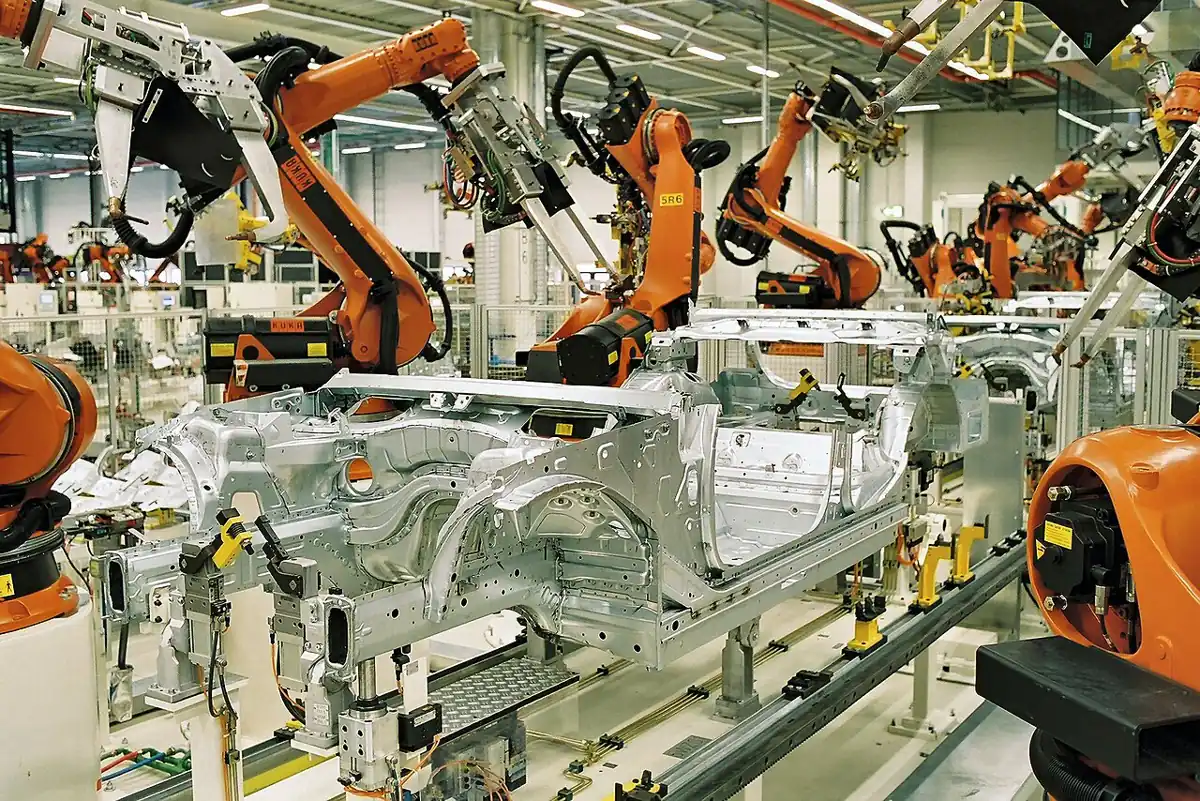
- Car body shops: many welding robots work side by side on one line, each doing its own part of the job on the same car body — the same idea as small nodes, each with one job, joined into one pipeline.
- ros2_control: its joint trajectory controller accepts whole-arm motions through an action,
<controller_name>/follow_joint_trajectory(control_msgs/action/FollowJointTrajectory) — the industrial version of ourmove_jointaction. In Stage 12 you will meet MoveIt, which plays the planner role. - Your 6DOF arm: the 2-joint pipeline here grows to six joints by adding joints to the URDF, more servers, and a 6-joint IK.
Think
Think about it
Think
A camera node publishes the cap’s position 10 times a second, but the planner should only start a new move when the old one has finished. Where should that rule live — in the camera node, the planner or the controller? Why?
Experiment
Try it in the lab
About 45 minutes with Python; the ROS 2 steps need ROS 2 Jazzy and the Lesson 5, 7 and 13 packages; the bench step needs the two-pot board.
Experiment
Connect, break and repair the pipeline
You will need
- `arm_pipeline_sim.py` and Python 3
- Robot software architecture explorer (in your browser)
- Optional: ROS 2 Jazzy with `arm_control`, `arm_interfaces`, `arm_description`, `arm_bringup`; Arduino UNO with two 10 kΩ pots
Steps
- Run `arm_pipeline_sim.py`. Change Goal 1 to a point you choose. Predict the base-frame point and joint angles first, then run.
- Change `CAM_YAW` to 0° and run again. Which goals change, and why does the planner not need any other change?
- Make the supervisor stricter (40 ms) and looser (500 ms). How far does the arm move before stopping in Goal 3?
- In the explorer, trace one target from sensor to hardware and name the interface on every arrow.
- With ROS 2: launch `arm_pipeline_launch.py`, check `ros2 node list` and `ros2 action list`, then publish a target.
- With ROS 2: publish a target that is too far. Find the REJECT line in the log.
- Bench: run with the real pots and unplug the USB during a move. Watch the cancel.
Interactive · Robot software architecture explorer
ROS 2 stack / QoS simulator — educational only (not a live DDS session)
Each node stays small and testable. TF lets you move the camera without touching the planner. Actions give progress and cancel. Safety checks at several layers mean one mistake does not become a crash.
Knowledge check
Check your understanding
Knowledge check
1. Which interface fits “move the shoulder to 60° over 1.5 s, with progress and cancel”?
2. How does the planner get a camera point into the base frame?
3. IK finds no solution inside the joint limits. The planner should…
4. Why give both joints the same duration?
5. `joint_states` stops arriving during a move. A good pipeline…
6. The planner in namespace /arm1 uses the relative action name `shoulder/move_joint`. The full name is…
7. Where should servo power come from?
Mini assignment
Hands-on assignment
Mini assignment
Your arm’s pipeline, connected and defended
Draw, run and test the full pipeline for your arm, then add one more safety layer.
Deliverables
- A diagram of all nodes with every topic, action, TF frame and parameter labelled.
- Output of `arm_pipeline_sim.py` with two targets of your own and a changed camera pose.
- Optional (ROS 2): `ros2 node list`, `ros2 action list`, the planner log for one accepted and one rejected target.
- Optional (bench): notes on what happened when you unplugged the pots during a move.
Do this, step by step
- Run
python3 arm_pipeline_sim.py, change Goal 1 to your own point and predict the base-frame point and joint angles first. - Set
CAM_YAWto 0° and note which goals change. - Try supervisor timeouts of 40 ms and 500 ms and note how far the arm moves before stopping in Goal 3.
- Draw your full pipeline with every topic, action, TF frame and parameter labelled.
- Optional with ROS 2: launch
arm_pipeline_launch.py, send one reachable and one too-far target and find the REJECT line.
Stuck? Hints, one at a time
- The camera pose lives in TF, so changing it should not need any planner code change.
- A target beyond the arm’s reach must be refused by the planner before any motion starts.
- A shorter supervisor timeout stops sooner but may trip on normal jitter — pick a value a few times the sensor period.
Challenges (pick by level)
- 🟢 Easy: Add a parameter
max_reach_mand reject targets further than it before running IK. - 🟡 Medium: Publish the planner’s state (
IDLE,MOVING,REJECTED,CANCELLED) on a transient-localplanner_statustopic (Lesson 14). - 🟠 Hard-ish: Add a gripper step: after both joints succeed, call the Lesson 6 gripper service to close.
- 🔴 Hard: On real hardware, compare
joint_stateswith each server’s feedback and cancel if they differ by more than 5° for 0.3 s. - ⚫ Research: Replace the two
MoveJointactions with onecontrol_msgs/action/FollowJointTrajectorygoal and read how ros2_control’s joint trajectory controller accepts it.
Next step
You have connected every Stage 10 tool into one pipeline. In Lesson 16 — Capstone: Build a ROS 2 6DOF Robot System you will bring it up as a complete, documented system with a checklist, tests and a demo.
Look back: Lesson 14: QoS & Reliable Robot Communication. Next: Lesson 16: Capstone — Build a ROS 2 6DOF Robot System. Related: Stage 8 — Kinematics & IK, Stage 9 — Trajectory Planning.
Sources
- ROS 2 Jazzy docs — Writing a listener (Python): tf2 —
Buffer,TransformListener,lookup_transform(target, source, Time()),TransformException. - ROS 2 Jazzy docs — Writing an action server and client (Python) —
ActionClient,send_goal_async,get_result_async. - ROS 2 Jazzy docs — Using URDF with robot_state_publisher (Python) — launch pattern with
FileContentforrobot_description. - ros2_controllers (jazzy) — joint_trajectory_controller user docs —
<controller_name>/follow_joint_trajectoryaction of typecontrol_msgs::action::FollowJointTrajectory. - ROS 2 Jazzy docs — Quality of Service settings — sensor-data profile for streams.
- Docs text read from the official docs source ros2/ros2_documentation (jazzy branch).
- Photos: Wikimedia Commons (credits under each image).
Self-attested for now — keep artifacts in your lab notebook.
Complete
Today's goal
0 of 1 done today
Mark this lesson complete when you have worked the experiment, knowledge check, and assignment (even roughly).