
Computer Vision for Robotics (Vision Foundations) · Lesson 16
Capstone — Vision-Guided 6DOF Robot Pick & Place
Est. 90–120 min
Why
Why this capstone matters
Think of a cricket fielder taking a catch. The eyes find the ball, the brain judges where it will be, the body plans a path, and the hands close at the right moment. If the eyes are blinded by the sun, a good fielder does not dive blindly — he waits. A vision-guided robot needs the same chain and the same discipline: see, locate, decide, plan, move, and refuse to move when the picture is not trustworthy.
In this capstone you connect everything from Stage 11 to the arm: camera calibration (Lesson 12), pose with solvePnP (Lesson 15), the camera’s own pose in the robot frame, safety gates, inverse kinematics (Stage 8), smooth trajectories (Stage 9), the ROS 2 view of the same data (Stage 10), and finally a six-servo executor on an Arduino UNO with an emergency stop. One Python program runs the full chain on a synthetic table so you can test it before any servo moves.
Concept
From camera pixels to servo angles, one stage at a time
1. The pipeline we are building
| Stage | Input → output | Where you learnt it | Gate (no pass = no move) |
|---|---|---|---|
| Camera model | checkerboard photos → K, distortion | Lesson 12 | reprojection error small |
| Camera in robot frame | reference markers → T_base_cam | this lesson | reference markers read back where they are taped |
| Detect | image → marker IDs + corners | Lessons 5, 15 | marker seen (never guess) |
| Pose | corners → T_cam_obj (6-DOF) | Lesson 15 | reprojection < 2 px, tilt < 10°, height plausible |
| Base frame | T_base_obj = T_base_cam · T_cam_obj | Stage 10 TF | inside the work area |
| IK | grasp pose → joint angles | Stage 8 | solution exists, within joint limits, FK check |
| Trajectory | joint targets → 50 Hz frames | Stage 9 | peak speed ≤ limit |
| Execute | frames → servo PWM | Stage 10 bridge | clamp, step limit, watchdog, e-stop |
Notice the right-hand column. Every stage can fail, and every failure is caught before the arm moves. This is the most important idea of the capstone: a robot that is right 95% of the time and crashes 5% of the time is not useful. A robot that is right 95% of the time and stops the other 5% is.
2. Where is the camera? (eye-to-hand calibration)
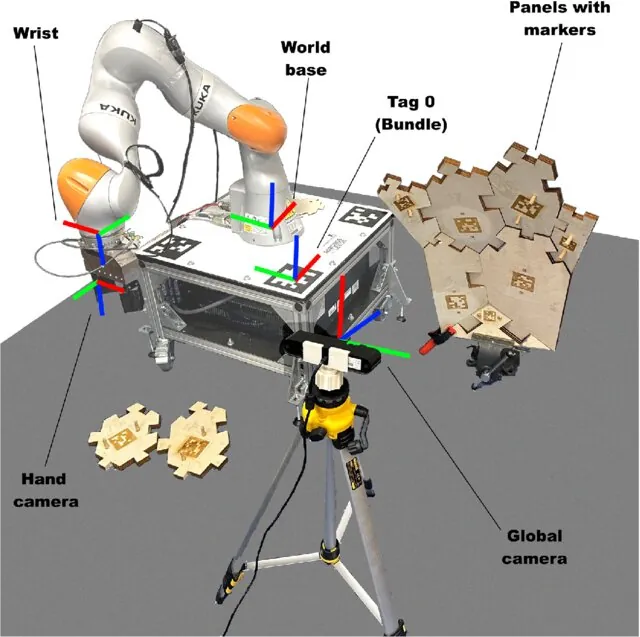
Our camera is fixed on a stand and looks at the table — called eye-to-hand. The other option, a camera on the wrist, is eye-in-hand. Either way, we need the transform between the camera and the robot. Finding it is the classic hand–eye calibration problem, usually written as AX = XB (or AX = ZB): A and B are measured motions (of the robot and of the camera’s view of a target) and X is the unknown fixed transform.
For a fixed camera over a flat table there is a simpler method we can do in the lab: tape markers to the table at positions you measure with a ruler in the robot’s base frame. The camera sees them, solvePnP gives T_cam_ref, and because we know T_base_ref we get:
T_base_cam = T_base_ref · (T_cam_ref)⁻¹
- T_base_ref — where you taped the reference marker, measured from the robot base (mm)
- T_cam_ref — the marker’s pose seen by the camera (solvePnP)
- T_base_cam — the camera in the robot frame; used for every block afterwards
One small marker gives a wobbly answer — in our test the camera came out 11 mm and 0.84° off. Putting all 16 corners of four markers spread across the table into one solvePnP call brought that down to 0.3 mm and 0.03°. Spread-out points constrain rotation far better than one small square — the same reason a long ruler is better than a short one for drawing a straight line.
3. From block pose to grasp
Pose in the base frame
T_base_obj = T_base_cam · T_cam_obj. Read x, y, z and the yaw around the vertical axis.
Trust x and y, doubt z
From a single small marker, depth (z from the camera) is the weakest number — our test read 44.7 mm for a 50 mm block. If the measured height is close to the known block height, use the known height.
Choose the grasp
Approach straight down, grip 15 mm below the top face, and turn the wrist to the block yaw wrapped to ±45° (a square block looks the same every 90°, Lesson 15).
Pre-grasp and lift
A point 60 mm above the grasp. The arm goes there first, comes straight down, closes, and lifts straight up — so it never sweeps sideways into the block.
4. Inverse kinematics for our arm
Our desk arm (base height 100 mm, upper arm 200 mm, forearm 180 mm, wrist-to-tip 90 mm) uses the Stage 8 recipe: base yaw = atan2(y, x); keep the gripper pointing down, so the wrist centre is 90 mm above the grasp point; solve the two-link shoulder–elbow triangle (elbow up); wrist pitch makes the total angle −90°; wrist roll = block yaw − base yaw. Then forward kinematics is run on the answer and must land on the target (our test: 0.000 mm). If any joint is outside its limits, or the point is out of reach (our block 9 at 493 mm radius), the answer is NO-GO.
5. Smooth motion and the order of moves
Each move is a quintic (5th-order) joint trajectory from Stage 9: it starts and ends with zero speed and zero acceleration. Its peak speed is 1.875 × Δθ / T, so for a 60°/s limit we choose T = 1.875 × Δθ / 60. One pick is eight moves: pre-grasp → descend → close → lift → to bin → lower → open → retreat. Professional planners use the same idea; the MoveIt Task Constructor pick-and-place demo has stages such as open hand, move to pick, approach object, generate grasp pose, close hand, attach object, lift, move to place, open hand, detach, retreat and return home.
6. Safety is part of the design, not an extra
- No target = no move: marker not seen, bad reprojection, tilted pose, odd height, or no IK → skip that block and report why.
- Calibration watchdog: before every job, check that the reference markers still read where they are taped. If someone bumped the camera (our test: 2° tilt → 19.9 mm aim error), stop and re-calibrate.
- Executor limits: the Arduino clamps every joint to its own range, limits each step, and holds if frames stop coming.
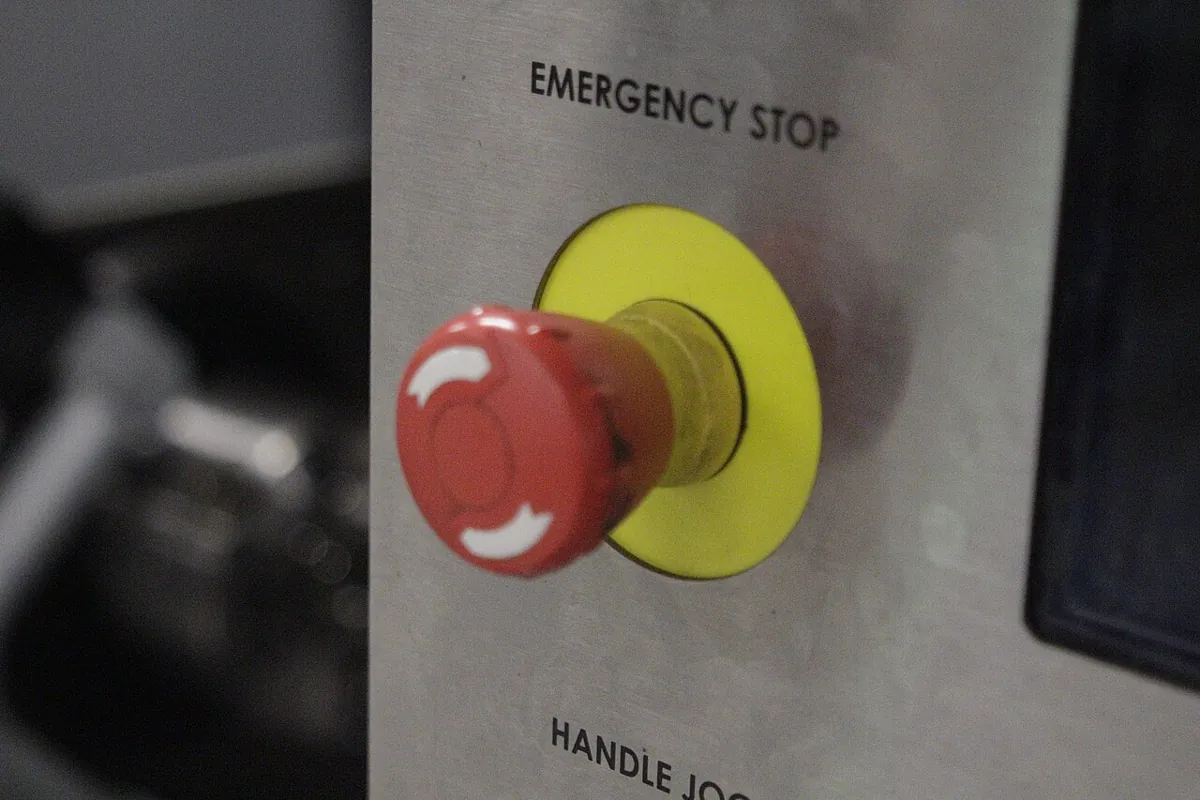
- E-stop: a latched stop button in firmware and a hardware switch that cuts servo power.
- Power: servos never from the UNO 5 V pin or GPIO — separate supply, common ground.
Visual
Visualise it: run the whole pipeline
Step through Detect → Estimate Depth → Estimate Pose → Send to IK → Generate Trajectory → Execute, and use Reset to start again. Watch each pipeline chip light up only after the one before it. Educational model — not a real robot controller.
Interactive · Vision-guided pick & place capstone · Educational sim
Educational browser sim only — not real CV inference, not YOLO/OpenCV, not live cameras, not industrial 6DOF accuracy. Bridges Stage 8 IK + Stage 9 trajectory + Stage 10 ROS concepts with planar helpers.

Ready — press Detect to start the educational pipeline.
Detection
—
Pose (cam)
—
IK · Traj · ROS
- IK: —
- traj samples: —
- final: —
- ROS: /vision/object_pose → action (conceptual)
Real world
Vision-guided picking in the real world
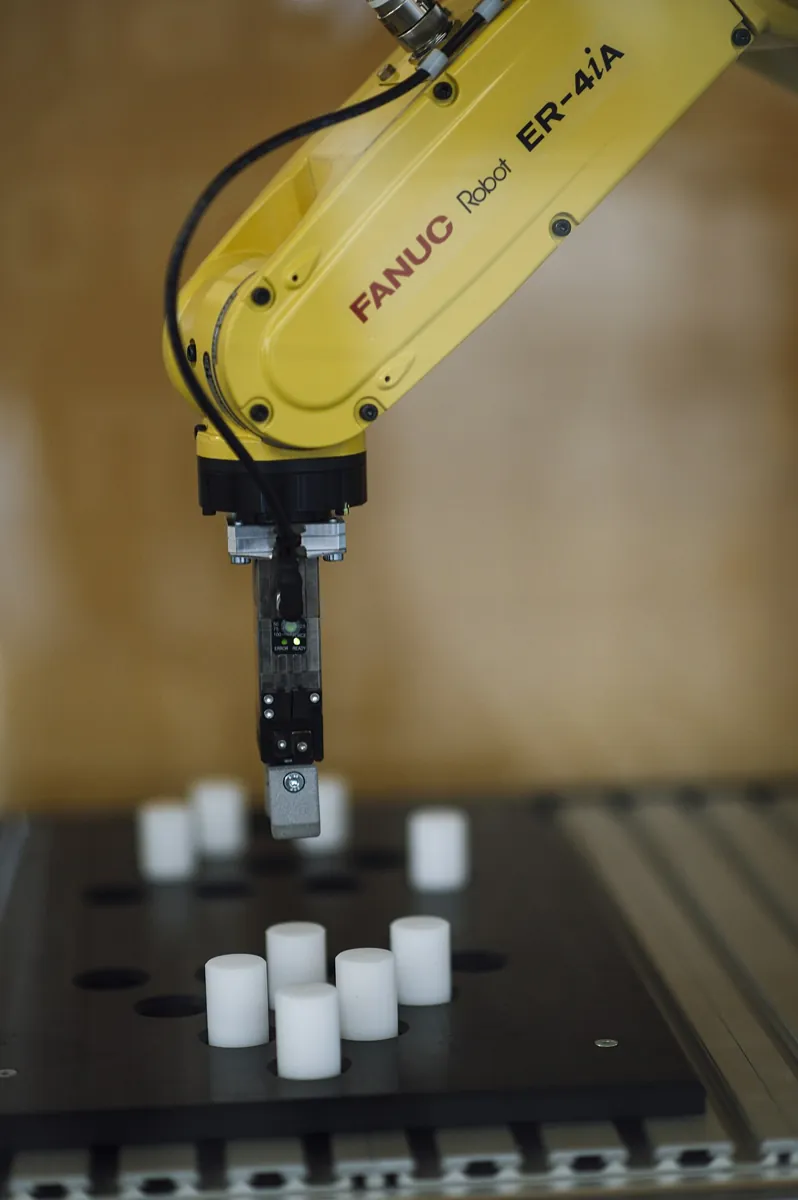
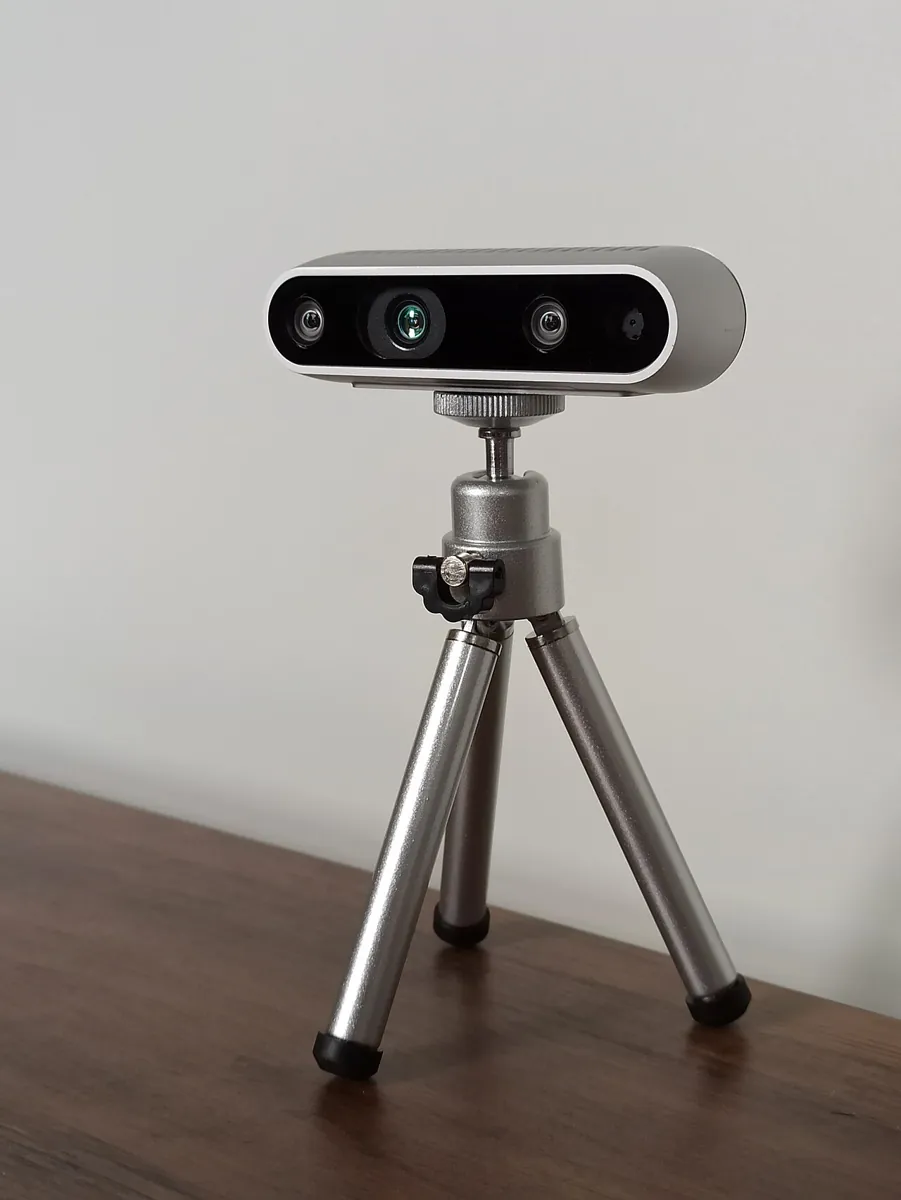
Factories: robot cells pick parts from conveyors and trays using cameras; the camera’s calibration to the robot is checked regularly because a bumped camera means wrong picks. Warehouses: item-picking robots combine detection, pose and grasp planning for thousands of different products. Research labs: planners such as MoveIt build pick-and-place as a sequence of stages, and fail safely when an object is out of reach.
Think
Think about it
Think
Your pipeline sees a block at z = 44.7 mm. The block is 50 mm tall. Should the gripper go to 44.7 − 15 or 50 − 15? What if a block reads z = 95 mm?
Experiment
Capstone lab: calibrate, see, plan, pick — and stop safely
About 90 minutes. Part A runs anywhere with Python. Part B needs a webcam and ROS 2 (optional). Part C is the bench with the six-servo arm. Always run Part A first: if the simulation does not say GO, the real arm will not either.
Part A — the whole chain in one program
The program draws a synthetic top camera view (1280 × 720, fx = 800) of a table with four reference markers and four blocks, then runs every stage of the pipeline and prints what each gate decided. Block 5 has its marker covered and block 9 is out of reach on purpose.
"""
pick_place_pipeline.py  -  Stage 11, Lesson 16 capstone: Vision-Guided 6DOF Pick & Place
AIHUB STATION, Kota.  Needs: pip install opencv-python numpy   (pyserial only for --port)

The whole chain on one synthetic table, every step checked:
  camera -> find camera in robot frame (4 reference markers) -> detect blocks -> solvePnP pose
  -> base frame -> safety gates -> IK (5 joints + gripper) -> FK check -> quintic trajectory
  -> servo angles at 50 Hz  (optionally streamed to six_servo_executor.ino with --port)
"""
import sys
import numpy as np
import cv2 as cv

rng = np.random.default_rng(16)
W, H = 1280, 720
K = np.array([[800.0, 0, 640], [0, 800.0, 360], [0, 0, 1]]); dist = np.zeros(5)
aruco = cv.aruco.getPredefinedDictionary(cv.aruco.DICT_4X4_50)

def rz(d):
    a = np.radians(d); c, s = np.cos(a), np.sin(a); return np.array([[c, -s, 0], [s, c, 0], [0, 0, 1]])
def rx(d):
    a = np.radians(d); c, s = np.cos(a), np.sin(a); return np.array([[1, 0, 0], [0, c, -s], [0, s, c]])
def T(R, t):
    M = np.eye(4); M[:3, :3] = R; M[:3, 3] = t; return M
def square(L):
    return np.array([[-L/2, L/2, 0], [L/2, L/2, 0], [L/2, -L/2, 0], [-L/2, -L/2, 0]], np.float32)

# ---------- the real world (the program does NOT know T_base_cam_true) ----------
R_down = np.array([[0, -1, 0], [-1, 0, 0], [0, 0, -1]], float)            # camera looking down
T_base_cam_true = T(R_down @ rx(8), [280.0, 0.0, 620.0])                   # mounted with an 8 deg tilt
REF_L = 60.0                                        # four reference markers taped to the table (ids 0, 1, 2, 4)
REFS = {0: (210.0, -300.0), 1: (460.0, -300.0), 2: (460.0, 300.0), 4: (210.0, 220.0)}
T_ref = {i: T(np.eye(3), [x, y, 0.0]) for i, (x, y) in REFS.items()}
BLOCK_H, MARK_L = 50.0, 40.0
blocks = {3: (330, 60, 30), 7: (250, -80, -65), 9: (460, 170, 10), 5: (180, 90, 0)}
covered = {5}                                       # a hand is covering block 5's marker
BIN = (120.0, 250.0)                                # drop-off bin (x, y) in base frame, mm

def render(T_base_cam):
    img = np.clip(150 + rng.integers(0, 25, (H, W)), 0, 255).astype(np.uint8)
    Tcb = np.linalg.inv(T_base_cam)
    items = [(i, REF_L, T_ref[i], None) for i in REFS] + [
        (i, MARK_L, T(rz(yaw), [x, y, BLOCK_H]), 60.0) for i, (x, y, yaw) in blocks.items()]
    for mid, L, Tbm, top in items:
        Tcm = Tcb @ Tbm; rv = cv.Rodrigues(Tcm[:3, :3])[0]
        if top:
            p, _ = cv.projectPoints(square(top), rv, Tcm[:3, 3], K, dist)
            cv.fillConvexPoly(img, np.round(p.reshape(4, 2)).astype(np.int32), 235)
        p, _ = cv.projectPoints(square(L), rv, Tcm[:3, 3], K, dist)
        tile = cv.aruco.generateImageMarker(aruco, mid, 240)
        Hm = cv.getPerspectiveTransform(np.float32([[0, 0], [239, 0], [239, 239], [0, 239]]), p.reshape(4, 2).astype(np.float32))
        warped = cv.warpPerspective(tile, Hm, (W, H), flags=cv.INTER_AREA)
        mask = cv.warpPerspective(np.full_like(tile, 255), Hm, (W, H))
        img[mask > 0] = warped[mask > 0]
        if mid in covered:                                   # a "hand" over half the marker
            c = p.reshape(4, 2).mean(axis=0).astype(int)
            cv.rectangle(img, (c[0] - 5, c[1] - 60), (c[0] + 80, c[1] + 60), 90, -1)
    img = cv.GaussianBlur(img, (3, 3), 0)
    return np.clip(img + rng.normal(0, 3, img.shape), 0, 255).astype(np.uint8)

def poses(img):
    det = cv.aruco.ArucoDetector(aruco, cv.aruco.DetectorParameters())
    corners, ids, _ = det.detectMarkers(img)
    out = {'corners': {int(i): c.reshape(4, 2) for c, i in zip(corners, ids.flatten())}}
    for c, i in zip(corners, ids.flatten() if ids is not None else []):
        L = REF_L if i in REFS else MARK_L
        n, rvs, tvs, errs = cv.solvePnPGeneric(square(L), c.reshape(4, 2), K, dist, flags=cv.SOLVEPNP_IPPE_SQUARE)
        k = int(np.argmin([cv.Rodrigues(r)[0][2, 2] for r in rvs]))   # flat on the table, facing the camera
        out[int(i)] = (T(cv.Rodrigues(rvs[k])[0], tvs[k].ravel()), float(np.ravel(errs)[k]))
    return out

def yaw_tilt(R):
    return np.degrees(np.arctan2(R[1, 0], R[0, 0])), np.degrees(np.arccos(np.clip(R[2, 2], -1, 1)))

# ---------- arm model (AIHUB desk 6DOF, mm) ----------
H0, L1, L2, L3 = 100.0, 200.0, 180.0, 90.0       # base height, upper arm, forearm, wrist->gripper tip
LIMITS = [(-90, 90), (0, 150), (-150, 0), (-120, 30), (-90, 90), (0, 60)]   # joint limits, deg
VMAX = 60.0                                          # deg/s, slow and safe for hobby servos

def ik(x, y, z, block_yaw):
    q1 = np.degrees(np.arctan2(y, x)); r = np.hypot(x, y); zw = z + L3 - H0
    D = (r*r + zw*zw - L1*L1 - L2*L2) / (2*L1*L2)
    if abs(D) > 1: return None, f'out of reach (r {r:.0f} mm)'
    q3 = -np.arccos(D)                                                    # elbow up
    q2 = np.arctan2(zw, r) - np.arctan2(L2*np.sin(q3), L1 + L2*np.cos(q3))
    q2, q3 = np.degrees(q2), np.degrees(q3)
    q4 = -90.0 - q2 - q3                                                  # keep the gripper pointing down
    q5 = (block_yaw - q1 + 45) % 90 - 45                                  # square block: smallest wrist roll
    q = [q1, q2, q3, q4, q5]
    for j, (v, (lo, hi)) in enumerate(zip(q, LIMITS)):
        if not lo <= v <= hi: return None, f'joint {j+1} = {v:.0f} deg outside {lo}..{hi}'
    return np.array(q), 'ok'

def fk(q):
    q1, q2, q3, q4 = np.radians(q[:4])
    r = L1*np.cos(q2) + L2*np.cos(q2+q3) + L3*np.cos(q2+q3+q4)
    z = H0 + L1*np.sin(q2) + L2*np.sin(q2+q3) + L3*np.sin(q2+q3+q4)
    return np.array([r*np.cos(q1), r*np.sin(q1), z])

def quintic(qa, qb):
    d = np.abs(qb - qa).max(); Tseg = max(0.4, 1.875 * d / VMAX)          # quintic peak speed = 1.875*d/T
    t = np.arange(0, Tseg + 1e-9, 0.02); s = t / Tseg
    h = 10*s**3 - 15*s**4 + 6*s**5
    return qa + np.outer(h, qb - qa), Tseg

# ================= 1. Where is the camera? =================
img = render(T_base_cam_true)
seen = poses(img)
def cam_from_refs(seen, use):
    obj = np.vstack([(T_ref[i] @ np.c_[square(REF_L), np.ones(4)].T).T[:, :3] for i in use]).astype(np.float32)
    img_pts = np.vstack([seen['corners'][i] for i in use]).astype(np.float32)
    ok, rv, tv = cv.solvePnP(obj, img_pts, K, dist)          # ITERATIVE, all corners at once
    p, _ = cv.projectPoints(obj, rv, tv, K, dist)
    err = float(np.sqrt(np.mean(np.sum((p.reshape(-1, 2) - img_pts)**2, axis=1))))
    return np.linalg.inv(T(cv.Rodrigues(rv)[0], tv.ravel())), err

print('1) WHERE IS THE CAMERA? (true position x 280, y 0, z 620 mm - the program does not know this)')
T_one = T_ref[0] @ np.linalg.inv(seen[0][0])
T_four, e4 = cam_from_refs(seen, list(REFS))
for name, Tc, e in (('one 60 mm marker (id 0)', T_one, seen[0][1]), ('four markers, 16 corners', T_four, e4)):
    off = np.linalg.norm(Tc[:3, 3] - T_base_cam_true[:3, 3])
    ang = np.degrees(np.arccos(np.clip((np.trace(Tc[:3, :3].T @ T_base_cam_true[:3, :3]) - 1) / 2, -1, 1)))
    print(f'   {name:25s}: x {Tc[0,3]:6.1f} y {Tc[1,3]:6.1f} z {Tc[2,3]:6.1f} mm -> {off:4.1f} mm and {ang:.2f} deg off, error {e:.2f} px')
T_base_cam = T_four

# ================= 2. Detect + pose + gates =================
print('\n2) BLOCKS: detect -> solvePnP -> base frame -> gates')
targets = []
for i in sorted(blocks):
    if i not in seen:
        print(f'   id {i}: NOT SEEN (marker covered) -> skip, never guess'); continue
    Tcm, err = seen[i]; Tb = T_base_cam @ Tcm
    yaw, tilt = yaw_tilt(Tb[:3, :3]); x, y, z = Tb[:3, 3]
    tx, ty, tyaw = blocks[i]
    z_top = BLOCK_H if abs(z - BLOCK_H) < 15 else z     # single-marker z is the weakest number: snap to the known block height
    gz = z_top - 15.0                                 # grasp 15 mm below the top face
    q, why = ik(x, y, gz, yaw)
    gates = {'reproj<2px': err < 2, 'tilt<10': tilt < 10, 'height 30-80': 30 < z < 80, 'IK': q is not None}
    ok = all(gates.values())
    print(f'   id {i}: x {x:6.1f} y {y:6.1f} z {z:5.1f} yaw {yaw:6.1f}  (truth {tx}, {ty}, {BLOCK_H:.0f}, {tyaw})'
          f'  err {err:.2f} px, z used {z_top:.0f}  -> {"GO" if ok else "NO-GO: " + ", ".join(k for k, v in gates.items() if not v) + f" ({why})"}')
    if ok: targets.append((i, np.array([x, y, gz]), yaw, q))

# ================= 3. IK + FK check + plan =================
print('\n3) IK (elbow up, gripper down) + FK check, then a quintic plan at 50 Hz')
home = np.array([0.0, 90.0, -90.0, -90.0, 0.0])
OPEN, CLOSED = 60.0, 15.0
plan, total = [], 0.0
q_now = home
for i, p, yaw, q_grasp in targets:
    q_pre, _ = ik(p[0], p[1], p[2] + 60, yaw)
    q_lift = q_pre
    q_bin, _ = ik(BIN[0], BIN[1], 90.0, 0.0)
    q_drop, _ = ik(BIN[0], BIN[1], 40.0, 0.0)
    fk_err = np.linalg.norm(fk(q_grasp) - p)
    print(f'   id {i}: grasp joints {np.round(q_grasp, 1).tolist()} deg, FK error {fk_err:.3f} mm')
    steps = [('pre-grasp', q_pre, OPEN), ('descend', q_grasp, OPEN), ('close', q_grasp, CLOSED),
             ('lift', q_lift, CLOSED), ('to bin', q_bin, CLOSED), ('lower', q_drop, CLOSED),
             ('open', q_drop, OPEN), ('retreat', q_bin, OPEN)]
    g_now = OPEN
    for name, q_t, g in steps:
        a = np.append(q_now, g_now); b = np.append(q_t, g)
        traj, Tseg = quintic(a, b)
        peak = (np.abs(np.diff(traj, axis=0)).max(axis=0) / 0.02).max()
        plan.extend(traj); total += Tseg; q_now, g_now = q_t, g
        print(f'      {name:9s} {Tseg:4.2f} s  peak joint speed {peak:5.1f} deg/s')
traj, Tseg = quintic(np.append(q_now, OPEN), np.append(home, OPEN)); plan.extend(traj); total += Tseg
print(f'   back home {Tseg:.2f} s.  Whole job: {len(targets)} blocks, {total:.1f} s, {len(plan)} servo frames at 50 Hz')

# Straight-down approach: joint-space quintic vs Cartesian (IK at every step)
q_pre, _ = ik(*(targets[0][1] + [0, 0, 60]), targets[0][2]); q_g = targets[0][3]
js = quintic(q_pre, q_g)[0]
drift = max(np.hypot(*(fk(q)[:2] - targets[0][1][:2])) for q in js)
print(f'   descend for id {targets[0][0]}: joint-space path drifts {drift:.1f} mm sideways;'
      f' a Cartesian path (IK every 2 mm) drifts 0.0 mm by design')

# ================= 4. Servo angles =================
servo = lambda q: np.clip(np.array(q) + [90, 0, 180, 120, 90, 0], 0, 180).round().astype(int)
print('\n4) SERVO LINES at t = 0, 0.5, 1.0 s (servo = joint + offset, clipped 0..180):')
for q in (plan[0], plan[25], plan[50]): print('   J ' + ' '.join(map(str, servo(q))))

# ================= 5. Someone bumps the camera =================
print('\n5) SAFETY: camera bumped by 2 deg, old calibration still loaded')
img2 = render(T(T_base_cam_true[:3, :3] @ rx(2), T_base_cam_true[:3, 3]))
seen2 = poses(img2)
ref_err = max(np.linalg.norm((T_base_cam @ seen2[i][0])[:3, 3] - T_ref[i][:3, 3]) for i in REFS)
b3 = (T_base_cam @ seen2[3][0])[:3, 3]
print(f'   block 3 would be aimed {np.linalg.norm(b3[:2] - np.array(blocks[3][:2])):.1f} mm off.'
      f' Reference markers now read up to {ref_err:.1f} mm from where they are taped'
      f' -> {"STOP: re-run camera calibration" if ref_err > 5 else "ok"}')

if len(sys.argv) > 2 and sys.argv[1] == '--port':
    import serial, time
    ser = serial.Serial(sys.argv[2], 115200, timeout=0.5); time.sleep(2)
    for q in plan:
        ser.write(('J ' + ' '.join(map(str, servo(q))) + '\n').encode())
        if ser.readline().decode().strip() != 'OK':
            print('UNO did not answer OK - stopping'); break
        time.sleep(0.02)
Output (tested with opencv-python 5.0)
1) WHERE IS THE CAMERA? (true position x 280, y 0, z 620 mm - the program does not know this)
   one 60 mm marker (id 0)  : x  282.5 y   -7.3 z  628.0 mm -> 11.1 mm and 0.84 deg off, error 0.02 px
   four markers, 16 corners : x  279.7 y    0.1 z  620.0 mm ->  0.3 mm and 0.03 deg off, error 0.46 px

2) BLOCKS: detect -> solvePnP -> base frame -> gates
   id 3: x  330.2 y   60.2 z  48.4 yaw   29.6  (truth 330, 60, 50, 30)  err 0.10 px, z used 50  -> GO
   id 5: NOT SEEN (marker covered) -> skip, never guess
   id 7: x  249.9 y  -80.5 z  44.7 yaw  -66.0  (truth 250, -80, 50, -65)  err 0.14 px, z used 50  -> GO
   id 9: x  461.9 y  172.0 z  43.7 yaw   10.4  (truth 460, 170, 50, 10)  err 0.10 px, z used 50  -> NO-GO: IK (out of reach (r 493 mm))

3) IK (elbow up, gripper down) + FK check, then a quintic plan at 50 Hz
   id 3: grasp joints [10.3, 30.4, -55.4, -65.0, 19.3] deg, FK error 0.000 mm
      pre-grasp 1.65 s  peak joint speed  60.0 deg/s
      descend   0.42 s  peak joint speed  59.9 deg/s
      close     1.41 s  peak joint speed  60.0 deg/s
      lift      0.42 s  peak joint speed  59.9 deg/s
      to bin    1.69 s  peak joint speed  60.0 deg/s
      lower     0.40 s  peak joint speed  57.4 deg/s
      open      1.41 s  peak joint speed  60.0 deg/s
      retreat   0.40 s  peak joint speed  57.4 deg/s
   id 7: grasp joints [-17.9, 48.4, -92.3, -46.2, 41.9] deg, FK error 0.000 mm
      pre-grasp 2.57 s  peak joint speed  60.0 deg/s
      descend   0.48 s  peak joint speed  59.8 deg/s
      close     1.41 s  peak joint speed  60.0 deg/s
      lift      0.48 s  peak joint speed  59.8 deg/s
      to bin    2.57 s  peak joint speed  60.0 deg/s
      lower     0.40 s  peak joint speed  57.4 deg/s
      open      1.41 s  peak joint speed  60.0 deg/s
      retreat   0.40 s  peak joint speed  57.4 deg/s
   back home 2.01 s.  Whole job: 2 blocks, 19.5 s, 989 servo frames at 50 Hz
   descend for id 3: joint-space path drifts 1.5 mm sideways; a Cartesian path (IK every 2 mm) drifts 0.0 mm by design

4) SERVO LINES at t = 0, 0.5, 1.0 s (servo = joint + offset, clipped 0..180):
   J 90 90 90 30 90 60
   J 92 81 97 32 93 60
   J 97 53 119 38 103 60

5) SAFETY: camera bumped by 2 deg, old calibration still loaded
block 3 would be aimed 19.9 mm off. Reference markers now read up to 25.5 mm from where they are taped -> STOP: re-run camera calibration- Section 1: one marker puts the camera 11.1 mm off; four markers, 0.3 mm. Use four.
- Section 2: x, y and yaw are within ~2 mm and ~1°; z is up to 6 mm low, so it snaps to the known 50 mm. Block 5 is skipped (not seen), block 9 is refused (out of reach).
- Section 3: IK answers pass the FK check; each move is timed so no joint exceeds 60°/s; two blocks take 19.5 s and 989 frames.
- Section 4: the exact text lines that go to the Arduino.
- Section 5: a 2° bump of the camera would aim 19.9 mm off — and the reference-marker check catches it.
Part B — the same pose in ROS 2 (optional)
In a ROS 2 system (Stage 10) the vision node only publishes poses; a planner subscribes. This node publishes geometry_msgs/PoseStamped on /vision/object_pose in the base_link frame, in metres (the ROS unit), stamped with the time the picture was taken, and publishes nothing when the reprojection error is too high. It needs your camera_calib.npz (Lesson 12) and a saved T_base_cam.npy from Part A’s method.
"""
vision_pose_publisher.py  -  Stage 11, Lesson 16 (ROS 2 bridge, Jazzy)
Publishes each GO block pose as geometry_msgs/PoseStamped on /vision/object_pose,
already in the robot frame 'base_link', so a planner (or MoveIt) can subscribe.

  ros2 run <your_pkg> vision_pose_publisher --ros-args -p camera_id:=0 -p marker_mm:=40.0
Needs camera_calib.npz (Lesson 12) and T_base_cam.npy (saved from the reference-marker step).
"""
import numpy as np
import cv2 as cv
import rclpy
from rclpy.node import Node
from geometry_msgs.msg import PoseStamped


def quat_from_R(R):
    w = np.sqrt(max(0.0, 1 + R[0, 0] + R[1, 1] + R[2, 2])) / 2
    x = np.copysign(np.sqrt(max(0.0, 1 + R[0, 0] - R[1, 1] - R[2, 2])) / 2, R[2, 1] - R[1, 2])
    y = np.copysign(np.sqrt(max(0.0, 1 - R[0, 0] + R[1, 1] - R[2, 2])) / 2, R[0, 2] - R[2, 0])
    z = np.copysign(np.sqrt(max(0.0, 1 - R[0, 0] - R[1, 1] + R[2, 2])) / 2, R[1, 0] - R[0, 1])
    return x, y, z, w


class VisionPosePublisher(Node):
    def __init__(self):
        super().__init__('vision_pose_publisher')
        self.declare_parameter('camera_id', 0)
        self.declare_parameter('marker_mm', 40.0)
        self.declare_parameter('max_reproj_px', 2.0)
        calib = np.load('camera_calib.npz')
        self.K, self.dist = calib['K'], calib['dist']
        self.T_base_cam = np.load('T_base_cam.npy')
        L = self.get_parameter('marker_mm').value
        self.obj = np.array([[-L/2, L/2, 0], [L/2, L/2, 0], [L/2, -L/2, 0], [-L/2, -L/2, 0]], np.float32)
        d = cv.aruco.getPredefinedDictionary(cv.aruco.DICT_4X4_50)
        self.detector = cv.aruco.ArucoDetector(d, cv.aruco.DetectorParameters())
        self.cap = cv.VideoCapture(self.get_parameter('camera_id').value)
        self.pub = self.create_publisher(PoseStamped, '/vision/object_pose', 10)
        self.timer = self.create_timer(0.1, self.tick)          # 10 Hz

    def tick(self):
        ok, frame = self.cap.read()
        if not ok:
            self.get_logger().warn('no camera frame')
            return
        stamp = self.get_clock().now().to_msg()                 # time of the picture, not of the publish
        corners, ids, _ = self.detector.detectMarkers(frame)
        if ids is None:
            return
        for c, i in zip(corners, ids.flatten()):
            n, rvs, tvs, errs = cv.solvePnPGeneric(self.obj, c.reshape(4, 2), self.K, self.dist,
                                                   flags=cv.SOLVEPNP_IPPE_SQUARE)
            k = int(np.argmin([cv.Rodrigues(r)[0][2, 2] for r in rvs]))
            if float(np.ravel(errs)[k]) > self.get_parameter('max_reproj_px').value:
                continue                                         # bad pose: publish nothing
            T_cam_obj = np.eye(4)
            T_cam_obj[:3, :3] = cv.Rodrigues(rvs[k])[0]
            T_cam_obj[:3, 3] = tvs[k].ravel()
            T_b = self.T_base_cam @ T_cam_obj
            msg = PoseStamped()
            msg.header.stamp = stamp
            msg.header.frame_id = 'base_link'
            msg.pose.position.x, msg.pose.position.y, msg.pose.position.z = (T_b[:3, 3] / 1000.0).tolist()  # ROS uses metres
            (msg.pose.orientation.x, msg.pose.orientation.y,
             msg.pose.orientation.z, msg.pose.orientation.w) = quat_from_R(T_b[:3, :3])
            self.pub.publish(msg)
            self.get_logger().info(f'id {i}: {np.round(T_b[:3, 3], 1)} mm')


def main():
    rclpy.init()
    node = VisionPosePublisher()
    try:
        rclpy.spin(node)
    finally:
        node.cap.release()
        node.destroy_node()
        rclpy.shutdown()


if __name__ == '__main__':
main()Part C — bench: six servos follow the plan
The UNO receives one line per frame, J base shoulder elbow wristPitch wristRoll gripper (servo degrees), clamps each joint to its own range, moves at most 4° per frame, and answers OK. The Python program waits for that OK before sending the next frame (python pick_place_pipeline.py --port COM5, or /dev/ttyUSB0 on Linux). The e-stop button latches a stop and detaches all servos; send R after releasing it to continue.
// six_servo_executor.ino - Stage 11, Lesson 16 capstone (AIHUB STATION, Kota)
// Plays the 50 Hz plan from pick_place_pipeline.py on six hobby servos.
// Serial 115200, one line per frame:  "J b s e wp wr g"  (six servo angles, 0..180)  -> replies "OK"
//                                      "R" = reset after an emergency stop
// SAFETY
//  * Servos run from their OWN supply rated for all six at stall (check each servo's datasheet),
//    with common GND to the UNO. Never from the UNO 5V pin or any GPIO pin.
//  * E-stop button on D2 (to GND, INPUT_PULLUP): latches STOP, servos are detached (go limp).
//    A real arm also needs a hardware switch that cuts the servo supply.
//  * Every joint has its own limits and may move at most MAX_STEP degrees per frame.
//  * No frame for 300 ms -> HOLD (no new targets accepted until frames arrive again).
#include <Servo.h>

const byte PINS[6]   = {3, 5, 6, 9, 10, 11};   // base, shoulder, elbow, wrist pitch, wrist roll, gripper
const byte LO[6]     = {0, 10, 20, 0, 0, 10};   // tune these to YOUR arm before power-on
const byte HI[6]     = {180, 170, 180, 160, 180, 70};
const byte MAX_STEP  = 4;                      // deg per frame = 200 deg/s ceiling at 50 Hz
const byte ESTOP_PIN = 2, GREEN = 12, RED = 13;
const unsigned long WATCHDOG_MS = 300;

Servo s[6];
int pos[6] = {90, 90, 90, 30, 90, 60};         // the plan's home pose
bool stopped = false;
unsigned long lastFrame = 0;
char buf[48];
byte len = 0;

void attachAll() {
  for (byte i = 0; i < 6; i++) { s[i].attach(PINS[i]); s[i].write(pos[i]); }
}
void detachAll() {
  for (byte i = 0; i < 6; i++) s[i].detach();
}

void handleLine(char *line) {
  if (line[0] == 'R') {
    if (digitalRead(ESTOP_PIN) == LOW) { Serial.println("ERR release e-stop first"); return; }
    stopped = false; attachAll(); Serial.println("OK reset"); return;
  }
  if (stopped) { Serial.println("ERR stopped"); return; }
  if (line[0] != 'J') { Serial.println("ERR format"); return; }
  int v[6]; byte n = 0;
  char *tok = strtok(line + 1, " ");
  while (tok && n < 6) { v[n++] = atoi(tok); tok = strtok(NULL, " "); }
  if (n != 6) { Serial.println("ERR need 6 angles"); return; }
  for (byte i = 0; i < 6; i++) {
    int t = constrain(v[i], LO[i], HI[i]);
    t = constrain(t, pos[i] - MAX_STEP, pos[i] + MAX_STEP);   // never jump
    pos[i] = t;
    s[i].write(pos[i]);
  }
  lastFrame = millis();
  Serial.println("OK");
}

void setup() {
  pinMode(ESTOP_PIN, INPUT_PULLUP);
  pinMode(GREEN, OUTPUT);
  pinMode(RED, OUTPUT);
  Serial.begin(115200);
  attachAll();
  Serial.println("READY six-servo executor");
}

void loop() {
  if (digitalRead(ESTOP_PIN) == LOW && !stopped) {
    stopped = true; detachAll(); Serial.println("STOP e-stop pressed");
  }
  while (Serial.available()) {
    char ch = Serial.read();
    if (ch == '\n' || ch == '\r') {
      if (len) { buf[len] = 0; handleLine(buf); len = 0; }
    } else if (len < sizeof(buf) - 1) {
      buf[len++] = ch;
    }
  }
  bool running = !stopped && lastFrame && (millis() - lastFrame < WATCHDOG_MS);
  digitalWrite(GREEN, running);
  digitalWrite(RED, stopped || ((millis() / 250) % 2 && !running));
}| Part | Connect to | Note |
|---|---|---|
| Base, shoulder, elbow servo signal | D3, D5, D6 | signal wire only |
| Wrist pitch, wrist roll, gripper signal | D9, D10, D11 | signal wire only |
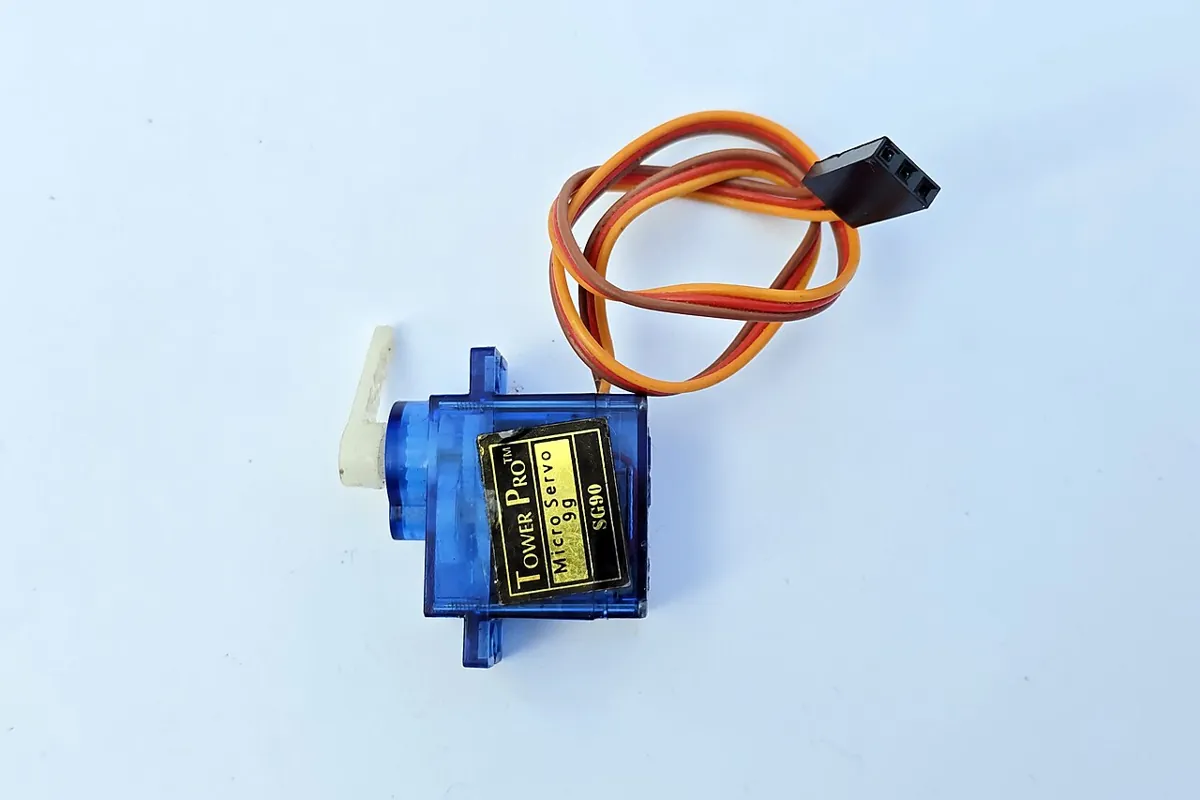
| All servo + (red) | separate 5–6 V supply + | rated for six servos at stall current — check each datasheet |
| All servo − (brown/black) | supply − and UNO GND | common ground |
| E-stop button | D2 ↔ GND | INPUT_PULLUP, pressed = LOW |
| Green / red LED | D12 / D13 via 220 Ω | running / stopped or waiting |
| Capacitor | 470–1000 µF across servo supply | mind polarity |
Debugging the full pipeline
| Symptom | Likely cause | Fix |
|---|---|---|
| Gripper lands a fixed 1–3 cm to one side | camera pose from one marker, or reference positions measured wrong | Four spread-out markers; re-measure them from the base centre |
| Errors grow towards the edge of the table | lens distortion not corrected or calibration at a different resolution | Re-calibrate at the running resolution (Lesson 12) |
| Gripper closes on air above the block | trusting a low single-marker z | Snap to known height, or use depth (Lesson 14) |
| Wrist turns the long way round | yaw not wrapped | Wrap to ±45° for square blocks |
| Arm refuses a block you can see | IK out of reach or joint limit | Read the NO-GO reason; move the block in |
| Everything was fine yesterday, 2 cm off today | camera bumped | Reference-marker check before every job |
| Servos jerk or UNO resets | servos on UNO power, no capacitor, weak supply | Separate supply, common GND, capacitor |
| Arm stops in the middle of a move | serial lag → watchdog hold, or e-stop | Check the USB cable, baud 115200, send R after e-stop |
Experiment
Calibrate, see, plan, pick — and stop safely
You will need
- `pick_place_pipeline.py` (opencv-python ≥ 4.7, numpy; pyserial for `--port`)
- `vision_pose_publisher.py` (optional, ROS 2 Jazzy, rclpy)
- `six_servo_executor.ino`, Arduino UNO, 6 hobby servos (the Stage 10 desk arm)
- Separate 5–6 V servo supply rated for all six servos, 470–1000 µF capacitor
- E-stop push button, green + red LED, 2 × 220 Ω, jumper wires
- Webcam on a fixed stand, `camera_calib.npz` from Lesson 12
- Printed ArUco markers (DICT_4X4_50): four 60 mm reference markers, 40 mm markers on 50 mm blocks; ruler
- Vision pick & place capstone simulator (browser)
Steps
- Run `pick_place_pipeline.py` and read every gate decision. Then delete reference markers 1, 2 and 4 from `REFS` and compare the camera error.
- Move block 9 to (380, 170) in the `blocks` table. Does it become GO? What are its joint angles?
- Change `VMAX` to 30 °/s. How long does the whole job take now?
- In the capstone simulator, try pressing Execute before Estimate Pose. What does the pipeline do?
- Real camera: tape four reference markers, measure their centres from the robot base, and compute T_base_cam. Put a marker at a known spot and check the error with a ruler.
- Bench (horns off first!): stream the plan with `--port`, press the e-stop half-way, release it, send `R`.
Interactive · Vision-guided pick & place capstone · Educational sim
Educational browser sim only — not real CV inference, not YOLO/OpenCV, not live cameras, not industrial 6DOF accuracy. Bridges Stage 8 IK + Stage 9 trajectory + Stage 10 ROS concepts with planar helpers.
Ready — press Detect to start the educational pipeline.
Detection
—
Pose (cam)
—
IK · Traj · ROS
- IK: —
- traj samples: —
- final: —
- ROS: /vision/object_pose → action (conceptual)
- Spread-out reference markers matter more than a sharper camera.
- Depth from one small marker is the weakest number; position and yaw are strong.
- Every NO-GO has a printed reason — a silent failure is a bug.
- Slower VMAX → longer job, gentler motion.
Knowledge check
Stage 11 final check
Knowledge check
1. The camera reports a block pose T_cam_obj. How do you get it in the robot base frame?
2. A fixed camera on a stand looking at the robot’s table is called…
3. Hand–eye calibration is often written as…
4. Why use four spread-out reference markers instead of one?
5. Which number from a single small marker is usually the least accurate?
6. A block’s marker is covered by a hand. What should the pipeline do?
7. IK finds joint angles for a grasp. What is the quickest check that they are right?
8. A quintic move of 45° must not exceed 60°/s. What is the shortest time T?
9. Why go to a pre-grasp point above the block first?
10. Before a job, the reference markers read 25 mm away from where they are taped. What do you do?
11. Where should the six servos get their power?
12. The UNO stops receiving frames for 300 ms. What does the executor do?
Mini assignment
Capstone assignment
Mini assignment
Vision-guided pick and place of three blocks
Build the full pipeline on your desk arm: calibrate the camera to the robot, pick three marked blocks placed by someone else into a bin, and prove that every safety gate works.
Deliverables
- Photo of your table with the four reference markers and their measured positions written on it.
- Your T_base_cam and a ruler check of one marker placed at a known spot (error in mm).
- The printed pipeline log for a real run: every block with its pose, gate decisions and joint angles.
- A video: three blocks picked and dropped in the bin, placed by a friend in positions you did not choose.
- A second video showing three safe refusals: covered marker, block out of reach, and the e-stop pressed mid-move.
- One page: your biggest error source, how you measured it, and what you would improve.
Do this, step by step
- Tape four reference markers, measure their centres from the robot base, and write them on the table.
- Compute T_base_cam and check one marker at a known spot with a ruler (error in mm).
- Run the pipeline on a real run and save the full log (pose, gate decisions, joint angles).
- With horns off first, ask a friend to place three blocks and let the arm pick them into the bin.
- Show three safe refusals on video: covered marker, block out of reach, e-stop pressed mid-move.
Stuck? Hints, one at a time
- Measure the reference markers from the same base point used by your IK, in the same units (mm).
- If the ruler error is large, check the marker order in
REFSand re-measure one marker before changing code. - A refusal is a pass: no valid pose, no reach or e-stop must all mean no move.
Challenges (pick by level)
- 🟢 Beginner: Add a fifth block to the synthetic table and make the program pick blocks in order of distance from the bin.
- 🟡 Intermediate: Replace the joint-space descent with a Cartesian descent (IK every 2 mm) and send it to the arm. Compare with a slow-motion video.
- 🟠 Advanced: Add Lesson 14 stereo or a depth camera and use it for z instead of snapping to the known height. Show the error before and after.
- 🔴 Expert: Move the camera to the wrist (eye-in-hand) and solve AX = XB with OpenCV 4.x
cv.calibrateHandEye(it needs at least 3 poses; its docs strongly recommend many more — use 10 or more). Compare your result with the reference-marker method. - ⚫ Research: Read the MoveIt Task Constructor pick-and-place tutorial and rebuild your pipeline as MTC stages in your Stage 10 ROS 2 workspace, with a collision object for every detected block.
Stage 11 complete — what next?
You can now take a camera picture and turn it into safe robot motion: pixels → detection → calibration → depth → pose → robot frame → IK → trajectory → servos. In Stage 12 — Robot Simulation & Digital Twin you will build a virtual copy of the arm and the table, so you can test this whole pipeline thousands of times without breaking a single block.
Look back: Lesson 15: Object Pose Estimation. Next: Stage 12 L01: Why Robots Need Simulation. Related: Stage 8 — Kinematics & IK, Stage 13 — Perception, Planning & Manipulation.
Sources
- OpenCV 4.x — Perspective-n-Point (PnP) pose computation — projection model, rvec/tvec, solvePnP methods including IPPE_SQUARE and solvePnPGeneric.
- OpenCV 4.x — Detection of ArUco Markers — dictionaries,
ArucoDetector, corner order, pose withsolvePnP, marker length sets the units. - Wikipedia — Hand–eye calibration problem — robot–sensor calibration, AX = XB and AX = ZB formulations.
- OpenCV 4.x — Camera Calibration and 3D Reconstruction (calib3d) —
calibrateHandEyefor eye-in-hand and eye-to-hand, AX = XB, at least 3 poses (many more recommended); chaining homogeneous transforms. - MoveIt — Pick and Place with MoveIt Task Constructor — pick-and-place as stages (open hand, approach, grasp pose, close, attach, lift, place, open, detach, retreat, return home); Cartesian approach; planning fails when the object is out of reach.
- Wikipedia — Perspective-n-Point — 6-DOF pose from known 3D points and a calibrated camera.
- Photos: Wikimedia Commons (credits under each image).
Self-attested for now — keep artifacts in your lab notebook.
Complete
Today's goal
0 of 1 done today
Mark this lesson complete when you have worked the experiment, knowledge check, and assignment (even roughly).