
ROS 2 & Robot Software Architecture (Fundamentals) · Lesson 03
Nodes — The Building Blocks
Est. 45–60 min
Why
Why this lesson matters
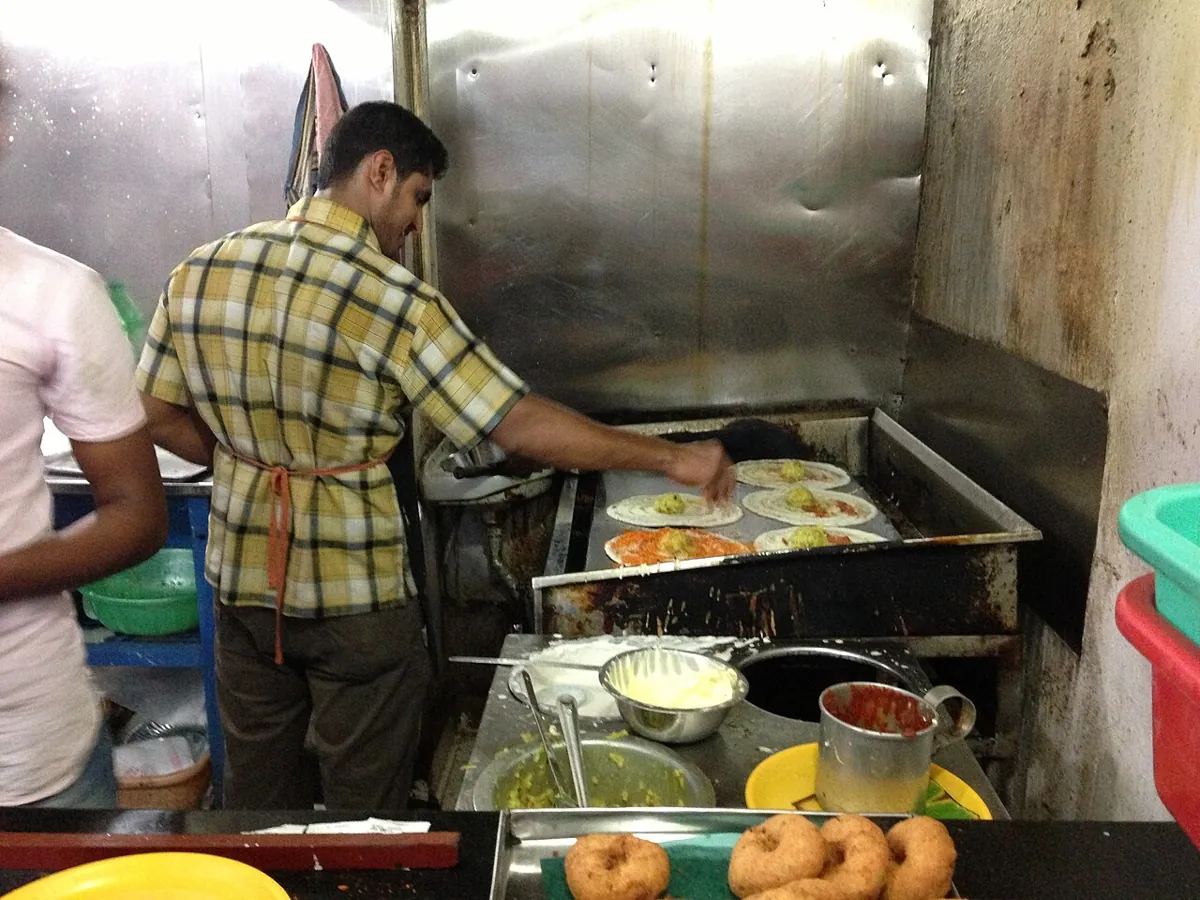
Walk into the kitchen of a busy South Indian restaurant at breakfast time. One cook only makes dosas. Another handles the chutneys and sambar. Someone else takes orders, and someone washes plates. Each person has one clear job, a clear name (“dosa master”, “sambar bhaiya”), and they pass things through fixed points — the order slip, the serving counter. If the plate-washer goes on a break, dosas keep coming. A ROS 2 node is one such worker in your robot’s software kitchen.
By the end of this lesson you will be able to: define a node the way the official docs do; split a robot into nodes with one job each; name nodes and topics correctly (absolute, relative and private ~/ names); run two identical arms side by side using namespaces and remapping, without editing code; inspect nodes with ros2 node list and ros2 node info; and choose between running nodes as separate processes or together in one process.
Concept
What a node is, and how to design good ones
The official definition
The ROS 2 Jazzy docs say: a node is a participant in the ROS 2 graph that uses a client library (rclpy, rclcpp) to communicate with other nodes. Nodes can talk to nodes in the same process, another process or another machine. Nodes are typically the unit of computation, and each node should do one logical thing. A node can have any mix of publishers, subscribers, service servers and clients, action servers and clients, and parameters — and nodes find each other automatically through discovery.
| A node has… | Example for our arm | Lesson |
|---|---|---|
| A name | guard | This lesson |
| A namespace | /arm1 → full name /arm1/guard | This lesson |
| Publishers / subscriptions | reads shoulder_angle_deg, writes ~/status | Lessons 4–5 |
| Services / actions | open_gripper, move_to_pose | Lessons 6–7 |
| Parameters | min_deg: 20.0, max_deg: 160.0 | Lesson 10 |
| Timers and a clock | “check the sensor every 0.1 s” | This lesson |
One job per node: how to cut a robot into nodes
- Different rates → different nodes. A 100 Hz servo driver and a 5 Hz dashboard should not wait for each other.
- Different failure modes → different nodes. A camera that may unplug should not take the motor driver down with it.
- One piece of hardware → one driver node. The driver hides the device details and publishes standard messages (you did this in Lesson 1).
- Reusable logic → its own node. An IK solver that only needs
target_posein andjoint_targetsout can be reused on a different arm. - But don’t overdo it. Ten nodes that always change together and pass huge data every millisecond may belong in one node, or in one process (see below).
Names: absolute, relative and private
Names follow rules from the ROS 2 design article on topic and service names: they may contain letters, digits, underscores and /; they must not start with a digit, end with /, or contain // or __; and ~ must be followed by /. How a name is resolved depends on how it starts:
| Written in code | Kind | Node `guard` in namespace `/arm1` gets… |
|---|---|---|
/estop_request | Absolute (starts with /) | /estop_request — the same for every arm |
shoulder_angle_deg | Relative | /arm1/shoulder_angle_deg |
camera/image_raw | Relative with a sub-name | /arm1/camera/image_raw |
~/status | Private (~ = namespace + node name) | /arm1/guard/status |
Remapping: change names at start-up, not in code
# rename the node and move it into a namespace
python3 joint_guard_node.py --ros-args -r __ns:=/arm1 -r __node:=guard

# plus: listen to a differently named sensor topic
python3 joint_guard_node.py --ros-args -r __ns:=/arm2 -r __node:=guard \
    -r shoulder_angle_deg:=pot/angle_deg

# the official example
ros2 run demo_nodes_cpp talker --ros-args -r __ns:=/demo -r __node:=my_talker -r chatter:=my_topic
These remappings are static — they apply for the life of the node. Node name and namespace changes are applied before topic remapping. In Lesson 9 you will put the same remaps in a launch file so you never type them by hand.
Process layout is a deploy-time choice
The Composition page of the docs explains that in ROS 2 the process layout is decided when you deploy, not when you write the node. You can run nodes in separate processes — better fault isolation and easier debugging of one node — or many nodes in one process, with lower overhead and optionally more efficient intra-process communication. ROS 2’s recommended style for C++ is a component, which can be loaded either way. In Python you can already see the idea with an executor that spins several nodes in one program (code lab below).
Visual
Visualise it: build a node graph
Build a tiny node graph for a desk arm and watch connections appear as topic names match.
Interactive · ROS 2 node graph
ROS 2 communication simulator — educational only (not a live ROS 2 runtime)


Code lab
Code lab: names, graphs and a real node
node_names.py is plain Python (no ROS needed). Part 1 checks names against the design rules. Part 2 resolves relative, absolute and private names for a node guard in /arm1. Part 3 lays out a six-node graph for a desk arm and finds topics nobody publishes. Part 4 puts two identical arms in /arm1 and /arm2 and counts which topics they would share. Run it with python3 node_names.py.
"""
node_names.py — Stage 10 · L03 (plain Python 3, no ROS needed)

A small checker that follows the ROS 2 naming rules from the design article
"Topic and Service name mapping to DDS" (design.ros2.org):
  * absolute names start with '/'
  * relative names are put inside the node's namespace
  * '~/' (private) expands to <namespace>/<node name>
It then lays out a node graph for a desk arm, and runs the same graph for
two identical arms using namespaces. This is a simulation, not ROS 2 itself.
"""
import re

TOKEN = re.compile(r"^[A-Za-z_][A-Za-z0-9_]*$")


def check_name(name):
    """Return a problem string, or '' if the topic name looks valid."""
    if not name:
        return "empty"
    if name[0].isdigit():
        return "starts with a number"
    if name.endswith("/") and name != "/":
        return "ends with '/'"
    if "//" in name:
        return "repeated '/'"
    if "__" in name:
        return "repeated '_'"
    if name.startswith("~") and not name.startswith("~/") and name != "~":
        return "'~' must be followed by '/'"
    body = name.lstrip("~").strip("/")
    for part in body.split("/"):
        if part and not TOKEN.match(part):
            return f"bad token '{part}'"
    return ""


def resolve(name, namespace, node):
    ns = namespace.rstrip("/")
    if name.startswith("/"):
        return name
    if name.startswith("~"):
        return f"{ns}/{node}{name[1:]}"
    return f"{ns}/{name}"


print("PART 1 — is this a legal topic name?")
for n in ["joint_states", "/arm/joint_states", "~/status", "2nd_camera",
          "arm//gripper", "gripper/", "~status", "camera-front", "arm__1/cmd"]:
    problem = check_name(n)
    print(f"  {n:<20} {'OK' if not problem else 'BAD: ' + problem}")

print("\nPART 2 — how names resolve (namespace /arm1, node guard)")
for n in ["joint_states", "/estop", "~/status", "camera/image_raw"]:
    print(f"  {n:<18} -> {resolve(n, '/arm1', 'guard')}")

# One job per node: (node, publishes, subscribes, rate Hz)
ARM = [
    ("pot_driver",       ["shoulder_angle_deg"],                 [],                                    20),
    ("joint_guard",      ["~/status", "/estop_request"],         ["shoulder_angle_deg"],                20),
    ("ik_solver",        ["joint_targets"],                      ["target_pose"],                       10),
    ("trajectory",       ["joint_command"],                      ["joint_targets", "/estop_request"],  100),
    ("servo_driver",     [],                                     ["joint_command", "/estop_request"],  100),
    ("dashboard",        [],                                     ["shoulder_angle_deg", "joint_guard/status"], 5),
]


def build_graph(namespace):
    pubs, subs = {}, {}
    for node, out, inp, _ in ARM:
        for t in out:
            pubs.setdefault(resolve(t, namespace, node), []).append(f"{namespace}/{node}".replace("//", "/"))
        for t in inp:
            subs.setdefault(resolve(t, namespace, node), []).append(f"{namespace}/{node}".replace("//", "/"))
    return pubs, subs


print("\nPART 3 — node graph for one arm (namespace /arm1)")
pubs, subs = build_graph("/arm1")
for topic in sorted(set(pubs) | set(subs)):
    p = ", ".join(pubs.get(topic, ["(nobody)"]))
    s = ", ".join(subs.get(topic, ["(nobody)"]))
    print(f"  {topic:<26} pub: {p:<22} sub: {s}")
orphans = [t for t in subs if t not in pubs]
print("  topics with subscribers but no publisher:", orphans or "none")

print("\nPART 4 — two identical arms on one network")
p1, _ = build_graph("/arm1")
p2, _ = build_graph("/arm2")
clash = sorted(set(p1) & set(p2))
print("  topics shared by both arms:", clash)
pn, _ = build_graph("/")
print("  without namespaces both arms would share", len(pn), "topics, e.g.", sorted(pn)[:3])

print("\nSUMMARY")
print(f"  nodes per arm: {len(ARM)}, rates from {min(r for *_, r in ARM)} to {max(r for *_, r in ARM)} Hz")
print("  '/estop_request' is absolute on purpose: one stop line for every arm")
print("  relative names + one namespace per arm keep the arms apart")
Output (run with python3 node_names.py)
PART 1 — is this a legal topic name?
  joint_states         OK
  /arm/joint_states    OK
  ~/status             OK
  2nd_camera           BAD: starts with a number
  arm//gripper         BAD: repeated '/'
  gripper/             BAD: ends with '/'
  ~status              BAD: '~' must be followed by '/'
  camera-front         BAD: bad token 'camera-front'
  arm__1/cmd           BAD: repeated '_'

PART 2 — how names resolve (namespace /arm1, node guard)
  joint_states       -> /arm1/joint_states
  /estop             -> /estop
  ~/status           -> /arm1/guard/status
  camera/image_raw   -> /arm1/camera/image_raw

PART 3 — node graph for one arm (namespace /arm1)
  /arm1/joint_command        pub: /arm1/trajectory       sub: /arm1/servo_driver
  /arm1/joint_guard/status   pub: /arm1/joint_guard      sub: /arm1/dashboard
  /arm1/joint_targets        pub: /arm1/ik_solver        sub: /arm1/trajectory
  /arm1/shoulder_angle_deg   pub: /arm1/pot_driver       sub: /arm1/joint_guard, /arm1/dashboard
  /arm1/target_pose          pub: (nobody)               sub: /arm1/ik_solver
  /estop_request             pub: /arm1/joint_guard      sub: /arm1/trajectory, /arm1/servo_driver
  topics with subscribers but no publisher: ['/arm1/target_pose']

PART 4 — two identical arms on one network
  topics shared by both arms: ['/estop_request']
  without namespaces both arms would share 5 topics, e.g. ['/estop_request', '/joint_command', '/joint_guard/status']

SUMMARY
  nodes per arm: 6, rates from 5 to 100 Hz
  '/estop_request' is absolute on purpose: one stop line for every arm
  relative names + one namespace per arm keep the arms apart
Try it: add a sensor, a filter and a controller node, connect them by topic names, then remove one node and see which connections disappear.
Interactive · ROS 2 node graph
ROS 2 communication simulator — educational only (not a live ROS 2 runtime)
A real node with one job: the joint guard
joint_guard_node.py is a real rclpy node for ROS 2 Jazzy. It subscribes to the relative topic shoulder_angle_deg (from Lesson 1’s node), publishes its verdict on the private topic ~/status, and publishes a stop request on the absolute topic /estop_request if the angle leaves the window or the sensor goes silent for 0.5 s. At start-up it logs its own full name, so you can see remapping work.
"""
joint_guard_node.py — Stage 10 · L03 — a well-behaved ROS 2 node (rclpy, Jazzy)

One job only: watch the shoulder angle and say whether it is inside a safe window.
  subscribes  shoulder_angle_deg   (std_msgs/msg/Float64)  — relative name
  publishes   ~/status             (std_msgs/msg/String)   — private name
  publishes   /estop_request       (std_msgs/msg/Bool)     — absolute name, shared by every arm
It also warns if the sensor goes quiet (no message for 0.5 s).

Run one copy per arm with remapping, no code change:
  python3 joint_guard_node.py --ros-args -r __ns:=/arm1 -r __node:=guard
  ros2 node info /arm1/guard
"""
import rclpy
from rclpy.node import Node
from std_msgs.msg import Bool, Float64, String


class JointGuard(Node):

    def __init__(self):
        super().__init__('joint_guard')
        self.declare_parameter('min_deg', 20.0)
        self.declare_parameter('max_deg', 160.0)
        self.status_pub = self.create_publisher(String, '~/status', 10)
        self.estop_pub = self.create_publisher(Bool, '/estop_request', 10)
        self.create_subscription(Float64, 'shoulder_angle_deg', self.on_angle, 10)
        self.last_seen = None
        self.create_timer(0.1, self.check_heartbeat)
        self.get_logger().info(
            f'I am {self.get_fully_qualified_name()} '
            f'(name={self.get_name()}, namespace={self.get_namespace()})')

    def on_angle(self, msg):
        self.last_seen = self.get_clock().now()
        lo = self.get_parameter('min_deg').value
        hi = self.get_parameter('max_deg').value
        ok = lo <= msg.data <= hi
        self.status_pub.publish(String(data=f'{"OK" if ok else "OUT_OF_RANGE"} {msg.data:.1f}'))
        if not ok:
            self.estop_pub.publish(Bool(data=True))
            self.get_logger().warn(f'shoulder {msg.data:.1f} deg outside {lo:.0f}-{hi:.0f}: stop requested')

    def check_heartbeat(self):
        if self.last_seen is None:
            return
        quiet = (self.get_clock().now() - self.last_seen).nanoseconds / 1e9
        if quiet > 0.5:
            self.status_pub.publish(String(data=f'SENSOR_SILENT {quiet:.1f}s'))
            self.estop_pub.publish(Bool(data=True))


def main(args=None):
    rclpy.init(args=args)
    node = JointGuard()
    try:
        rclpy.spin(node)
    except KeyboardInterrupt:
        pass
    finally:
        node.destroy_node()
        rclpy.try_shutdown()


if __name__ == '__main__':
main()python3 joint_guard_node.py --ros-args -r __ns:=/arm1 -r __node:=guard
# [INFO] [...] [arm1.guard]: I am /arm1/guard (name=guard, namespace=/arm1)
ros2 node list
ros2 node info /arm1/guard
# Subscribers: /arm1/shoulder_angle_deg: std_msgs/msg/Float64 ...
# Publishers: /arm1/guard/status: std_msgs/msg/String
# /estop_request: std_msgs/msg/Bool ...ros2 node info lists a node’s subscribers, publishers, services and actions. It will also show some topics and services you did not create — /rosout for logging and parameter services — which every node gets automatically.
Two nodes, one process
two_nodes_one_process.py starts a fake shoulder sensor and the guard inside one Python program using a SingleThreadedExecutor. ros2 node list still shows two nodes. The node classes are unchanged — only the way they are started.
"""
two_nodes_one_process.py — Stage 10 · L03 (rclpy, Jazzy)

The same two nodes can run as two processes (two terminals) or inside ONE process.
Here the fake shoulder sensor and the guard share a process through an executor.
Your node classes do not change — only how you start them.
Run (next to joint_guard_node.py):
  python3 two_nodes_one_process.py
  ros2 node list      # -> /fake_shoulder and /joint_guard, though only one process runs
"""
import math

import rclpy
from rclpy.executors import SingleThreadedExecutor
from rclpy.node import Node
from std_msgs.msg import Float64

from joint_guard_node import JointGuard


class FakeShoulder(Node):

    def __init__(self):
        super().__init__('fake_shoulder')
        self.pub = self.create_publisher(Float64, 'shoulder_angle_deg', 10)
        self.t = 0.0
        self.create_timer(0.05, self.tick)            # 20 Hz

    def tick(self):
        self.t += 0.05
        self.pub.publish(Float64(data=90.0 + 80.0 * math.sin(0.4 * self.t)))   # swings past the limits


def main():
    rclpy.init()
    sensor, guard = FakeShoulder(), JointGuard()
    executor = SingleThreadedExecutor()
    executor.add_node(sensor)
    executor.add_node(guard)
    try:
        executor.spin()
    except KeyboardInterrupt:
        pass
    finally:
        executor.shutdown()
        sensor.destroy_node()
        guard.destroy_node()
        rclpy.try_shutdown()


if __name__ == '__main__':
    main()
Real world
Nodes in the real world
- A 6DOF arm cell: typical nodes are hardware drivers, a joint-state publisher, a robot-state publisher for frames (Lesson 13), a trajectory controller, a motion planner, a camera driver, a perception node and a UI — each one restartable on its own.
- Many identical robots: fleets of mobile robots or rows of arms in a lab run the same nodes in different namespaces (
/robot1,/robot2), exactly like Part 4 of the code lab. - Vendor driver packages: camera, lidar and gripper makers often ship a ROS 2 driver node. You remap its topics to fit your graph instead of editing their code.
- Performance-critical pipelines: heavy camera processing often runs several nodes in one process so large images are not copied between processes — the same node classes, a different deployment.

Bench build
Bench build: a stop button and a status light as driver nodes
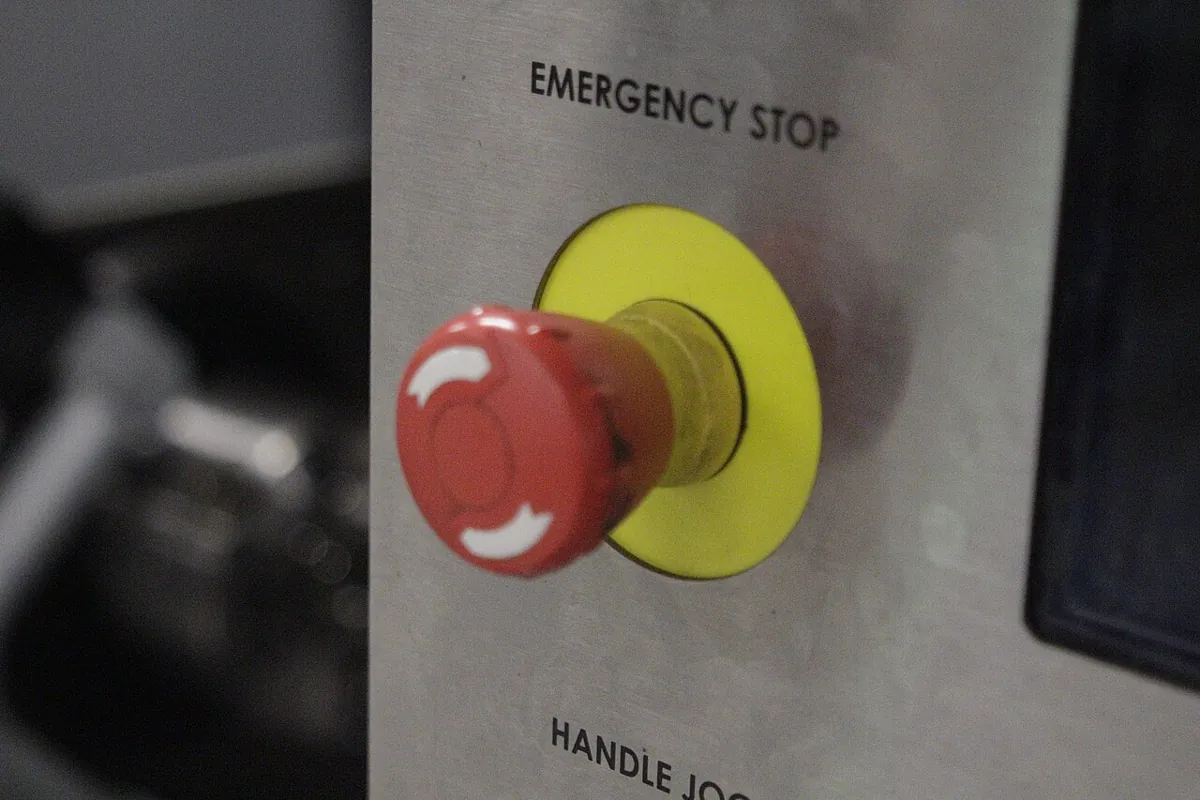
Every real robot cell has a stop button and a status light. Here an Arduino UNO provides both: it sends estop:1 / estop:0 when the button changes, and switches an LED when the computer sends L1 / L0. On the computer, a small driver node (you will write it as an exercise, modelled on Lesson 1’s shoulder_angle_node.py) turns the button into /estop_request and lights the LED from the guard’s ~/status. This build drives no motors.
| From | To | Note |
|---|---|---|
| Push button leg 1 | Arduino D2 | INPUT_PULLUP: reads LOW when pressed |
| Push button leg 2 | Arduino GND | — |
| Arduino D8 | 330 Ω resistor → LED long leg (+) | The resistor limits LED current to about 10 mA |
| LED short leg (−) | Arduino GND | — |
| Arduino USB | Computer running ROS 2 | Same serial settings as Lesson 1: 115200 baud |
/*
  estop_button_led.ino — Stage 10 · L03
  The microcontroller side of two tiny driver nodes:
    * a STOP push button  -> sends "estop:1" / "estop:0" over USB serial when it changes
    * a status LED        <- receives "L1" (on) / "L0" (off) from the computer
  A ROS 2 driver node on the computer turns these lines into /estop_request
  and listens to the guard's ~/status to light the LED.

  Wiring: button between D2 and GND (INPUT_PULLUP, no resistor).
          LED: D8 -> 330 ohm resistor -> LED long leg; LED short leg -> GND.
  This is a SIGNAL only. A real emergency stop must cut motor power in hardware.
*/

const int BUTTON_PIN = 2;
const int LED_PIN = 8;

int lastState = HIGH;
unsigned long lastChange = 0;

void setup() {
  pinMode(BUTTON_PIN, INPUT_PULLUP);
  pinMode(LED_PIN, OUTPUT);
  Serial.begin(115200);
  Serial.println("estop:0");
}

void loop() {
  int s = digitalRead(BUTTON_PIN);
  if (s != lastState && millis() - lastChange > 30) {     // 30 ms debounce
    lastChange = millis();
    lastState = s;
    Serial.println(s == LOW ? "estop:1" : "estop:0");      // pressed = LOW
  }

  while (Serial.available() >= 2) {
    char a = Serial.read();
    if (a != 'L') continue;
    char b = Serial.read();
    if (b == '1') digitalWrite(LED_PIN, HIGH);
    if (b == '0') digitalWrite(LED_PIN, LOW);
  }
}Upload and test alone
Open Serial Monitor at 115200. Press the button:
estop:1; release:estop:0. TypeL1and send: the LED lights.Plan the driver node
Write down its name (
stop_panel), namespace (/arm1), what it publishes (/estop_request, Bool) and subscribes to (guard/status, String). One job: bridge this board to ROS 2.Write it
Copy the serial-reading pattern from
shoulder_angle_node.py. PublishBool(data=True)onestop:1. In a subscription callback, writeb"L1"when status starts withOUT_OF_RANGEorSENSOR_SILENT, elseb"L0".Run the graph
Start the pot node, the guard and your stop panel, all with
-r __ns:=/arm1. Turn the pot past 160° — the LED should light. Press the button —ros2 topic echo /estop_requestshowsdata: true.
Debugging
Debugging nodes
| Symptom | Likely cause | Fix |
|---|---|---|
| Node fails at start with an “invalid name” error | Illegal topic or node name (-, leading digit, ~status) | Run your names through node_names.py; use letters, digits, _, / |
ros2 node list shows two nodes with the same name | Same program started twice | Give each copy its own namespace or __node:= name |
| Guard never prints anything | It subscribes to /arm1/shoulder_angle_deg but the sensor publishes /shoulder_angle_deg | Start both in the same namespace, or remap: -r shoulder_angle_deg:=/shoulder_angle_deg |
| Remap seems ignored | Arguments placed before --ros-args, or typed -r name=value | Use --ros-args -r old:=new (note :=) |
| One crashing node kills the others | They all run in one process | Run that node in its own process; use one process only for nodes you trust together |
| Node list is missing a node that is running | Discovery not finished, or a different ROS_DOMAIN_ID | Wait a second and retry; check the domain ID in both terminals |
Think
Think about it
Think
Arjun wants to make every function its own node: one for “add two angles”, one for “degrees to radians”, one for “clamp to limits”. Priya says that is too far. Where would you draw the line, and why?
Experiment
Try it in the lab
About 40 minutes with Python and the node-graph simulator; the ROS 2 steps need a computer with ROS 2 Jazzy.
Experiment
Design and inspect a node graph
You will need
- `node_names.py` and Python 3
- ROS 2 node graph simulator (in your browser)
- Optional: ROS 2 Jazzy, `shoulder_angle_node.py` (Lesson 1), `joint_guard_node.py`, `two_nodes_one_process.py`, Arduino UNO, push button, LED, 330 Ω resistor
Steps
- Run `node_names.py`. Add three names of your own — one legal, two illegal — and check the verdicts match the rules in the concept table.
- Add a seventh node `camera_driver` that publishes `camera/image_raw`, and a `perception` node that subscribes to it and publishes `target_pose`. Does the “no publisher” warning for `target_pose` disappear?
- Change `estop_request` in the ARM table from absolute to relative. Re-run Part 4. What changed, and is it safer or less safe for a lab with two arms?
- In the simulator, build the same six-node graph and remove the `trajectory` node. Which nodes lose their input?
- With ROS 2: start `shoulder_angle_node.py` and `joint_guard_node.py` in namespace `/arm1`, then run `ros2 node info /arm1/guard` and copy the output.
- With ROS 2: run `two_nodes_one_process.py` and check `ros2 node list`. Then press Ctrl+C and note that **both** nodes stop together.
Interactive · ROS 2 node graph
ROS 2 communication simulator — educational only (not a live ROS 2 runtime)
Good node design is mostly about boundaries and names. One job per node, relative names in code, and one namespace per robot let you run, inspect, replace and duplicate parts of your system without touching their code. Whether those nodes share a process is a separate, later decision.
Knowledge check
Check your understanding
Knowledge check
1. According to the ROS 2 docs, a node should ideally…
2. Node `guard` in namespace `/arm1` publishes on `~/status`. The full topic name is…
3. Which topic name is legal?
4. How do you run the same node for a second arm without editing code?
5. Which command lists a node’s publishers, subscribers, services and actions?
6. One benefit of running nodes in separate processes is…
7. Your node publishes `/estop_request` when a joint goes out of range. Is that enough as an emergency stop?
Mini assignment
Hands-on assignment
Mini assignment
Node design sheet for your 6DOF arm
Cut your arm’s software into nodes, name everything properly, and prove that two copies can run side by side.
Deliverables
- A table of 6–12 nodes for your arm: name, one-line job, rate (Hz), publishes, subscribes, which computer it runs on.
- A node graph drawing with full resolved topic names for namespace `/arm1`.
- A list of which names are absolute, which relative and which private, with one sentence of reasoning each.
- Output of `node_names.py` after adding your own nodes from the experiment.
- Optional (ROS 2): `ros2 node info` output for `/arm1/guard` and `/arm2/guard` running at the same time.
- Optional (bench): your `stop_panel` driver node code and a short video of the LED lighting when the pot leaves the safe window.
Do this, step by step
- Run
python3 node_names.pyand add three names of your own — one legal, two illegal — and check the verdicts. - Write a table of 6–12 nodes for your arm: name, job, rate, publishes, subscribes, computer.
- Draw the node graph with full resolved names in namespace
/arm1. - Mark each name as absolute, relative or private (
~) with one sentence of reasoning. - Optional with ROS 2: run two guards in
/arm1and/arm2and saveros2 node infofor both.
Stuck? Hints, one at a time
- Names may use letters, digits,
_and/between parts; they must not start with a digit, contain__or//, end with/, or use characters like-. - A relative name gets the namespace added; an absolute one (
/estop_request) is shared by every arm in the lab. - If a topic shows “no publisher”, look for a typo or a missing node first — the graph only connects exact names.
Challenges (pick by level)
- 🟢 Easy: Map the six arm nodes to six jobs in a restaurant kitchen or a railway station. Which “worker” is the servo driver?
- 🟢 Easy: Run
ros2 run demo_nodes_cpp talker --ros-args -r __ns:=/demo -r __node:=my_talker -r chatter:=my_topicand confirm the new names withros2 node listandros2 topic list. - 🟡 Medium: Extend
check_name()to also validate node names (a single token: no/or~). Test it onguard,arm1/guardand~guard. - 🟠 Hard-ish: Write the
stop_paneldriver node from the bench build and run it in/arm1together with the guard. - 🔴 Hard: Change
two_nodes_one_process.pyto useMultiThreadedExecutorand add a slow callback (sleep 0.3 s) to the guard. Compare how regularly the fake sensor publishes with each executor, usingros2 topic hz. - ⚫ Research: Read the ROS 2 design article on topic and service names and the docs page on Composition. Explain in your own words what a C++ “component” is and when you would load several into one container.
Next step
Your nodes now have good names and clear jobs. Next they must talk. In Lesson 4 — Topics & Publishers/Subscribers you will look closely at how a publisher and a subscriber meet on a topic, what queue depth means, and how data flows at different rates.
Look back: Lesson 2: ROS 2 Architecture Overview. Next: Lesson 4: Topics & Publishers/Subscribers. Related: Stage 4 — Electronics & Embedded Systems.
Sources
- ROS 2 Jazzy docs — Nodes — node definition, one logical thing per node, same process / process / machine, interfaces, discovery.
- ROS 2 Jazzy docs — Understanding nodes (tutorial) —
ros2 run,ros2 node list,ros2 node info,--remap __node:=. - ROS 2 Jazzy docs — Passing ROS arguments to nodes via the command-line —
-r old:=new,__node,__ns, static remapping, node/namespace before topic remaps. - ROS 2 design — Topic and Service name mapping to DDS — legal characters, no leading digit, no trailing or repeated
/, no repeated_,~/private names, relative vs absolute. - ROS 2 Jazzy docs — Composing multiple nodes in a single process — components, process layout as a deploy-time decision, fault isolation vs lower overhead.
- rclpy source (jazzy) — node.py and executors.py —
get_name(),get_namespace(),get_fully_qualified_name(),SingleThreadedExecutor.add_node(),rclpy.try_shutdown(). - Docs text read from the official docs source ros2/ros2_documentation (jazzy branch).
- Photos: Wikimedia Commons (credits under each image).
Self-attested for now — keep artifacts in your lab notebook.
Complete
Today's goal
0 of 1 done today
Mark this lesson complete when you have worked the experiment, knowledge check, and assignment (even roughly).