
Robot Simulation & Digital Twin · Lesson 08
Collision & Contact
Est. 55–70 min
Why
Why this lesson matters
A robot is useful because it touches things: it grasps, pushes, places and sometimes bumps. A simulator must answer two questions every step: *are any two things touching?* (collision detection) and *what happens now that they are?* (contact response — push apart, stop, slide or stick).
In this lesson you will build a tiny two-stage collision checker, watch a fast finger tunnel through a thin wall and fix it, see how “soft” contact makes objects sink into the floor, and build a real contact guard with an ultrasonic early warning and a microswitch that latches a STOP.
Concept
Finding collisions and handling contact
1. Two phases: “maybe” and “for sure”
With 100 objects there are 4,950 possible pairs. Testing each pair exactly every millisecond is too slow. So engines split the job. The broad phase wraps every object in a simple box and quickly throws away pairs whose boxes do not overlap. The narrow phase then runs exact (more expensive) tests only on the few pairs that survived. The Bullet physics manual describes its broad phase exactly this way: it rejects pairs using axis-aligned bounding box (AABB) overlap.
| Phase | Question | Shape used | Cost |
|---|---|---|---|
| Broad phase | Could these two be touching? | AABB — a box lined up with the world x, y, z axes | very cheap; may say “maybe” wrongly, never misses |
| Narrow phase | Are they touching, where, and how deep? | the real collision shapes (sphere, box, cylinder, convex mesh) | more maths, only for candidate pairs |
| Contact response | What happens now? | contact points, normal direction, penetration depth | forces or constraints that push apart, plus friction (Lesson 9) |
2. Collision shapes are not the visual shape
In URDF each link has a <visual> (what you see) and a <collision> (what the physics uses). The ROS 2 URDF tutorial gives two reasons to make them different: quicker processing — collision between two detailed meshes is far more expensive than between simple shapes — and safe zones — a slightly bigger collision shape around something delicate keeps other things from getting too close. Bullet’s manual adds: keep convex meshes under about 100 vertices.
3. Tunnelling: when a fast object skips a thin wall
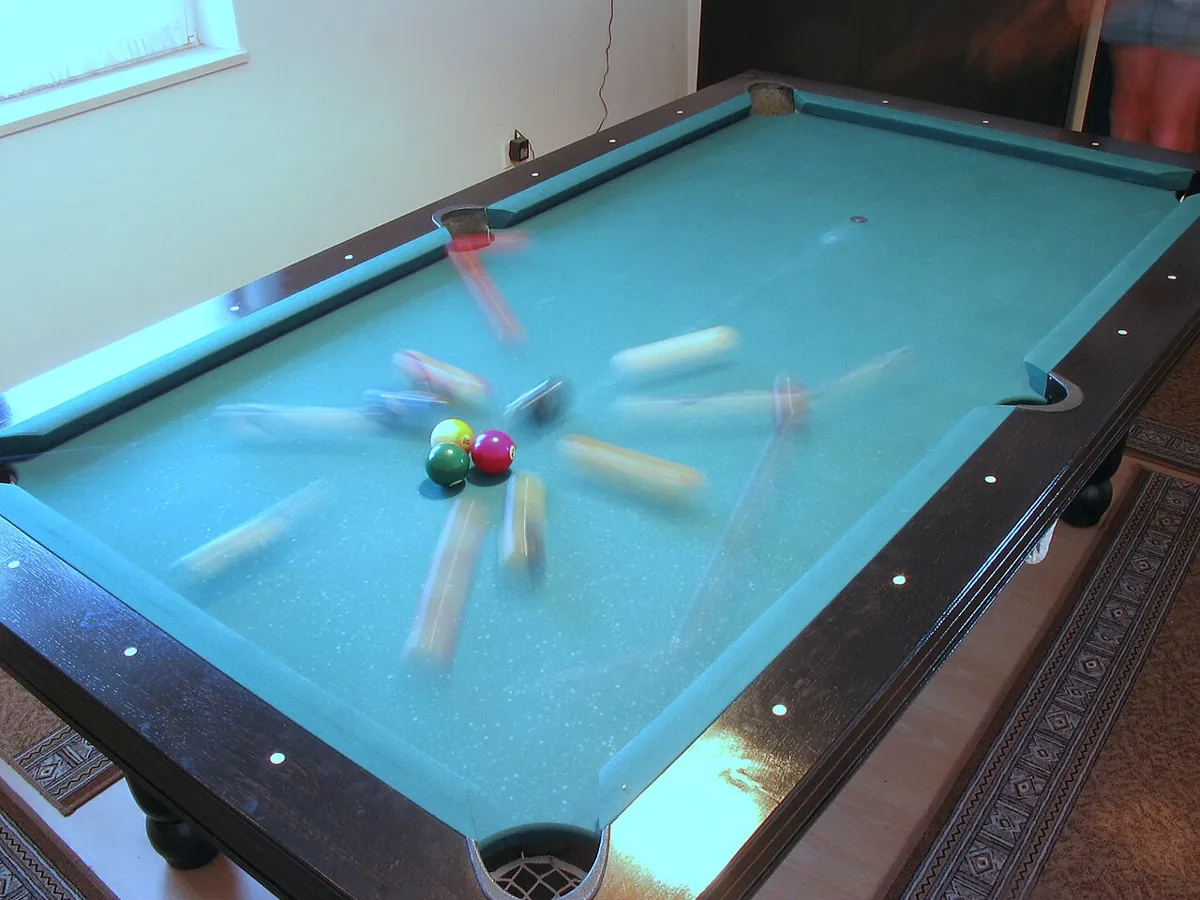
A normal (discrete) check only looks at where things are at the end of each step. If a finger moves 20 mm in one step and the wall is 5 mm thick, the finger can be before the wall in one step and past it in the next — never inside. This is tunnelling. Fixes: smaller steps, thicker collision shapes, or continuous collision detection (CCD), which checks the whole path swept during the step. Bullet lists both discrete and continuous collision detection among its features.
4. Contact: hard rules and soft springs
Once two bodies overlap, the engine must push them apart. A simple way is a penalty spring: the deeper the overlap, the bigger the push. A soft spring lets objects visibly sink; a stiff spring looks right but needs very small time steps (Lesson 6). Real engines use cleverer constraint solvers and small margins — Bullet’s manual warns: don’t set the collision margin to zero, it is needed for performance and stability. The lesson: use the engine’s defaults, and change contact settings only with its documentation open.
Visual
Visualise it: two boxes that touch
Collision and contact lab: AABB overlap, friction μ and joint clamps on toy boxes. (Educational approximation, not Gazebo, Isaac, MuJoCo or Bullet.)
Interactive · Collision & contact lab · Educational approximation


AABB
clear
μN max
3.5
Slide?
yes
q clamped
40°
Educational AABB + Coulomb-style μN and joint clamps — not continuous collision, not soft contacts, not Gazebo/Isaac/MuJoCo solvers.
Code lab
Code lab: broad phase, tunnelling and soft floors
collision_lab.py places six objects on a desk (sizes in metres), runs an AABB broad phase and exact sphere–box/sphere–sphere narrow-phase tests, races a finger tip at a 5 mm acrylic guard with different speeds and steps, computes how far a box sinks into a spring floor, and counts the cost of mesh collisions. Run python3 collision_lab.py.
"""collision_lab.py - how a simulator finds and handles collisions.

  1. Broad phase (cheap AABB boxes) then narrow phase (exact shapes)
  2. Tunnelling: a fast finger skips through a thin wall - and the swept-test fix
  3. Soft contact: how deep things sink into the floor, and the step size it needs
  4. Why collision shapes are kept simple
Plain Python 3. Desk sizes are EXAMPLES in metres.
"""
import itertools
import math

# ---------- 1. broad phase + narrow phase ---------------------------------
print("=== 1. Broad phase, then narrow phase ===")
# name: (kind, centre (x, y, z), size) ; sphere size = radius, box size = half extents
objs = {
    "gripper_tip": ("sphere", (0.37, 0.07, 0.12), 0.015),
    "cup":         ("box",    (0.32, 0.02, 0.05), (0.04, 0.04, 0.06)),
    "phone":       ("box",    (0.10, 0.25, 0.005), (0.08, 0.04, 0.005)),
    "screwdriver": ("box",    (0.33, 0.15, 0.11), (0.09, 0.008, 0.008)),
    "camera_post": ("box",    (0.00, -0.30, 0.20), (0.02, 0.02, 0.20)),
    "ball":        ("sphere", (0.43, 0.15, 0.115), 0.02),
}


def aabb(o):
    kind, c, s = o
    h = (s, s, s) if kind == "sphere" else s
    return [(c[i] - h[i], c[i] + h[i]) for i in range(3)]


def aabb_overlap(a, b):
    return all(a[i][0] <= b[i][1] and b[i][0] <= a[i][1] for i in range(3))


def distance(a, b):
    """Exact gap between two shapes (negative = penetration). Sphere-sphere and sphere-box only."""
    (ka, ca, sa), (kb, cb, sb) = a, b
    if ka == "box" and kb == "sphere":
        return distance(b, a)
    if ka == "sphere" and kb == "sphere":
        return math.dist(ca, cb) - sa - sb
    if ka == "sphere" and kb == "box":
        closest = [max(cb[i] - sb[i], min(ca[i], cb[i] + sb[i])) for i in range(3)]
        return math.dist(ca, closest) - sa
    return None    # box-box: real engines use SAT/GJK; skipped here


pairs = list(itertools.combinations(objs, 2))
cand = [(p, q) for p, q in pairs if aabb_overlap(aabb(objs[p]), aabb(objs[q]))]
print(f"{len(objs)} objects -> {len(pairs)} possible pairs; AABB broad phase keeps {len(cand)}:")
for p, q in cand:
    d = distance(objs[p], objs[q])
    if d is None:
        print(f"  {p:>12} - {q:<12} box-box: narrow phase needed (SAT/GJK in a real engine)")
    else:
        state = "TOUCHING/PENETRATING" if d <= 0 else "close but NOT touching"
        print(f"  {p:>12} - {q:<12} exact gap {d * 1000:+6.1f} mm  -> {state}")
print("-> the broad phase is cheap and allowed to say 'maybe'. The narrow phase decides.\n")

# ---------- 2. tunnelling --------------------------------------------------
print("=== 2. A fast finger tip vs a 5 mm thick acrylic guard ===")
WALL = (0.200, 0.205)          # x range of the wall, metres


def discrete(speed, dt):
    """Check only where the tip IS at the end of each step."""
    x = 0.0
    while x < 0.4:
        x += speed * dt
        if WALL[0] <= x <= WALL[1]:
            return "hit"
    return "MISSED (went through)"


def swept(speed, dt):
    """Check the whole segment travelled during the step (continuous / swept test)."""
    x = 0.0
    while x < 0.4:
        nx = x + speed * dt
        if x <= WALL[1] and nx >= WALL[0]:
            return "hit"
        x = nx
    return "missed"


print(f"{'speed':>7} {'dt':>6} {'moves/step':>11} {'discrete check':>22} {'swept check':>12}")
for speed in (0.5, 2.0):
    for dt in (0.001, 0.004, 0.010):
        print(f"{speed:>5} m/s {dt * 1000:>4.0f} ms {speed * dt * 1000:>8.1f} mm "
              f"{discrete(speed, dt):>22} {swept(speed, dt):>12}")
print("-> if one step moves further than the wall is thick, a discrete check can")
print("   jump right over it. Swept (continuous) collision checks the whole path.\n")

# ---------- 3. soft contact -------------------------------------------------
print("=== 3. A 0.5 kg box resting on a 'spring' floor ===")
M, G = 0.5, 9.81
for k in (1e3, 1e4, 1e5, 1e6):
    sink = M * G / k
    omega = math.sqrt(k / M)
    print(f"k = {k:>9.0f} N/m: sinks {sink * 1000:7.3f} mm, needs dt < ~{2 / omega * 1000:6.2f} ms")
print("-> soft floor: easy for the integrator but visibly sinks. Stiff floor:")
print("   looks right but needs tiny steps (Lesson 6). Engines tune this for you;")
print("   change contact settings only with the docs open.\n")

# ---------- 4. collision shape cost ----------------------------------------
print("=== 4. Mesh vs simple shape: worst-case triangle tests per pair ===")
for a, b in ((2000, 2000), (2000, 12), (12, 12)):
    print(f"{a:>5} x {b:<5} triangles -> up to {a * b:>9,} triangle-pair tests")
print("box vs box with a dedicated test: 1 test")
print("-> keep the pretty mesh for <visual>; use boxes, cylinders and spheres for <collision>,")
print("   and make them slightly bigger around things you must never touch (a safe zone).")
Output (run with python3 collision_lab.py)
=== 1. Broad phase, then narrow phase ===
6 objects -> 15 possible pairs; AABB broad phase keeps 2:
   gripper_tip - cup          exact gap   +2.3 mm  -> close but NOT touching
   screwdriver - ball         exact gap  -10.0 mm  -> TOUCHING/PENETRATING
-> the broad phase is cheap and allowed to say 'maybe'. The narrow phase decides.

=== 2. A fast finger tip vs a 5 mm thick acrylic guard ===
  speed     dt  moves/step         discrete check  swept check
  0.5 m/s    1 ms      0.5 mm                    hit          hit
  0.5 m/s    4 ms      2.0 mm                    hit          hit
  0.5 m/s   10 ms      5.0 mm                    hit          hit
  2.0 m/s    1 ms      2.0 mm                    hit          hit
  2.0 m/s    4 ms      8.0 mm                    hit          hit
  2.0 m/s   10 ms     20.0 mm  MISSED (went through)          hit
-> if one step moves further than the wall is thick, a discrete check can
   jump right over it. Swept (continuous) collision checks the whole path.

=== 3. A 0.5 kg box resting on a 'spring' floor ===
k =      1000 N/m: sinks   4.905 mm, needs dt < ~ 44.72 ms
k =     10000 N/m: sinks   0.491 mm, needs dt < ~ 14.14 ms
k =    100000 N/m: sinks   0.049 mm, needs dt < ~  4.47 ms
k =   1000000 N/m: sinks   0.005 mm, needs dt < ~  1.41 ms
-> soft floor: easy for the integrator but visibly sinks. Stiff floor:
   looks right but needs tiny steps (Lesson 6). Engines tune this for you;
   change contact settings only with the docs open.

=== 4. Mesh vs simple shape: worst-case triangle tests per pair ===
 2000 x 2000  triangles -> up to 4,000,000 triangle-pair tests
 2000 x 12    triangles -> up to    24,000 triangle-pair tests
   12 x 12    triangles -> up to       144 triangle-pair tests
box vs box with a dedicated test: 1 test
-> keep the pretty mesh for <visual>; use boxes, cylinders and spheres for <collision>,
   and make them slightly bigger around things you must never touch (a safe zone).
Try it: slide body A into body B and watch the AABB overlap turn on; then play with μ, push force and the joint-limit clamp (Lesson 9). (Educational AABB toy, not continuous collision or a real engine’s contact solver.)
Interactive · Collision & contact lab · Educational approximation
AABB
clear
μN max
3.5
Slide?
yes
q clamped
40°
Educational AABB + Coulomb-style μN and joint clamps — not continuous collision, not soft contacts, not Gazebo/Isaac/MuJoCo solvers.
Bench build: a two-stage contact guard
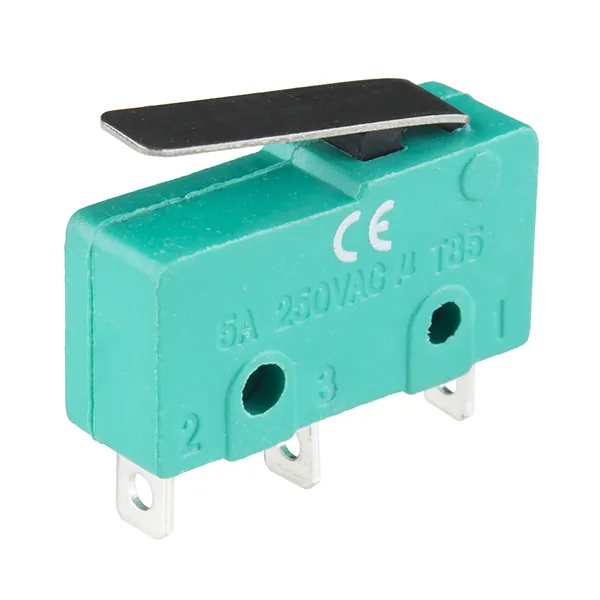
Real robots use the same two-stage idea. An HC-SR04 ultrasonic sensor is the cheap early warning — like the broad phase, it says “something may be close”. A lever microswitch fixed on the gripper is the true contact sensor — it only closes when something actually touches. contact_guard.ino turns them into FREE / NEAR / CONTACT states and prints the speed limit a motion controller should obey. Contact latches a STOP until a person sends R.
| Part | Connection | Note |
|---|---|---|
| HC-SR04 VCC / GND | 5V / GND | small sensor module, fine on the 5V pin |
| HC-SR04 TRIG / ECHO | D7 / D8 | same as Lesson 5 |
| Lever microswitch | COM to GND, NO (normally open) to D2 | INPUT_PULLUP: reads LOW when pressed |
| Green / yellow / red LED | D4 / D5 / D6, each through a 220 Ω resistor to GND | FREE / NEAR / CONTACT |
// contact_guard.ino - "broad phase" and "contact" on a real desk.
// An HC-SR04 is the cheap early warning (like an AABB check: maybe close),
// a lever microswitch on the gripper is the true contact sensor.
//   FREE    (> 15 cm)     green  -> full speed allowed
//   NEAR    (5 - 15 cm)   yellow -> slow down
//   CONTACT (switch hit)  red    -> STOP, latched until you send 'R'
// No motor is driven here: the sketch prints the speed limit a motion
// controller should obey.
//
// Wiring:
//   HC-SR04 VCC 5V, GND GND, TRIG D7, ECHO D8
//   Microswitch: COM to GND, NO to D2 (INPUT_PULLUP, LOW = pressed)
//   LEDs, each through 220 Ohm to GND: green D4, yellow D5, red D6

const int TRIG = 7, ECHO = 8, SW = 2, LED_G = 4, LED_Y = 5, LED_R = 6;
bool latched = false;
unsigned long pressedSince = 0;

float distanceCm() {
  digitalWrite(TRIG, LOW);  delayMicroseconds(2);
  digitalWrite(TRIG, HIGH); delayMicroseconds(10);
  digitalWrite(TRIG, LOW);
  unsigned long us = pulseIn(ECHO, HIGH, 25000UL);   // ~4 m max, then give up
  if (us == 0) return -1;                            // no echo
  return us * 0.0343 / 2.0;                          // speed of sound ~343 m/s
}

void show(int g, int y, int r) {
  digitalWrite(LED_G, g); digitalWrite(LED_Y, y); digitalWrite(LED_R, r);
}

void setup() {
  Serial.begin(115200);
  pinMode(TRIG, OUTPUT); pinMode(ECHO, INPUT);
  pinMode(SW, INPUT_PULLUP);
  pinMode(LED_G, OUTPUT); pinMode(LED_Y, OUTPUT); pinMode(LED_R, OUTPUT);
  Serial.println(F("state,distance_cm,speed_limit_pct"));
}

void loop() {
  // contact switch with a 20 ms debounce: must stay pressed to count
  if (digitalRead(SW) == LOW) {
    if (pressedSince == 0) pressedSince = millis();
    if (millis() - pressedSince > 20 && !latched) {
      latched = true;
      Serial.println(F("CONTACT,-,0   <- STOP latched. Move the object away, then send R"));
    }
  } else {
    pressedSince = 0;
  }
  if (Serial.available()) {
    char c = Serial.read();
    if (c == 'R' && digitalRead(SW) == HIGH) { latched = false; Serial.println(F("RESET")); }
    else if (c == 'R') Serial.println(F("Still pressed - clear the contact first"));
  }

  if (latched) { show(0, 0, 1); delay(60); return; }

  float d = distanceCm();
  int speed;
  const char *state;
  if (d < 0)       { state = "NO_ECHO"; speed = 30;  show(0, 1, 0); }   // unknown = careful
  else if (d < 5)  { state = "VERY_NEAR"; speed = 10; show(0, 1, 0); }
  else if (d < 15) { state = "NEAR";    speed = 30;  show(0, 1, 0); }
  else             { state = "FREE";    speed = 100; show(1, 0, 0); }

  Serial.print(state); Serial.print(',');
  if (d < 0) Serial.print('-'); else Serial.print(d, 1);
  Serial.print(','); Serial.println(speed);
  delay(60);   // give the last echo time to die out before the next ping
}state,distance_cm,speed_limit_pct
FREE,32.4,100
NEAR,12.1,30
VERY_NEAR,3.8,10
CONTACT,-,0 <- STOP latched. Move the object away, then send R
RESET
FREE,28.9,100Debugging
| Symptom | Likely cause | Fix |
|---|---|---|
| Fast parts pass through thin walls in simulation | tunnelling: movement per step > wall thickness | Smaller step, thicker collision shape, or turn on CCD if the engine offers it |
| Objects jitter or slowly sink into the floor | contact too soft or step too large | Use engine defaults; smaller step; check mass and inertia (Lesson 7) |
| Simulation slows down when the gripper touches anything | detailed meshes used as collision shapes | Replace collision meshes with boxes, cylinders or simple convex hulls |
| Arm “collides” with itself at rest | neighbouring link collision shapes overlap at the joint | Shrink the shapes slightly or disable collision between adjacent links |
| Bench: CONTACT never triggers | switch wired to NC instead of NO, or COM not to GND | Use COM + NO; check with a multimeter |
| Bench: NO_ECHO all the time | TRIG/ECHO swapped or target too soft or too close | Check D7/D8; use a flat hard target 10–100 cm away |
Real world
Collision and contact in the real world
- Motion planning: planners such as MoveIt check thousands of arm poses for collisions with the table and the robot itself, using simple collision shapes so it stays fast.
- Robot vacuum cleaners and mobile robots: a bumper switch is the last line of contact sensing after distance sensors, the same two-stage idea as the bench build.
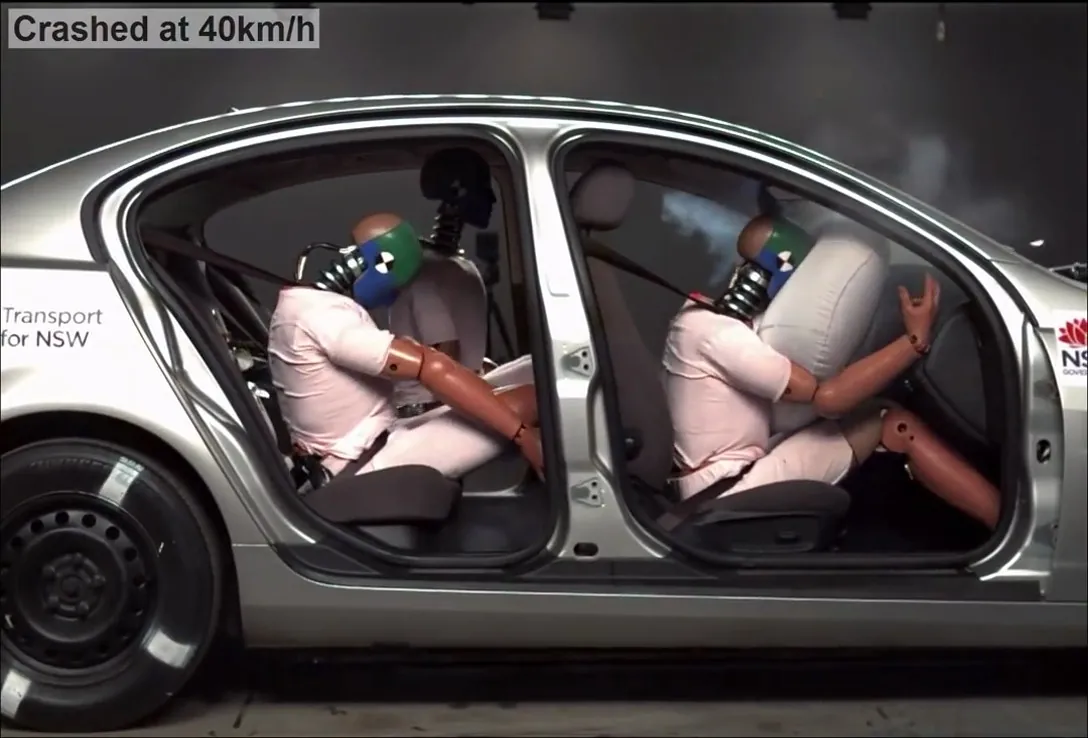
- Car safety: crash tests and their simulations study contact in great detail; airbags exist because a contact force spread over time and area hurts less.
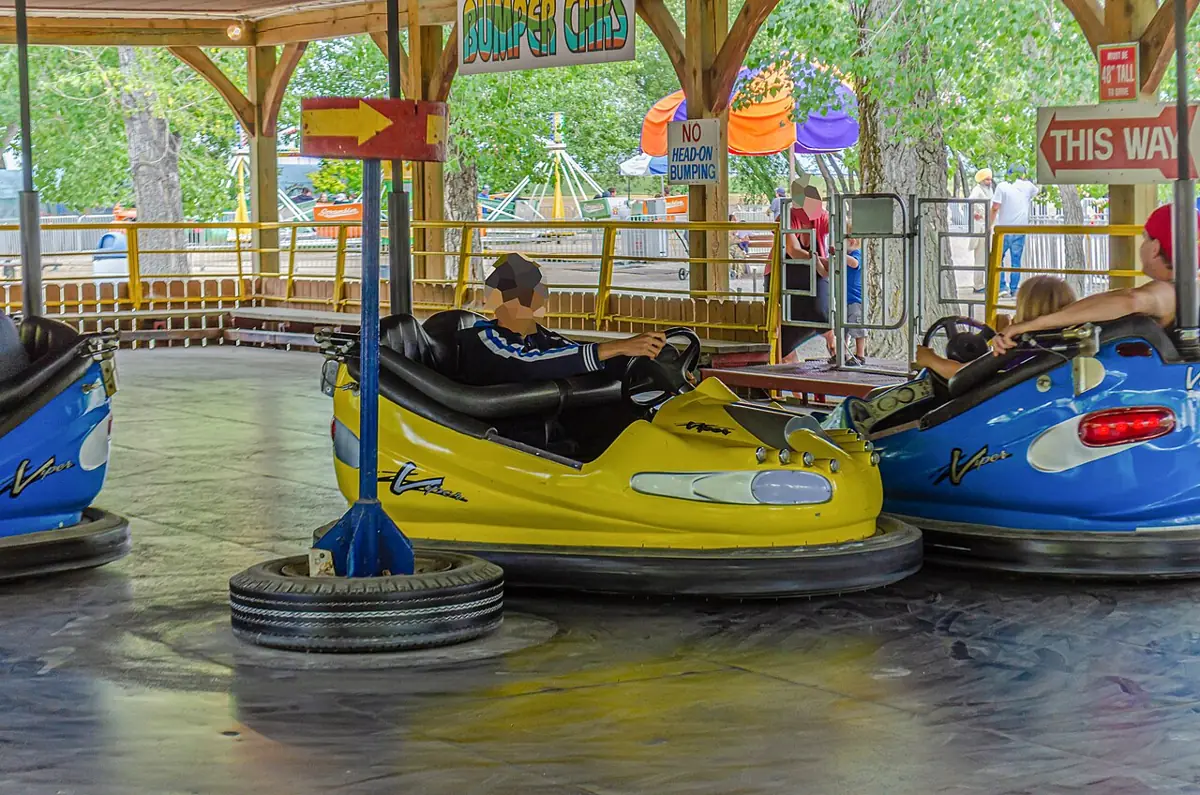
- Games: bumper cars, billiards and every game physics engine run a broad phase and a narrow phase each frame.
Think
Think about it
Think
Your robot’s collision model wraps each link in a box 1 cm bigger than the real link. The planner now says the arm cannot reach a cup next to a wall, although you can see it would fit by hand. What is happening, and what are your options?
Experiment
Try it in the lab
About 55 minutes. The Python part needs only Python 3. The bench part needs an Arduino UNO, an HC-SR04, a lever microswitch, three LEDs and three 220 Ω resistors.
Experiment
Catch it, miss it, fix it
You will need
- `collision_lab.py` (Python 3, no libraries)
- Collision and contact lab (in your browser)
- Arduino UNO, HC-SR04, lever microswitch, 3 LEDs, 3 × 220 Ω resistors, breadboard, jumper wires
- A ruler and a thin plastic sheet or card
Steps
- Run `collision_lab.py`. Write down which pairs the broad phase keeps and which really touch.
- Move the gripper tip closer to the cup (change its x and y by −0.003 each). Run again. When does “close but NOT touching” become “TOUCHING”?
- In part 2, make the wall 2 mm thick. Which speed and step combinations now tunnel?
- Find the largest step that never tunnels at 2 m/s through the 5 mm wall. Check it with the rule “movement per step < wall thickness”.
- In the collision and contact lab, slide body A until the AABB overlap turns on. Note the x value.
- Bench: build the guard, walk a hand in from 50 cm, and record the distance where NEAR starts. Then latch CONTACT and practise the reset.
Interactive · Collision & contact lab · Educational approximation
AABB
clear
μN max
3.5
Slide?
yes
q clamped
40°
Educational AABB + Coulomb-style μN and joint clamps — not continuous collision, not soft contacts, not Gazebo/Isaac/MuJoCo solvers.
Most pairs never need an exact test. The ones that do can still be fooled by big steps. On the bench, two cheap sensors give the same safety layering a simulator uses: early warning first, true contact last.
Knowledge check
Check your understanding
Knowledge check
1. The broad phase of collision detection…
2. AABB stands for…
3. Why is the URDF `<collision>` shape often simpler than `<visual>`?
4. A 2 m/s finger, 10 ms steps, 5 mm wall, discrete checks only. What can happen?
5. Continuous collision detection (CCD)…
6. A box slowly sinks into the simulated floor. A likely reason is…
7. Bullet’s manual says about the collision margin…
Mini assignment
Hands-on assignment
Mini assignment
A collision model for your desk arm
Design the collision shapes for your arm and workspace, prove they catch what matters, and connect the bench contact guard to your arm’s plan.
Deliverables
- A sketch of your arm with a simple collision shape (box, cylinder or sphere) for each link, with sizes in metres and any safe-zone padding marked.
- A changed `collision_lab.py` with your arm’s gripper, your desk objects and your guard, showing which pairs the broad phase keeps and the exact gaps.
- A table: your arm’s top tip speed, your physics step and the thinnest object it must never pass through — and whether it can tunnel.
- Bench: Serial log of the contact guard with a hand approach, a CONTACT latch and a refused and an accepted reset.
Do this, step by step
- Sketch your arm and give each link a box, cylinder or sphere with sizes in metres.
- Add your gripper, desk objects and guard to
collision_lab.py. - Run it and note which pairs the broad phase keeps and the exact gaps.
- Fill in the tunnelling table: top tip speed, physics step, thinnest object.
- Bench: run
contact_guard.ino, bring your hand close, get a CONTACT latch, then try a refused and an accepted reset.
Stuck? Hints, one at a time
- The broad phase only uses boxes (AABB). A pair it keeps can still have a real gap above zero.
- Tunnelling happens when speed × step is bigger than the object’s thickness.
- A reset must be refused while the switch is still pressed. If it is accepted, check the pin logic before anything else.
Challenges (pick by level)
- 🟢 Beginner: Draw AABBs around 5 objects on your desk (top view). Which pairs overlap? Which objects actually touch?
- 🟡 Intermediate: Add a box–box exact test to
collision_lab.pyfor axis-aligned boxes (overlap on all three axes) and report penetration depth along each axis. - 🟠 Advanced: Implement a simple sweep-and-prune broad phase (sort AABB start and end points along x) and count tests for 200 random objects versus all pairs.
- 🔴 Expert: Write a swept-sphere test (segment vs box, with radius) so a moving fingertip of any size can never tunnel, and prove it on your guard.
- ⚫ Research: Read how GJK or SAT finds the distance between convex shapes. Explain in one page why engines prefer convex pieces over arbitrary meshes.
Next step
Your objects now know when they touch. In Lesson 9 — Friction & Physical Constraints you will decide what happens next: whether a gripped block slides or sticks, and how joint limits and other constraints keep a simulated arm inside the rules of the real one.
Look back: Lesson 7: Mass, Gravity & Inertia. Next: Lesson 9: Friction & Physical Constraints. Related: Stage 13 — Perception, Planning & Manipulation.
Sources
- ROS 2 docs (Jazzy) — Adding physical and collision properties to a URDF model —
<collision>element; simpler shapes for quicker processing; safe zones. - Bullet Physics SDK Manual (Bullet 2.83, PDF) — broad phase rejects pairs by AABB overlap; discrete and continuous collision detection; don’t set the collision margin to zero; keep convex meshes under ~100 vertices.
- Wikipedia — Collision detection — broad phase and narrow phase.
- Wikipedia — Bounding volume — axis-aligned bounding boxes (AABB) and why they are cheap to test.
- Wikipedia — Speed of sound — about 343 m/s in air at 20 °C (HC-SR04 distance).
- Photos: Wikimedia Commons (credits under each image).
Self-attested for now — keep artifacts in your lab notebook.
Complete
Today's goal
0 of 1 done today
Mark this lesson complete when you have worked the experiment, knowledge check, and assignment (even roughly).