
Robot Simulation & Digital Twin · Lesson 06
Physics Simulation
Est. 55–70 min
Why
Why this lesson matters
In Lessons 1–5 you built models and worlds: where things are. A physics simulation answers a different question: *given the forces right now, where will everything be a moment later?* It does this in small time steps, again and again. Every simulator — Gazebo, MuJoCo, Isaac Sim, Webots, a game engine — runs this same loop at its heart.
If you understand the loop, you can tell when a simulation is lying: a step that is too big, an integrator that creates energy, a contact that is too stiff, or a computer that cannot keep up with real time. In this lesson you will write a tiny physics engine in plain Python, break it four ways on purpose, and then run one on an Arduino UNO with a knob that changes the step size while you watch.
Concept
How a physics engine moves the world forward
1. The loop every physics engine runs
Read the state
positions and velocities of every body and joint at time t
Add up the forces
gravity, motor torques, springs, friction, contact pushes
Acceleration
Newton’s second law: a = F / m (or angular α = τ / I for turning)
Integrate one step Δt
new velocity from acceleration, new position from velocity
Fix the rules
collisions, joint limits and contacts are checked and corrected
Repeat
time t becomes t + Δt; sensors and the screen read the new state
The step size Δt (say “delta t”) is the most important number in the whole simulator. MuJoCo’s documentation calls its timestep (default 0.002 s) “the single most important parameter affecting the speed-accuracy trade-off”. Gazebo’s world tutorial uses <max_step_size>0.001</max_step_size> — 1 ms — and says the smaller the value, the more accurate, but the more computing power needed.

2. Integration: turning acceleration into motion
Think of a car on the Kota–Jaipur highway. If you know it is going 20 m/s now, you guess it will be 20 m further in one second. That guess is integration. It is only exact if nothing changes during that second. With small steps the guess is good; with big steps it drifts.
| Method | Update order | What happens |
|---|---|---|
| Explicit (forward) Euler | x ← x + v·Δt, then v ← v + a·Δt (uses the old velocity) | simplest; for swinging and bouncing things it slowly adds energy |
| Semi-implicit (symplectic) Euler | v ← v + a·Δt first, then x ← x + v·Δt (uses the new velocity) | same cost; energy stays bounded for oscillations — MuJoCo’s default Euler is this method |
| Runge–Kutta 4 (RK4) | four slope samples per step | more accurate per step, about 4× the work |
| Implicit | solves for the future state | stable with stiff springs and damping, more maths per step |
3. Stiff things need small steps
Many engines treat contact like a very stiff spring: when the ball sinks into the floor by a tiny amount, a big force pushes it back. A stiff spring vibrates very fast. If one step is longer than about a third of one vibration, the integrator overshoots, and every step overshoots more — the simulation “explodes”. For a mass m on a spring of stiffness k, the vibration speed is ω = √(k/m), and for these simple integrators you need roughly Δt < 2/ω. Stay well below that edge, not on it.
4. Simulation time vs real time
Simulation time is the clock inside the world. Real time is the clock on your wall. Gazebo’s <real_time_factor> is the ratio between them: 1.0 means one simulated second per real second, 0.5 means the simulation runs at half speed. MuJoCo’s docs say that to run in real time, the step must be longer than the CPU time it takes to compute one step (about 4× longer with RK4). Big robots with many contacts may not manage RTF 1.0 on a laptop — and that is fine, as long as you know it.
Visual
Visualise it: the physics loop
Physics parameter lab: state → forces → integrate → new state, with mass, gravity and inertia sliders. (Educational approximation, not Gazebo, Isaac or MuJoCo.)
Interactive · Physics parameter lab · Educational approximation


Weight mg
14.7
Toy α
0.75
Height px
120
Angle°
0
Browser educational physics — not Gazebo, not Isaac Sim, not MuJoCo, not a production integrator. Heavier m / larger I → slower toy response; higher g → faster fall.
Code lab
Code lab: a tiny physics engine, broken four ways
physics_step_lab.py uses nothing but Python 3 and the math module. It drops a ball, swings a free 0.20 m arm link, bounces a ball on a stiff spring floor, and runs a fixed 1 ms step inside an uneven screen loop. Save it and run python3 physics_step_lab.py.
"""physics_step_lab.py - what a physics engine does every step, in plain Python.

Four small experiments (no libraries, Python 3 only):
  1. Drop a ball: explicit Euler vs semi-implicit Euler vs the exact answer
  2. Swing a free arm link (pendulum) for 10 s: does energy stay put?
  3. Land on a stiff 'spring floor': when does a too-big step explode?
  4. Fixed timestep with an accumulator: real time vs simulation time
All numbers are teaching numbers for a small desk arm, not from any engine.
"""
import math
import time

G = 9.81  # m/s^2, gravity (MuJoCo's default is 0 0 -9.81 too)


# ---------- 1. ball drop -------------------------------------------------
def drop(h0, dt, method):
    """Return time and speed when the ball first reaches the floor."""
    z, v, t = h0, 0.0, 0.0
    while z > 0.0:
        a = -G
        if method == "explicit":       # position uses the OLD velocity
            z = z + v * dt
            v = v + a * dt
        else:                          # semi-implicit: velocity first, then position
            v = v + a * dt
            z = z + v * dt
        t += dt
    return t, -v


print("=== 1. Drop a ball from 1.00 m ===")
t_exact = math.sqrt(2 * 1.0 / G)
print(f"exact: lands at {t_exact:.4f} s, speed {G * t_exact:.3f} m/s")
print(f"{'dt (s)':>8} {'method':>13} {'lands (s)':>10} {'speed':>7}")
for dt in (0.001, 0.01, 0.05):
    for m in ("explicit", "semi-implicit"):
        t, v = drop(1.0, dt, m)
        print(f"{dt:>8} {m:>13} {t:>10.4f} {v:>7.3f}")
print("-> smaller dt = closer to exact. A step can only notice the floor")
print("   at the END of a step, so big steps land 'late' and too fast.\n")


# ---------- 2. pendulum energy -------------------------------------------
L = 0.20      # m, link length (centre of mass at the tip, teaching model)
M = 0.10      # kg


def energy(th, w):
    return 0.5 * M * (L * w) ** 2 + M * G * L * (1 - math.cos(th))


def swing(dt, method, seconds=10.0, th0=math.radians(60)):
    th, w = th0, 0.0
    e0 = energy(th, w)
    for _ in range(int(round(seconds / dt))):
        a = -(G / L) * math.sin(th)
        if method == "explicit":
            th, w = th + w * dt, w + a * dt
        else:
            w = w + a * dt
            th = th + w * dt
    return 100 * (energy(th, w) - e0) / e0


print("=== 2. A free link swings for 10 s (no friction, so energy should stay 0 %) ===")
print(f"{'dt (s)':>8} {'explicit Euler':>16} {'semi-implicit':>15}")
for dt in (0.001, 0.005, 0.02):
    print(f"{dt:>8} {swing(dt, 'explicit'):>+15.1f}% {swing(dt, 'semi'):>+14.2f}%")
print("-> explicit Euler pumps energy IN: the arm swings higher and higher.")
print("   Semi-implicit (what MuJoCo calls 'Euler') keeps energy bounded.\n")


# ---------- 3. stiff contact ---------------------------------------------
K = 20000.0   # N/m, floor stiffness (a 'soft contact' spring)
C = 5.0       # N*s/m, floor damping
MB = 0.10     # kg ball


def bounce(dt, seconds=1.0):
    """Drop from 0.30 m onto a spring floor; return the highest bounce after first contact."""
    z, v, touched, best = 0.30, 0.0, False, 0.0
    for _ in range(int(round(seconds / dt))):
        f = -MB * G
        if z < 0:                       # penetrating the floor -> spring pushes back
            f += -K * z - C * v
            touched = True
        v += f / MB * dt
        z += v * dt
        if touched and z > best:
            best = z
        if abs(z) > 1e6:
            return float("inf")
    return best


omega = math.sqrt(K / MB)
print("=== 3. Ball dropped from 0.30 m onto a stiff spring floor ===")
print(f"floor spring: k = {K:.0f} N/m, ball {MB} kg -> omega = {omega:.0f} rad/s")
print(f"stability rule of thumb for this integrator: dt < 2/omega = {2 / omega * 1000:.2f} ms")
for dt in (0.0005, 0.001, 0.004, 0.005):
    b = bounce(dt)
    tag = "EXPLODED" if b == float("inf") or b > 0.30 else "ok"
    shown = "inf" if b == float("inf") else f"{b:.3f} m"
    print(f"dt {dt * 1000:>4.1f} ms -> highest bounce {shown:>9}  {tag}")
print("-> a bounce higher than the drop height means the step created energy.")
print("   Stiff contacts need small steps - this is why Gazebo's example uses 1 ms.\n")


# ---------- 4. fixed timestep + accumulator ------------------------------
print("=== 4. Fixed 1 ms physics inside an uneven 'screen' loop ===")
DT = 0.001
frames = [0.016, 0.017, 0.016, 0.050, 0.016, 0.016]   # one slow frame (50 ms)
acc, sim_t, real_t = 0.0, 0.0, 0.0
th, w = math.radians(60), 0.0
for i, frame in enumerate(frames, 1):
    real_t += frame
    acc += frame
    steps = 0
    while acc >= DT:
        w += -(G / L) * math.sin(th) * DT
        th += w * DT
        acc -= DT
        sim_t += DT
        steps += 1
    print(f"frame {i}: real {real_t:.3f} s  physics steps {steps:>2}  sim {sim_t:.3f} s  angle {math.degrees(th):+6.1f} deg")
print("-> the screen can stutter, but physics always moves in equal 1 ms steps.\n")

# How fast can this computer step? (real-time factor)
n, t0 = 20000, time.perf_counter()
th, w = 1.0, 0.0
for _ in range(n):
    w += -(G / L) * math.sin(th) * DT
    th += w * DT
cpu = (time.perf_counter() - t0) / n
print(f"this PC: about {cpu * 1e6:.1f} us of CPU per 1 ms pendulum step")
print(f"-> could run roughly {DT / cpu:.0f}x faster than real time (real_time_factor)")
print("   A full robot with contacts costs far more per step; check before you trust RTF 1.0.")
Output (run with python3 physics_step_lab.py)
=== 1. Drop a ball from 1.00 m ===
exact: lands at 0.4515 s, speed 4.429 m/s
  dt (s)        method  lands (s)   speed
   0.001      explicit     0.4530   4.444
   0.001 semi-implicit     0.4520   4.434
    0.01      explicit     0.4600   4.513
    0.01 semi-implicit     0.4500   4.415
    0.05      explicit     0.5000   4.905
    0.05 semi-implicit     0.4500   4.415
-> smaller dt = closer to exact. A step can only notice the floor
   at the END of a step, so big steps land 'late' and too fast.

=== 2. A free link swings for 10 s (no friction, so energy should stay 0 %) ===
  dt (s)   explicit Euler   semi-implicit
   0.001           +48.0%          +0.32%
   0.005          +295.1%          +1.59%
    0.02         +1051.3%          +6.44%
-> explicit Euler pumps energy IN: the arm swings higher and higher.
   Semi-implicit (what MuJoCo calls 'Euler') keeps energy bounded.

=== 3. Ball dropped from 0.30 m onto a stiff spring floor ===
floor spring: k = 20000 N/m, ball 0.1 kg -> omega = 447 rad/s
stability rule of thumb for this integrator: dt < 2/omega = 4.47 ms
dt  0.5 ms -> highest bounce   0.211 m  ok
dt  1.0 ms -> highest bounce   0.210 m  ok
dt  4.0 ms -> highest bounce   0.538 m  EXPLODED
dt  5.0 ms -> highest bounce   2.109 m  EXPLODED
-> a bounce higher than the drop height means the step created energy.
   Stiff contacts need small steps - this is why Gazebo's example uses 1 ms.

=== 4. Fixed 1 ms physics inside an uneven 'screen' loop ===
frame 1: real 0.016 s  physics steps 15  sim 0.015 s  angle  +59.7 deg
frame 2: real 0.033 s  physics steps 17  sim 0.032 s  angle  +58.7 deg
frame 3: real 0.049 s  physics steps 16  sim 0.048 s  angle  +57.2 deg
frame 4: real 0.099 s  physics steps 50  sim 0.098 s  angle  +48.4 deg
frame 5: real 0.115 s  physics steps 16  sim 0.114 s  angle  +44.5 deg
frame 6: real 0.131 s  physics steps 16  sim 0.130 s  angle  +40.1 deg
-> the screen can stutter, but physics always moves in equal 1 ms steps.

this PC: about 0.3 us of CPU per 1 ms pendulum step
-> could run roughly 3750x faster than real time (real_time_factor)
A full robot with contacts costs far more per step; check before you trust RTF 1.0.Try it: change mass, gravity and inertia, press Drop again, and watch the falling body and spinning link respond. (Educational toy physics in your browser, not Gazebo, Isaac or MuJoCo.)
Interactive · Physics parameter lab · Educational approximation
Weight mg
14.7
Toy α
0.75
Height px
120
Angle°
0
Browser educational physics — not Gazebo, not Isaac Sim, not MuJoCo, not a production integrator. Heavier m / larger I → slower toy response; higher g → faster fall.
Bench build: a fixed-step physics engine on an Arduino
An Arduino UNO is a slow computer — perfect for feeling the step-size trade-off. fixed_step_pendulum.ino simulates the same free 0.20 m link with a fixed step chosen by a potentiometer (1–50 ms). An LED’s brightness follows the swing angle, and Serial prints the angle and the energy error. Send S in the Serial Monitor to switch between semi-implicit and explicit Euler.
| Part | Connection | Note |
|---|---|---|
| 10 kΩ potentiometer | outer legs 5V and GND, wiper A0 | chooses Δt from 1 to 50 ms |
| Push button | D2 to GND | uses INPUT_PULLUP — restart the swing |
| LED + 220 Ω resistor | D9 → resistor → LED (long leg) → LED short leg → GND | brightness = |angle|; the resistor protects the pin and LED |
// fixed_step_pendulum.ino - a tiny physics engine on an Arduino UNO.
// Simulates a free-swinging 0.20 m arm link with a FIXED timestep,
// shows the angle on an LED (brightness) and prints it over Serial.
//
// Wiring (no motors, nothing high-current):
//   10 kOhm pot: outer legs to 5V and GND, wiper to A0  -> chooses the step size dt
//   push button: D2 to GND (INPUT_PULLUP)                -> restart the swing
//   LED + 220 Ohm resistor: D9 -> resistor -> LED -> GND -> brightness = |angle|
//   Switch S on Serial (send 'S') toggles explicit / semi-implicit Euler.

const float G = 9.81;      // m/s^2
const float L = 0.20;      // m, link length
const float TH0 = 60.0 * PI / 180.0;

float th = TH0, w = 0.0;   // state: angle (rad), angular speed (rad/s)
float simT = 0.0;
bool semiImplicit = true;
unsigned long lastMicros, lastPrint = 0;
unsigned long accUs = 0;   // accumulator (microseconds)
unsigned long overruns = 0;

float energyPercent() {     // energy now vs at the start (per unit mass)
  float e  = 0.5 * (L * w) * (L * w) + G * L * (1 - cos(th));
  float e0 = G * L * (1 - cos(TH0));
  return 100.0 * (e - e0) / e0;
}

void restart() {
  th = TH0; w = 0.0; simT = 0.0; accUs = 0; overruns = 0;
  lastMicros = micros();
}

void setup() {
  Serial.begin(115200);
  pinMode(2, INPUT_PULLUP);
  pinMode(9, OUTPUT);
  restart();
  Serial.println(F("t_s,dt_ms,method,angle_deg,energy_pct,overruns"));
}

void loop() {
  // dt from the pot: 1 ms ... 50 ms
  unsigned long dtUs = map(analogRead(A0), 0, 1023, 1, 50) * 1000UL;
  float dt = dtUs / 1e6;

  if (digitalRead(2) == LOW) { restart(); delay(250); }
  if (Serial.available() && Serial.read() == 'S') {
    semiImplicit = !semiImplicit;
    restart();
  }

  unsigned long now = micros();
  accUs += now - lastMicros;          // real time that has passed
  lastMicros = now;

  int steps = 0;
  while (accUs >= dtUs) {             // take as many fixed steps as real time allows
    float a = -(G / L) * sin(th);
    if (semiImplicit) { w += a * dt; th += w * dt; }
    else              { float thOld = th; th += w * dt; w += -(G / L) * sin(thOld) * dt; }
    simT += dt;
    accUs -= dtUs;
    if (++steps > 20) {               // can't keep up: drop the backlog (no spiral of death)
      accUs = 0;
      overruns++;
    }
  }

  // Guard: if the maths has blown up, say so and restart instead of printing nonsense
  if (fabs(th) > 50.0 || isnan(th)) {
    Serial.println(F("UNSTABLE: state exploded -> restarting"));
    restart();
  }

  analogWrite(9, constrain((int)(fabs(th) / PI * 255.0), 0, 255));

  if (millis() - lastPrint >= 200) {  // 5 lines per second is plenty
    lastPrint = millis();
    Serial.print(simT, 2);               Serial.print(',');
    Serial.print(dtUs / 1000);           Serial.print(',');
    Serial.print(semiImplicit ? F("semi") : F("explicit")); Serial.print(',');
    Serial.print(th * 180.0 / PI, 1);    Serial.print(',');
    Serial.print(energyPercent(), 1);    Serial.print(',');
    Serial.println(overruns);
  }
}t_s,dt_ms,method,angle_deg,energy_pct,overruns
0.20,1,semi,46.1,0.0,0
0.40,1,semi,-3.2,0.1,0
... (turn the pot to about 30 ms, send S for explicit)
2.10,30,explicit,118.4,512.7,0
UNSTABLE: state exploded -> restartingDebugging
| Symptom | Likely cause | Fix |
|---|---|---|
| Arm or pendulum swings higher every time | explicit Euler, or Δt too large | Use semi-implicit (or the engine’s default) and a smaller step |
| Objects sink into the floor or jitter on it | contact too soft, or step too big for the contact stiffness | Smaller step; follow the engine’s contact settings rather than inventing stiffness |
| Ball bounces higher than it was dropped | stiff spring + big step: energy created | Check Δt against 2/ω; lower the step |
| Robot jumps whenever the screen lags | variable Δt taken from frame time | Fixed step + accumulator |
| Simulation clock slower than the wall clock | step takes more CPU time than Δt (RTF < 1) | Fewer contacts, simpler collision shapes, or accept slower than real time |
| Arduino: angle stuck, nothing printed | Serial Monitor not at 115200 baud | Set the baud rate to 115200 |
Real world
Physics simulation in the real world
- Robot simulators: Gazebo, MuJoCo, Isaac Sim and Webots all step physics at a fixed small Δt (often 1–2 ms) and let you choose the physics engine or integrator.
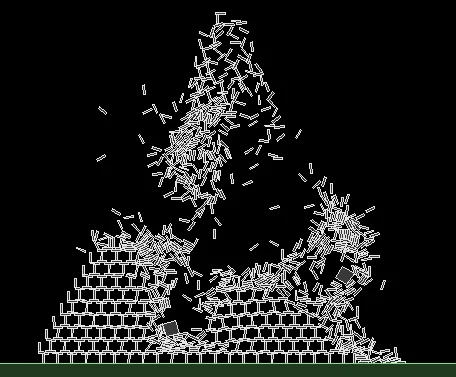
- Games: engines such as Box2D run the same fixed-step loop; the fixed-step accumulator is a well-known game-development pattern.
- Cars and aircraft: crash and flight simulations integrate the equations of motion in tiny steps before anything is built.
- Your own projects: a balancing robot or a drone controller tested in simulation is only as honest as the step size it was tested with.
Think
Think about it
Think
Your friend says: “My simulation runs at Δt = 20 ms, which is 50 steps per second — the same as my servo update rate. So it must be accurate enough.” Is that a good argument?
Experiment
Try it in the lab
About 55 minutes. The Python part needs only Python 3. The bench part needs an Arduino UNO, a 10 kΩ potentiometer, a push button, an LED and a 220 Ω resistor.
Experiment
Find the step size where physics breaks
You will need
- `physics_step_lab.py` (Python 3, no libraries)
- Physics parameter lab (in your browser)
- Arduino UNO, 10 kΩ pot, push button, LED, 220 Ω resistor, jumper wires, breadboard
- A stopwatch (phone is fine)
Steps
- Run `physics_step_lab.py` and write down the four key results: landing time error, link energy drift, highest bounce, steps per frame.
- In part 3, change `K` from 20000 to 80000 (a harder floor). Predict the new 2/ω edge, then run and check which step sizes now explode.
- In part 2, add Δt = 0.0005 to the list. Does explicit Euler ever become good enough over 10 s?
- In the physics parameter lab, double the mass and press Drop again. Then double gravity. Which change makes the body fall faster?
- Bench: upload `fixed_step_pendulum.ino`. With the pot at minimum, time 10 swings with a stopwatch. A 0.20 m pendulum swinging from 60° takes a little under 1 s for one full there-and-back swing (2π√(L/g) ≈ 0.90 s for small swings, a bit longer at 60°) — is the LED close?
- Turn the pot slowly up with `semi`, then send `S` and repeat with `explicit`. Note the step size where `UNSTABLE` first appears for each method.
Interactive · Physics parameter lab · Educational approximation
Weight mg
14.7
Toy α
0.75
Height px
120
Angle°
0
Browser educational physics — not Gazebo, not Isaac Sim, not MuJoCo, not a production integrator. Heavier m / larger I → slower toy response; higher g → faster fall.
Nothing about the “world” changed — only the step size and the integrator. Yet the same arm went from calm to wildly unstable. Physics in a simulator is always an approximation, and Δt decides how good it is.
Knowledge check
Check your understanding
Knowledge check
1. In one physics step, the engine…
2. MuJoCo’s default `timestep` is…
3. Semi-implicit Euler differs from explicit Euler because it…
4. A free pendulum with no friction slowly swings higher in your simulation. The most likely cause is…
5. For a ball of 0.1 kg on a floor spring of 20000 N/m, roughly which step will explode?
6. Gazebo’s `<real_time_factor>0.5</real_time_factor>` means…
7. Why use an accumulator with a fixed Δt instead of the screen’s frame time as Δt?
Mini assignment
Hands-on assignment
Mini assignment
A step-size report for your own simulation
Choose a step size for a small robot simulation and prove, with numbers, that it is safe.
Deliverables
- A copy of `physics_step_lab.py` changed to your own arm link (your length and mass) with energy drift at 3 step sizes for both integrators.
- A table of the stiff-floor test for your chosen floor stiffness, with the 2/ω edge worked out by hand.
- Your chosen Δt with a one-paragraph reason (accuracy, stability, CPU time).
- Bench: Serial lines from `fixed_step_pendulum.ino` showing the step size where explicit and semi-implicit Euler first go `UNSTABLE`, and your stopwatch time for 10 swings.
Do this, step by step
- Change
LandMinphysics_step_lab.pyto your own arm link. - Run it and copy the energy drift at 3 step sizes for both integrators.
- Work out the 2/ω edge by hand for your floor stiffness
K, then check it with the stiff-floor test. - Choose your Δt and write one paragraph: accuracy, stability, CPU time.
- Bench: run
fixed_step_pendulum.ino, note where each Euler first saysUNSTABLE, and time 10 real swings with a stopwatch.
Stuck? Hints, one at a time
- ω = √(K/m) for the floor spring, so the edge is Δt = 2/ω. Use the ball mass
MB, not the link mass. - Energy that grows means the integrator is adding energy; semi-implicit Euler should drift much less.
- The CPU-time line changes from PC to PC. That is normal, so compare step sizes on the same machine.
Challenges (pick by level)
- 🟢 Beginner: Drop a pen from 1 m and a ball from 1 m and time them with a slow-motion phone video. Compare with the exact 0.45 s.
- 🟡 Intermediate: Add a third method, velocity Verlet, to part 2 of the script and compare its energy drift with the other two.
- 🟠 Advanced: Add RK4 to the pendulum and measure accuracy versus CPU time per simulated second. Is 4× the work worth it?
- 🔴 Expert: Add a 20 ms “controller” that holds the link at 30° with a PD torque, running inside 1 ms physics steps (several physics steps per control step).
- ⚫ Research: Install MuJoCo’s Python package and simulate a pendulum with
integrator="Euler"and"RK4". Compare its energy drift with your own script, and read the MuJoCo docs on whyimplicitfastis recommended for many models.
Next step
You now know how the world moves forward in time. In Lesson 7 — Mass, Gravity & Inertia you will look at the numbers that go into each step: why mass and the inertia tensor in a robot model must be right, and what happens to motors when they are wrong.
Look back: Lesson 5: Simulation Worlds & Coordinate Frames. Next: Lesson 7: Mass, Gravity & Inertia. Related: Stage 9 — Trajectory Planning.
Sources
- MuJoCo XML reference — `option` (timestep, gravity, integrator) — timestep default 0.002 s “single most important parameter”, real time needs step > CPU time per step (4× with RK4), gravity 0 0 −9.81, integrators Euler (semi-implicit), RK4, implicit, implicitfast, discrete.
- Gazebo docs (Harmonic) — SDF worlds —
<max_step_size>0.001 example (smaller = more accurate, more computation),<real_time_factor>= simulation time / real time. - Wikipedia — Semi-implicit Euler method — update order v then x, symplectic, better than standard Euler for mechanics.
- Wikipedia — Euler method — explicit forward Euler.
- Glenn Fiedler — Fix Your Timestep! — fixed Δt with an accumulator, “spiral of death”.
- Wikipedia — Physics engine — general background.
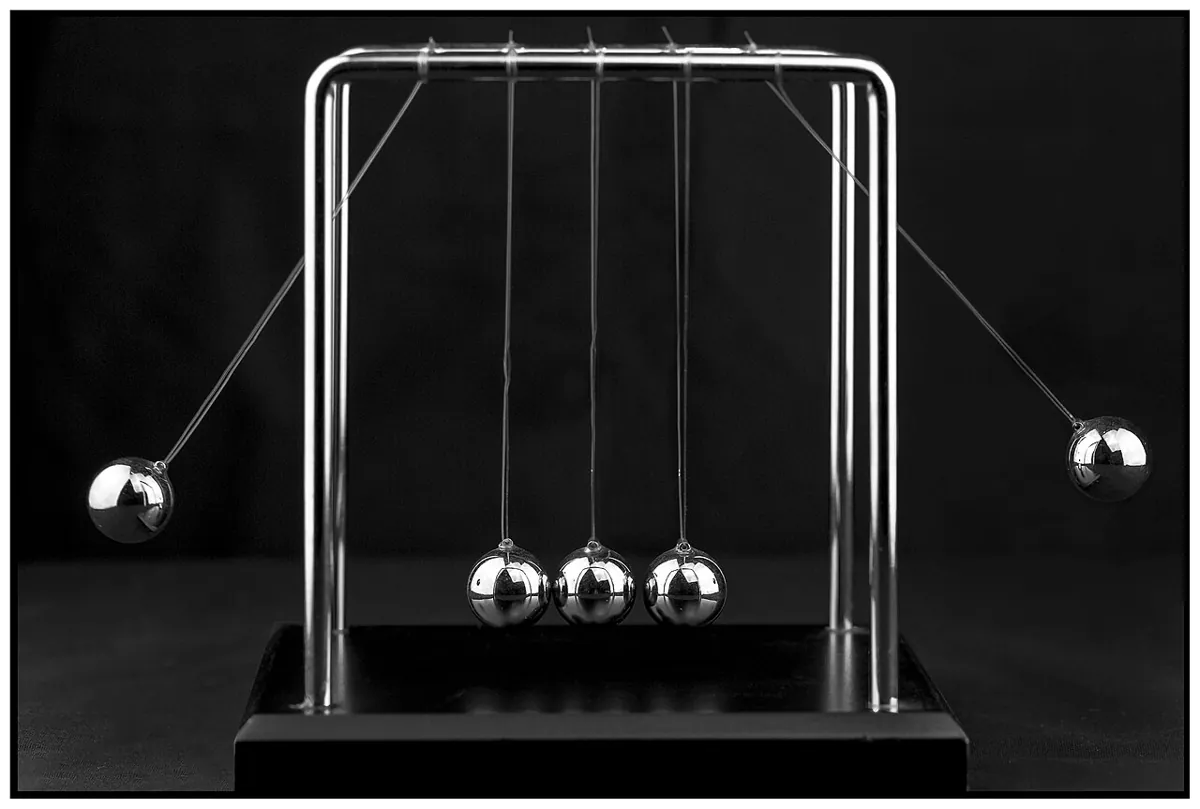
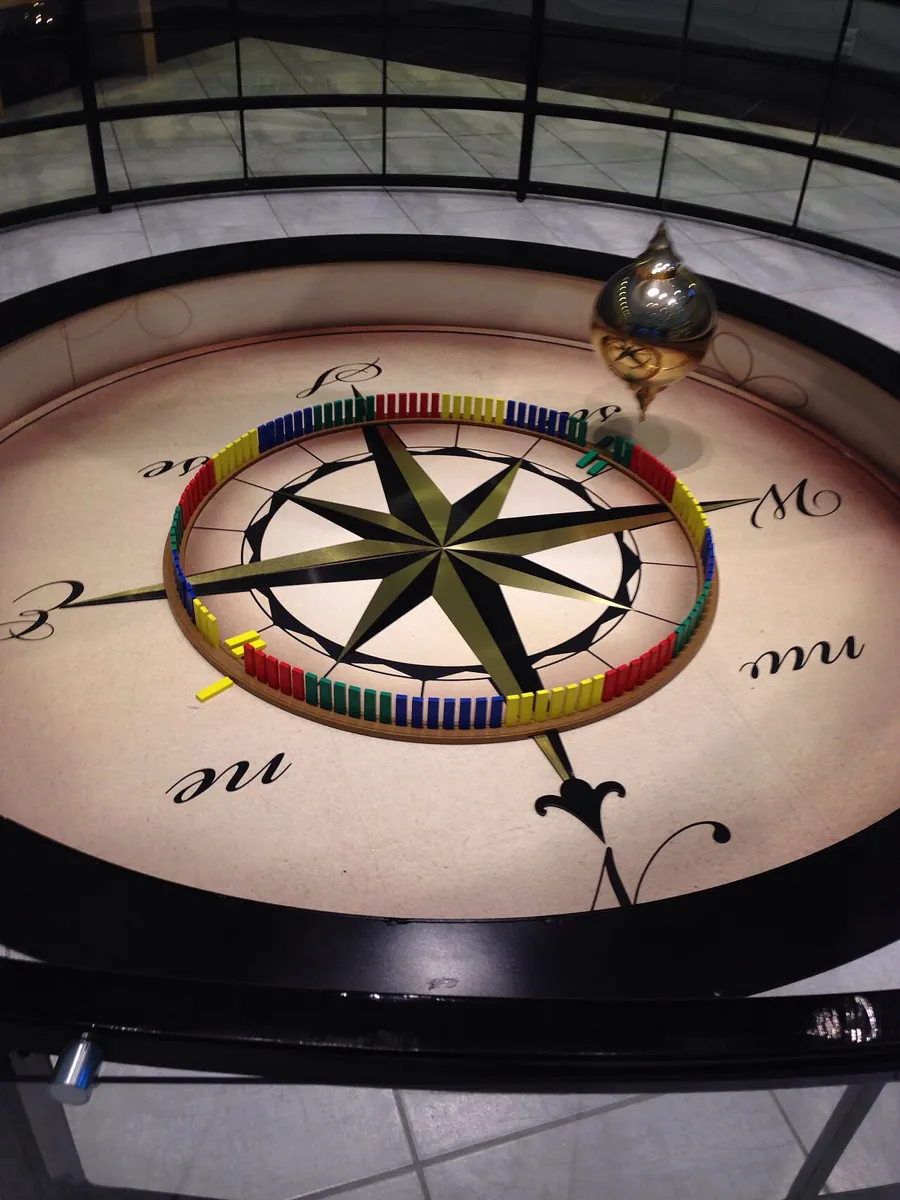
- Photos: Wikimedia Commons (credits under each image). The Box2D screenshot is shown as a diagram.
Self-attested for now — keep artifacts in your lab notebook.
Complete
Today's goal
0 of 1 done today
Mark this lesson complete when you have worked the experiment, knowledge check, and assignment (even roughly).