
Robot Simulation & Digital Twin · Lesson 09
Friction & Physical Constraints
Est. 55–70 min
Why
Why this lesson matters
Lesson 8 found out *when* things touch. This lesson decides *what happens next*. Friction decides whether a gripped block stays or slides and whether a pushed box sticks or jumps. Constraints are the rules a simulator must never break: a joint cannot go past its end stop, cannot spin faster than its motor allows, and cannot push harder than its motor’s torque.
You will calculate grip forces, watch a box stick and then suddenly slip, see a URDF <limit> cut down a bad command, and then measure the real friction of your gripper material with a tilting board and an Arduino.
Concept
Friction, grip and the limits a joint must obey
1. Coulomb friction: the simple rule every engine starts from
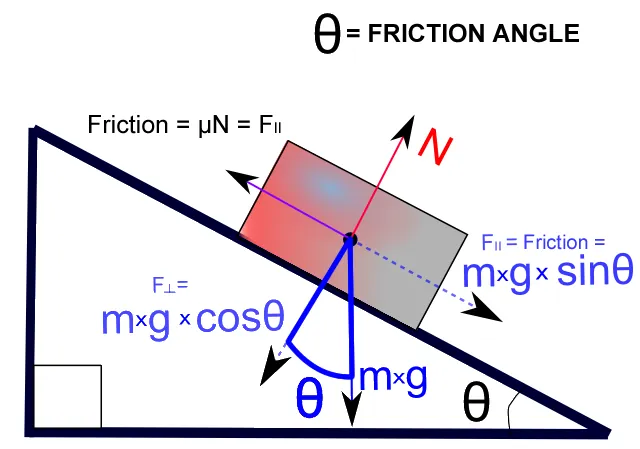
Press a block onto a table with a normal force N. Friction can push back with any force from zero up to μ·N — just enough to stop sliding. If you push harder than μ_s·N (static), the block starts to move; once moving, friction drops to μ_k·N (kinetic), which is usually a bit smaller. That model is named after Charles-Augustin de Coulomb, and it is an approximation — but a very useful one.
| Idea | Formula | What it means for a robot |
|---|---|---|
| Most friction available | F ≤ μ·N | squeeze harder → more grip; slippery material → less grip |
| Friction angle | tan θ = μ_s | tilt a board until the block slides; that angle gives μ_s |
| Two-finger grip | 2·μ·N ≥ m·(g + a) | lifting fast (a > 0) needs extra squeeze |
| Static vs kinetic | μ_k < μ_s (usually) | a stuck object “jumps” when it finally slips |
2. Grip force: from block to servo
Think of lifting a steel tiffin box with two fingers. If it is dry you can pinch lightly. If your fingers are oily, you must squeeze much harder — and if you lift it fast, harder still. A robot gripper is the same: the two finger faces share the weight, so each finger must press with N ≥ m·(g + a) / (2μ). Then add a safety factor (often 2×) for bumps and dust.
3. Joint constraints: the rules in <limit>
A URDF revolute or prismatic joint has a <limit> tag with lower and upper (radians or metres), velocity (rad/s or m/s) and effort (N·m or N). The ROS 2 tutorial notes that revolute joints must have a limit tag. The URDF schema also allows <dynamics damping friction> for joint friction and a <safety_controller> with soft limits inside the hard ones.
Position limit
commands outside [lower, upper] are clamped; the joint stops at the end
Velocity limit
however hard the controller pushes, the joint cannot spin faster
Effort limit
the motor gives at most this torque; the controller may ask for more but will not get it
Joint friction and damping
small forces that resist motion even with no load — real gearboxes have plenty
Visual
Visualise it: slide, stick and clamp
Slide, stick and clamp: friction μ, push force and joint-limit clamps on toy boxes. (Educational approximation, not a real engine’s friction cone solver.)
Interactive · Collision & contact lab · Educational approximation


AABB
clear
μN max
3.5
Slide?
yes
q clamped
40°
Educational AABB + Coulomb-style μN and joint clamps — not continuous collision, not soft contacts, not Gazebo/Isaac/MuJoCo solvers.
Code lab
Code lab: slide, stick, squeeze and clamp
friction_limits_lab.py converts friction coefficients to slip angles, computes the squeeze each finger needs, pushes a box with a slowly rising force (static vs kinetic friction), and sends a bad command to a joint with a URDF-style <limit>. The μ values are examples — you will measure your own on the bench. Run python3 friction_limits_lab.py.
"""friction_limits_lab.py - friction and joint limits, the rules a simulator enforces.

  1. Tilt test: at what angle does a block start to slide? (tan(theta) = mu_s)
  2. Gripper squeeze: how hard must two fingers press to hold a block?
  3. Stick-slip: pushing a box with static vs kinetic friction
  4. Joint limits: position, velocity and effort limits from a URDF <limit>
Plain Python 3. Friction coefficients are EXAMPLES - measure your own (bench build).
"""
import math

G = 9.81

# ---------- 1. tilt test ------------------------------------------------------
print("=== 1. Tilt a board until the block slides ===")
pairs = {"wood block on wood": 0.40, "3D-print on MDF": 0.30,
         "rubber pad on MDF": 0.80, "acrylic on acrylic (smooth)": 0.20}
for name, mu in pairs.items():
    print(f"{name:>28}: mu_s {mu:.2f} -> starts sliding at {math.degrees(math.atan(mu)):4.1f} deg")
print("-> measure the slip angle, take tan(angle): that IS the static friction coefficient.\n")

# ---------- 2. gripper squeeze ----------------------------------------------
print("=== 2. Two-finger grip: minimum squeeze force per finger ===")
print("hold: 2 * mu * N >= m * (g + a)   (two contact faces share the load)")
print(f"{'block':>14} {'mu':>5} {'held still':>11} {'lifted at 2 m/s^2':>18} {'x2 safety':>10}")
for label, m, mu in (("50 g plastic", 0.050, 0.30), ("50 g, rubber", 0.050, 0.80),
                     ("150 g plastic", 0.150, 0.30), ("150 g, oily", 0.150, 0.10)):
    still = m * G / (2 * mu)
    lift = m * (G + 2.0) / (2 * mu)
    print(f"{label:>14} {mu:>5.2f} {still:>9.2f} N {lift:>16.2f} N {2 * lift:>8.2f} N")
print("-> rubber pads cut the needed squeeze ~2.7x. Oil makes a light block hard to hold.\n")

# ---------- 3. stick-slip ---------------------------------------------------
print("=== 3. Push a 0.5 kg box with a slowly rising force (mu_s 0.5, mu_k 0.35) ===")
M, MUS, MUK, DT = 0.5, 0.50, 0.35, 0.001
x, v, t = 0.0, 0.0, 0.0
moving_since = None
for k in range(int(3.0 / DT)):
    t = k * DT
    push = 1.5 * t                         # N, rises 1.5 N every second
    if v == 0.0 and push <= MUS * M * G:
        f = 0.0                            # static friction cancels the push exactly
    else:
        f = push - MUK * M * G             # sliding: kinetic friction opposes motion
        if moving_since is None:
            moving_since = t
    v = max(0.0, v + f / M * DT)
    x += v * DT
    if k % 500 == 0:
        state = "STUCK" if moving_since is None else "SLIDING"
        print(f"t {t:3.1f} s  push {push:4.2f} N  {state:>7}  x {x * 100:5.1f} cm  v {v:4.2f} m/s")
print(f"-> nothing moves until the push beats mu_s*m*g = {MUS * M * G:.2f} N (at {moving_since:.2f} s);")
print("   then the box jumps forward, because kinetic friction is smaller. That jump")
print("   is why a slow push on a real desk is jerky.\n")

# ---------- 4. joint limits -------------------------------------------------
print("=== 4. Joint limits: <limit lower=\"-1.57\" upper=\"1.57\" velocity=\"2.0\" effort=\"0.4\"/> ===")
LOWER, UPPER, VMAX, EMAX = -1.57, 1.57, 2.0, 0.4
I, DT = 0.005, 0.001          # kg*m^2 (from Lesson 7), 1 ms step
q, w = 0.0, 0.0
log = []
for k in range(int(2.0 / DT)):
    t = k * DT
    target = 2.4 if t < 1.0 else -0.5          # first command is past the upper limit!
    target_c = max(LOWER, min(UPPER, target))  # position limit
    tau = 3.0 * (target_c - q) - 0.12 * w      # PD
    tau_c = max(-EMAX, min(EMAX, tau))         # effort limit
    w += tau_c / I * DT
    w = max(-VMAX, min(VMAX, w))               # velocity limit
    q += w * DT
    q = max(LOWER, min(UPPER, q))              # hard stop
    if k % 250 == 0:
        log.append((t, target, target_c, q, w, tau, tau_c))
print(f"{'t':>4} {'asked':>6} {'clamped':>8} {'q (rad)':>8} {'w (rad/s)':>9} {'tau wanted':>11} {'tau given':>10}")
for t, a, c, qq, ww, tw, tg in log:
    print(f"{t:4.2f} {a:6.2f} {c:8.2f} {qq:8.3f} {ww:9.2f} {tw:11.2f} {tg:10.2f}")
print("-> the command 2.40 rad is cut to 1.57; speed never exceeds 2.0 rad/s; the motor")
print("   never gives more than 0.4 N*m even when the controller asks for more.")
print("   Copy the REAL limits of your servo into the URDF, or the simulation lies.")
Output (run with python3 friction_limits_lab.py)
=== 1. Tilt a board until the block slides ===
          wood block on wood: mu_s 0.40 -> starts sliding at 21.8 deg
             3D-print on MDF: mu_s 0.30 -> starts sliding at 16.7 deg
           rubber pad on MDF: mu_s 0.80 -> starts sliding at 38.7 deg
 acrylic on acrylic (smooth): mu_s 0.20 -> starts sliding at 11.3 deg
-> measure the slip angle, take tan(angle): that IS the static friction coefficient.

=== 2. Two-finger grip: minimum squeeze force per finger ===
hold: 2 * mu * N >= m * (g + a)   (two contact faces share the load)
         block    mu  held still  lifted at 2 m/s^2  x2 safety
  50 g plastic  0.30      0.82 N             0.98 N     1.97 N
  50 g, rubber  0.80      0.31 N             0.37 N     0.74 N
 150 g plastic  0.30      2.45 N             2.95 N     5.91 N
   150 g, oily  0.10      7.36 N             8.86 N    17.71 N
-> rubber pads cut the needed squeeze ~2.7x. Oil makes a light block hard to hold.

=== 3. Push a 0.5 kg box with a slowly rising force (mu_s 0.5, mu_k 0.35) ===
t 0.0 s  push 0.00 N    STUCK  x   0.0 cm  v 0.00 m/s
t 0.5 s  push 0.75 N    STUCK  x   0.0 cm  v 0.00 m/s
t 1.0 s  push 1.50 N    STUCK  x   0.0 cm  v 0.00 m/s
t 1.5 s  push 2.25 N    STUCK  x   0.0 cm  v 0.00 m/s
t 2.0 s  push 3.00 N  SLIDING  x  12.3 cm  v 0.74 m/s
t 2.5 s  push 3.75 N  SLIDING  x  87.6 cm  v 2.40 m/s
-> nothing moves until the push beats mu_s*m*g = 2.45 N (at 1.64 s);
   then the box jumps forward, because kinetic friction is smaller. That jump
   is why a slow push on a real desk is jerky.

=== 4. Joint limits: <limit lower="-1.57" upper="1.57" velocity="2.0" effort="0.4"/> ===
   t  asked  clamped  q (rad) w (rad/s)  tau wanted  tau given
0.00   2.40     1.57    0.000      0.08        4.71       0.40
0.25   2.40     1.57    0.478      2.00        3.04       0.40
0.50   2.40     1.57    0.978      2.00        1.54       0.40
0.75   2.40     1.57    1.478      2.00        0.04       0.04
1.00  -0.50    -0.50    1.570     -0.07       -6.21      -0.40
1.25  -0.50    -0.50    1.092     -2.00       -4.54      -0.40
1.50  -0.50    -0.50    0.592     -2.00       -3.04      -0.40
1.75  -0.50    -0.50    0.092     -2.00       -1.54      -0.40
-> the command 2.40 rad is cut to 1.57; speed never exceeds 2.0 rad/s; the motor
   never gives more than 0.4 N*m even when the controller asks for more.
Copy the REAL limits of your servo into the URDF, or the simulation lies.Try it: raise the push force until the block slides for a given μ, then lower μ and find the new sliding point. Drag the joint command past its limits and watch the clamp. (Educational toy, Coulomb-style μN and joint clamps only.)
Interactive · Collision & contact lab · Educational approximation
AABB
clear
μN max
3.5
Slide?
yes
q clamped
40°
Educational AABB + Coulomb-style μN and joint clamps — not continuous collision, not soft contacts, not Gazebo/Isaac/MuJoCo solvers.
Bench build: measure μ_s with a tilting board
Hinge a small board on one edge — a strip of tape works — and fix a potentiometer at the hinge so its shaft turns with the board. Place your test block (or a gripper finger pad stuck on a block) on the board. Lift the free edge slowly; press SLIP the moment the block starts to move. tilt_friction.ino prints the angle and μ_s = tan θ and keeps a running average over several trials.
| Part | Connection | Note |
|---|---|---|
| 10 kΩ potentiometer at the hinge | outer legs 5V and GND, wiper A0 | shaft turns with the board; tape or glue a small lever to it |
| ZERO button | D2 to GND | press with the board flat |
| SLIP button | D3 to GND | press the moment the block starts to slide |
// tilt_friction.ino - measure static friction (mu_s) with a tilting board.
// Hinge a small board (MDF, cardboard on wood ...) on one edge. Fix a 10 kOhm pot
// at the hinge so its shaft turns with the board. Put the test block on the board
// and lift the free edge SLOWLY. The moment the block starts to slide, press SLIP.
//   mu_s = tan(slip angle)
//
// Wiring (no motors):
//   pot: outer legs 5V and GND, wiper A0  (shaft turns with the board)
//   ZERO button: D2 to GND   (press with the board flat)
//   SLIP button: D3 to GND   (press when the block starts to move)

const float DEG_PER_COUNT = 270.0 / 1023.0;   // typical 270-degree pot - check yours
int zeroCounts = 0;
float sumMu = 0;
int trials = 0;

float tiltDeg() {
  long s = 0;
  for (int i = 0; i < 16; i++) s += analogRead(A0);   // average 16 readings
  return fabs((s / 16.0 - zeroCounts) * DEG_PER_COUNT);
}

bool pressed(int pin) {
  if (digitalRead(pin) != LOW) return false;
  delay(25);                                   // debounce
  if (digitalRead(pin) != LOW) return false;
  while (digitalRead(pin) == LOW) {}           // wait for release
  return true;
}

void setup() {
  Serial.begin(115200);
  pinMode(2, INPUT_PULLUP);
  pinMode(3, INPUT_PULLUP);
  zeroCounts = analogRead(A0);
  Serial.println(F("Board flat? Press ZERO (D2). Then tilt slowly and press SLIP (D3)."));
}

void loop() {
  if (pressed(2)) {
    long s = 0;
    for (int i = 0; i < 64; i++) s += analogRead(A0);
    zeroCounts = s / 64;
    sumMu = 0; trials = 0;
    Serial.println(F("Zero saved, trials cleared."));
  }
  if (pressed(3)) {
    float a = tiltDeg();
    if (a < 2 || a > 75) {
      Serial.print(F("Odd angle (")); Serial.print(a, 1);
      Serial.println(F(" deg) - press ZERO with the board flat and try again."));
      return;
    }
    float mu = tan(a * PI / 180.0);
    sumMu += mu; trials++;
    Serial.print(F("trial ")); Serial.print(trials);
    Serial.print(F(": slip at ")); Serial.print(a, 1);
    Serial.print(F(" deg -> mu_s = ")); Serial.print(mu, 2);
    Serial.print(F("   average of ")); Serial.print(trials);
    Serial.print(F(" = ")); Serial.println(sumMu / trials, 2);
  }
  static unsigned long last = 0;
  if (millis() - last > 500) {                 // live angle twice a second
    last = millis();
    Serial.print(F("tilt ")); Serial.print(tiltDeg(), 1); Serial.println(F(" deg"));
  }
}Zero saved, trials cleared.
tilt 12.4 deg
tilt 15.9 deg
trial 1: slip at 17.2 deg -> mu_s = 0.31 average of 1 = 0.31
trial 2: slip at 16.4 deg -> mu_s = 0.29 average of 2 = 0.30
trial 3: slip at 18.0 deg -> mu_s = 0.32 average of 3 = 0.31Debugging
| Symptom | Likely cause | Fix |
|---|---|---|
| Simulated grasp holds, real one slips | simulation friction higher than reality, or acceleration ignored | Measure μ; use m·(g + a); add a 2× margin or rubber pads |
| Box in simulation creeps or jitters while “stuck” | solver approximations of static friction | Smaller step; check mass; do not tune friction blindly |
| Joint passes its end stop in simulation | missing or wrong <limit>, or degrees in a radian field | Add lower/upper in radians |
| Simulated arm far stronger or faster than the real one | placeholder effort and velocity limits | Use datasheet values with margin |
| Bench: angle reads backwards or jumps | pot legs swapped or loose shaft | Swap the outer legs; fix the lever firmly |
| Bench: very different μ each trial | jerky tilting or dirty surface | Lift slowly; clean; average 5 or more trials |
Real world
Friction and constraints in the real world
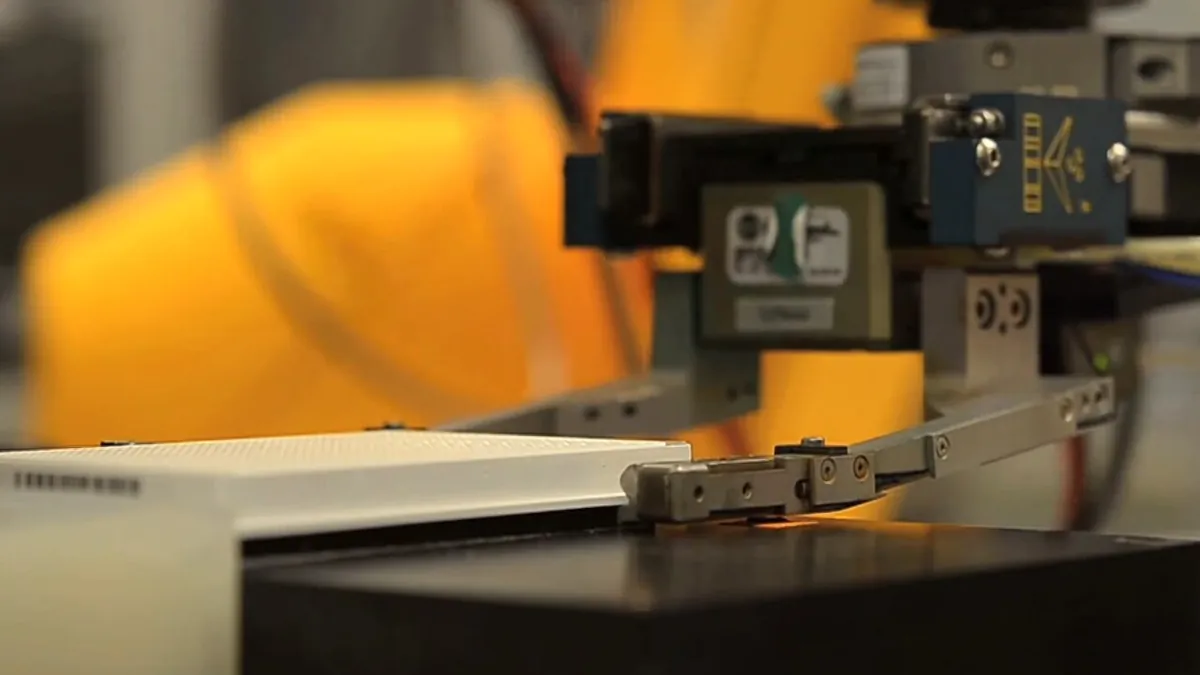
- Grippers: lab robots that move sample plates rely on grip force, friction and well-fitting fingers, and simulations of them use measured friction values.
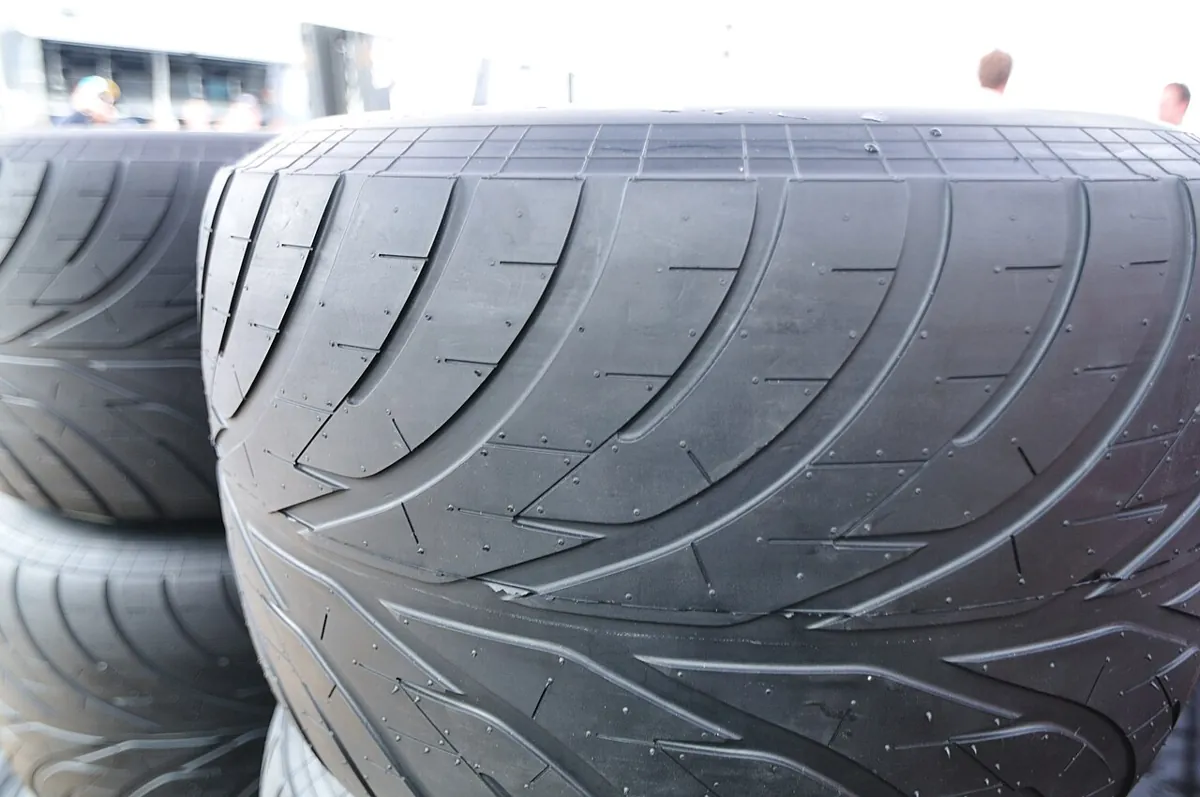
- Tyres: racing teams choose tyres for grip in different conditions — friction is the whole game.
- Industrial arms: controllers enforce position, velocity and torque limits in software, and mechanical end stops back them up.
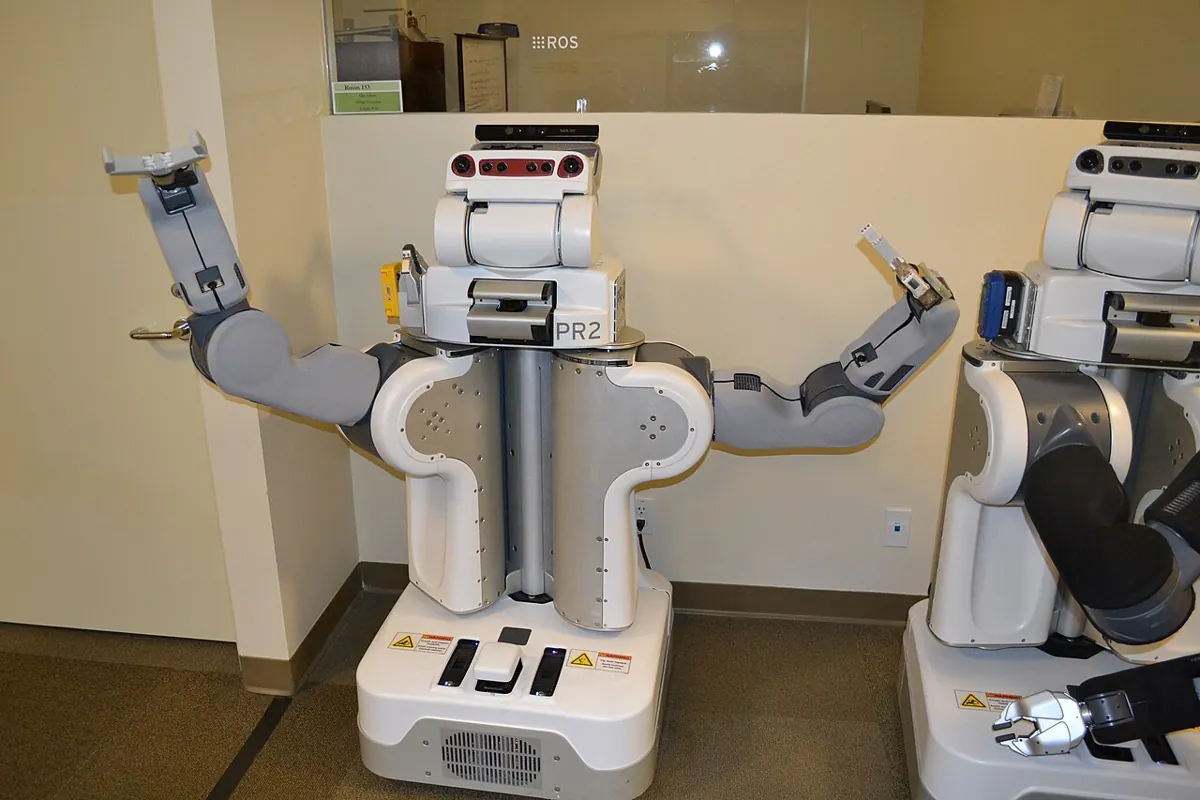
- Research robots: two-armed robots such as the PR2 were used to study grasping, where friction and contact are the hardest parts to simulate.
Think
Think about it
Think
Your simulated gripper holds a 100 g block with μ = 1.0 (the simulator default). On the real robot, the finger material on the block gives μ = 0.3. Your gripper gives 1.2 N per finger. Will the real gripper hold the block while lifting at 2 m/s²? What would you change?
Experiment
Try it in the lab
About 60 minutes. The Python part needs only Python 3. The bench part needs an Arduino UNO, a 10 kΩ potentiometer, two push buttons, a small board and test blocks.
Experiment
Measure it, then simulate with it
You will need
- `friction_limits_lab.py` (Python 3, no libraries)
- Collision and contact lab (in your browser)
- Arduino UNO, 10 kΩ pot, 2 push buttons, jumper wires
- A small flat board (MDF or plywood), tape for the hinge, test blocks (PLA, wood, rubber pad, acrylic)
Steps
- Run `friction_limits_lab.py`. Write down the needed finger force for a 50 g plastic block with a 2× margin.
- Bench: build the tilt tester. Measure μ_s for at least three material pairs, 5 trials each.
- Put your measured μ values into part 1 and part 2 of the script. Which material should your gripper fingers have?
- In part 3, change μ_k to 0.48 (close to μ_s). Does the box still jump when it starts sliding?
- In part 4, set your own servo’s range, speed and torque in the `<limit>` line. Ask for a move past the end and check the clamp.
- In the collision and contact lab, find the push force where the block starts to slide for μ = 0.35, then for μ = 0.7.
Interactive · Collision & contact lab · Educational approximation
AABB
clear
μN max
3.5
Slide?
yes
q clamped
40°
Educational AABB + Coulomb-style μN and joint clamps — not continuous collision, not soft contacts, not Gazebo/Isaac/MuJoCo solvers.
Your measured μ values are probably lower than the simulator’s defaults, and they vary from trial to trial. That spread is real — design the grip for the low end of it.
Knowledge check
Check your understanding
Knowledge check
1. In Coulomb’s model, static friction can be…
2. A block starts to slide when the board is tilted 30°. Its μ_s is about…
3. Two fingers hold a block. Lifting it faster means…
4. Why does a stuck box “jump” when it starts to slide?
5. Which attributes does a URDF `<limit>` tag have?
6. MuJoCo’s default geom friction is "1 0.005 0.0001". The three numbers are…
7. You leave `effort="1000"` from a tutorial in your desk-arm URDF. What happens in simulation?
Mini assignment
Hands-on assignment
Mini assignment
A friction and limits card for your gripper and arm
Measure the friction of your gripper material, size the grip force, and write honest joint limits for every joint of your desk arm.
Deliverables
- A table of μ_s for at least three material pairs (5 trials each, average and spread), measured with `tilt_friction.ino`.
- Grip force per finger for your heaviest object, lifted at your arm’s top acceleration, with a 2× margin — and whether your gripper can give it.
- A `<limit>` line (lower, upper, velocity, effort) for each joint of your Lesson 3 URDF, with where each number came from (datasheet, measured end stop).
- A short note: one thing in the simulation you will now trust less, and why.
Do this, step by step
- Tilt a board with
tilt_friction.inoand record the slip angle, 5 trials for each of 3 material pairs. - Work out μ_s = tan(angle), then the average and spread.
- Work out the grip force per finger for your heaviest object at top acceleration, with a 2× margin.
- Write a
<limit>line for each joint with where each number came from. - Write one thing in the simulation you will now trust less, and why.
Stuck? Hints, one at a time
- Tilt slowly. A quick tilt gives a bigger angle and a μ_s that is too high.
- With two fingers, each finger gives friction μ × F, so the total is 2 × μ × F.
- URDF
velocityis rad/s andeffortis N·m for a revolute joint; check your datasheet units.
Challenges (pick by level)
- 🟢 Beginner: Put a phone on a book and tilt it slowly. Measure the slip angle with a protractor and compute μ_s. Repeat with a rubber phone case.
- 🟡 Intermediate: Add a “soft limit” to part 4 of the script: slow the joint down within 0.2 rad of each end, like a URDF
safety_controller. - 🟠 Advanced: Add
<dynamics damping friction>to the joint model in part 4 and measure how much slower the 2.4 rad move becomes. - 🔴 Expert: Model a friction cone in 2D: a finger presses at an angle, and the block holds only if the force direction stays within atan(μ) of the normal. Plot safe and unsafe pressing angles.
- ⚫ Research: Read the MuJoCo documentation on contact parameters (friction, solref, solimp). Explain in one page why simulated grasps can hold objects that would slip in reality.
Next step
Your simulated world now has physics, contact, friction and limits. In Lesson 10 — Simulated Sensors you will give the robot eyes and touch inside the simulator — encoders, IMUs, distance sensors and cameras — and learn why a good simulated sensor must be noisy.
Look back: Lesson 8: Collision & Contact. Next: Lesson 10: Simulated Sensors. Related: Stage 13 — Perception, Planning & Manipulation.
Sources
- Wikipedia — Friction — Coulomb friction F ≤ μN, static and kinetic coefficients, angle of friction θ = arctan μ_s.
- MuJoCo XML reference — geom `friction` — default "1 0.005 0.0001": sliding, torsional and rolling friction.
- ROS 2 docs (Jazzy) — Building a movable robot model with URDF — revolute joints need
<limit>with lower/upper (radians), velocity and effort; tutorial values (effort 1000) are placeholders. - URDF XML schema (urdfdom) — joint
<limit lower upper effort velocity>,<dynamics damping friction>,<safety_controller>soft limits. - Photos: Wikimedia Commons (credits under each image). The friction-angle drawing is shown as a diagram.
Self-attested for now — keep artifacts in your lab notebook.
Complete
Today's goal
0 of 1 done today
Mark this lesson complete when you have worked the experiment, knowledge check, and assignment (even roughly).