
Robot Perception, Planning & Manipulation · Lesson 08
Collision-Free Motion
Est. 60–75 min
Why
Why this lesson matters
In Lessons 6 and 7 you learnt to plan the whole arm in configuration space. Every planner in the next lessons — PRM, RRT, RRT* — does two things again and again: it checks whether a configuration is free, and it checks whether the straight motion between two configurations is free. The second check is where most bugs hide. Check too coarsely and thin obstacles slip between your samples. Check too finely and the planner crawls. And even a perfect check is only true for the world as it was when you checked.
In the code lab you will watch a coarse check miss a pen, compute a step size that cannot miss, see what padding costs, find collisions sooner by checking in bisection order, and see a planned motion become unsafe when someone moves the pen. On the bench, an Arduino moves a servo in small steps and checks an ultrasonic sensor before every step, stopping when something comes close.
Concept
Checking motions, not just poses
1. Pose check vs motion check
| Check | Question | Used for |
|---|---|---|
| Pose (configuration) check | Is this one configuration in C-free? | start, goal, every sampled node |
| Motion (edge) check | Is every configuration on the straight line between qa and qb in C-free? | every edge of a road map or tree, every segment of the final path |
| Execution check | Is the world still as it was when we planned? | just before and during the real move |
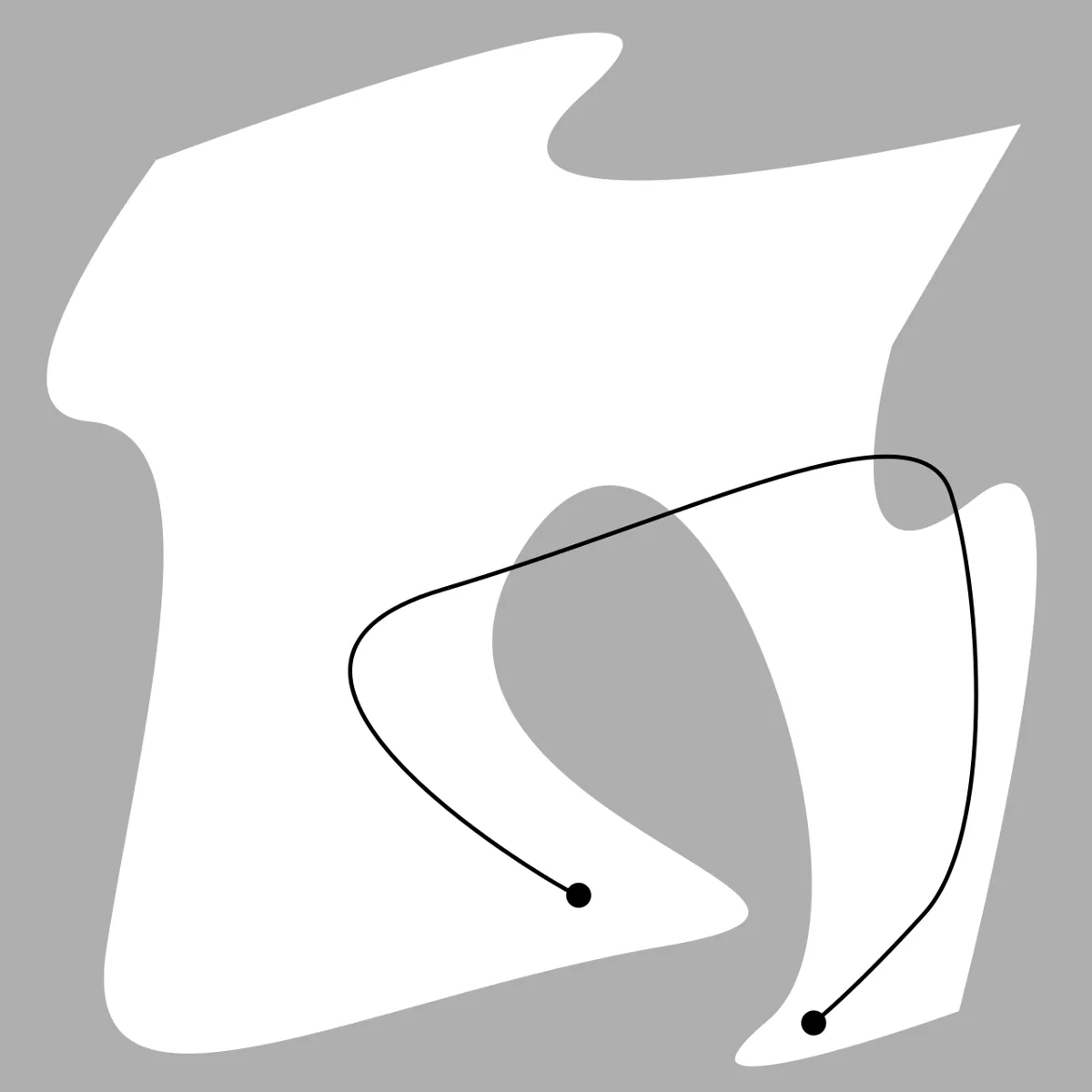
2. Discrete checking: samples along the motion
The simplest motion check walks along the straight joint-space line from qa to qb in small steps and runs the pose check at each step. If one step collides, the motion is rejected. The danger is the step size: if an obstacle is thin, or the arm only grazes it, the collision may last for a tiny part of the motion — and a large step can jump right over it. In our script the collision lasts only 3.9% of the motion, and checks every 10° or 5° both miss it.
3. A step size that cannot miss
We can do better than guessing. If the shoulder turns by Δq1 (in radians), no point of a 2-link arm moves more than Δq1 × (L1 + L2); if the elbow turns by Δq2, no point moves more than Δq2 × L2. Add the two and you have an upper bound on how far any point of the arm can travel between two checks. Choose the step so this bound is smaller than the clearance you demand at every checked pose, and nothing can slip through in between. This is the idea behind conservative motion checking.
max movement of any point  <=  |dq1| * (L1 + L2)  +  |dq2| * L2      (dq in radians)

Our motion: dq1 = 65 deg, dq2 = -40 deg  ->  at most 39.0 cm
To move at most 1 cm per check: 40 checks.  At most 0.5 cm: 79 checks.
4. Continuous collision checking
Collision libraries can also do continuous collision detection: instead of testing snapshots, they test whether two moving models touch at any time during the motion. The open-source Flexible Collision Library (FCL) lists continuous collision detection next to ordinary collision checking, distance computation and tolerance verification. Distance computation is what makes the step bound above useful: “how far is the arm from the nearest obstacle right now?” tells you how big the next safe step can be.
5. Padding
Models are never perfect: links are a bit fatter than their capsules, a servo overshoots, the camera puts the pen 5 mm off. So we pad — demand some clearance instead of just “not touching”. Padding makes motions safer but removes configurations: in our script, 2 cm of padding removes about 7% of the poses that were free with no padding, and narrow gaps can close completely. Pad by your real model error, not by fear.
6. The world can change
A motion checked at 10:00:00 is only known to be free at 10:00:00. If a person reaches in or someone moves the pen, the plan is stale. Real systems re-check the planning scene before executing, monitor it while moving, and stop when something enters the path. For people, industrial robots use separate certified safety systems — our ultrasonic bench guard is a learning tool, never a safety device for humans.
Visual
Visualise it: a straight line, a via point and an obstacle
A straight motion from start to goal can pass through an obstacle even when both ends are free. Adding a via point makes two motions that can each be checked and kept free. (Educational explorer, not an industrial motion planner.)
Interactive · Collision-free planner · Educational

Straight-line + one via — not industrial collision-free motion planning.
Code lab
Code lab: check the motion, not just its ends
collision_free_motion_lab.py uses the desk arm (links 15 cm and 12 cm, link radius 1.5 cm) and a thin pen (radius 5 mm) at (18, 7) cm. Six parts: (1) both end poses are free, but the motion is not; (2) uniform checks with different step sizes; (3) a safe step size from the movement bound; (4) the cost of padding; (5) bisection order; (6) a motion that becomes unsafe when the pen is moved. Plain Python 3. Run python3 collision_free_motion_lab.py.
"""collision_free_motion_lab.py — Stage 13 L08 (AIHUB STATION lab)

Checking a whole MOTION, not just its end poses.
Top view of the 2-link desk arm, example values in metres:
  links 0.15 m and 0.12 m, link capsule radius 1.5 cm.
  A thin PEN stands upright at (0.18, 0.07), radius 0.5 cm.
Run:  python3 collision_free_motion_lab.py
"""
import math

L1, L2, LINK_R = 0.15, 0.12, 0.015
PEN, PEN_R = (0.18, 0.07), 0.005

def fk(q1, q2):
    a, b = math.radians(q1), math.radians(q1 + q2)
    e = (L1*math.cos(a), L1*math.sin(a))
    return e, (e[0] + L2*math.cos(b), e[1] + L2*math.sin(b))

def seg_dist(a, b, p):
    ax, ay = a; bx, by = b; px, py = p
    L = (bx-ax)**2 + (by-ay)**2
    s = max(0, min(1, ((px-ax)*(bx-ax) + (py-ay)*(by-ay)) / L))
    return math.hypot(ax + s*(bx-ax) - px, ay + s*(by-ay) - py)

def clearance(q, obs=None):
    obs = obs or PEN
    e, t = fk(*q)
    return min(seg_dist((0, 0), e, obs), seg_dist(e, t, obs)) - PEN_R - LINK_R

def lerp(qa, qb, s): return (qa[0] + (qb[0]-qa[0])*s, qa[1] + (qb[1]-qa[1])*s)

def check_uniform(qa, qb, step_deg, pad=0.0, obs=None):
    n = max(1, math.ceil(max(abs(qb[0]-qa[0]), abs(qb[1]-qa[1])) / step_deg))
    for i in range(n + 1):
        if clearance(lerp(qa, qb, i/n), obs) < pad: return False, i + 1
    return True, n + 1

A, B = (-35.0, 110.0), (30.0, 70.0)
print("1. Both END poses are free:")
print(f"   start q={A}: clearance {100*clearance(A):.1f} cm;  goal q={B}: clearance {100*clearance(B):.1f} cm")
worst = min((clearance(lerp(A, B, i/2000)), i/2000) for i in range(2001))
print(f"   ...but on the way the worst clearance is {1000*worst[0]:.1f} mm at s={worst[1]:.3f} -> the arm HITS the pen")

print("\n2. Checking only some poses along the motion (uniform steps in joint space)")
for step in (35.0, 20.0, 10.0, 5.0, 2.0, 1.0):
    ok, checks = check_uniform(A, B, step)
    print(f"   step {step:4.0f} deg: {checks:3d} checks -> {'looks FREE (wrong!)' if ok else 'collision found'}")
bad = [i/1000 for i in range(1001) if clearance(lerp(A, B, i/1000)) < 0]
print(f"   the collision lasts only from s={bad[0]:.3f} to s={bad[-1]:.3f} ({100*len(bad)/1001:.1f}% of the motion): big steps jump over it")

print("\n3. A safe step size from a distance bound")
# For a joint change dq (radians), no point of the arm moves more than
#   |dq1|*(L1+L2) + |dq2|*L2   (shoulder swings everything, elbow swings link 2)
def max_move(dq1_deg, dq2_deg):
    return abs(math.radians(dq1_deg))*(L1 + L2) + abs(math.radians(dq2_deg))*L2
d1, d2 = B[0]-A[0], B[1]-A[1]
for margin_cm in (1.0, 0.5):
    m = margin_cm / 100
    n = math.ceil(max_move(d1, d2) / m)
    print(f"   whole motion moves any point at most {100*max_move(d1, d2):.1f} cm; to move <= {margin_cm} cm per check: {n} steps")
print("   If every checked pose has clearance > that move, nothing can slip through in between.")

print("\n4. Padding: plan with a safety margin")
for pad_cm in (0.0, 0.5, 1.0, 2.0):
    free = sum(clearance((q1, q2)) >= pad_cm/100 for q1 in range(-90, 91, 2) for q2 in range(0, 151, 2))
    print(f"   padding {pad_cm:.1f} cm: {free} of {91*76} grid poses allowed")
print("   More padding = safer against model errors, but fewer allowed poses (and narrow gaps close).")

print("\n5. Check the middle first (bisection order)")
def bisect_order(n):
    out, segs = [0, n], [(0, n)]
    while segs:
        nxt = []
        for a, b in segs:
            if b - a > 1:
                m = (a + b) // 2; out.append(m); nxt += [(a, m), (m, b)]
        segs = nxt
    return out
n = 140
order_uniform = list(range(n + 1))
order_bisect = bisect_order(n)
def first_hit(order):
    for k, i in enumerate(order):
        if clearance(lerp(A, B, i/n)) < 0: return k + 1
for name, order in (("start-to-end", order_uniform), ("bisection", order_bisect)):
    print(f"   {name:12s}: collision found after {first_hit(order)} of {n+1} checks")
print("   Bisection spreads its first checks over the whole motion (ends, middle, quarters...),\n   so it usually finds a collision much sooner. A FREE motion still needs every check.")

print("\n6. The world moves: re-check before you go")
C, D = (30.0, 70.0), (60.0, 40.0)
ok, _ = check_uniform(C, D, 1.0)
print(f"   new motion q={C} -> q={D} with the pen at {PEN}: {'FREE' if ok else 'collision'}")
mid_tip = fk(*lerp(C, D, 0.5))[1]
moved = (round(mid_tip[0], 2), round(mid_tip[1], 2))
ok2, _ = check_uniform(C, D, 1.0, obs=moved)
print(f"   someone moves the pen to {moved}: {'FREE' if ok2 else 'collision -> stop and re-plan'}")
Output (run with python3 collision_free_motion_lab.py)
1. Both END poses are free:
   start q=(-35.0, 110.0): clearance 2.8 cm;  goal q=(30.0, 70.0): clearance 3.0 cm
   ...but on the way the worst clearance is -0.3 mm at s=0.250 -> the arm HITS the pen

2. Checking only some poses along the motion (uniform steps in joint space)
   step   35 deg:   3 checks -> looks FREE (wrong!)
   step   20 deg:   2 checks -> collision found
   step   10 deg:   8 checks -> looks FREE (wrong!)
   step    5 deg:  14 checks -> looks FREE (wrong!)
   step    2 deg:   9 checks -> collision found
   step    1 deg:  17 checks -> collision found
   the collision lasts only from s=0.231 to s=0.269 (3.9% of the motion): big steps jump over it

3. A safe step size from a distance bound
   whole motion moves any point at most 39.0 cm; to move <= 1.0 cm per check: 40 steps
   whole motion moves any point at most 39.0 cm; to move <= 0.5 cm per check: 79 steps
   If every checked pose has clearance > that move, nothing can slip through in between.

4. Padding: plan with a safety margin
   padding 0.0 cm: 6545 of 6916 grid poses allowed
   padding 0.5 cm: 6444 of 6916 grid poses allowed
   padding 1.0 cm: 6331 of 6916 grid poses allowed
   padding 2.0 cm: 6064 of 6916 grid poses allowed
   More padding = safer against model errors, but fewer allowed poses (and narrow gaps close).

5. Check the middle first (bisection order)
   start-to-end: collision found after 34 of 141 checks
   bisection   : collision found after 4 of 141 checks
   Bisection spreads its first checks over the whole motion (ends, middle, quarters...),
   so it usually finds a collision much sooner. A FREE motion still needs every check.

6. The world moves: re-check before you go
   new motion q=(30.0, 70.0) -> q=(60.0, 40.0) with the pen at (0.18, 0.07): FREE
   someone moves the pen to (0.09, 0.22): collision -> stop and re-plan
Try it: the straight line from start to goal hits the box. Move the via point up and down until both segments are free. (Educational explorer, not an industrial motion planner.)
Interactive · Collision-free planner · Educational
Straight-line + one via — not industrial collision-free motion planning.
Bench build: check before every step
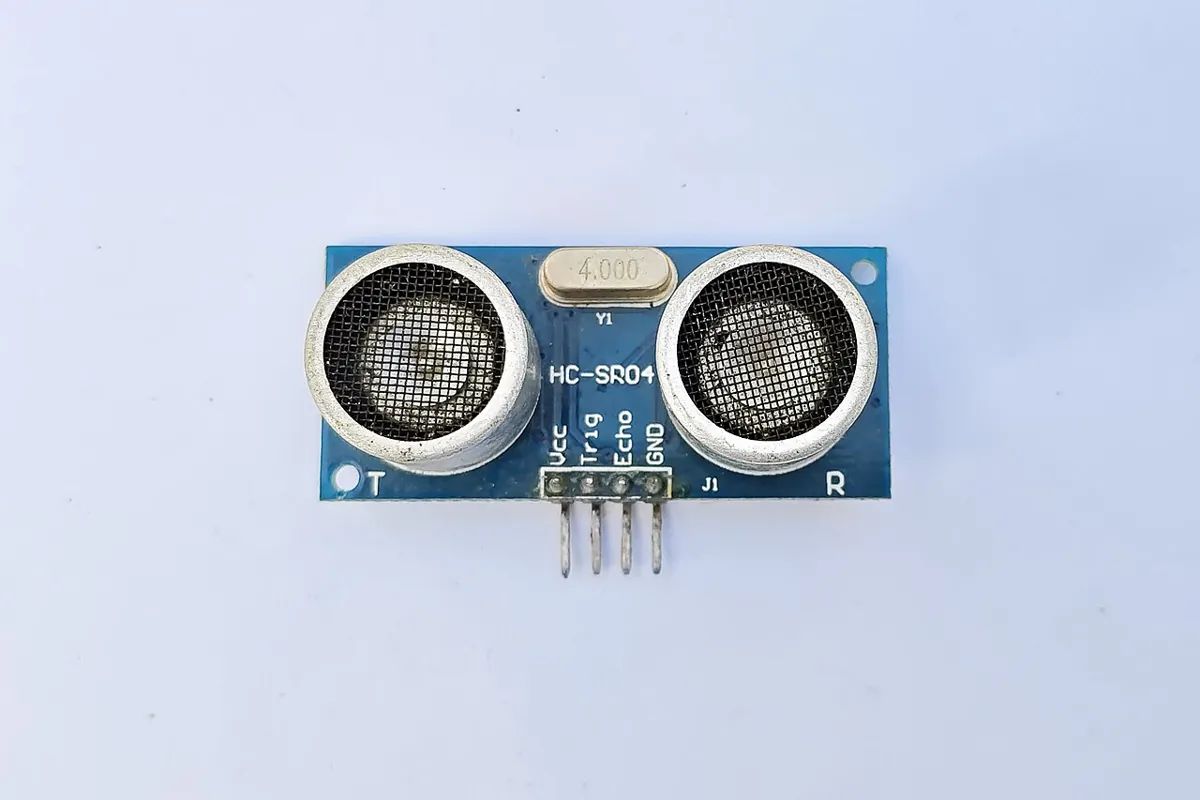
motion_guard.ino sweeps a servo arm between 30° and 150° in 1° steps. Before every step it reads an HC-SR04 ultrasonic sensor mounted on the arm’s path. If anything is closer than 12 cm, it stops at once with the red LED on, waits until the space has been clear for a full second, then continues. Small steps mean each check covers only a small move — the same idea as the step bound in the script.
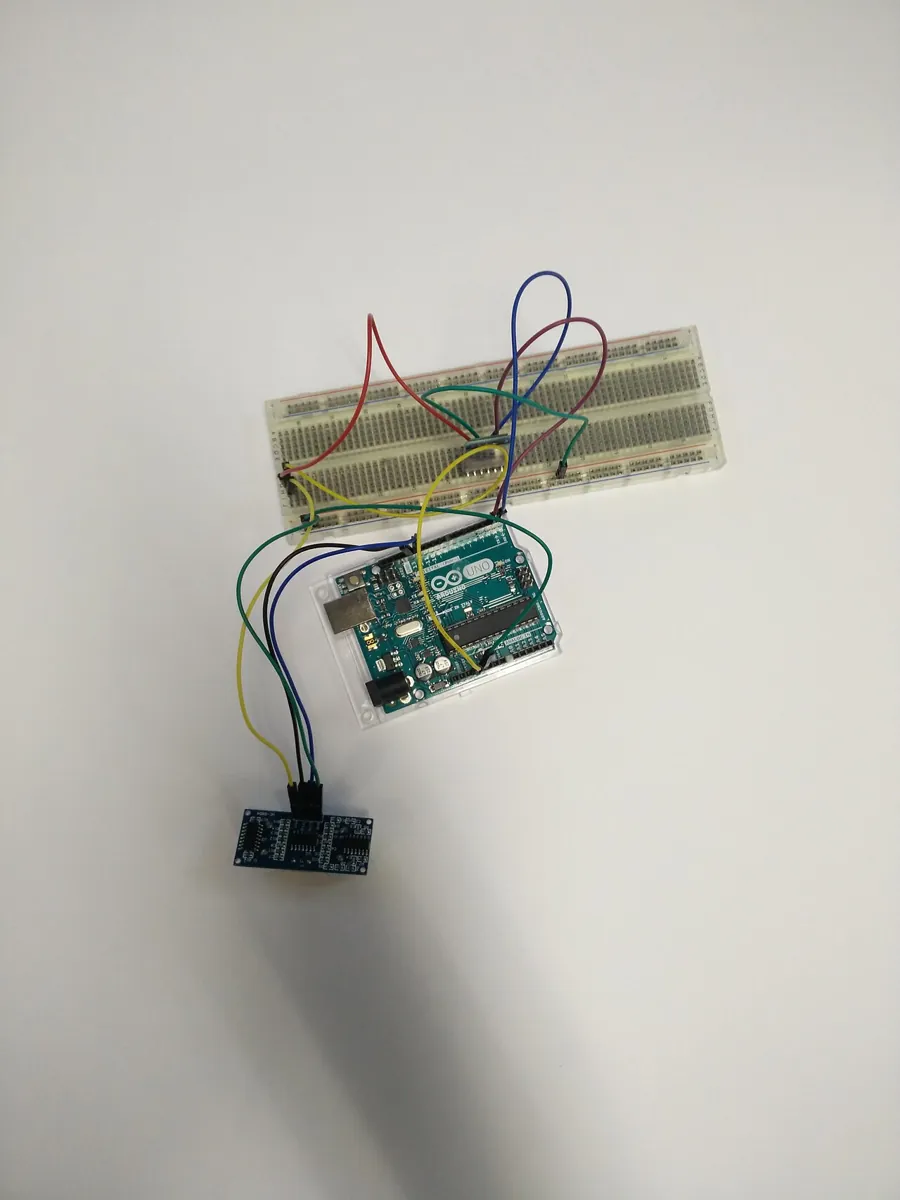
| Part | Connection | Note |
|---|---|---|
| Arm servo (SG90-class) | signal → D9 | separate 5–6 V supply; GND joined to UNO GND |
| HC-SR04 VCC / GND | UNO 5V / GND | small sensor, fine on the 5V pin |
| HC-SR04 TRIG | D7 | 10 µs trigger pulse |
| HC-SR04 ECHO | D8 | echo time ÷ 58 = cm |
| Red LED + 220 Ω | D6 → resistor → LED → GND | lit while stopped |
// motion_guard.ino — Stage 13 L08 (AIHUB STATION lab)
// A planned motion was collision-free WHEN IT WAS PLANNED. The world can change.
// This sketch moves a servo arm in small steps and checks an HC-SR04 ultrasonic
// sensor before EVERY step. If something comes closer than STOP_CM, it stops
// at once, waits until the space has been clear for CLEAR_MS, then continues.
//
// Wiring (Arduino UNO):
//   Arm servo signal -> D9; servo red/brown -> SEPARATE 5-6 V supply, GND joined to UNO GND
//   HC-SR04: VCC -> UNO 5V, GND -> GND, TRIG -> D7, ECHO -> D8
//   (the HC-SR04 is a small 5 V sensor, fine on the 5V pin; the SERVO is not)
//   Red LED + 220 ohm on D6: lit while stopped
#include <Servo.h>

const int PIN_SERVO = 9, PIN_TRIG = 7, PIN_ECHO = 8, PIN_LED = 6;
const float STOP_CM = 12.0;            // stop if anything is closer than this
const unsigned long CLEAR_MS = 1000;   // must stay clear this long before moving again
const int STEP_DEG = 1;                // small steps: each check covers a small move
const int STEP_MS = 20;

Servo arm;
int pos = 30;
int target = 150;

float readCm() {
  digitalWrite(PIN_TRIG, LOW);  delayMicroseconds(2);
  digitalWrite(PIN_TRIG, HIGH); delayMicroseconds(10);
  digitalWrite(PIN_TRIG, LOW);
  unsigned long us = pulseIn(PIN_ECHO, HIGH, 30000UL);   // time out after 30 ms
  if (us == 0) return 999.0;                             // no echo: treat as far
  return us / 58.0;                                      // about 58 us per cm (round trip)
}

bool spaceClear() { return readCm() >= STOP_CM; }

void setup() {
  Serial.begin(115200);
  pinMode(PIN_TRIG, OUTPUT); pinMode(PIN_ECHO, INPUT); pinMode(PIN_LED, OUTPUT);
  arm.attach(PIN_SERVO);
  arm.write(pos);
  delay(500);
  Serial.println(F("Motion guard: sweeping 30 <-> 150 deg, checking before every step."));
}

void loop() {
  if (pos == target) {                     // reached the end: plan the way back
    target = (target == 150) ? 30 : 150;
    Serial.print(F("reached ")); Serial.print(pos); Serial.println(F(" deg, turning back"));
    delay(500);
  }
  if (!spaceClear()) {
    digitalWrite(PIN_LED, HIGH);
    Serial.print(F("STOP at ")); Serial.print(pos); Serial.println(F(" deg: obstacle too close"));
    unsigned long clearSince = 0;
    while (true) {                         // wait until clear for CLEAR_MS
      if (spaceClear()) {
        if (clearSince == 0) clearSince = millis();
        if (millis() - clearSince >= CLEAR_MS) break;
      } else {
        clearSince = 0;
      }
      delay(50);
    }
    digitalWrite(PIN_LED, LOW);
    Serial.println(F("clear for 1 s: continuing"));
  }
  pos += (target > pos) ? STEP_DEG : -STEP_DEG;
  arm.write(pos);
  delay(STEP_MS);
}Motion guard: sweeping 30 <-> 150 deg, checking before every step.
reached 150 deg, turning back
STOP at 97 deg: obstacle too close
clear for 1 s: continuing
reached 30 deg, turning backDebugging
| Symptom | Likely cause | Fix |
|---|---|---|
| Planner accepts a motion that hits a thin object | step between checks too large | Use the movement bound to choose the step, or continuous collision checking |
| Motion checks make planning very slow | tiny fixed step everywhere | Use distance to the nearest obstacle to take bigger safe steps when far away |
| Arm brushes obstacles in real life but not in simulation | model error, no padding | Measure the error; pad by that amount |
| No motion found through a gap that looks wide enough | too much padding | Reduce padding to the real error; check the gap width |
| Arm hits something that was not there when planning | stale planning scene | Re-check before executing; monitor while moving; stop and re-plan |
| Bench: random stops with nothing there | echo noise, no timeout, sensor sees the table | Use a timeout, aim the sensor level, require two close readings in a row |
Real world
Collision-free motion in the real world
- Planning frameworks: MoveIt keeps its planning scene up to date from the robot state and sensors (Lesson 2), so collision checks are made against the latest picture of the world.
- Collision libraries: FCL offers collision detection, distance computation, tolerance verification and continuous collision detection — the building blocks of the checks in this lesson.
- Factories: robot cells use certified safety systems (fences, interlocks, safety scanners) to protect people; motion planning protects the robot and the parts.
- Your lab: always ask two questions before pressing run — “did I check the whole motion?” and “is the world still the same as when I planned?”
Think
Think about it
Think
Your step bound says 40 checks are enough if every check has 1 cm of clearance. One checked pose has only 4 mm of clearance — but it is not in collision. Is the motion safe?
Experiment
Try it in the lab
About 60 minutes. Python 3 for the script; Arduino UNO, one servo with its own supply, an HC-SR04, an LED and a 220 Ω resistor for the bench.
Experiment
Catch the pen
You will need
- `collision_free_motion_lab.py` (Python 3, no libraries)
- Collision-free planner explorer (in your browser)
- Arduino UNO, SG90-class servo + separate 5–6 V supply, HC-SR04, red LED, 220 Ω resistor, jumper wires, a pen and a book as obstacles
Steps
- Run the script. Find the largest uniform step that still catches the pen. Is it the same for a pen twice as thick?
- Write a function that checks with the step from the movement bound and demands 1 cm of clearance at each check. Does it reject the motion?
- Make the check adaptive: at each pose, measure clearance d and take the next step so the movement bound is less than d. Count the checks.
- Move the pen in part 6 to three other places. Which ones block the new motion?
- In the explorer, find the lowest and highest via points that give a free path.
- Bench: measure the stop distance at STEP_DEG = 1 and 10 by moving a book towards the sensor at the same speed.
Interactive · Collision-free planner · Educational
Straight-line + one via — not industrial collision-free motion planning.
A motion is safe only if every pose along it is safe, in the world as it is now. Choose the checking step from a bound, pad by your real error, and re-check when the world may have changed.
Knowledge check
Check your understanding
Knowledge check
1. Start and goal poses are both collision-free. The straight motion between them…
2. Why did the 10° check miss the pen?
3. For a 2-link arm, the most any point can move for joint changes Δq1, Δq2 (radians) is at most…
4. Continuous collision detection tests…
5. More padding gives…
6. Checking in bisection order (ends, middle, quarters…) usually…
7. Someone moves an object after you planned. You should…
8. The HC-SR04 bench guard is…
Mini assignment
Hands-on assignment
Mini assignment
A motion checker you can trust
Build a motion checker for your desk arm that cannot miss an obstacle thinner than your chosen clearance, and test it.
Deliverables
- The movement bound for your arm (your link lengths), written out and checked with one numeric example.
- A motion-check function (Python) that uses the bound and a clearance demand, with a test where a uniform 10° check misses a collision and yours catches it.
- A table of checks needed for 5 motions: uniform 1°, bound-based, and adaptive (distance-based).
- A bench log from `motion_guard.ino` with stop distances for STEP_DEG = 1 and 10.
Do this, step by step
- Run
collision_free_motion_lab.pyand note where uniform checking misses the pen. - Try different
step_degvalues incheck_uniform()and find the largest step that never misses. - Use
max_move()to work out how far the arm tip moves for one step. - Compare uniform order with
bisect_order()and see which finds the hit sooner. - Bench: upload
motion_guard.inoand log a stop when your hand comes closer thanSTOP_CM(12 cm).
Stuck? Hints, one at a time
- Start free and goal free does not mean the motion is free. Check the poses in between.
- Choose the step so the tip moves less than the thinnest obstacle (or the padding) between checks.
- After a stop, the sketch waits
CLEAR_MS(1 s) of clear readings. If it restarts at once, check that timer.
Challenges (pick by level)
- 🟢 Beginner: Draw the arm at the start, middle and end of the motion in part 1 on graph paper with the pen. Find the pose where it touches.
- 🟡 Intermediate: Implement the adaptive checker (step from current clearance) and compare its number of checks with uniform 1° steps.
- 🟠 Advanced: Add the movement bound for a 3-link arm and test it with a self-collision check from Lesson 7.
- 🔴 Expert: Use the python-fcl bindings (or another collision library) to run distance queries between a capsule arm and a box, and use them in your adaptive checker.
- ⚫ Research: Read about continuous collision detection and conservative advancement. Write one page on how they guarantee no missed collisions and what they cost.
Next step
You can now check any motion reliably — but searching a grid for a 6-joint arm is hopeless. In Lesson 9 — Sampling-Based Planning you will build planners that sample random configurations and connect them with exactly the motion checks you wrote today.
Look back: Lesson 7: Configuration Space for Manipulators. Next: Lesson 9: Sampling-Based Planning. Related: Stage 9 — Trajectory Planning.
Sources
- Flexible Collision Library — README (GitHub) — collision detection, distance computation, tolerance verification, continuous collision detection, contact information.
- Wikipedia — Motion planning — valid and invalid paths in configuration space; C-free tested with forward kinematics and collision detection; grid moves allowed only if the line between points lies in C-free.
- MoveIt — Planning Scene Monitor — keeping the planning scene up to date from robot state and sensors.
- HC-SR04 datasheet (SparkFun-hosted PDF) — 5 V supply, 10 µs trigger, echo µs / 58 = cm.
- Arduino Servo library (GitHub) — controlling RC hobby servos.
- Photos: Wikimedia Commons (credits under each image).
Self-attested for now — keep artifacts in your lab notebook.
Complete
Today's goal
0 of 1 done today
Mark this lesson complete when you have worked the experiment, knowledge check, and assignment (even roughly).