
Robot Perception, Planning & Manipulation · Lesson 06
Path Planning vs Motion Planning
Est. 60–75 min
Why
Why this lesson matters
In Lesson 5 the task planner said what to do: pick the block, place it in the tray. Now each action needs a real movement. Many beginners think “planning” means drawing a line for the gripper tip. For a mobile robot that is nearly a point, that is often fine. For an arm, every link, the gripper and the object it carries take up space, and they all move together. Finding a collision-free movement for the whole robot is motion planning, and the trick that makes it possible is to plan in configuration space — the space of joint angles.
In this lesson you will plan the same task twice in Python: first as a point path in the workspace (and watch the arm collide while following it), then as a motion in the arm’s configuration space with A* (and get a motion that is truly free). You will also see one bottle become a big curved band in C-space, see a case where a tip path exists but no arm motion does, and see why grids stop working for six joints. On the bench, an Arduino plays the planned joint waypoints on a two-servo arm, moving both joints together with a speed limit.
Concept
Workspace, configuration space, paths and motions
1. Two words people mix up
In daily speech, “path planning” and “motion planning” are often used for the same thing — even Wikipedia’s article says *motion planning, also path planning*, and also calls it the piano mover’s problem: how do you get a big piano through a narrow staircase without hitting anything? In this course we use the two words to separate two levels of the problem, because mixing them is exactly what broke Rohit’s demo.
| Path planning (for a point) | Motion planning (for the whole robot) | |
|---|---|---|
| Plans for | one point: a robot centre or the gripper tip | every link, the gripper and the carried object |
| Searches in | the workspace (x, y or x, y, z) | the configuration space (all joint angles) |
| Collision check | is the point inside an obstacle? | does any part of the robot touch anything (forward kinematics + collision checking)? |
| Output | a curve of points | a sequence of full robot configurations — later turned into a timed trajectory |
| Good for | a small round mobile robot on a floor map | arms, humanoids, any robot whose shape changes as it moves |
2. Configuration and configuration space
A configuration says where every part of the robot is. For our 2-link desk arm, two numbers are enough: the joint angles (q1, q2). The set of all configurations is the configuration space, written C. Some examples, all from the standard definition:
- A point moving on a flat floor: C has 2 dimensions (x, y).
- A flat shape that can move and turn on the floor: 3 dimensions (x, y, θ).
- A solid body flying in 3D: 6 dimensions — 3 for position and 3 for orientation.
- A fixed-base arm with N revolute joints (and no closed loops): N dimensions. Our desk arm: 2. A 6-DOF arm: 6.
One point in C-space is one whole pose of the robot. One line in C-space is one whole motion of the robot. That is the big idea: we turn “move this complicated shape around obstacles” into “move one dot through C-space around forbidden regions”.
3. C-free and C-obstacle
The configurations where the robot touches nothing form the free space, C-free. The rest is the obstacle region, C-obs. We almost never compute the exact shape of C-obs — it is too hard. But checking one configuration is easy: run forward kinematics (Stage 8) to find where the links are, then ask the collision checker from Lesson 4 whether they touch anything. Motion planners are built on this one yes/no question, asked many, many times.
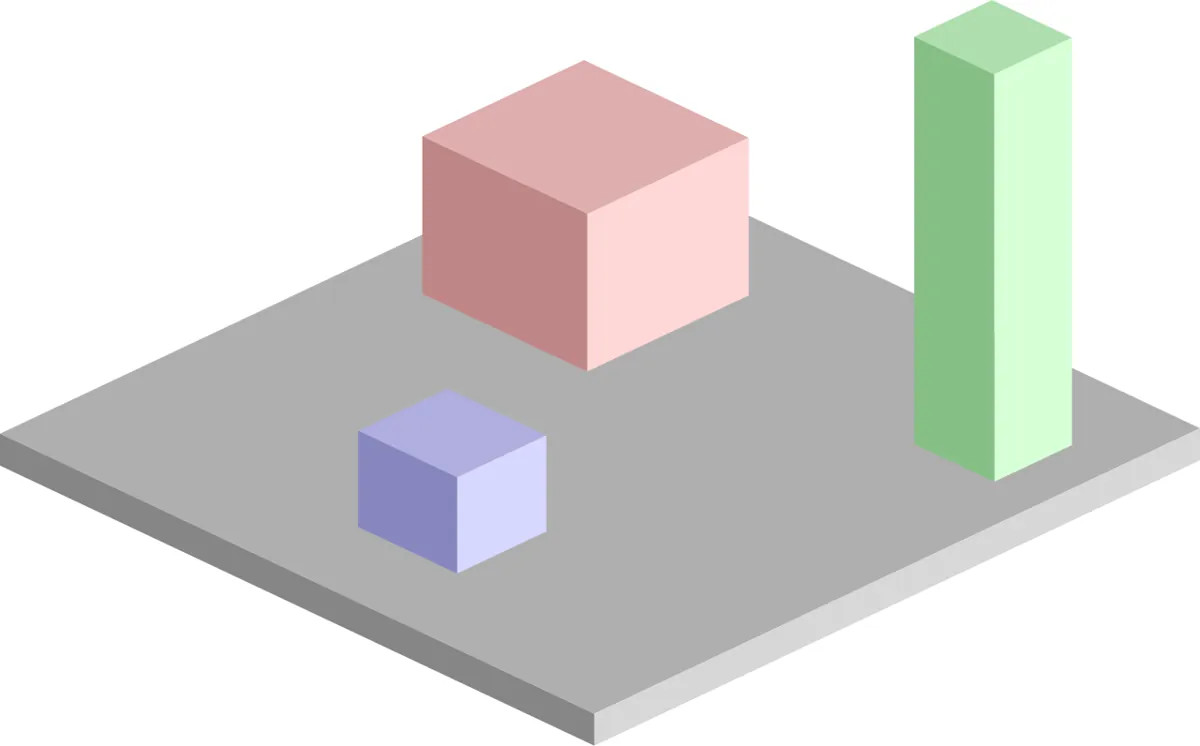

4. Why obstacles change shape in C-space
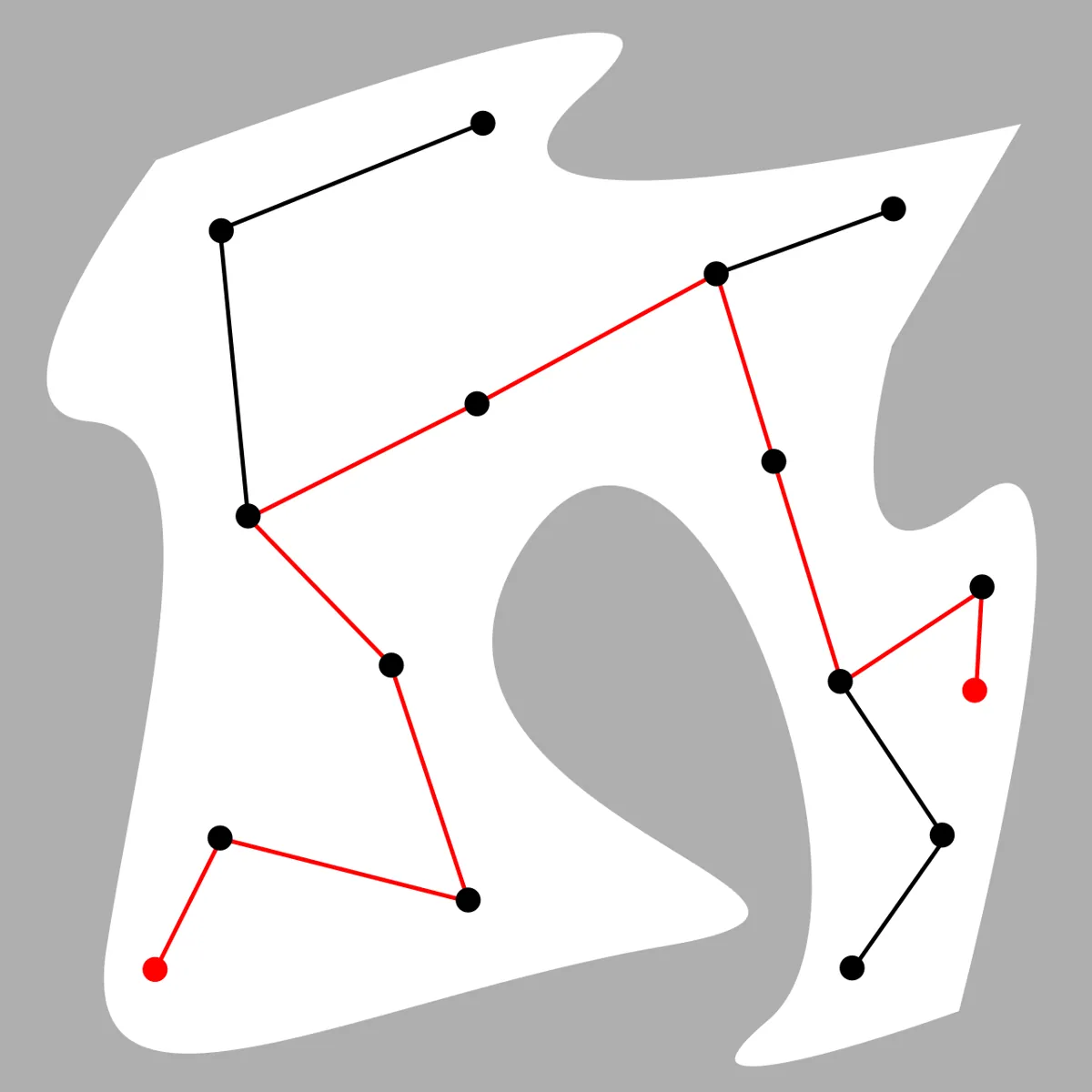
Look at the second picture. For a sliding rectangle, each obstacle grows by the size of the robot — the robot shrinks to a dot, the obstacles get fatter. For a rotating arm it is stranger. One round bottle on the desk becomes a long curved band in the (q1, q2) plane, because many different combinations of shoulder and elbow angles put some part of the arm on the bottle. In our script, one bottle with a radius of 3.5 cm blocks about 6.6% of the whole C-space of the desk arm.
5. Searching: A* on a grid
Once we have a yes/no collision test, the easiest planner lays a grid over the space and searches it. A* was published in 1968 by Peter Hart, Nils Nilsson and Bertram Raphael at Stanford Research Institute, as part of the Shakey project — the same robot you met in Lesson 1. A* keeps expanding the cell with the smallest “cost so far + estimated cost to go”. With a good estimate (one that never overestimates), it finds the shortest path on the grid.
PATH planning (point):   cell = (x, y) in cm,        free(cell) = point not in obstacle
MOTION planning (arm):   cell = (q1, q2) in degrees, free(cell) = no link touches anything
(forward kinematics + collision check)6. From path to motion to trajectory
A motion plan is a list of configurations with no timing. Before the motors move, we add time: how fast each joint may go, how fast it may speed up. That timed version is a trajectory (you did this in Stage 9). The order is always: task plan → motion plan (collision-free configurations) → trajectory (with time) → controller (motor commands).
Visual
Visualise it: one obstacle, two spaces
Each pose of the arm is one point in configuration space. Obstacles in the workspace become forbidden regions in C-space, and a motion is a curve through the free part. (Educational explorer, not an industrial motion planner.)
Interactive · Configuration space explorer · Educational 2R


Educational C-space sketch for planar 2R — not OMPL / not MoveIt / not 6DOF C-space.
Code lab
Code lab: plan a point, then plan the arm
path_vs_motion_lab.py uses a top view of a 2-link desk arm (links 15 cm and 12 cm, link “thickness” 1.5 cm radius) and a water bottle (radius 3.5 cm). The tip must go from (24, −2) cm to (5, 23) cm. Four parts: (1) A* for the tip only, then follow it with IK; (2) build the C-space; (3) A* in C-space, for the bottle near the base and far from it; (4) grid sizes for more joints. Plain Python 3, no libraries. Run python3 path_vs_motion_lab.py.
"""path_vs_motion_lab.py — Stage 13 L06 (AIHUB STATION lab)

PATH planning (a point moves through the workspace) vs MOTION planning
(the whole robot moves through its configuration space).
Top view of a 2-link desk arm (example values, metres):
  base (0, 0), links 0.15 m and 0.12 m, link capsules radius 1.5 cm.
  A water bottle (circle, r = 3.5 cm) stands NEAR the base at (0.13, 0.07)
  in Part 1, and is moved FARTHER away to (0.19, 0.10) for Parts 2-3.
  Joint limits (no wrap-around, like real servos): q1 -180..180, q2 -150..150.
Task: move the tip from (0.24, -0.02) to (0.05, 0.23).
Run:  python3 path_vs_motion_lab.py
"""
import math, heapq

L1, L2, LINK_R = 0.15, 0.12, 0.015
BOTTLE, BOTTLE_R = (0.13, 0.07), 0.035
START_TIP, GOAL_TIP = (0.24, -0.02), (0.05, 0.23)

def fk(q1, q2):
    a, b = math.radians(q1), math.radians(q1 + q2)
    e = (L1*math.cos(a), L1*math.sin(a))
    return e, (e[0] + L2*math.cos(b), e[1] + L2*math.sin(b))

def ik(x, y, elbow=+1):
    c2 = (x*x + y*y - L1*L1 - L2*L2) / (2*L1*L2)
    if abs(c2) > 1: return None
    q2 = elbow * math.acos(c2)
    q1 = math.atan2(y, x) - math.atan2(L2*math.sin(q2), L1 + L2*math.cos(q2))
    return (math.degrees(q1), math.degrees(q2))

def seg_dist(a, b, p):
    ax, ay = a; bx, by = b; px, py = p
    L = (bx-ax)**2 + (by-ay)**2
    s = max(0, min(1, ((px-ax)*(bx-ax) + (py-ay)*(by-ay)) / L))
    return math.hypot(ax + s*(bx-ax) - px, ay + s*(by-ay) - py)

def collides(q, pad=0.005):
    e, t = fk(*q)
    d = min(seg_dist((0, 0), e, BOTTLE), seg_dist(e, t, BOTTLE))
    return d < BOTTLE_R + LINK_R + pad

def astar(start, goal, neighbours, h):
    openq = [(h(start), 0.0, start)]; came = {start: None}; g = {start: 0.0}; n = 0
    while openq:
        _, gc, u = heapq.heappop(openq); n += 1
        if u == goal:
            path = []
            while u is not None: path.append(u); u = came[u]
            return path[::-1], n
        if gc > g[u]: continue
        for v, c in neighbours(u):
            ng = gc + c
            if ng < g.get(v, 1e18):
                g[v] = ng; came[v] = u; heapq.heappush(openq, (ng + h(v), ng, v))
    return None, n

# ---------- Part 1: PATH planning for the tip only ----------
print("1. PATH planning: A* for the TIP as a point on a 1 cm grid (bottle + 1 cm margin)")
RES = 0.01
def cell(p): return (round(p[0]/RES), round(p[1]/RES))
def ws_free(c):
    x, y = c[0]*RES, c[1]*RES
    r = math.hypot(x, y)
    return math.dist((x, y), BOTTLE) > BOTTLE_R + 0.01 and abs(L1 - L2) + 0.005 < r < L1 + L2 - 0.005
def ws_nb(c):
    for dx in (-1, 0, 1):
        for dy in (-1, 0, 1):
            if dx or dy:
                v = (c[0]+dx, c[1]+dy)
                if ws_free(v): yield v, math.hypot(dx, dy)
s, g = cell(START_TIP), cell(GOAL_TIP)
tip_path, n1 = astar(s, g, ws_nb, lambda c: math.hypot(c[0]-g[0], c[1]-g[1]))
print(f"   tip path: {len(tip_path)} cells, {sum(math.dist(tip_path[i], tip_path[i+1]) for i in range(len(tip_path)-1)):.0f} cm long, {n1} cells expanded")
print("   The point never touches the bottle. Now let the ARM follow it with IK:")
for elbow, name in ((+1, "elbow +"), (-1, "elbow -")):
    hits, worst = 0, None
    for c in tip_path:
        q = ik(c[0]*RES, c[1]*RES, elbow)
        if q and collides(q): hits += 1; worst = worst or (c, q)
    msg = f"{hits} of {len(tip_path)} poses collide" + (f", first at tip ({worst[0][0]}, {worst[0][1]}) cm, q=({worst[1][0]:.0f}, {worst[1][1]:.0f}) deg" if worst else "")
    print(f"   {name}: {msg}")
print("   -> a free path for the TIP is not a free motion for the ARM: the links sweep through the bottle")
print("   (Part 3 below shows what the whole-arm planner says about this near bottle.)")
NEAR = BOTTLE
BOTTLE = (0.19, 0.10)

# ---------- Part 2: build the configuration space ----------
print("\n2. Configuration space (C-space) with the bottle FAR at (0.19, 0.10): q1 -180..180, q2 -150..150 deg, 3 deg steps")
STEP = 3
N1, N2 = 360 // STEP + 1, 300 // STEP + 1
N = 360 // STEP
def qcell(q): return (round((q[0]+180)/STEP), round((q[1]+150)/STEP))
def qval(c): return (c[0]*STEP - 180, c[1]*STEP - 150)
cobs = {(i, j) for i in range(N1) for j in range(N2) if collides(qval((i, j)))}
print(f"   {N1} x {N2} = {N1*N2} configurations, {len(cobs)} in collision ({100*len(cobs)/(N1*N2):.1f}% of C-space)")
print("   One round bottle in the workspace becomes a curved band in C-space.")

# ---------- Part 3: MOTION planning in C-space ----------
print("\n3. MOTION planning: A* in C-space (8-connected, inside joint limits)")
def cs_nb(c):
    for dx in (-1, 0, 1):
        for dy in (-1, 0, 1):
            if dx or dy:
                v = (c[0]+dx, c[1]+dy)
                if 0 <= v[0] < N1 and 0 <= v[1] < N2 and v not in cobs: yield v, math.hypot(dx, dy)
def wrapd(a, b): return abs(a-b)
FAR_COBS = cobs
for label, bpos in (("bottle NEAR (0.13, 0.07)", NEAR), ("bottle FAR (0.19, 0.10)", (0.19, 0.10))):
  BOTTLE = bpos
  cobs = {(i, j) for i in range(N1) for j in range(N2) if collides(qval((i, j)))}
  print(f"  -- {label}: {len(cobs)} C-space cells blocked")
  for elbow, name in ((+1, "elbow +"), (-1, "elbow -")):
      qs, qg = ik(*START_TIP, elbow), ik(*GOAL_TIP, elbow)
      cs_, cg_ = qcell(qs), qcell(qg)
      if collides(qs) or collides(qg):
          print(f"   {name}: start q=({qs[0]:.0f},{qs[1]:.0f}) or goal q=({qg[0]:.0f},{qg[1]:.0f}) is itself in collision -> pick the other elbow"); continue
      path, n = astar(cs_, cg_, cs_nb, lambda c: math.hypot(wrapd(c[0], cg_[0]), wrapd(c[1], cg_[1])))
      if path is None:
          print(f"   {name}: start q=({qs[0]:.0f},{qs[1]:.0f}) goal q=({qg[0]:.0f},{qg[1]:.0f}) -> NO collision-free motion inside the joint limits ({n} cells searched)"); continue
      # check every in-between pose at 0.5 deg
      bad = 0
      for a, b in zip(path, path[1:]):
          qa, qb = qval(a), qval(b)
          dq = [qb[k]-qa[k] for k in range(2)]
          for i in range(1, 7):
              if collides((qa[0] + dq[0]*i/6, qa[1] + dq[1]*i/6), pad=0.0): bad += 1
      j1 = sum(abs(qval(b)[0]-qval(a)[0]) for a, b in zip(path, path[1:]))
      j2 = sum(abs(qval(b)[1]-qval(a)[1]) for a, b in zip(path, path[1:]))
      t = max(j1, j2) / 60.0
      print(f"   {name}: start q=({qs[0]:.0f},{qs[1]:.0f}) -> goal q=({qg[0]:.0f},{qg[1]:.0f}): {len(path)} waypoints, {n} cells expanded")
      print(f"           joint travel q1 {j1:.0f} deg, q2 {j2:.0f} deg; in-between collisions: {bad}; at 60 deg/s about {t:.1f} s")
      straight = sum(collides((qs[0] + (qg[0]-qs[0])*i/50, qs[1] + (qg[1]-qs[1])*i/50)) for i in range(51))
      print(f"           straight line in joint space: {straight} of 51 samples collide")

# ---------- Part 4: why grids do not scale ----------
print("\n4. Grid size at 3 deg per joint")
for d in (2, 3, 4, 6):
    print(f"   {d} joints: {120**d:.2e} cells (120 steps per joint)")
print("   -> fine for 2 joints, hopeless for a 6-DOF arm: that is why L09 uses sampling")
Output (run with python3 path_vs_motion_lab.py)
1. PATH planning: A* for the TIP as a point on a 1 cm grid (bottle + 1 cm margin)
   tip path: 26 cells, 33 cm long, 106 cells expanded
   The point never touches the bottle. Now let the ARM follow it with IK:
   elbow +: 18 of 26 poses collide, first at tip (18, 5) cm, q=(-24, 93) deg
   elbow -: 15 of 26 poses collide, first at tip (24, -2) cm, q=(19, -54) deg
   -> a free path for the TIP is not a free motion for the ARM: the links sweep through the bottle
   (Part 3 below shows what the whole-arm planner says about this near bottle.)

2. Configuration space (C-space) with the bottle FAR at (0.19, 0.10): q1 -180..180, q2 -150..150 deg, 3 deg steps
   121 x 101 = 12221 configurations, 801 in collision (6.6% of C-space)
   One round bottle in the workspace becomes a curved band in C-space.

3. MOTION planning: A* in C-space (8-connected, inside joint limits)
  -- bottle NEAR (0.13, 0.07): 2105 C-space cells blocked
   elbow +: start q=(-29,54) goal q=(52,59) -> NO collision-free motion inside the joint limits (6697 cells searched)
   elbow -: start q=(19,-54) or goal q=(104,-59) is itself in collision -> pick the other elbow
  -- bottle FAR (0.19, 0.10): 801 C-space cells blocked
   elbow +: start q=(-29,54) -> goal q=(52,59): 44 waypoints, 884 cells expanded
           joint travel q1 81 deg, q2 108 deg; in-between collisions: 0; at 60 deg/s about 1.8 s
           straight line in joint space: 23 of 51 samples collide
   elbow -: start q=(19,-54) -> goal q=(104,-59): 40 waypoints, 655 cells expanded
           joint travel q1 87 deg, q2 108 deg; in-between collisions: 0; at 60 deg/s about 1.8 s
           straight line in joint space: 23 of 51 samples collide

4. Grid size at 3 deg per joint
   2 joints: 1.44e+04 cells (120 steps per joint)
   3 joints: 1.73e+06 cells (120 steps per joint)
   4 joints: 2.07e+08 cells (120 steps per joint)
   6 joints: 2.99e+12 cells (120 steps per joint)
-> fine for 2 joints, hopeless for a 6-DOF arm: that is why L09 uses samplingTry it: move the q1 and q2 sliders and watch the arm and its single point in C-space. The blocked region here is a simplified C-obstacle. Find a pose where the tip is clear but a link is not. (Educational explorer, not an industrial motion planner.)
Interactive · Configuration space explorer · Educational 2R
Educational C-space sketch for planar 2R — not OMPL / not MoveIt / not 6DOF C-space.
Bench build: play a joint-space motion plan on the UNO
waypoint_follower.ino holds six joint-space waypoints — the corner points of the elbow + motion from the script (far bottle). When you press GO it moves from waypoint to waypoint with a speed limit of 60°/s, and both joints share the same fraction of each step, so they start and stop together. That matters: if one joint finishes early, the arm does not move along the straight line between waypoints that the planner checked, and it can cut a corner into the obstacle. A STOP button freezes the arm at once.
| Part | Connection | Note |
|---|---|---|
| Shoulder servo (SG90-class) | signal → D9 | servo1 = q1 + 90° |
| Elbow servo (SG90-class) | signal → D10 | servo2 = q2 + 30° (calibrate on your arm) |
| Servo supply | red → +5–6 V, brown → supply GND | separate supply (about 2 A); supply GND joined to UNO GND |
| STOP button | D2 → button → GND | INPUT_PULLUP; checked every 20 ms |
| GO button | D3 → button → GND | INPUT_PULLUP |
| Status LED | on-board LED D13 | blinks while moving |
// waypoint_follower.ino — Stage 13 L06 (AIHUB STATION lab)
// A MOTION plan is a list of joint-space waypoints, not just a tip path.
// This sketch plays such a list on a 2-servo arm with a speed limit,
// moving BOTH joints together so they arrive at each waypoint at the same time.
//
// Wiring (Arduino UNO):
//   Shoulder servo signal -> D9, elbow servo signal -> D10
//   Servo red/brown wires -> SEPARATE 5-6 V supply (e.g. 2 A), NOT the UNO 5V pin
//   Supply GND joined to UNO GND (common ground)
//   STOP push button: D2 to GND (INPUT_PULLUP)  -> freezes the arm where it is
//   GO push button:   D3 to GND (INPUT_PULLUP)  -> plays the plan
//   Status LED: D13 (on board) blinks while moving
//
// Servo angles are 0..180. Our planner angles (q1, q2 in degrees) are shifted
// so this plan fits the servo range (calibrate offsets on YOUR arm first):
//   servo1 = q1 + 90   (q1 -30..51  -> 60..141)
//   servo2 = q2 + 30   (q2  54..111 -> 84..141)
#include <Servo.h>

const int PIN_S1 = 9, PIN_S2 = 10, PIN_STOP = 2, PIN_GO = 3, PIN_LED = 13;
const float MAX_SPEED_DPS = 60.0;   // degrees per second for the faster joint
const int TICK_MS = 20;              // update every 20 ms (50 Hz)
const float Q1_OFFSET = 90, Q2_OFFSET = 30;

// Plan (q1, q2) in degrees: corner points of the elbow+ A* path from
// path_vs_motion_lab.py (bottle FAR). It folds the elbow first to pass the
// bottle, then swings the shoulder. Straight lines between these corners
// keep about 4 mm clearance in the simulation, so do not add shortcuts.
const int N_WP = 6;
const float PLAN[N_WP][2] = {
  {-30, 54}, {-27, 105}, {-18, 111}, {0, 99}, {36, 66}, {51, 60}
};

Servo s1, s2;
float q1 = PLAN[0][0], q2 = PLAN[0][1];

void writeJoints(float a, float b) {
  s1.write(constrain((int)(a + Q1_OFFSET + 0.5), 0, 180));
  s2.write(constrain((int)(b + Q2_OFFSET + 0.5), 0, 180));
}

bool stopPressed() { return digitalRead(PIN_STOP) == LOW; }

// Move from current (q1,q2) to (t1,t2). Returns false if STOP was pressed.
bool moveTo(float t1, float t2) {
  float d1 = t1 - q1, d2 = t2 - q2;
  float biggest = max(fabs(d1), fabs(d2));
  int steps = max(1, (int)ceil(biggest / (MAX_SPEED_DPS * TICK_MS / 1000.0)));
  float s1q = q1, s2q = q2;
  for (int i = 1; i <= steps; i++) {
    if (stopPressed()) { Serial.println(F("STOP pressed: holding position")); return false; }
    q1 = s1q + d1 * i / steps;   // both joints share the same fraction,
    q2 = s2q + d2 * i / steps;   // so they start and finish together
    writeJoints(q1, q2);
    digitalWrite(PIN_LED, (i / 5) % 2);
    delay(TICK_MS);
  }
  return true;
}

void setup() {
  Serial.begin(115200);
  pinMode(PIN_STOP, INPUT_PULLUP);
  pinMode(PIN_GO, INPUT_PULLUP);
  pinMode(PIN_LED, OUTPUT);
  s1.attach(PIN_S1);
  s2.attach(PIN_S2);
  writeJoints(q1, q2);
  Serial.println(F("Waypoint follower ready. Press GO (D3)."));
}

void loop() {
  if (digitalRead(PIN_GO) != LOW) return;
  delay(30);                                  // simple debounce
  Serial.println(F("Playing plan..."));
  for (int w = 1; w < N_WP; w++) {
    Serial.print(F("-> waypoint ")); Serial.print(w);
    Serial.print(F("  q1=")); Serial.print(PLAN[w][0]);
    Serial.print(F("  q2=")); Serial.println(PLAN[w][1]);
    if (!moveTo(PLAN[w][0], PLAN[w][1])) {
      digitalWrite(PIN_LED, HIGH);
      while (stopPressed()) delay(10);       // wait for release
      Serial.println(F("Released. Press GO to restart from waypoint 0."));
      moveTo(PLAN[0][0], PLAN[0][1]);
      return;
    }
  }
  digitalWrite(PIN_LED, LOW);
  Serial.println(F("Plan done. Press GO to play again (it will first return)."));
  while (digitalRead(PIN_GO) == LOW) delay(10);
  moveTo(PLAN[0][0], PLAN[0][1]);
}Waypoint follower ready. Press GO (D3).
Playing plan...
-> waypoint 1 q1=-27.00 q2=105.00
-> waypoint 2 q1=-18.00 q2=111.00
-> waypoint 3 q1=0.00 q2=99.00
-> waypoint 4 q1=36.00 q2=66.00
-> waypoint 5 q1=51.00 q2=60.00
Plan done. Press GO to play again (it will first return).Debugging
| Symptom | Likely cause | Fix |
|---|---|---|
| Tip avoids the obstacle but the elbow hits it | path planned for a point, not the arm | Plan in C-space; check every link, not just the tip |
| Planner says the start is in collision | start pose already touches, or padding too big | Check the start with the collision checker; pick another IK solution; reduce padding carefully |
| Motion found, but arm clips the obstacle between waypoints | only waypoints were checked, not the motion between them | Check in-between poses at small steps (the script uses 0.5°) |
| Arm cuts corners on the bench | joints not synchronised, one finishes early | Interpolate all joints with the same fraction, as in moveTo() |
| A* takes very long | grid too fine or too many joints | Coarser grid for a test; for more joints use sampling (L9) |
| A* finds nothing in a narrow gap | grid too coarse | Finer grid near the gap, or a sampling planner |
| Servo jitter / UNO resets when both move | servos powered from the UNO | Separate supply; join grounds; add a large capacitor across the servo supply |
Real world
Path and motion planning in the real world
- Mobile robots: a round floor robot is close to a point, so planning a path on a floor map (often with A*) and padding obstacles by the robot radius works well.
- Robot arms: planning frameworks such as MoveIt check every candidate motion of the whole robot against the planning scene you met in Lessons 2–4, not just the gripper tip.
- Beyond robots: the same ideas appear in computer animation, video games, robotic surgery and in studying how molecules fold — anything with many joints that must not collide.
- Your lab: before every demo, ask “did I check the tip, or the whole arm?” Most arm crashes in student labs are point paths followed by IK.
Think
Think about it
Think
A small round floor robot of radius 10 cm plans its path as a point. What simple change to the map makes this point path safe for the real robot, and why does the same trick not work for an arm?
Experiment
Try it in the lab
About 60 minutes. Python 3 for the script; Arduino UNO, two small servos on a 2-link arm with their own 5–6 V supply, two push buttons and a foam cup as a soft obstacle for the bench.
Experiment
Point path vs arm motion
You will need
- `path_vs_motion_lab.py` (Python 3, no libraries)
- Configuration-space explorer (in your browser)
- Arduino UNO, 2 × SG90-class servos on a 2-link arm, separate 5–6 V supply, 2 push buttons, jumper wires, a foam cup
Steps
- Run the script. For the first colliding pose of part 1, sketch the arm and the bottle on paper. Which link hits?
- Move the bottle (BOTTLE in part 3) from near to far in 1 cm steps. At what distance does a motion first appear?
- Change STEP from 3° to 6° and to 1.5°. How do the C-obs count, cells expanded and run time change?
- Make the link radius 2.5 cm (a thicker arm). Does the far-bottle motion still exist?
- In the explorer, find a pose where the tip is far from the obstacle but a link touches it.
- Bench: calibrate the servo offsets so q = (0, 0) is the arm straight out. Then play the plan with a foam cup where the bottle is.
- Bench: press STOP in the middle of a move. Check that the arm freezes at once.
Interactive · Configuration space explorer · Educational 2R
Educational C-space sketch for planar 2R — not OMPL / not MoveIt / not 6DOF C-space.
A path for a point is not a motion for a robot. Plan the whole robot in configuration space, check the motion between waypoints too, and accept that sometimes the honest answer is “no motion exists”.
Knowledge check
Check your understanding
Knowledge check
1. For a fixed-base arm with 6 revolute joints, the configuration space has…
2. One point in configuration space stands for…
3. Why did Rohit’s arm hit the bottle?
4. To test whether one configuration is in C-free, a planner uses…
5. A* was first published in 1968 as part of…
6. Why are grid planners a poor choice for a 6-DOF arm?
7. The planner checked all waypoints, but the arm still clipped the obstacle. The most likely reason is…
8. For a round floor robot planned as a point, the simple fix is to…
Mini assignment
Hands-on assignment
Mini assignment
Draw the C-space of your desk arm
Map one real obstacle on your desk into the configuration space of your 2-joint arm and plan a motion around it.
Deliverables
- Measured link lengths, a rough link thickness and the obstacle position and size.
- A picture of the C-space: modify `path_vs_motion_lab.py` to print a character map (“#” for C-obs, “.” for free) with start, goal and the A* motion marked.
- The motion played on the bench with a foam obstacle, with a photo or short video and the waypoints you used.
- One case where a tip path exists but no arm motion does — and what you changed in the setup to make a motion possible.
Do this, step by step
- Run
path_vs_motion_lab.pyand compare the tip path with the full-arm motion. - Measure your two link lengths and the bottle position, and put them in the script (
BOTTLE). - Make the script print the C-space map with
#for blocked and.for free, with start, goal and the A* path marked. - Play the motion on the bench with a foam obstacle. Servos on their own supply; keep the stop button in reach.
- Find one case where a tip path exists but no arm motion does, and change the setup to fix it.
Stuck? Hints, one at a time
- If the tip goes round the bottle but the elbow hits it, you checked only the tip.
collides()must check both links. STEPis 3° per cell. Smaller steps give finer maps but many more cells — try 3 first.- If A* finds nothing, print the start and goal cells and check neither is inside a
#area.
Challenges (pick by level)
- 🟢 Beginner: With paper and a protractor, draw the arm at 10 configurations and mark which ones touch a cup. Plot them on a (q1, q2) graph.
- 🟡 Intermediate: Print the C-space map as characters and compare it to the explorer. Mark the start, goal and planned motion.
- 🟠 Advanced: Add a second obstacle and a third joint (a short wrist link). Count C-obs cells and time the A* search. How much slower is it?
- 🔴 Expert: Add a shortcutting step: try to replace parts of the A* motion with straight joint-space lines that are still collision-free. How many waypoints remain?
- ⚫ Research: Read about the piano mover’s problem and why exact motion planning is computationally intractable in high dimensions. Write one page explaining why sampling-based planners became the standard for arms.
Next step
You drew C-space for two joints. In Lesson 7 — Configuration Space for Manipulators you will go deeper: joint limits, wrap-around joints, multiple IK solutions and what C-space looks like for real 6-DOF arms.
Look back: Lesson 5: Planning a Robot Task. Next: Lesson 7: Configuration Space for Manipulators. Related: Stage 9 — Trajectory Planning.
Sources
- Wikipedia — Motion planning — also called path planning or the piano mover’s problem; configuration space examples (point, SE(2), SE(3), N-joint arm); C-free tested with forward kinematics and collision detection; grid-based search with A* and exponential growth with dimension; sampling-based planners.
- Wikipedia — A* search algorithm — published in 1968 by Hart, Nilsson and Raphael of Stanford Research Institute, created as part of the Shakey project.
- Arduino Servo library (GitHub) — controlling RC hobby servos.
- Photos: Wikimedia Commons (credits under each image).
Self-attested for now — keep artifacts in your lab notebook.
Complete
Today's goal
0 of 1 done today
Mark this lesson complete when you have worked the experiment, knowledge check, and assignment (even roughly).