
Robot Perception, Planning & Manipulation · Lesson 15
Manipulation Pipeline
Est. 60–75 min
Why
Why this lesson matters
A manipulation pipeline joins everything in this stage: perception (Lessons 1–3) builds the world model, collision checking (4) and task planning (5) decide what is safe and in what order, motion planning (6–10) finds paths, and grasping (11–14) picks and places. On a real robot all of this runs again and again, and every stage can fail. A good pipeline measures, verifies and recovers; a weak one just reports success.
In the code lab you will time one cycle stage by stage, then clear 40 objects with an open-loop pipeline and with a closed-loop one (verify, retry, re-perceive), using fixed example failure rates. On the bench, your UNO will run the whole loop as a state machine that reports every state, retries a failed pick, and stops for a human when it has to.
Concept
Perceive → plan → act → verify, in a loop
1. The stages
| Stage | Input | Output | Typical failure | Lesson |
|---|---|---|---|---|
| Perceive | camera / depth / sensor data | detected objects with poses | missed or wrong detection | 1–3 |
| Update world | detections | world model: objects + obstacles | stale (object moved since) | 1, 4 |
| Plan grasp | object pose and shape | ranked grasp candidates | no grasp passes the filters | 12 |
| IK | grasp / place poses | joint angles | unreachable, joint limits | 7 + Kinematics & IK stage |
| Plan path | start and goal joint states | collision-free path | planner timeout | 6–10 |
| Execute | path + gripper commands | motion, contact | grasp missed, slip, collision | 13–14 |
| Verify | force, vision, position | success / failure | none — this is the check | 11, 13 |
2. Open loop vs closed loop
An open-loop pipeline runs the steps and assumes they worked. A closed-loop pipeline measures the result after the important steps and decides what to do next: continue, retry, re-perceive or ask a human. Closing the loop costs a little time (a test lift, one more camera frame), but it turns hidden failures into handled ones.
3. A state machine runs the loop
A finite-state machine is in exactly one of a fixed number of states at a time, and moves between them on inputs called transitions. A pick-and-place cell fits this perfectly: WAIT → SENSE → APPROACH → GRASP → VERIFY → CARRY → PLACE → REPORT → WAIT, plus a RECOVER state that every failure leads to. Each state has one job, one timeout and clear exits. When something goes wrong, the log tells you exactly which state it happened in.
4. Measure the pipeline
Log three numbers for every run: success rate (really placed / attempted), cycle time (seconds per placed object) and where failures happen (which state, which reason). Without these numbers you cannot tell whether a change made the cell better or just different.
Visual
Visualise it: the pipeline, stage by stage
Perceive → update world → plan grasp → IK → plan path → execute → verify, and back again. Step through the stages. (Educational simulation.)
Interactive · Manipulation pipeline explorer · Educational

Stage 11 vision stub — class + bbox (not YOLO).
Full stack sketch — not industrial orchestration runtime.
Code lab
Code lab: clear a tray, open loop vs closed loop
pipeline_lab.py runs a toy cell that clears 40 objects. Stage times and failure chances are example numbers, not measurements of a real robot: a 5% chance the object is not detected, 10% that it was nudged after perception (stale world), 10% that the grasp misses, 5% that it slips. A fixed random seed makes every run print the same result, so you can compare setups fairly.
"""Manipulation pipeline lab (Stage 13, Lesson 15) - plain Python, no libraries.

A toy pick-and-place cell clears a tray of objects. Each cycle runs the pipeline
  perceive -> update world -> plan grasp -> IK -> plan path -> execute -> verify
We inject failures with FIXED example probabilities and a fixed random seed, so
the numbers are repeatable. They are NOT measurements of any real robot.
"""
import random

STAGE_TIME = {           # seconds per stage (example numbers)
    'perceive': 0.4, 'update_world': 0.05, 'plan_grasp': 0.2, 'ik': 0.05,
    'plan_path': 0.6, 'execute_pick': 4.0, 'verify': 0.5, 'execute_place': 4.0,
}
P_MISS_DETECT = 0.05     # object not seen this frame
P_GRASP_MISS = 0.10      # pose error -> fingers close on air
P_SLIP = 0.05            # object slips during carry
P_MOVED = 0.10           # object nudged after perception (stale world)


def cycle(rng, verify, reperceive):
    """One pick-and-place attempt. Returns (actual_ok, reported_ok, seconds, reason)."""
    t = STAGE_TIME['perceive'] + STAGE_TIME['update_world']
    if rng.random() < P_MISS_DETECT:
        return False, False, t, 'not detected'
    t += STAGE_TIME['plan_grasp'] + STAGE_TIME['ik'] + STAGE_TIME['plan_path']
    moved = rng.random() < P_MOVED
    if moved and reperceive:
        t += STAGE_TIME['perceive'] + STAGE_TIME['plan_grasp'] + STAGE_TIME['ik']  # look again at pre-grasp, re-plan
        moved = False
    t += STAGE_TIME['execute_pick']
    ok = not moved and rng.random() >= P_GRASP_MISS
    reason = 'stale pose' if moved else ('grasp missed' if not ok else '')
    if ok and rng.random() < P_SLIP:
        ok, reason = False, 'slipped'
    if verify:
        t += STAGE_TIME['verify']
        if not ok:
            return False, False, t, reason      # caught: no place, can retry
    t += STAGE_TIME['execute_place']
    return ok, True, t, reason


def clear_tray(n, verify, reperceive, retries, seed=7):
    rng = random.Random(seed)
    placed = reported = 0
    time_s = 0.0
    lies = 0
    for _ in range(n):
        for attempt in range(1 + retries):
            ok, rep, t, why = cycle(rng, verify, reperceive)
            time_s += t
            if rep:
                reported += 1
                placed += ok
                lies += (not ok)
                break
    return placed, reported, lies, time_s


print('1. One cycle, stage by stage (example times)')
total = 0.0
for name, t in STAGE_TIME.items():
    total += t
    print(f'   {name:<14} {t:4.2f} s   running total {total:5.2f} s')
think = sum(STAGE_TIME[k] for k in ('perceive', 'update_world', 'plan_grasp', 'ik', 'plan_path', 'verify'))
print(f'   moving takes {total - think:.1f} s of {total:.2f} s; thinking {think:.2f} s ({100*think/total:.0f}%)\n')

print('2. Clear 40 objects: open loop vs closed loop')
N = 40
setups = [
    ('open loop (no verify, no retry)', False, False, 0),
    ('verify only', True, False, 0),
    ('verify + 2 retries', True, False, 2),
    ('verify + 2 retries + re-perceive', True, True, 2),
]
for label, v, r, k in setups:
    placed, reported, lies, ts = clear_tray(N, v, r, k)
    print(f'   {label:<34} really placed {placed:2d}/{N}  reported {reported:2d}  wrong reports {lies:2d}  time {ts:6.1f} s')
print()

print('3. Why verify matters: a wrong report breaks the NEXT step')
print('   open loop says "placed" even when the fingers closed on air -> the next machine')
print('   (or the next task) waits for a part that is not there.\n')

print('4. Throughput for the best setup')
placed, reported, lies, ts = clear_tray(N, True, True, 2)
print(f'   {placed} objects in {ts:.1f} s -> {ts/placed:.1f} s per placed object, {3600*placed/ts:.0f} per hour')
Output (run with python3 pipeline_lab.py)
1. One cycle, stage by stage (example times)
   perceive       0.40 s   running total  0.40 s
   update_world   0.05 s   running total  0.45 s
   plan_grasp     0.20 s   running total  0.65 s
   ik             0.05 s   running total  0.70 s
   plan_path      0.60 s   running total  1.30 s
   execute_pick   4.00 s   running total  5.30 s
   verify         0.50 s   running total  5.80 s
   execute_place  4.00 s   running total  9.80 s
   moving takes 8.0 s of 9.80 s; thinking 1.80 s (18%)

2. Clear 40 objects: open loop vs closed loop
   open loop (no verify, no retry)    really placed 28/40  reported 40  wrong reports 12  time  372.0 s
   verify only                        really placed 28/40  reported 28  wrong reports  0  time  344.0 s
   verify + 2 retries                 really placed 39/40  reported 39  wrong reports  0  time  464.3 s
   verify + 2 retries + re-perceive   really placed 40/40  reported 40  wrong reports  0  time  444.3 s

3. Why verify matters: a wrong report breaks the NEXT step
   open loop says "placed" even when the fingers closed on air -> the next machine
   (or the next task) waits for a part that is not there.

4. Throughput for the best setup
   40 objects in 444.3 s -> 11.1 s per placed object, 324 per hour
Try it: walk through the pipeline stages and see what each one hands to the next. For each stage, name one way it can fail and where the pipeline should go next. (Educational simulation.)
Interactive · Manipulation pipeline explorer · Educational
Stage 11 vision stub — class + bbox (not YOLO).
Full stack sketch — not industrial orchestration runtime.
Bench build: a closed-loop cell on the UNO
pipeline_cell.ino is a complete little cell: a base servo turns between the pick side and the place side, a lift servo lowers the gripper, and a jaw servo closes. The HC-SR04 is its “perception” (is an object there, how far), the FSR is its “verification” (is it held). One switch statement runs the state machine and prints ST <state> on every transition. Failures (nothing seen, lowest point reached, jaw closed on air, slip, any state taking longer than 8 s) go to RECOVER, which opens, lifts and retries up to 2 times — then stops and asks for a human.
| Part | Connection | Note |
|---|---|---|
| Base servo | signal → D10 | BASE_PICK and BASE_PLACE measured on your arm |
| Lift servo | signal → D9 | LIFT_UP and LIFT_LOWEST with the gripper empty |
| Gripper servo | signal → D6 | JAW_OPEN and JAW_CLOSED measured on your gripper |
| Servo supply | red → +5–6 V, brown → supply GND | separate supply; supply GND joined to UNO GND |
| HC-SR04 (on the gripper, looking down) | VCC 5 V, TRIG → D7, ECHO → D8, GND | sensor only; range starts at 2 cm |
| FSR on a jaw pad | UNO 5 V → FSR → A1 → 10 kΩ → GND | HOLD from Lesson 11 |
| Start/stop button | D3 → button → GND | INPUT_PULLUP; stopping opens the jaw and lifts |
// Stage 13 - Lesson 15: Manipulation Pipeline - a tiny closed-loop cell (Arduino UNO)
// One state machine runs the whole loop again and again:
//   WAIT -> SENSE -> APPROACH -> GRASP -> VERIFY -> CARRY -> PLACE -> REPORT -> WAIT
// Failures go to RECOVER (open, go up, count a retry) instead of pretending success.
// Status lines "ST <state> ..." are easy for a PC program to read.
// Wiring:
//   Base servo D10 (pick side / place side), Lift servo D9, Jaw servo D6
//   Servo power: separate 5-6 V supply (NOT the UNO 5V pin), grounds joined
//   HC-SR04 on the gripper looking down: TRIG D7, ECHO D8 (sensor only, UNO 5V is fine)
//   FSR on a jaw pad: 5V -> FSR -> A1 -> 10k -> GND
//   Start/stop button D3 -> GND (INPUT_PULLUP)
// All angles, distances and thresholds are EXAMPLE values - calibrate your own.
#include <Servo.h>

const int BASE_PIN = 10, LIFT_PIN = 9, JAW_PIN = 6;
const int TRIG_PIN = 7, ECHO_PIN = 8, FSR_PIN = A1, BTN_PIN = 3;

const int BASE_PICK = 40, BASE_PLACE = 140;
const int LIFT_UP = 40, LIFT_LOWEST = 130;
const int JAW_OPEN = 100, JAW_CLOSED = 30;
const int HOLD = 300;                 // FSR reading that means "held" (Lesson 11)
const float SEE_MAX_CM = 15.0;        // object present if closer than this
const float GRASP_GAP_CM = 3.0;       // stop approach here (HC-SR04 min is 2 cm)
const int MAX_RETRIES = 2;
const unsigned long STATE_TIMEOUT_MS = 8000;

enum State { WAIT, SENSE, APPROACH, GRASP, VERIFY, CARRY, PLACE, REPORT, RECOVER, STOPPED };
const char* NAMES[] = {"WAIT", "SENSE", "APPROACH", "GRASP", "VERIFY", "CARRY", "PLACE", "REPORT", "RECOVER", "STOPPED"};

Servo base, lift, jaw;
State state = WAIT;
unsigned long enteredMs = 0;
int liftPos = LIFT_UP, jawPos = JAW_OPEN, retries = 0, placed = 0, failed = 0;
bool running = false;

float readCm() {
  digitalWrite(TRIG_PIN, LOW);  delayMicroseconds(2);
  digitalWrite(TRIG_PIN, HIGH); delayMicroseconds(10);
  digitalWrite(TRIG_PIN, LOW);
  unsigned long us = pulseIn(ECHO_PIN, HIGH, 30000UL);
  return us == 0 ? -1 : us / 58.0;
}

void go(State s) {
  state = s; enteredMs = millis();
  Serial.print(F("ST ")); Serial.println(NAMES[s]);
}

void liftTo(int target) {
  while (liftPos != target) { liftPos += (target > liftPos) ? 1 : -1; lift.write(liftPos); delay(12); }
}

bool buttonPressed() {
  if (digitalRead(BTN_PIN) == LOW) { delay(30); while (digitalRead(BTN_PIN) == LOW) {} return true; }
  return false;
}

void setup() {
  Serial.begin(115200);
  pinMode(TRIG_PIN, OUTPUT); pinMode(ECHO_PIN, INPUT); pinMode(BTN_PIN, INPUT_PULLUP);
  base.attach(BASE_PIN); lift.attach(LIFT_PIN); jaw.attach(JAW_PIN);
  base.write(BASE_PICK); lift.write(LIFT_UP); jaw.write(JAW_OPEN);
  Serial.println(F("pipeline_cell ready - button starts/stops the loop"));
  go(WAIT);
}

void loop() {
  if (buttonPressed()) {
    running = !running;
    if (!running) { jaw.write(JAW_OPEN); liftTo(LIFT_UP); go(STOPPED); return; }
    go(WAIT);
  }
  if (!running) return;
  if (state != WAIT && millis() - enteredMs > STATE_TIMEOUT_MS) {
    Serial.println(F("ERR timeout")); go(RECOVER);
  }

  switch (state) {
    case WAIT:
      base.write(BASE_PICK); jaw.write(JAW_OPEN); jawPos = JAW_OPEN; liftTo(LIFT_UP);
      delay(300);
      go(SENSE);
      break;

    case SENSE: {                       // perceive + update the "world model"
      float d = readCm();
      if (d > 0 && d < SEE_MAX_CM) { Serial.print(F("SEEN cm ")); Serial.println(d); go(APPROACH); }
      else { delay(500); }               // nothing there yet: keep looking (timeout -> RECOVER)
      break;
    }

    case APPROACH: {
      float d = readCm();
      if (d > 0 && d <= GRASP_GAP_CM) { go(GRASP); break; }
      if (liftPos >= LIFT_LOWEST) { Serial.println(F("ERR lowest reached")); go(RECOVER); break; }
      liftPos++; lift.write(liftPos); delay(d > 6 ? 10 : 35);
      break;
    }

    case GRASP:
      if (analogRead(FSR_PIN) >= HOLD) { go(VERIFY); break; }
      if (jawPos <= JAW_CLOSED) { Serial.println(F("ERR closed on air")); go(RECOVER); break; }
      jawPos--; jaw.write(jawPos); delay(15);
      break;

    case VERIFY: {                      // test lift and check the force again
      int before = analogRead(FSR_PIN);
      liftTo(liftPos - 3); delay(300);
      int after = analogRead(FSR_PIN);
      Serial.print(F("FSR ")); Serial.print(before); Serial.print(' '); Serial.println(after);
      if (after < HOLD * 0.7) { Serial.println(F("ERR slip")); go(RECOVER); }
      else go(CARRY);
      break;
    }

    case CARRY:
      liftTo(LIFT_UP); base.write(BASE_PLACE); delay(800);
      go(PLACE);
      break;

    case PLACE:
      liftTo(LIFT_LOWEST - 10); jaw.write(JAW_OPEN); jawPos = JAW_OPEN; delay(300);
      liftTo(LIFT_UP);                  // retreat up before anything else
      go(REPORT);
      break;

    case REPORT:
      placed++; retries = 0;
      Serial.print(F("DONE placed=")); Serial.print(placed);
      Serial.print(F(" failed=")); Serial.println(failed);
      go(WAIT);
      break;

    case RECOVER:
      jaw.write(JAW_OPEN); jawPos = JAW_OPEN; liftTo(LIFT_UP); base.write(BASE_PICK);
      retries++;
      if (retries > MAX_RETRIES) {
        failed++; retries = 0;
        Serial.println(F("GIVE UP on this object - needs a human"));
        running = false; go(STOPPED);
      } else {
        Serial.print(F("RETRY ")); Serial.println(retries);
        delay(500); go(SENSE);
      }
      break;

    case STOPPED:
      break;
  }
}pipeline_cell ready - button starts/stops the loop
ST WAIT
ST SENSE
SEEN cm <distance>
ST APPROACH
ST GRASP
ST VERIFY
FSR <before> <after>
ST CARRY
ST PLACE
ST REPORT
DONE placed=1 failed=0
ST WAIT
...
ERR closed on air
ST RECOVER
RETRY 1
ST SENSEDebugging
| Symptom | Likely cause | Fix |
|---|---|---|
| Stuck in SENSE until timeout | object farther than SEE_MAX_CM, or sensor angled | Re-mount the sensor straight down; check distances in the Serial Monitor |
| “ERR lowest reached” every time | LIFT_LOWEST too high, or object too short | Re-measure LIFT_LOWEST with the gripper empty |
| “ERR closed on air” | object off-centre under the jaw | Align the pick spot; re-perceive before closing |
| “ERR slip” after the test lift | HOLD too low, smooth pads | Rubber pads; recalibrate HOLD (Lesson 11) |
| “ERR timeout” in APPROACH | lowering too slow for 8 s | Raise STATE_TIMEOUT_MS or start lower |
| UNO resets when the base turns | servos on UNO 5 V | Separate supply, grounds joined |
Real world
Manipulation pipelines in the real world
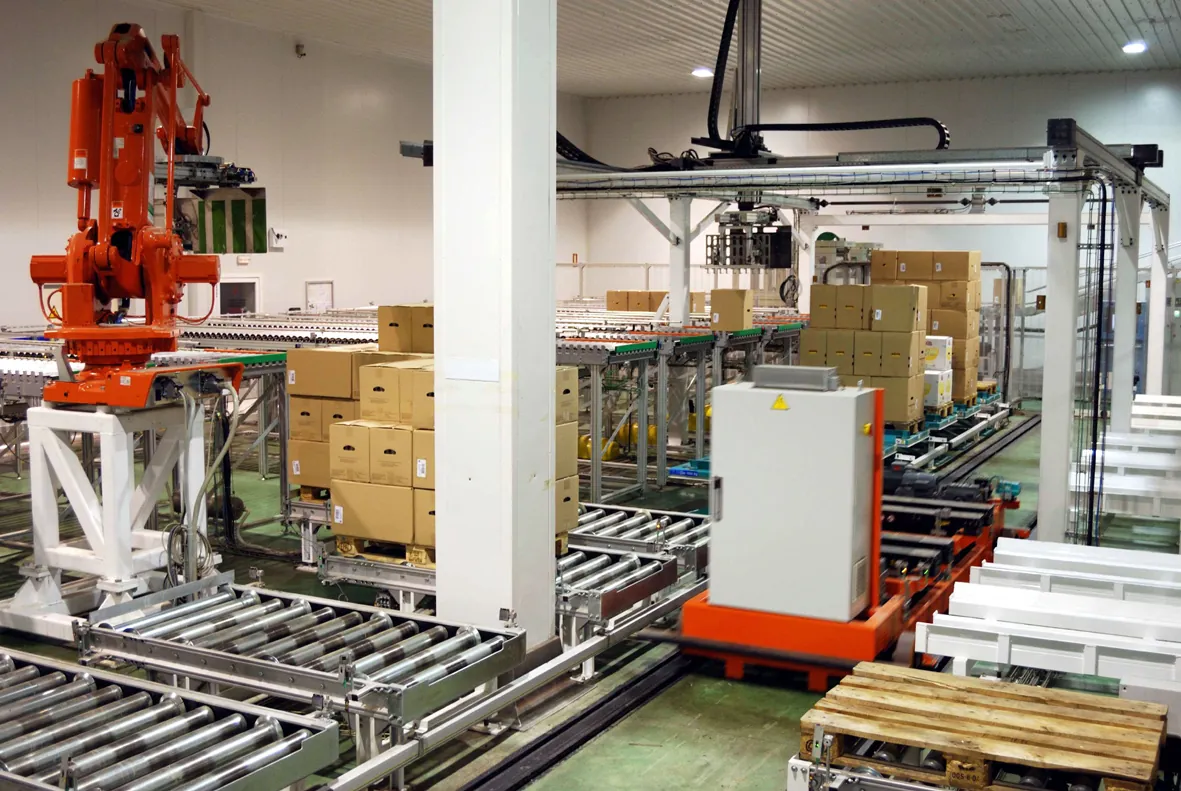
- Palletising cells: conveyors bring boxes, robots stack them, the cell keeps count of what was placed.
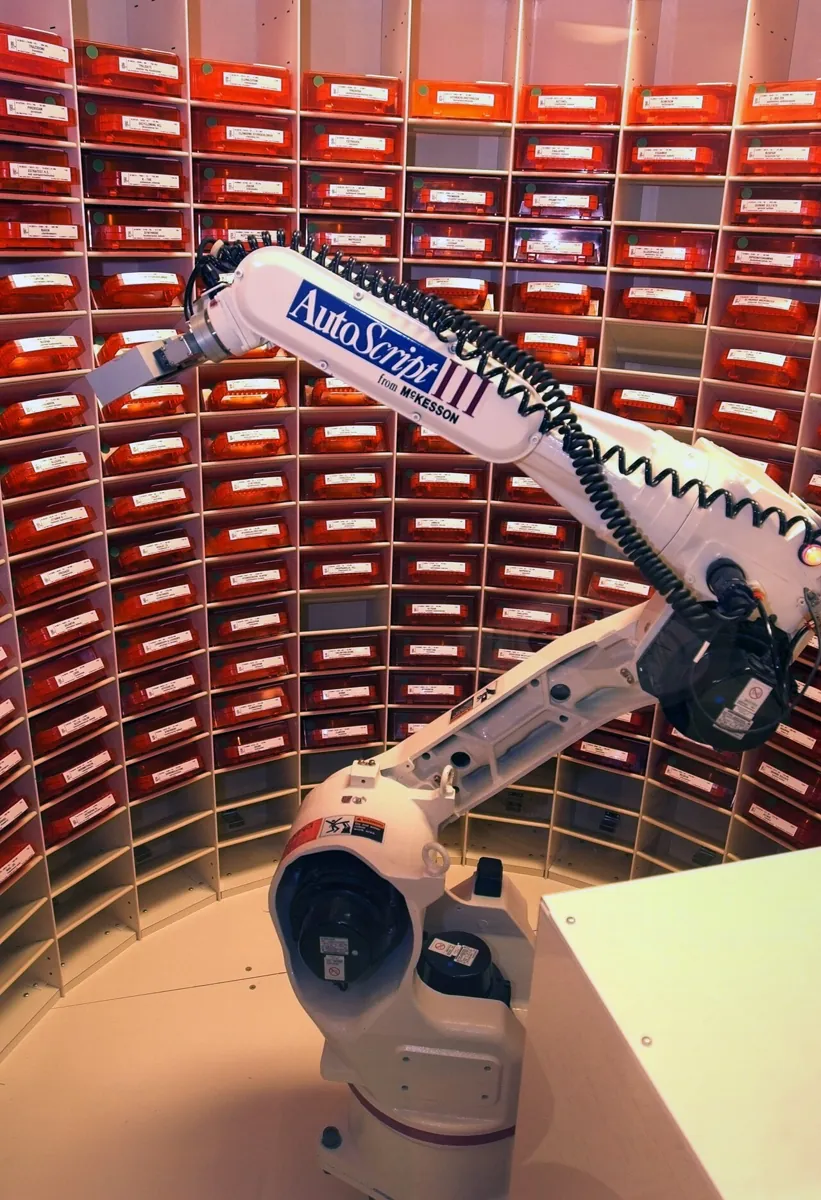
- Pharmacy automation: prescription-filling robots pick medication bins from shelves.
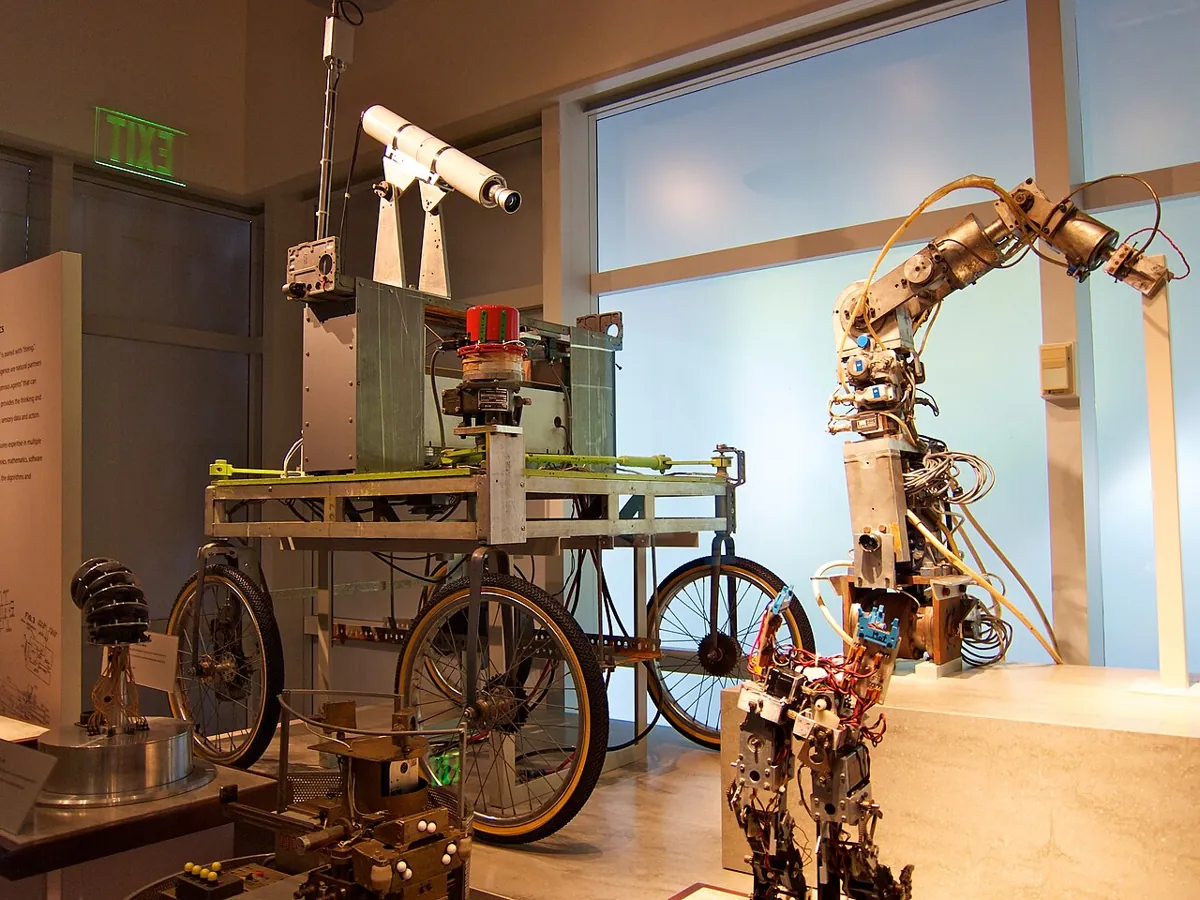
- Research history: early arms and carts at Stanford were used to study computer vision and AI together.
- MoveIt Task Constructor: generators, propagators and connectors chained into one pick-and-place task, planned before execution.
- Your lab: one state machine, honest logs, retries and a stop for a human.
Think
Think about it
Think
Your cell places 95 of 100 objects. Your friend’s places 99 of 100 but takes twice as long per object. Which is “better”? What extra number would you need to decide?
Experiment
Try it in the lab
About 60–75 minutes. Python 3 for the pipeline simulator; an Arduino UNO with base, lift and gripper servos on their own supply, an HC-SR04, an FSR with a 10 kΩ resistor, a push button and 10 small blocks.
Experiment
Run the loop, read the log
You will need
- `pipeline_lab.py` (Python 3, no libraries)
- Manipulation pipeline explorer interactive (in your browser)
- Arduino UNO, three SG90/MG90-class servos, separate 5–6 V supply, HC-SR04, FSR, 10 kΩ resistor, push button, jumper wires
- 10 small blocks, a marked pick spot and place spot
Steps
- In the script, double P_GRASP_MISS to 0.20. How do the four setups change? Then set retries to 4: is it worth the time?
- Calibrate the bench cell: base angles, lift limits, jaw limits, HOLD.
- Run 10 blocks one after another (put each on the pick spot when the cell is in SENSE). Save the Serial Monitor log.
- Count from the log: placed, retries, failures by state and reason, and seconds per placed block.
- Make it fail on purpose: a block placed off-centre, a smooth block, no block at all. Does every failure reach RECOVER with the right reason?
- Change ONE thing (slow zone, HOLD, pick-spot marking) and run 10 again. Did the numbers improve?
Interactive · Manipulation pipeline explorer · Educational
Stage 11 vision stub — class + bbox (not YOLO).
Full stack sketch — not industrial orchestration runtime.
A pipeline you can trust is one that tells the truth about itself: every state logged, every failure named, every success verified.
Knowledge check
Check your understanding
Knowledge check
1. What makes a pipeline “closed loop”?
2. In the code lab, the open-loop pipeline reported 40 successes. How many objects were really placed?
3. Why was “verify + retries + re-perceive” faster than “verify + retries” alone?
4. In the example cycle, what share of the time is perception and planning?
5. A finite-state machine is…
6. In MoveIt Task Constructor, a stage that bridges two given states with a free-motion plan is a…
7. Why send every failure to one RECOVER state?
8. Which three numbers should you log for every pipeline run?
Mini assignment
Hands-on assignment
Mini assignment
Measure and improve your cell
Run your closed-loop cell, measure it honestly, change one thing, and measure again.
Deliverables
- A pipeline diagram of your cell: states, transitions and the RECOVER path.
- Two 10-block logs (before and after one change) with success rate, seconds per placed block and failures by state.
- The simulator results with your own measured stage times and failure rates in place of the examples.
- A one-paragraph note: which stage limits your cell most — and what you would change next.
Do this, step by step
- Run
pipeline_lab.pyand compare runs with and without verify and re-perceive. - Draw your pipeline: states, transitions and one RECOVER path.
- Bench: all servos on their own supply; upload
pipeline_cell.inoand log a 10-block run. - Change one thing only (for example a check or a speed) and log another 10-block run.
- Put your own stage times and failure rates into
STAGE_TIMEand theP_values and run the simulator again.
Stuck? Hints, one at a time
- If the log says DONE but blocks are still in the tray, the cell is not checking. Verify the hold with the FSR (
HOLD) before saying DONE. P_MOVEDis the chance the world changed after the camera looked. Re-perceive before each pick to reduce it.- Send every failure to RECOVER so the safe behaviour (open, lift, count, retry or stop) is in one place.
Challenges (pick by level)
- 🟢 Beginner: Draw the state machine of a lift (elevator) or a washing machine. Where is its RECOVER?
- 🟡 Intermediate: Add a
failedcount by reason to the sketch (closed-on-air, slip, timeout) and print it in REPORT. - 🟠 Advanced: Write a small Python program that reads the
STlines over serial and prints live success rate and cycle time. - 🔴 Expert: Replace the HC-SR04 “perception” with the camera pipeline from Lessons 1–3 on a PC, sending target positions to the UNO; keep the same state machine.
- ⚫ Research: Read the stage types in the MoveIt Task Constructor tutorial. Why can planning the whole task before moving (rather than one step at a time) avoid dead ends such as a grasp that makes the place impossible?
Next step
You now have a working, measurable loop. In Lesson 16 — the Stage 13 capstone you will build a vision-guided, collision-free pick-and-place: camera, world model, planner and gripper, all working together in your lab.
Look back: Lesson 14: Pick-and-Place Planning. Next: Lesson 16: Capstone — Vision-Guided Collision-Free Pick & Place. Related: Stage 10 — ROS 2.
Sources
- MoveIt — Pick and Place with MoveIt Task Constructor — stage types (generators, propagators, connectors), the full pick-and-place task, solutions shown with costs.
- Wikipedia — Finite-state machine — one state at a time, transitions on inputs.
- HC-SR04 datasheet (SparkFun-hosted PDF) — range 2–400 cm, echo µs / 58 = cm.
- Arduino Servo library (GitHub) — controlling RC hobby servos.
- Photos: Wikimedia Commons (credits under each image).
Self-attested for now — keep artifacts in your lab notebook.
Complete
Today's goal
0 of 1 done today
Mark this lesson complete when you have worked the experiment, knowledge check, and assignment (even roughly).