
Trajectory Planning & Motion Generation · Lesson 09
Cartesian Trajectories
Est. 50–70 min
Why
Why this lesson matters
A Cartesian trajectory is a path for the tool written in task space (x, y, z, and later orientation), plus a time scaling, turned into joint motion by running IK at every sample. It is how robots weld seams, glue edges, cut shapes, draw, and push a part straight into a hole. This lesson turns the idea from Lesson 4 into a proper planner: smooth timing, any shape (lines and arcs), and a pre-flight check of reach, joint limits and joint speeds before a single servo moves.
By the end of this lesson you will be able to: write a task-space path as X(s) for lines and circular arcs; combine it with a quintic time scaling; run IK at every sample on one fixed branch; check every sample for reach, joint limits and joint speed and refuse unsafe paths; choose how many samples you need; and draw an arc with the 2-servo pen arm.
Concept
Path in task space, IK at every sample
Three ingredients
| Ingredient | What it is | Example |
|---|---|---|
| Path X(s) | Where the tool goes, as s runs from 0 to 1 | Line: X(s) = A + s·(B − A); arc: C + R·(cos φ(s), sin φ(s)) |
| Time scaling s(t) | How fast it moves along the path | Quintic s(u) = 10u³ − 15u⁴ + 6u⁵, u = t/T |
| IK per sample | Turns each tool point into joint angles | Stage 8 2R IK on the elbow-up branch |
This is the same split *Modern Robotics* uses throughout Chapter 9: a trajectory is a path plus a time scaling. For straight lines in task space the book writes X(s) = Xstart + s·(Xend − Xstart) and warns about two issues compared with joint space: near a singularity the joint velocities can become unreasonably large, and since the reachable space may not be convex, points in the middle may not be reachable.
The planner loop
Sample
For k = 0…n: t = T·k/n, s = s(t), point = X(s).
Solve
Run IK on one branch (here elbow-up). No answer → refuse.
Check limits
Each joint inside its range? If not → refuse.
Check speed
(change in joint angle) ÷ (time step) ≤ speed limit for every joint? If not → refuse or stretch T.
Only then move
Stream the joint values to the motors at the same time step.
How many samples?
Between two IK samples the controller usually moves the joints in a straight joint-space line — and you know from Lesson 4 that this bends the tool path. So with few samples the tool cuts corners. More samples = a truer path, but more computation. Part 4 of the code shows the error falls roughly four times each time you double the samples. A sample every 10–20 ms is typical for small controllers.
Visual
Visualise it: a planned Cartesian line
A straight line in task space, sampled with IK at each step (simplified 2R arm). The joint curves are not straight — and near the workspace boundary they can become very steep.
Interactive · Cartesian trajectory planner (2R educational · Stage 8 IK)


Interpolate a straight line in task space, then call Stage 8 ik2R each sample. Labeled simplified — not industrial 6DOF.
- EE (x,y)
- 100.0, 40.0
- Joints (°)
- -18.4, 96.4
- Path health (samples)
- unreachable=0 · joint-limit≈0 · singular=0
Code lab
Code lab: a Cartesian planner with pre-flight checks
cartesian_paths.py has one function, plan(path, T, n, label), that samples any path with a quintic time scaling, runs IK on the elbow-up branch and checks reach, joint limits (shoulder −60° to 150°, elbow 0° to 160° — the Lesson 5 servo arm) and joint speed (≤ 120°/s). It plans a line, an arc and an impossible line, then studies sample count. Run python3 cartesian_paths.py.
"""cartesian_paths.py — Stage 9, Lesson 9
Cartesian (task-space) trajectories for the 2-link arm (L1 = 10 cm, L2 = 8 cm):
  path X(s) in x-y  +  time scaling s(t)  +  IK at every sample  +  checks.
Part 1: a straight line with a quintic time scaling - joint table and checks.
Part 2: a circular arc (drawing part of a circle with the pen).
Part 3: a line that leaves the workspace - the planner must refuse BEFORE moving.
Part 4: how many samples? Joints are lerped between IK samples, so the tip cuts corners.
Checks: reach, joint limits (shoulder -60..150, elbow 0..160 deg - the Lesson 5 servo arm), joint speed <= 120 deg/s.
"""
import math

L1, L2 = 10.0, 8.0
LIM = ((-60.0, 150.0), (0.0, 160.0))
VMAX = 120.0


def fk(t1, t2):
    a, b = math.radians(t1), math.radians(t1 + t2)
    return L1 * math.cos(a) + L2 * math.cos(b), L1 * math.sin(a) + L2 * math.sin(b)


def ik(x, y):
    """Elbow-up branch only (theta2 >= 0) so the arm never flips mid-path."""
    c2 = (x * x + y * y - L1 * L1 - L2 * L2) / (2 * L1 * L2)
    if abs(c2) > 1:
        return None
    t2 = math.acos(c2)
    t1 = math.atan2(y, x) - math.atan2(L2 * math.sin(t2), L1 + L2 * math.cos(t2))
    return math.degrees(t1), math.degrees(t2)


def s_quintic(u):
    return u**3 * (10 - 15 * u + 6 * u * u)


def plan(path, T, n, label, show_every=4):
    """Sample path(s(t)) n+1 times, solve IK, run every check. Return joint list or None."""
    print(f"\n{label}  (T = {T} s, {n + 1} samples)")
    qs, prev, problems = [], None, []
    for k in range(n + 1):
        t = T * k / n
        x, y = path(s_quintic(t / T))
        q = ik(x, y)
        if q is None:
            problems.append(f"t={t:.2f}s ({x:.2f},{y:.2f}) out of reach (|p| = {math.hypot(x, y):.2f} cm)")
            prev = None
            continue
        for j in range(2):
            if not LIM[j][0] <= q[j] <= LIM[j][1]:
                problems.append(f"t={t:.2f}s joint {j + 1} = {q[j]:.1f} deg outside {LIM[j]}")
        sp = 0.0 if prev is None else max(abs(q[0] - prev[0]), abs(q[1] - prev[1])) / (T / n)
        if sp > VMAX:
            problems.append(f"t={t:.2f}s joint speed {sp:.0f} deg/s > {VMAX:.0f}")
        if k % show_every == 0:
            print(f"  t={t:4.2f}  tip ({x:6.2f}, {y:6.2f})  joints ({q[0]:6.1f}, {q[1]:6.1f})  speed {sp:6.1f}")
        qs.append(q)
        prev = q
    if problems:
        kinds = {w: sum(w in p for p in problems) for w in ("out of reach", "outside", "joint speed")}
        print(f"  REFUSED - {len(problems)} problem(s): {kinds}")
        print(f"  first: {problems[0]}")
        return None
    print("  OK - every sample reachable, inside limits and below the speed limit")
    return qs


A, B = (14.0, 2.0), (2.0, 14.0)
line = lambda s: (A[0] + s * (B[0] - A[0]), A[1] + s * (B[1] - A[1]))
plan(line, 2.0, 40, "Part 1 - straight line (14, 2) -> (2, 14)", show_every=8)

C, R = (6.0, 8.0), 5.0
arc = lambda s: (C[0] + R * math.cos(math.radians(-60 + 180 * s)), C[1] + R * math.sin(math.radians(-60 + 180 * s)))
plan(arc, 3.0, 60, "Part 2 - arc: centre (6, 8), radius 5 cm, from -60 to 120 deg", show_every=12)

far = lambda s: (10.0 + 10.0 * s, 8.0)
plan(far, 2.0, 40, "Part 3 - line (10, 8) -> (20, 8): the end is 21.5 cm away, the arm reaches 18", show_every=8)

print("\nPart 4 - fewer IK samples: joints lerped between samples, worst tip error vs the true line")
for n in (2, 4, 8, 16, 32):
    qs = [ik(*line(k / n)) for k in range(n + 1)]
    worst = 0.0
    for k in range(n):
        for m in range(1, 20):
            f = m / 20
            q = (qs[k][0] + f * (qs[k + 1][0] - qs[k][0]), qs[k][1] + f * (qs[k + 1][1] - qs[k][1]))
            px, py = fk(*q)
            # distance from the straight line through A and B
            dx, dy = B[0] - A[0], B[1] - A[1]
            dist = abs(dy * (px - A[0]) - dx * (py - A[1])) / math.hypot(dx, dy)
            worst = max(worst, dist)
    print(f"  {n:2d} segments: worst deviation {worst:6.3f} cm")
Output (run with python3 cartesian_paths.py)
Part 1 - straight line (14, 2) -> (2, 14)  (T = 2.0 s, 41 samples)
  t=0.00  tip ( 14.00,   2.00)  joints ( -25.3,   77.0)  speed    0.0
  t=0.40  tip ( 13.30,   2.70)  joints ( -24.3,   82.7)  speed   32.7
  t=0.80  tip ( 10.19,   5.81)  joints ( -12.6,   99.5)  speed   53.0
  t=1.20  tip (  5.81,  10.19)  joints (  18.0,   99.5)  speed   82.4
  t=1.60  tip (  2.70,  13.30)  joints (  42.8,   82.7)  speed   40.5
  t=2.00  tip (  2.00,  14.00)  joints (  48.4,   77.0)  speed    0.3
  OK - every sample reachable, inside limits and below the speed limit

Part 2 - arc: centre (6, 8), radius 5 cm, from -60 to 120 deg  (T = 3.0 s, 61 samples)
  t=0.00  tip (  8.50,   3.67)  joints ( -25.6,  119.3)  speed    0.0
  t=0.60  tip (  9.24,   4.19)  joints ( -22.4,  112.4)  speed   28.5
  t=1.20  tip ( 10.99,   7.75)  joints (  -1.1,   83.9)  speed   54.6
  t=1.80  tip (  8.28,  12.45)  joints (  26.6,   68.1)  speed   31.3
  t=2.40  tip (  4.32,  12.71)  joints (  34.9,   84.2)  speed   25.3
  t=3.00  tip (  3.50,  12.33)  joints (  35.5,   89.9)  speed    0.1
  OK - every sample reachable, inside limits and below the speed limit

Part 3 - line (10, 8) -> (20, 8): the end is 21.5 cm away, the arm reaches 18  (T = 2.0 s, 41 samples)
  t=0.00  tip ( 10.00,   8.00)  joints (   0.0,   90.0)  speed    0.0
  t=0.40  tip ( 10.58,   8.00)  joints (   0.1,   85.7)  speed   26.2
  t=0.80  tip ( 13.17,   8.00)  joints (   3.8,   62.6)  speed   86.7
  REFUSED - 22 problem(s): {'out of reach': 18, 'outside': 0, 'joint speed': 4}
  first: t=0.95s joint speed 126 deg/s > 120

Part 4 - fewer IK samples: joints lerped between samples, worst tip error vs the true line
   2 segments: worst deviation  0.847 cm
   4 segments: worst deviation  0.235 cm
   8 segments: worst deviation  0.062 cm
  16 segments: worst deviation  0.016 cm
32 segments: worst deviation 0.004 cmTry it: plan a straight tool line, sample IK along it and watch the joint curves. Drag the line towards the workspace edge or the base and look for warnings (simplified 2R arm).
Interactive · Cartesian trajectory planner (2R educational · Stage 8 IK)
Interpolate a straight line in task space, then call Stage 8 ik2R each sample. Labeled simplified — not industrial 6DOF.
- EE (x,y)
- 100.0, 40.0
- Joints (°)
- -18.4, 96.4
- Path health (samples)
- unreachable=0 · joint-limit≈0 · singular=0
Real world
Cartesian trajectories in the real world
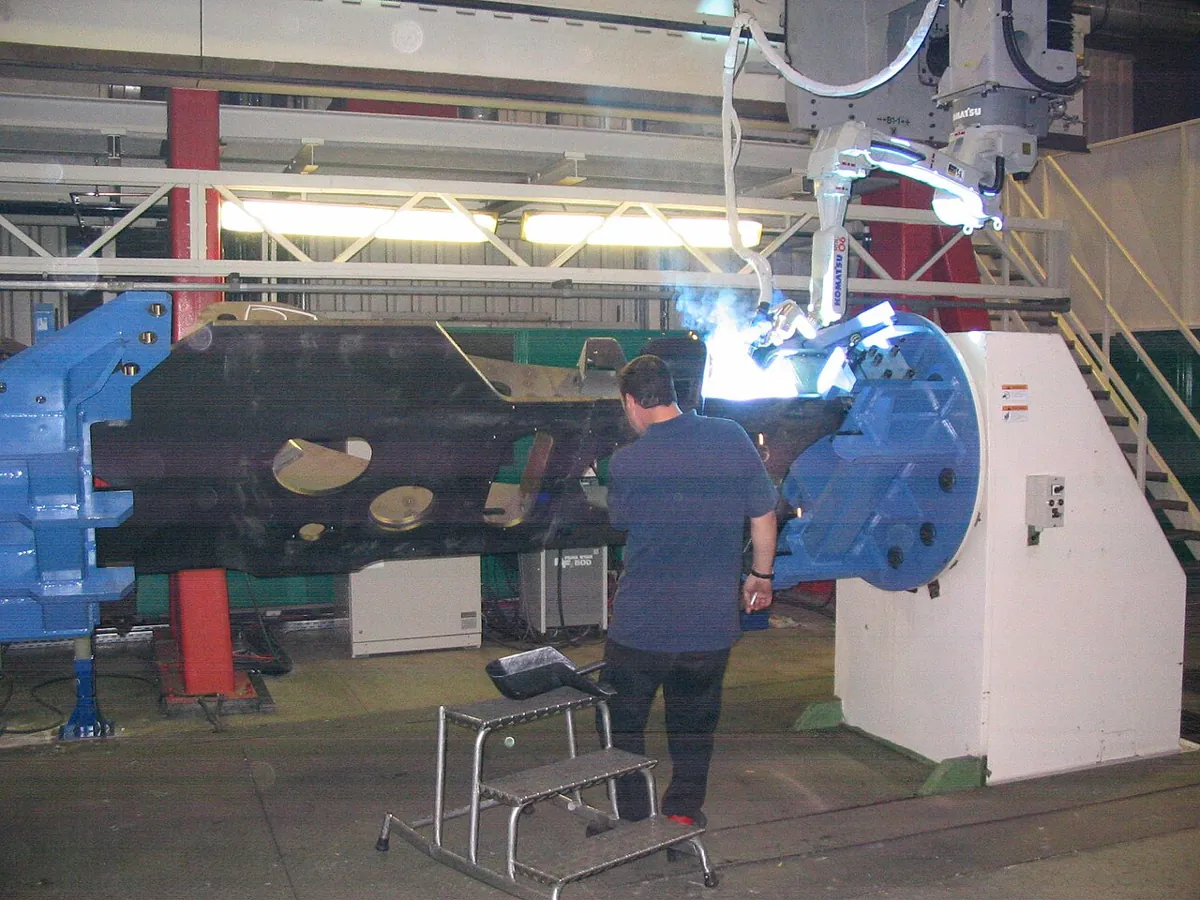
- Welding and gluing: seams are straight lines and arcs in the part’s coordinates; robot languages offer linear and circular moves (in ABB RAPID, MoveL and MoveC).
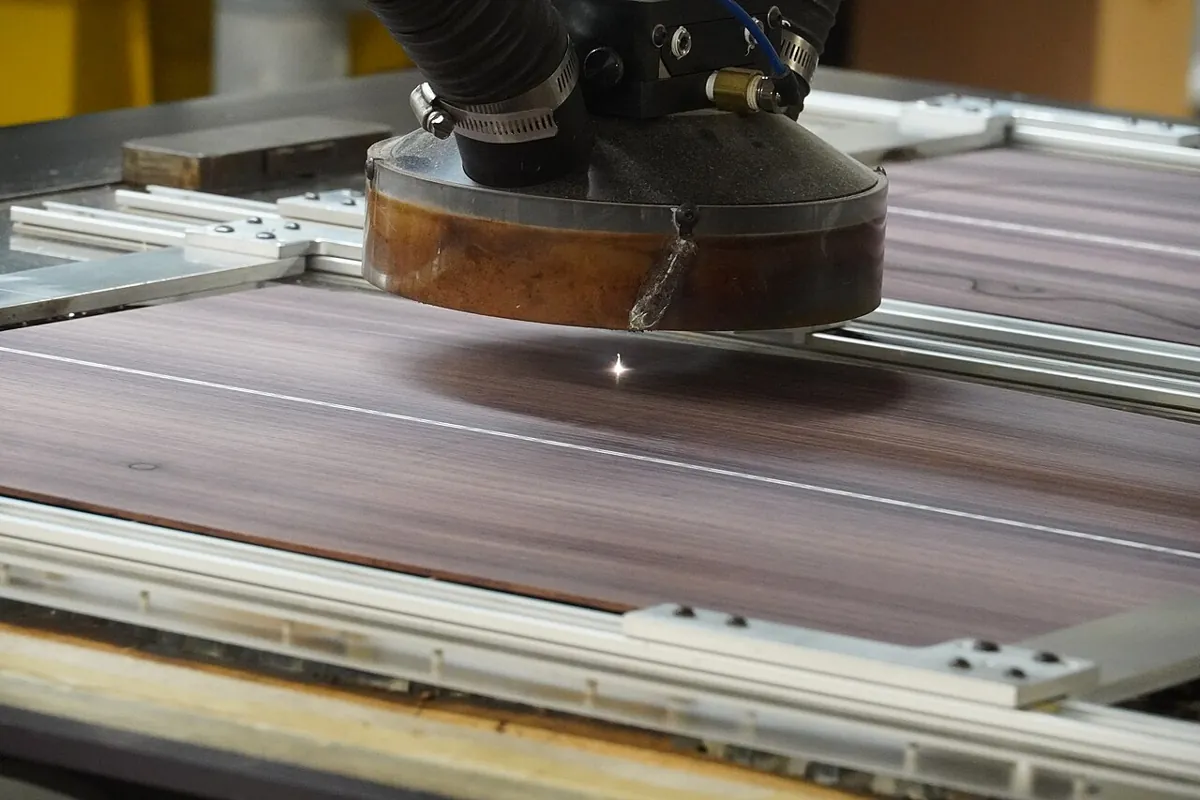
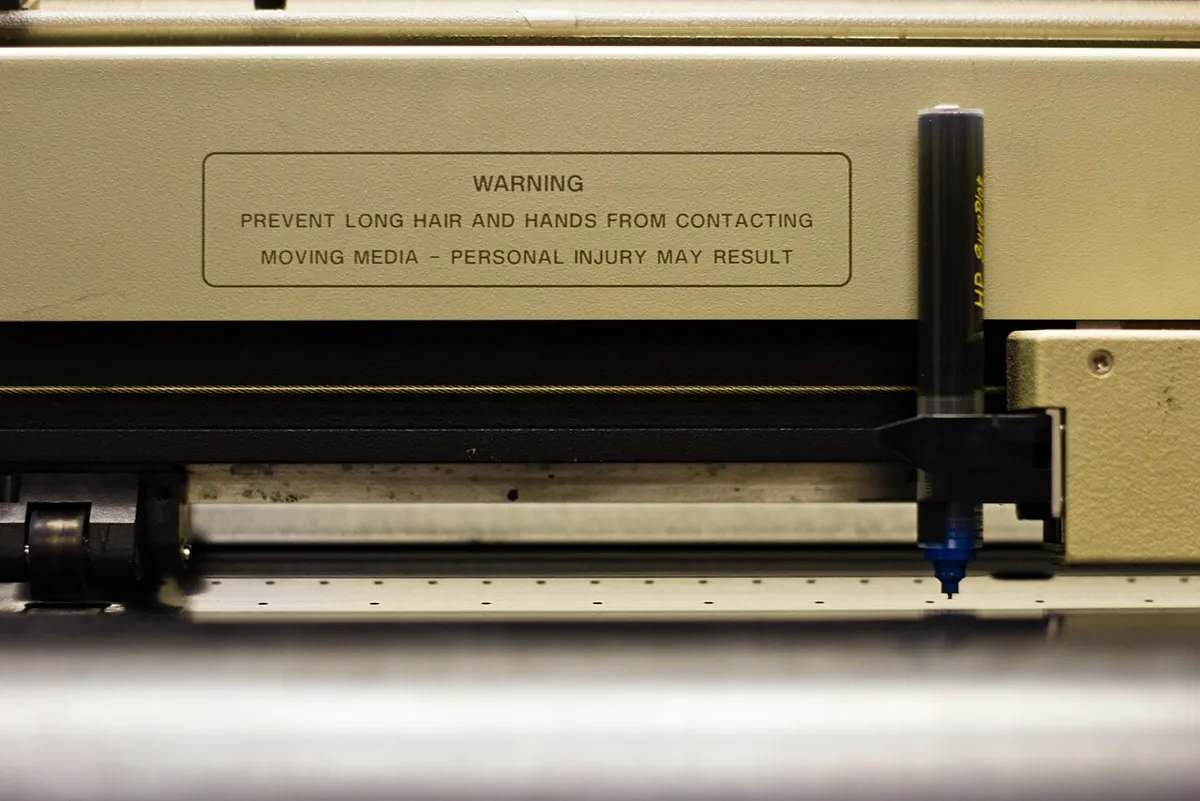
- Laser and plasma cutting, pen plotters: the tool head follows lines and arcs in x–y at controlled speed.
- Assembly: inserting a peg or connector is a short, slow Cartesian line along the hole’s axis.
- Offline programming: the planned path is checked in simulation for reach, joint limits and singularities before the real robot runs it — the same pre-flight idea as this lesson.
Bench build
Bench build: draw an arc with the pen arm
Use the 2-servo arm from Lesson 5 (shoulder servo angle = θ₁ + 60°, elbow servo = θ₂) with a sketch pen at the tip. pen_arm_arc.ino draws Part 2’s arc: centre (6, 8) cm, radius 5 cm, from −60° to 120°, in 3 s with a quintic timing. When you press D2 it first checks every step of the path and prints “path OK” or the reason for refusing — only then does it draw.
| From | To | Note |
|---|---|---|
| Shoulder servo signal | D9 | Servo angle = θ₁ + 60° |
| Elbow servo signal | D10 | Servo angle = θ₂ |
| Both servos + and − | Separate 5–6 V supply, 2 A or more | Never the Arduino 5 V pin |
| Supply − | Arduino GND | Common ground |
| Button | D2 ↔ GND | INPUT_PULLUP |
Draw the target
On chart paper, mark the shoulder axis as (0, 0) and draw the circle of radius 5 cm around (6, 8) in pencil.
Start pose
Power up. The arm goes to the start of the arc (8.5, 3.67) cm. Put the pen down there.
Check and draw
Press D2. Read the Serial Monitor: “path OK – drawing”. Compare the inked arc with your pencil circle.
Make it refuse
Change R to 9 and upload. Press D2: the sketch should refuse (out of reach or limit) and the arm should not move.
Make it faster
Change T_MOVE to 1.0. Does it still pass the check? If not, which problem does it report?
// pen_arm_arc.ino — Stage 9, Lesson 9
// The 2-servo pen arm draws a Cartesian ARC: centre (6, 8) cm, radius 5 cm, from -60° to 120°,
// in T_MOVE seconds with a quintic time scaling. IK runs at every 20 ms step.
// SAFETY FIRST: the whole path is checked (reach, joint limits, joint speed) BEFORE any servo moves.
//   Press D2 to check and draw.  Serial Monitor 115200 shows the check result.
// Wiring: shoulder servo signal -> D9 (servo angle = theta1 + 60), elbow servo signal -> D10 (= theta2).
//         Both servos on a SEPARATE 5–6 V supply (2 A+); supply GND -> Arduino GND. Button D2 -> GND.
//         Never power servos from an Arduino pin.

#include <Servo.h>
#include <math.h>

const float L1 = 10.0, L2 = 8.0;
const float CX = 6.0, CY = 8.0, R = 5.0, A0_DEG = -60.0, A1_DEG = 120.0;
const float T_MOVE = 3.0;
const unsigned long DT_MS = 20;
const float SH_MIN = -60, SH_MAX = 150, EL_MIN = 0, EL_MAX = 160;
const float V_MAX = 120.0;            // deg/s, example limit
const float SH_OFFSET = 60.0;

Servo sh, el;

float sQuintic(float u) { return u * u * u * (10 + u * (-15 + 6 * u)); }

void pathPoint(float s, float &x, float &y) {
  float a = radians(A0_DEG + (A1_DEG - A0_DEG) * s);
  x = CX + R * cos(a);
  y = CY + R * sin(a);
}

bool ik(float x, float y, float &t1, float &t2) {     // elbow-up branch only
  float c2 = (x * x + y * y - L1 * L1 - L2 * L2) / (2 * L1 * L2);
  if (c2 < -1 || c2 > 1) return false;
  float th2 = acos(c2);
  t1 = degrees(atan2(y, x) - atan2(L2 * sin(th2), L1 + L2 * cos(th2)));
  t2 = degrees(th2);
  return true;
}

void writeServo(Servo &s, float deg) {
  deg = constrain(deg, 0, 180);
  s.writeMicroseconds(544 + (long)(deg * (2400 - 544) / 180.0 + 0.5));
}

bool checkWholePath() {
  int n = (int)(T_MOVE * 1000 / DT_MS);
  float p1 = 0, p2 = 0;
  for (int k = 0; k <= n; k++) {
    float x, y, t1, t2;
    pathPoint(sQuintic((float)k / n), x, y);
    if (!ik(x, y, t1, t2)) { Serial.print(F("REFUSED: out of reach at step ")); Serial.println(k); return false; }
    if (t1 < SH_MIN || t1 > SH_MAX || t2 < EL_MIN || t2 > EL_MAX) {
      Serial.print(F("REFUSED: joint limit at step ")); Serial.println(k); return false;
    }
    if (k > 0) {
      float sp = max(fabs(t1 - p1), fabs(t2 - p2)) / (DT_MS / 1000.0);
      if (sp > V_MAX) { Serial.print(F("REFUSED: joint speed ")); Serial.print(sp, 0); Serial.println(F(" deg/s")); return false; }
    }
    p1 = t1; p2 = t2;
  }
  Serial.println(F("path OK - drawing"));
  return true;
}

void goToStart() {
  float x, y, t1, t2;
  pathPoint(0, x, y);
  ik(x, y, t1, t2);
  writeServo(sh, t1 + SH_OFFSET);
  writeServo(el, t2);
}

void draw() {
  unsigned long t0 = millis(), next = t0;
  while (true) {
    unsigned long now = millis();
    if (now < next) continue;
    next += DT_MS;
    float u = (now - t0) / 1000.0 / T_MOVE;
    if (u > 1) u = 1;
    float x, y, t1, t2;
    pathPoint(sQuintic(u), x, y);
    ik(x, y, t1, t2);                  // already checked, cannot fail
    writeServo(sh, t1 + SH_OFFSET);
    writeServo(el, t2);
    if (u >= 1) break;
  }
  Serial.println(F("done - lift the pen"));
}

void setup() {
  Serial.begin(115200);
  pinMode(2, INPUT_PULLUP);
  sh.attach(9);
  el.attach(10);
  goToStart();
  Serial.println(F("Put the pen down at the start point, then press D2"));
}

void loop() {
  if (digitalRead(2) == LOW) {
    if (checkWholePath()) draw();
    delay(3000);
    goToStart();
  }
}Debugging
Debugging Cartesian trajectories
| Symptom | Likely cause | Fix |
|---|---|---|
| Arc is an ellipse or shifted | Horn offsets wrong, or link lengths not 10 / 8 cm | Measure links shaft-to-shaft; re-fit horns at a known pose |
| Arm flips mid-path | IK branch changed | Fix one branch; refuse if impossible |
| Planner refuses a path that “looks fine” | A joint limit or speed limit in the middle | Read the first problem; move the path or stretch T |
| Corners cut on straight lines | Too few samples | Sample every 10–20 ms |
| Speed check fails near the workspace edge | Close to a singularity (arm stretched or folded) | Keep paths away from the edge; it is a real warning |
Think
Think about it
Think
Part 3 was refused for joint speed at t = 0.95 s even though the point there was still reachable. Why does the speed shoot up before the arm actually runs out of reach, and what are two ways to make a similar (but safe) path work?
Experiment
Try it in the lab
About 35 minutes with cartesian_paths.py and the browser lab; drawing the arc takes 10 more minutes.
Experiment
Plan, check, then draw
You will need
- `cartesian_paths.py` and Python 3
- Graph paper, compass (geometry box)
- Cartesian trajectory planner (in your browser)
- Optional: 2-servo pen arm, separate 5–6 V 2 A supply, one button, sketch pen, chart paper
Steps
- Run the program. Plot the tip points of Part 1 and Part 2 on graph paper; they should lie on the line and the circle.
- In Part 1, shorten T to 1.0 s. Does it still pass? What is the first problem if not?
- Change the arc to a full circle (−60° to 300°). Which check fails, and where?
- Make Part 3 succeed by changing only its end point. What is the farthest x that passes?
- In Part 4, add n = 64. Does the error keep falling by about 4×?
- Optional: draw the arc with the pen arm and measure the largest gap from your pencil circle.
Interactive · Cartesian trajectory planner (2R educational · Stage 8 IK)
Interpolate a straight line in task space, then call Stage 8 ik2R each sample. Labeled simplified — not industrial 6DOF.
- EE (x,y)
- 100.0, 40.0
- Joints (°)
- -18.4, 96.4
- Path health (samples)
- unreachable=0 · joint-limit≈0 · singular=0
Any shape you can write as X(s) can be planned — but every sample must pass reach, limits and speed checks. Problems often show up as speed spikes before the arm actually hits the workspace edge. Enough samples keep the tool on the path.
Knowledge check
Check your understanding
Knowledge check
1. A Cartesian trajectory is built from…
2. The arc path X(s) with centre C and radius R is…
3. Why should the whole path be checked before the robot moves?
4. In Part 3, what problem appeared first, at t = 0.95 s?
5. Doubling the number of IK samples on a line made the worst tool error roughly…
6. Why fix one IK branch (e.g. elbow-up) for the whole path?
7. Which time scaling did this lesson use, and why?
Mini assignment
Hands-on assignment
Mini assignment
Draw your initial
Plan a Cartesian drawing of the first letter of your name (lines and arcs), check it fully, and draw it with the pen arm or on paper by hand from the planned joint table.
Deliverables
- Design the letter from 2–4 pieces (lines and arcs) inside the reachable area. Sketch it with coordinates.
- Add each piece to `cartesian_paths.py` and attach the output. All pieces must pass.
- For any piece that was refused at first, write the problem and how you fixed it.
- Choose a sample count and justify it with Part 4.
- Optional: draw it with the pen arm (one piece per button press) and photograph the result next to your plan.
Do this, step by step
- Run
python3 cartesian_paths.pyand read Part 1 (line) and Part 2 (arc). Note the peak joint speed of each. - Read Part 3 and write why the planner refused the line (10, 8) → (20, 8): the end is 21.5 cm away but the arm reaches only 18 cm.
- Add your own line between two points inside the reach and run it. It must pass every check.
- In Part 4, find the smallest number of segments where the worst deviation stays under 0.1 cm (1 mm), and write it down.
- Optional bench: run
pen_arm_arc.ino, then changeCXby 1 cm and see how the drawn arc moves on the paper.
Stuck? Hints, one at a time
- An arc point is C + R·(cos φ, sin φ); only φ changes with s.
- Check every sample, not just the end points — the middle of a path can leave the reachable ring.
- Halving the sample spacing makes the straight-chord error between samples about four times smaller.
Challenges (pick by level)
- 🟢 Easy: Write X(s) for a line from (12, 0) to (12, 10). What is X(0.3)?
- 🟢 Easy: Write X(s) for a quarter circle of radius 4 around (8, 8).
- 🟡 Medium: Make
plan()stretch T automatically (in 0.25 s steps) until the speed check passes, and print the final T. - 🟠 Hard-ish: Add an obstacle circle (from Lesson 2) and refuse any sample where a link touches it.
- 🔴 Hard: Join a line and an arc so the tool does not stop at the join (match the tool velocity direction and speed at the join).
- ⚫ Research: Read *Modern Robotics* §9.2.1 on straight lines in task space and SE(3), and summarise why a “straight line” for position and orientation together needs extra care.
Next step
A real tool has a direction as well as a position. In Lesson 10 — Orientation Trajectories you will plan how the gripper or torch turns smoothly while it moves.
Look back: Lesson 8: Quintic Polynomial Trajectories. Next: Lesson 10: Orientation Trajectories. Related: Stage 8 — Kinematics & IK.
Sources
- Modern Robotics (Lynch & Park) — book home page and free PDF — Ch. 9: trajectory = path + time scaling; §9.2.1 straight lines in task space (singularities → very large joint velocities; non-convex reachable space); §9.2.2.1 quintic time scaling.
- Modern Robotics video — 9.1 and 9.2 Point-to-Point Trajectories — companion lecture.
- ABB RAPID summary — Motion (RobotStudio course page) — MoveL (linear) and MoveC (circular) TCP paths.
- Arduino — Servo library —
writeMicroseconds()used to stream joint set-points. - Photos: Wikimedia Commons (credits under each image).
Self-attested for now — keep artifacts in your lab notebook.
Complete
Today's goal
0 of 1 done today
Mark this lesson complete when you have worked the experiment, knowledge check, and assignment (even roughly).