
Trajectory Planning & Motion Generation · Lesson 14
Multi-Joint Synchronization
Est. 45–60 min
Why
Why this lesson matters
In Lesson 4 you saw that a joint-space straight line makes the tool follow a curved path — but a predictable one. That only holds if all joints keep the same fraction of their move at every moment. If each joint runs its own fastest profile, the small moves finish early and the tool path becomes even stranger, and harder to check for collisions. This lesson shows how to synchronise all joints with one shared s(t), how to pick it so no joint breaks its limits, and what it costs.
By the end of this lesson you will be able to: explain why synchronisation matters; measure “out of step” as a progress spread; compute shared path limits from every joint’s limits; identify the bottleneck joint; and compare unsynchronised and synchronised moves on the 2-servo pen arm.
Concept
One shared s(t) for every joint
Two ways to move six joints
| Method | Each joint… | Result |
|---|---|---|
| Unsynchronised | Runs its own fastest profile | Finish times differ; tool path is odd and hard to predict |
| Synchronised (shared s) | Moves θᵢ = θᵢ,start + s(t)·dᵢ | All start and finish together; straight line in joint space |
Choosing the shared limits
With a shared s, joint i moves at speed dᵢ·ṡ and accelerates at dᵢ·s̈. So the path speed v and acceleration a for s must satisfy |dᵢ|·v ≤ v_lim,i and |dᵢ|·a ≤ a_lim,i for every joint (*Modern Robotics* eq. 9.14–9.15). Take v = min(v_lim,i / |dᵢ|) and a = min(a_lim,i / |dᵢ|), then build one trapezoid (or S-curve, or quintic) for s from 0 to 1.
Measuring “out of step”
At any moment, each joint has done some fraction of its move (0% to 100%). The progress spread is the biggest fraction minus the smallest. A synchronised move keeps it at 0%. In the code, the unsynchronised move reaches 83% — one joint almost finished while another has barely started.
Visual
Visualise it: in step and out of step
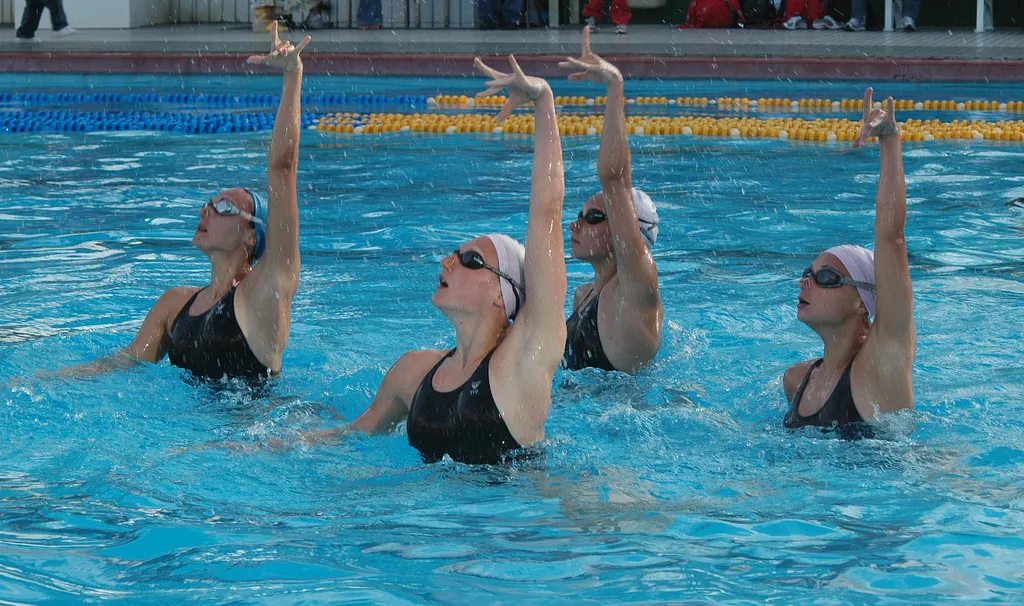
A shared time scaling: one profile shape for s(t), multiplied by each joint’s distance. Everyone starts and stops together.
Interactive · Motion profile comparator


Overlay linear, cubic, and quintic rest-to-rest profiles. Linear has velocity steps (harsh); cubic zeros velocity; quintic also zeros acceleration — lowest jerk among the three.
Position q(t)
Velocity q̇(t)
Acceleration q̈(t)
Jerk q⃛(t)
| Profile | peak |q̇| | peak |q̈| | peak |jerk| |
|---|---|---|---|
| Linear | 36.0 | 0.0 | ∞ (edge) |
| Cubic | 54.0 | 86.4 | 69.1 |
| Quintic | 67.5 | 83.1 | 345.6 |
Educational 1-DOF overlays — not full multi-DOF dynamics. Linear jerk shown as edge impulse in table.
Code lab
Code lab: six joints, in and out of step
sync.py takes a six-joint move with different limits per joint (in this example the wrist joints have higher limits). Part 1 runs each joint with its own fastest trapezoid; Part 2 uses one shared s(t) with the path limits above. Both measure the progress spread. Run python3 sync.py.
# sync.py - Stage 9 Lesson 14: multi-joint synchronization
# Six joints must move from A to B. Compare:
#   1) every joint runs its own fastest trapezoid (they finish at different times)
#   2) one shared s(t): a straight line in joint space, timed by the slowest joint
# and measure how far the joints get "out of step" (progress spread). Pure Python.
import math

start = [0.0, -30.0, 60.0, 0.0, 45.0, 0.0]
goal  = [90.0, 10.0, 20.0, 120.0, -15.0, 30.0]
vlim  = [100.0, 80.0, 100.0, 200.0, 200.0, 250.0]     # deg/s
alim  = [200.0, 150.0, 200.0, 500.0, 500.0, 700.0]    # deg/s^2

def trap_T(d, v, a):
    d = abs(d)
    return d / v + v / a if d >= v * v / a else 2 * math.sqrt(d / a)

def trap_s(t, d, v, a):
    """Distance covered at time t by the fastest trapezoid/triangle for distance d (d >= 0)."""
    if d == 0: return 0.0
    if d < v * v / a: v = math.sqrt(a * d)
    ta, T = v / a, d / v + v / a
    if t <= 0: return 0.0
    if t < ta: return 0.5 * a * t * t
    if t < T - ta: return 0.5 * a * ta * ta + v * (t - ta)
    if t < T: return d - 0.5 * a * (T - t) ** 2
    return d

moves = [g - s for s, g in zip(start, goal)]
print("Part 1 - each joint alone, as fast as its limits allow")
own = [trap_T(d, v, a) for d, v, a in zip(moves, vlim, alim)]
for i, (d, T) in enumerate(zip(moves, own), 1):
    print(f"  joint {i}: move {d:6.1f} deg  finishes at {T:4.2f} s")
print(f"  first joint done at {min(own):.2f} s, last at {max(own):.2f} s")

# progress spread: at each moment, (largest - smallest) fraction of the move done
def spread(progress_fn, T, n=400):
    worst = 0.0
    for k in range(n + 1):
        p = [progress_fn(i, T * k / n) for i in range(6) if moves[i] != 0]
        worst = max(worst, max(p) - min(p))
    return worst

unsync = lambda i, t: trap_s(t, abs(moves[i]), vlim[i], alim[i]) / abs(moves[i])
print(f"  worst progress spread: {spread(unsync, max(own)) * 100:.0f}% (one joint far ahead of another)")

print("\nPart 2 - one shared s(t) (Modern Robotics eq. 9.14-9.15)")
v = min(vl / abs(d) for d, vl in zip(moves, vlim) if d)
a = min(al / abs(d) for d, al in zip(moves, alim) if d)
T = trap_T(1.0, v, a)
print(f"  path limits v = {v:.3f} 1/s, a = {a:.3f} 1/s^2 -> all joints finish together at {T:.2f} s")
for i, d in enumerate(moves, 1):
    vpeak = abs(d) * (v if 1.0 >= v * v / a else math.sqrt(a))
    print(f"  joint {i}: peak {vpeak:6.1f} deg/s of {vlim[i-1]:.0f} allowed")
shared = lambda i, t: trap_s(t, 1.0, v, a)
print(f"  worst progress spread: {spread(shared, T) * 100:.0f}% (all joints always at the same fraction)")
print(f"\nPrice of synchronisation: {T - max(own):+.2f} s compared with the slowest joint alone")
Output (run with python3 sync.py)
Part 1 - each joint alone, as fast as its limits allow
  joint 1: move   90.0 deg  finishes at 1.40 s
  joint 2: move   40.0 deg  finishes at 1.03 s
  joint 3: move  -40.0 deg  finishes at 0.89 s
  joint 4: move  120.0 deg  finishes at 1.00 s
  joint 5: move  -60.0 deg  finishes at 0.69 s
  joint 6: move   30.0 deg  finishes at 0.41 s
  first joint done at 0.41 s, last at 1.40 s
  worst progress spread: 83% (one joint far ahead of another)

Part 2 - one shared s(t) (Modern Robotics eq. 9.14-9.15)
  path limits v = 1.111 1/s, a = 2.222 1/s^2 -> all joints finish together at 1.40 s
  joint 1: peak  100.0 deg/s of 100 allowed
  joint 2: peak   44.4 deg/s of 80 allowed
  joint 3: peak   44.4 deg/s of 100 allowed
  joint 4: peak  133.3 deg/s of 200 allowed
  joint 5: peak   66.7 deg/s of 200 allowed
  joint 6: peak   33.3 deg/s of 250 allowed
  worst progress spread: 0% (all joints always at the same fraction)

Price of synchronisation: +0.00 s compared with the slowest joint alone
Try it: compare profiles for one move. With a shared s(t), every joint follows the same profile shape, scaled by its own distance.
Interactive · Motion profile comparator
Overlay linear, cubic, and quintic rest-to-rest profiles. Linear has velocity steps (harsh); cubic zeros velocity; quintic also zeros acceleration — lowest jerk among the three.
Position q(t)
Velocity q̇(t)
Acceleration q̈(t)
Jerk q⃛(t)
| Profile | peak |q̇| | peak |q̈| | peak |jerk| |
|---|---|---|---|
| Linear | 36.0 | 0.0 | ∞ (edge) |
| Cubic | 54.0 | 86.4 | 69.1 |
| Quintic | 67.5 | 83.1 | 345.6 |
Educational 1-DOF overlays — not full multi-DOF dynamics. Linear jerk shown as edge impulse in table.
Real world
Synchronised motion in the real world
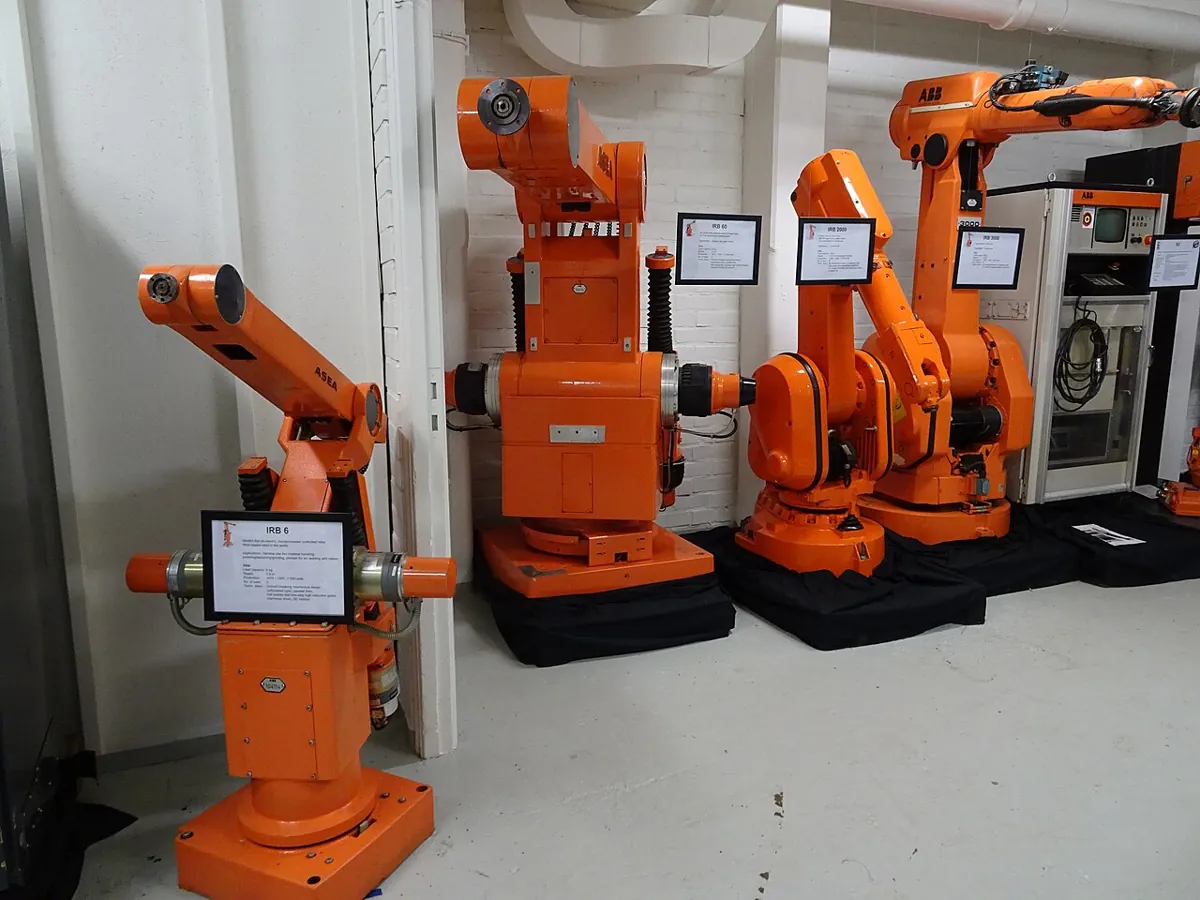
- Industrial arms: robot languages offer joint moves (MoveJ in ABB RAPID) and linear moves (MoveL, the tool along a straight line) — both need the controller to coordinate every axis.
- CNC machines and 3D printers: the X, Y and Z axes are coordinated so the tool follows a straight line — each axis gets its share of the move.
- Walking robots and animation: many joints keep one shared timing so the motion looks natural.
Bench build
Bench build: two joints, in and out of step
Use the 2-servo pen arm from Lesson 5 (shoulder servo = θ₁ + 60°, elbow servo = θ₂). sync_two_joints.ino moves between P0 = (0°, 90°) and P1 = (80°, 70°). D2 gives each joint its own fastest trapezoid: the shoulder needs 1.07 s, the elbow only 0.52 s. D3 uses one shared s(t): both finish at 1.07 s. Put the pen down and compare the two lines it draws.
| From | To | Note |
|---|---|---|
| Shoulder servo signal | D9 | Servo angle = θ₁ + 60° |
| Elbow servo signal | D10 | Servo angle = θ₂ |
| Both servos + and − | Separate 5–6 V supply, 2 A or more | Never the Arduino 5 V pin |
| Supply − | Arduino GND | Common ground |
| Buttons | D2 ↔ GND (own), D3 ↔ GND (shared) | INPUT_PULLUP |
Unsynchronised
Pen down, press D2 (P0 → P1). Lift the pen, press D2 again to go back.
Synchronised
Use a different colour. Pen down, press D3 (P0 → P1). Lift, press D3 to return.
Compare
Which line is smoother? Where does the unsynchronised line bend sharply? (That is where the elbow stopped.)
Change limits
Give the elbow its own, lower limit in the code. Which joint becomes the bottleneck?
// sync_two_joints.ino - Stage 9 Lesson 14: synchronised vs unsynchronised joints
// The 2-servo pen arm (Lesson 5) moves between pose P0 and pose P1.
// D2: each joint runs its own fastest trapezoid -> the elbow finishes early, the pen draws a bent line.
// D3: one shared s(t) for both joints -> both finish together (straight line in joint space).
// Wiring: shoulder servo D9 (servo angle = theta1 + 60), elbow servo D10 (servo angle = theta2).
//         Both servos on a SEPARATE 5-6 V supply (2 A+); supply GND -> Arduino GND.
//         Buttons D2 -> GND and D3 -> GND (INPUT_PULLUP).
#include <Servo.h>

Servo sh, el;
const float P0[2] = { 0, 90 }, P1[2] = { 80, 70 };   // (theta1, theta2) in degrees
const float V_MAX = 120.0, A_MAX = 300.0;            // same limits for both joints (example)
const float SH_OFFSET = 60.0;
const unsigned long DT_MS = 20;
bool atP0 = true;

void writeDeg(Servo &s, float deg) {
  deg = constrain(deg, 0, 180);
  s.writeMicroseconds(544 + (int)(deg * (2400 - 544) / 180.0));
}
void writePose(float t1, float t2) { writeDeg(sh, t1 + SH_OFFSET); writeDeg(el, t2); }

// fastest trapezoid (or triangle) for distance d >= 0 with limits v, a
float trapT(float d, float v, float a) { return (d >= v * v / a) ? d / v + v / a : 2 * sqrt(d / a); }
float trapS(float t, float d, float v, float a) {
  if (d <= 0) return 0;
  if (d < v * v / a) v = sqrt(a * d);
  float ta = v / a, T = d / v + v / a;
  if (t <= 0) return 0;
  if (t < ta) return 0.5 * a * t * t;
  if (t < T - ta) return 0.5 * a * ta * ta + v * (t - ta);
  if (t < T) return d - 0.5 * a * (T - t) * (T - t);
  return d;
}

void run(bool shared) {
  const float *A = atP0 ? P0 : P1, *B = atP0 ? P1 : P0;
  float d[2] = { B[0] - A[0], B[1] - A[1] };
  float T0 = trapT(fabs(d[0]), V_MAX, A_MAX), T1 = trapT(fabs(d[1]), V_MAX, A_MAX);
  // shared: path limits v = min(V/|d_i|), a = min(A/|d_i|) on s from 0 to 1
  float big = max(fabs(d[0]), fabs(d[1]));
  float vs = V_MAX / big, as = A_MAX / big, Ts = trapT(1.0, vs, as);
  float T = shared ? Ts : max(T0, T1);
  Serial.print(shared ? F("shared s(t): both finish at ") : F("own profiles: shoulder "));
  if (shared) { Serial.print(Ts, 2); Serial.println(F(" s")); }
  else { Serial.print(T0, 2); Serial.print(F(" s, elbow ")); Serial.print(T1, 2); Serial.println(F(" s")); }
  unsigned long t0 = millis();
  while (true) {
    float t = (millis() - t0) / 1000.0;
    float q[2];
    for (int i = 0; i < 2; i++) {
      float frac = shared ? trapS(t, 1.0, vs, as) : trapS(t, fabs(d[i]), V_MAX, A_MAX) / fabs(d[i]);
      q[i] = A[i] + d[i] * frac;
    }
    writePose(q[0], q[1]);
    if (t >= T) break;
    delay(DT_MS);
  }
  writePose(B[0], B[1]);
  atP0 = !atP0;
}

void setup() {
  Serial.begin(115200);
  pinMode(2, INPUT_PULLUP);
  pinMode(3, INPUT_PULLUP);
  sh.attach(9); el.attach(10);
  writePose(P0[0], P0[1]);              // quick move to P0 at power-up
  Serial.println(F("D2: own profiles.  D3: shared s(t).  Pen down, compare the lines."));
}

void loop() {
  if (digitalRead(2) == LOW) { run(false); while (digitalRead(2) == LOW) delay(10); delay(200); }
  if (digitalRead(3) == LOW) { run(true);  while (digitalRead(3) == LOW) delay(10); delay(200); }
}Debugging
Debugging synchronisation
| Symptom | Likely cause | Fix |
|---|---|---|
| Joints finish at different times | Each joint has its own profile or T | Use one shared s(t) |
| A joint breaks its limit in a shared move | Shared limits not taken as the minimum over joints | v = min(v_lim,i/|dᵢ|), a = min(a_lim,i/|dᵢ|) |
| Division by zero | A joint with dᵢ = 0 | Skip joints that do not move |
| Tool path still curved | Joint-space line (expected) | For a straight tool line use Cartesian planning (Lesson 9) |
| Shared move slower than expected | Different joints set v and a | Normal; check which joint is the bottleneck |
Think
Think about it
Think
A pick-and-place arm moves its shoulder 10° and its wrist 170° in the same move. The wrist has a high speed limit. Which joint will probably be the bottleneck, and what happens to the shoulder’s motion with a shared s(t)?
Experiment
Try it in the lab
About 30 minutes with sync.py and the comparator; the pen-arm build takes 15 more minutes.
Experiment
Get the joints in step
You will need
- `sync.py` and Python 3
- Motion profile comparator (in your browser)
- Optional: 2-servo pen arm, separate 5–6 V 2 A supply, two buttons, two coloured sketch pens
Steps
- Run the program and note the bottleneck joint and the progress spread for both methods.
- Lower joint 4’s speed limit to 100°/s. Which joint is the bottleneck now?
- Find limits where the shared move takes **longer** than any joint alone (hint: let one joint set v and another set a).
- Set one joint’s move to 0. Does the code handle it?
- In the comparator, imagine every curve multiplied by a different joint distance.
- Optional: draw both lines with the pen arm and compare.
Interactive · Motion profile comparator
Overlay linear, cubic, and quintic rest-to-rest profiles. Linear has velocity steps (harsh); cubic zeros velocity; quintic also zeros acceleration — lowest jerk among the three.
Position q(t)
Velocity q̇(t)
Acceleration q̈(t)
Jerk q⃛(t)
| Profile | peak |q̇| | peak |q̈| | peak |jerk| |
|---|---|---|---|
| Linear | 36.0 | 0.0 | ∞ (edge) |
| Cubic | 54.0 | 86.4 | 69.1 |
| Quintic | 67.5 | 83.1 | 345.6 |
Educational 1-DOF overlays — not full multi-DOF dynamics. Linear jerk shown as edge impulse in table.
Unsynchronised joints get badly out of step. A shared s(t) keeps the spread at zero; the shared limits come from the joint with the largest move compared with its limits.
Knowledge check
Check your understanding
Knowledge check
1. In a synchronised joint move, every joint…
2. The shared path speed limit is…
3. In sync.py, which joint was the bottleneck?
4. What was the progress spread of the synchronised move?
5. In the bench build, the elbow alone would finish at 0.52 s. With a shared s(t) it finishes at…
6. A synchronised joint move draws a tool path that is…
7. Can synchronisation cost extra time?
Mini assignment
Hands-on assignment
Mini assignment
Sync plan for a pick-and-place
Plan a synchronised pick → lift → place sequence for a 6-joint arm (use your own limits or the ones in `sync.py`).
Deliverables
- Joint angles for four poses (above pick, pick, above place, place).
- For each segment: joint moves, bottleneck joint, shared v and a, segment time T.
- Total cycle time and the price of synchronisation for each segment.
- Progress spread for an unsynchronised version of one segment.
- Optional: draw the unsynchronised and synchronised lines on the pen arm and photograph them.
Do this, step by step
- Run
python3 sync.py. In Part 1, note each joint’s own time when it moves alone. - In Part 2, write the shared time and which joint is the bottleneck.
- Compute the progress spread for the unsynchronised version: how far apart in % are the joints halfway through?
- Change one joint’s move angle and re-run. Does the bottleneck change?
- Optional bench: run
sync_two_joints.inoon the pen arm and draw both the unsynchronised and synchronised lines.
Stuck? Hints, one at a time
- All joints share one s(t), so θᵢ = θᵢ,start + s(t)·dᵢ.
- The shared speed limit for s is min over joints of v_lim,i / |dᵢ|.
- Synchronised joints move in a straight line in joint space, which usually is a curve for the tool.
Challenges (pick by level)
- 🟢 Easy: Joint A moves 60° (limit 120°/s), joint B moves 30° (limit 30°/s). Which is the bottleneck?
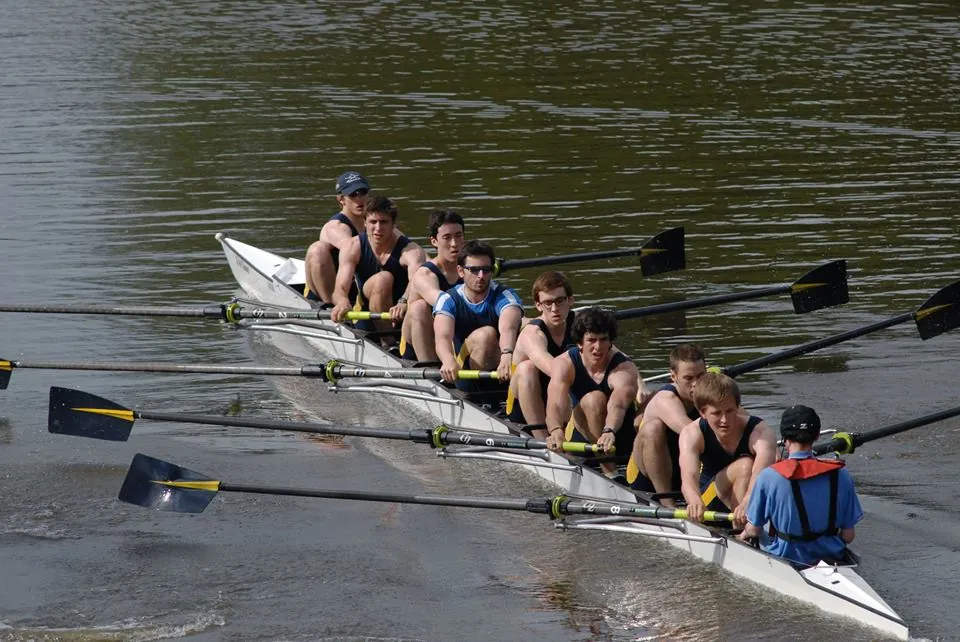
- 🟢 Easy: Explain synchronisation with a marching band or rowing crew.
- 🟡 Medium: Change
sync.pyto use a quintic shared s(t) instead of a trapezoid and find the new T. - 🟠 Hard-ish: Plot every joint’s angle vs time for both methods.
- 🔴 Hard: Add Stage 8 FK for the pen arm and plot the tool path for both methods.
- ⚫ Research: Compare joint moves and linear moves in the ABB RAPID motion summary and explain when each is used.
Next step
You now have every piece: paths, waypoints, polynomials, Cartesian and orientation planning, limits, jerk, timing and synchronisation. In Lesson 15 — the Capstone you will plan, check and run a complete trajectory from start to finish.
Look back: Stage 8: Forward Kinematics — 6DOF Arm. Next: Lesson 15: Capstone: Plan & Execute a 6DOF Robot Trajectory. Related: Stage 6 — 6DOF Arm.
Sources
- Modern Robotics (Lynch & Park) — book home page and free PDF — §9.2.1 straight-line paths in joint space; §9.2.2.2 eq. 9.14–9.15 shared limits |dᵢ|v ≤ v_lim,i, |dᵢ|a ≤ a_lim,i; fastest straight-line motion.
- ABB RAPID summary — Motion (RobotStudio course page) — MoveJ (joint movement) and MoveL (TCP along a linear path).
- Arduino — Servo library —
writeMicroseconds()for the two-joint moves. - Photos: Wikimedia Commons (credits under each image).
Self-attested for now — keep artifacts in your lab notebook.
Complete
Today's goal
0 of 1 done today
Mark this lesson complete when you have worked the experiment, knowledge check, and assignment (even roughly).