
ROS 2 & Robot Software Architecture (Fundamentals) · Lesson 08
ROS 2 Packages & Workspace
Est. 50–70 min
Why
Why this lesson matters
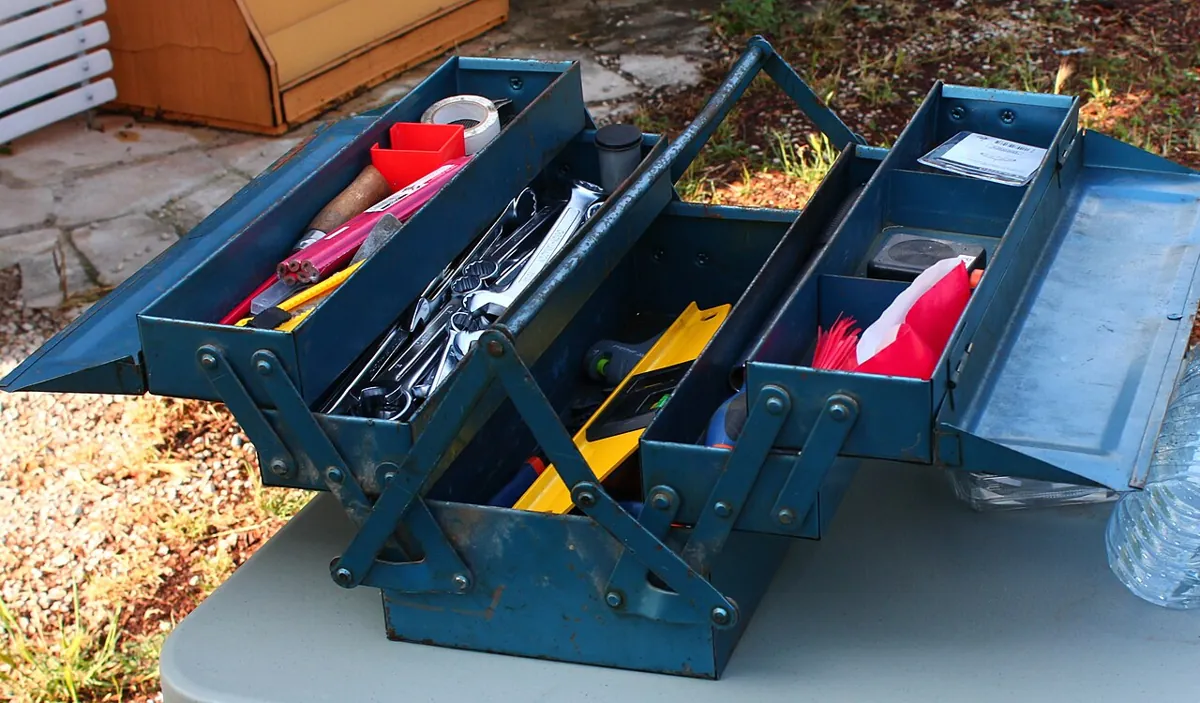
Think of a steel masala dabba in an Indian kitchen. Each small katori holds one spice, and the whole set sits in one box. You never search the house for haldi — it is always in its katori, in the dabba. A ROS 2 package is one katori (one job: interfaces, control, description, bringup), and a workspace is the dabba that holds them all.
By the end of this lesson you will be able to: explain what a package is and what files Python and CMake packages need; create a workspace with src/; read package.xml, setup.py and setup.cfg; build with colcon build and --packages-select; source install/setup.bash; explain underlay and overlay; and fix the most common build errors.

Concept
Packages, workspaces and colcon
What is a package?
The Jazzy “Creating a package” tutorial calls a package an organizational unit for your ROS 2 code. If you want to install your code or share it, it must be in a package. Package creation uses ament as the build system and colcon as the build tool. CMake and Python packages are officially supported.
| Python package (`ament_python`) | CMake package (`ament_cmake`) |
|---|---|
package.xml — meta information | package.xml — meta information |
setup.py — how to install the package | CMakeLists.txt — how to build the code |
setup.cfg — needed when the package has executables, so ros2 run finds them | include/<package_name>/ — public headers |
resource/<package_name> — marker file | src/ — source code |
<package_name>/ folder with __init__.py — your nodes go here | — |
What is a workspace?
The colcon tutorial says a workspace is a directory with a particular structure, usually with a src folder holding the packages. colcon builds out of source: next to src it creates build/ (intermediate files), install/ (each package installed here) and log/ (logs of every colcon run).
- A workspace can hold many packages, of different build types (Python and CMake together).
- You cannot nest packages — one package folder must not sit inside another.
- Best practice: put packages in
src/and keep the top level clean. - A folder with an empty
COLCON_IGNOREfile is skipped by colcon.
arm_ws/                      <- workspace root (run colcon here)
├── src/
│   ├── arm_interfaces/      <- ament_cmake: msg/ srv/ action/ (Lessons 5-7)
│   │   ├── CMakeLists.txt
│   │   ├── package.xml
│   │   ├── msg/ArmStatus.msg
│   │   └── action/MoveJoint.action
│   └── arm_control/         <- ament_python: our nodes
│       ├── package.xml
│       ├── setup.py
│       ├── setup.cfg
│       ├── resource/arm_control      (empty marker file)
│       ├── arm_control/
│       │   ├── __init__.py
│       │   ├── shoulder_angle_node.py
│       │   ├── joint_state_node.py
│       │   ├── gripper_service_node.py
│       │   └── move_joint_server.py
│       └── test/
├── build/                   <- made by colcon (intermediate files)
├── install/                 <- made by colcon (source install/setup.bash)
└── log/                     <- made by colcon (build logs)
Underlay and overlay
Your ROS 2 install in /opt/ros/jazzy is the underlay. Your arm_ws is an overlay built on top of it. The docs say the underlay must contain the dependencies of the overlay’s packages, packages in the overlay override the underlay, and you should source the overlay in a new terminal, not the one you built in.
source /opt/ros/jazzy/setup.bash— the underlay.source install/local_setup.bash— only the overlay’s packages.source install/setup.bash— the overlay plus the underlay it was built on.
Visual
Visualise it: walk through an arm workspace
Walk through a sample arm_ws: open each package and see which files it needs.
Interactive · ROS 2 workspace explorer
ROS 2 communication simulator — educational only (not a live ROS 2 runtime / colcon)

- package.xml
- setup.py
- launch/arm.launch.py
- config/arm.yaml
Pick a command and Run — no real shell.
Code lab
Code lab: a toy colcon, then a real arm_control package
workspace_sim.py (plain Python, no ROS needed) builds a pretend four-package arm workspace in dependency order, rebuilds just one package, fails on a typo in package.xml, skips a COLCON_IGNORE folder, refuses a nested package, and shows the overlay winning over the underlay. Run python3 workspace_sim.py.
"""workspace_sim.py - a toy colcon workspace (plain Python, no ROS 2 needed).

It copies the ideas from the ROS 2 Jazzy "Using colcon" and "Creating a package" tutorials:
  * packages live in src/, each with a package.xml listing dependencies
  * colcon builds in dependency order and makes build/ install/ log/ next to src/
  * a folder with COLCON_IGNORE is skipped; packages cannot be nested
  * an overlay (your workspace) takes precedence over the underlay (/opt/ros/jazzy)
This is a teaching model, not the real colcon.
"""

UNDERLAY = {"rclpy", "std_msgs", "sensor_msgs", "std_srvs", "rosidl_default_generators", "ament_cmake", "ament_python", "turtlesim"}


def pkg(name, build_type, deps, path=None):
    return {"name": name, "build_type": build_type, "deps": deps, "path": path or f"src/{name}"}


def find_packages(packages):
    """Return usable packages; report ignored and nested ones like colcon would refuse them."""
    found, problems = [], []
    paths = [p["path"] for p in packages]
    for p in packages:
        if p.get("ignored"):
            problems.append(f"  skipped {p['name']:<18} (COLCON_IGNORE in {p['path']})")
            continue
        parent = [q for q in paths if q != p["path"] and p["path"].startswith(q + "/")]
        if parent:
            problems.append(f"  ERROR   {p['name']:<18} is nested inside {parent[0]} - packages cannot be nested")
            continue
        found.append(p)
    return found, problems


def build_order(packages):
    names = {p["name"] for p in packages}
    order, done, missing = [], set(), []
    for p in packages:
        for d in p["deps"]:
            if d not in names and d not in UNDERLAY:
                missing.append((p["name"], d))
    if missing:
        return None, missing
    pending = list(packages)
    while pending:
        ready = [p for p in pending if all(d in done or d in UNDERLAY for d in p["deps"])]
        if not ready:
            return None, [("cycle", ", ".join(p["name"] for p in pending))]
        for p in ready:
            order.append(p)
            done.add(p["name"])
            pending.remove(p)
    return order, []


def colcon_build(title, packages, select=None):
    print(f"\n=== {title} ===")
    found, problems = find_packages(packages)
    for line in problems:
        print(line)
    order, missing = build_order(found)
    if missing:
        for who, dep in missing:
            print(f"  FAILED  {who}: dependency '{dep}' not found in workspace or underlay")
        print("  -> fix package.xml or source the right underlay, then build again")
        return
    if select:
        order = [p for p in order if p["name"] in select]
    for i, p in enumerate(order, 1):
        print(f"  [{i}] Finished <<< {p['name']:<18} ({p['build_type']})")
    print(f"  Summary: {len(order)} packages finished")
    print("  Workspace now has: build/  install/  log/  src/")


arm_ws = [
    pkg("arm_interfaces", "ament_cmake", ["rosidl_default_generators"]),
    pkg("arm_control", "ament_python", ["rclpy", "std_msgs", "std_srvs", "arm_interfaces"]),
    pkg("arm_description", "ament_cmake", []),
    pkg("arm_bringup", "ament_python", ["arm_control", "arm_description"]),
]

print("Part 1: a clean four-package arm workspace (listed in random order on purpose)")
colcon_build("colcon build", list(reversed(arm_ws)))

print("\nPart 2: --packages-select arm_control (only that one is rebuilt)")
colcon_build("colcon build --packages-select arm_control", arm_ws, select={"arm_control"})

print("\nPart 3: a typo in package.xml (<depend>arm_interface</depend>)")
broken = [dict(p) for p in arm_ws]
broken[1] = pkg("arm_control", "ament_python", ["rclpy", "arm_interface"])
colcon_build("colcon build", broken)

print("\nPart 4: an old experiment folder, and a package created inside another package")
messy = arm_ws + [
    dict(pkg("old_gripper_test", "ament_python", ["rclpy"]), ignored=True),
    pkg("wrist_tools", "ament_python", ["rclpy"], path="src/arm_control/wrist_tools"),
]
colcon_build("colcon build", messy)

print("\nPart 5: overlay vs underlay - which turtlesim runs?")
underlay = {"turtlesim": "/opt/ros/jazzy (title: TurtleSim)"}
overlay = {"turtlesim": "~/arm_ws/install (title: MyTurtleSim)"}
for terminal, sourced in [("Terminal A", [underlay]), ("Terminal B", [underlay, overlay])]:
    winner = None
    for layer in sourced:  # later sourced layer is prepended, so it wins
        winner = layer.get("turtlesim", winner)
    print(f"  {terminal}: sourced {len(sourced)} layer(s) -> ros2 run turtlesim uses {winner}")
Output (run with python3 workspace_sim.py)
Part 1: a clean four-package arm workspace (listed in random order on purpose)

=== colcon build ===
  [1] Finished <<< arm_description    (ament_cmake)
  [2] Finished <<< arm_interfaces     (ament_cmake)
  [3] Finished <<< arm_control        (ament_python)
  [4] Finished <<< arm_bringup        (ament_python)
  Summary: 4 packages finished
  Workspace now has: build/  install/  log/  src/

Part 2: --packages-select arm_control (only that one is rebuilt)

=== colcon build --packages-select arm_control ===
  [1] Finished <<< arm_control        (ament_python)
  Summary: 1 packages finished
  Workspace now has: build/  install/  log/  src/

Part 3: a typo in package.xml (<depend>arm_interface</depend>)

=== colcon build ===
  FAILED  arm_control: dependency 'arm_interface' not found in workspace or underlay
  -> fix package.xml or source the right underlay, then build again

Part 4: an old experiment folder, and a package created inside another package

=== colcon build ===
  skipped old_gripper_test   (COLCON_IGNORE in src/old_gripper_test)
  ERROR   wrist_tools        is nested inside src/arm_control - packages cannot be nested
  [1] Finished <<< arm_interfaces     (ament_cmake)
  [2] Finished <<< arm_description    (ament_cmake)
  [3] Finished <<< arm_control        (ament_python)
  [4] Finished <<< arm_bringup        (ament_python)
  Summary: 4 packages finished
  Workspace now has: build/  install/  log/  src/

Part 5: overlay vs underlay - which turtlesim runs?
  Terminal A: sourced 1 layer(s) -> ros2 run turtlesim uses /opt/ros/jazzy (title: TurtleSim)
  Terminal B: sourced 2 layer(s) -> ros2 run turtlesim uses ~/arm_ws/install (title: MyTurtleSim)
Create the workspace and package (commands from the Jazzy tutorials)
source /opt/ros/jazzy/setup.bash
mkdir -p ~/arm_ws/src
cd ~/arm_ws/src

# Python package for our nodes
ros2 pkg create --build-type ament_python --license Apache-2.0 arm_control

# copy your Lesson 3-7 nodes into ~/arm_ws/src/arm_control/arm_control/
# and the arm_interfaces package from Lesson 5 into ~/arm_ws/src/

cd ~/arm_ws
rosdep install -i --from-path src --rosdistro jazzy -y
colcon build --symlink-install
# on a Raspberry Pi, if the desktop freezes:
# colcon build --symlink-install --executor sequentialsource /opt/ros/jazzy/setup.bash
cd ~/arm_ws
source install/local_setup.bash
ros2 pkg list | grep arm_
ros2 pkg executables arm_control
ros2 run arm_control shoulder_angle
# after editing only arm_control:
colcon build --packages-select arm_controlpackage.xml — the package’s ID card
Name, version, description, maintainer and licence must be filled in (they start as TODO). Below them come the dependencies. The rosdep tutorial says pure Python packages should use <exec_depend> (they have no build step); <build_depend> is for build-only needs, and <depend> covers build and run for compiled packages. python3-serial is a rosdep key, so rosdep install can install pyserial for you.
<?xml version="1.0"?>
<?xml-model href="http://download.ros.org/schema/package_format3.xsd" schematypens="http://www.w3.org/2001/XMLSchema"?>
<package format="3">
  <name>arm_control</name>
  <version>0.1.0</version>
  <description>Joint, gripper and move-joint nodes for the AIHUB 6DOF desk arm</description>
  <maintainer email="you@example.com">Your Name</maintainer>
  <license>Apache-2.0</license>

  <!-- Python libraries and interfaces our nodes import -->
  <exec_depend>rclpy</exec_depend>
  <exec_depend>std_msgs</exec_depend>
  <exec_depend>sensor_msgs</exec_depend>
  <exec_depend>std_srvs</exec_depend>
  <exec_depend>arm_interfaces</exec_depend>
  <exec_depend>python3-serial</exec_depend>

  <test_depend>ament_copyright</test_depend>
  <test_depend>ament_flake8</test_depend>
  <test_depend>ament_pep257</test_depend>
  <test_depend>python3-pytest</test_depend>

  <export>
    <build_type>ament_python</build_type>
  </export>
</package>
setup.py and setup.cfg — how ros2 run finds your nodes
Each line in console_scripts becomes a command: shoulder_angle = arm_control.shoulder_angle_node:main means “ros2 run arm_control shoulder_angle calls main() in arm_control/shoulder_angle_node.py”. The name, version, description, maintainer and licence must match package.xml exactly.
from setuptools import find_packages, setup

package_name = 'arm_control'

setup(
    name=package_name,
    version='0.1.0',  # must match package.xml
    packages=find_packages(exclude=['test']),
    data_files=[
        ('share/ament_index/resource_index/packages',
            ['resource/' + package_name]),
        ('share/' + package_name, ['package.xml']),
    ],
    install_requires=['setuptools'],
    zip_safe=True,
    maintainer='Your Name',
    maintainer_email='you@example.com',
    description='Joint, gripper and move-joint nodes for the AIHUB 6DOF desk arm',
    license='Apache-2.0',
    tests_require=['pytest'],
    entry_points={
        'console_scripts': [
            # ros2 run arm_control <name>  ->  module:function
            'shoulder_angle = arm_control.shoulder_angle_node:main',
            'joint_state = arm_control.joint_state_node:main',
            'gripper_service = arm_control.gripper_service_node:main',
            'move_joint_server = arm_control.move_joint_server:main',
            'reach_planner = arm_control.reach_planner_node:main',
        ],
    },
)[develop]
script_dir=$base/lib/arm_control
[install]
install_scripts=$base/lib/arm_controlReal world
Packages and workspaces in the real world
- ros2/examples: the colcon tutorial clones this repository into
src/and builds many small example packages at once. - Robot companies: split code into
*_interfaces,*_description,*_controland*_bringuppackages so teams can work on one without breaking the others. - Overlays at work: you install ROS 2 from binaries (underlay) and only build the few packages you are changing (overlay) — the docs recommend exactly this.
- Sharing: a correct
package.xmllets someone else runrosdep installand build your package on a new machine.

package.xml and a build.Photo: Frederick Noronha · CC BY-SA 4.0 · Source: Wikimedia Commons · resized, converted to WebPBench build
Bench build: run the Lesson 7 joint from a real package
Same hardware as Lesson 7 — one hobby servo on D9 with servo_position.ino — but now the server starts with ros2 run arm_control move_joint_server instead of python3 some_folder/move_joint_server.py. If it works from a fresh terminal after sourcing, your package is correct.
| From | To | Note |
|---|---|---|
| Servo signal | Arduino D9 | Signal only |
| Servo + (red) | Separate 5–6 V supply + | Not the Arduino 5V pin or any GPIO |
| Servo − (brown/black) | Supply − | — |
| Supply − | Arduino GND | Common ground |
| Arduino USB | ROS 2 computer | 115200 baud |
// servo_position.ino - one servo follows position commands "P<deg>" (e.g. P93.5) at up to ~50 Hz.
// Used by move_joint_server.py, which does the smooth cubic profile on the computer.
// Clamps to 10..170 deg and uses writeMicroseconds for finer steps than whole degrees.
// With no new commands the servo simply holds its last position.
// POWER: servo red (+) to a SEPARATE 5-6 V supply, never the Arduino 5V pin or a GPIO. Join grounds.
#include <Servo.h>

const int SERVO_PIN = 9;
const float MIN_DEG = 10.0, MAX_DEG = 170.0;
Servo joint;
char buf[16];
byte n = 0;

int degToUs(float d) { return (int)(544.0 + (2400.0 - 544.0) * d / 180.0); }  // Servo library default range

void setup() {
  Serial.begin(115200);
  joint.attach(SERVO_PIN);
  joint.writeMicroseconds(degToUs(90.0));
}

void loop() {
  while (Serial.available()) {
    char c = Serial.read();
    if (c == '\n') {
      buf[n] = 0;
      if (n > 1 && buf[0] == 'P') {
        float d = atof(buf + 1);
        if (d < MIN_DEG) d = MIN_DEG;
        if (d > MAX_DEG) d = MAX_DEG;
        joint.writeMicroseconds(degToUs(d));
      }
      n = 0;
    } else if (n < sizeof(buf) - 1) {
      buf[n++] = c;
    }
  }
}Build both packages
In
~/arm_ws:colcon build --symlink-install. Botharm_interfacesandarm_controlshould say Finished.New terminal, source, check
source install/setup.bash, thenros2 pkg executables arm_controlshould listmove_joint_server.Run from the package
ros2 run arm_control move_joint_server --ros-args -r __ns:=/arm1 -p port:=/dev/ttyACM0Send a slow goal
ros2 action send_goal /arm1/move_joint arm_interfaces/action/MoveJoint "{target_deg: 90.0, duration_s: 3.0}" --feedback
Debugging
Debugging packages and builds
| Symptom | Likely cause | Fix |
|---|---|---|
Package 'arm_control' not found | Overlay not sourced in this terminal | source install/setup.bash from the workspace root |
No executable found | Missing console_scripts entry or setup.cfg | Add the entry, rebuild, re-source |
| Build fails: dependency not found | Typo in package.xml, or underlay not sourced | Fix the name; run rosdep install; source /opt/ros/jazzy |
build/ and install/ inside src/ | Ran colcon in the wrong folder | Delete them; run from ~/arm_ws |
| Edits to a Python node not picked up | Built without --symlink-install | Rebuild with it, or rebuild after every edit |
| Old version of a package runs | Two workspaces sourced; overlay order | Open a fresh terminal, source in the right order |
| Pi freezes during build | Parallel build uses all RAM | --executor sequential |
Think
Think about it
Think
Your arm has interfaces, three control nodes, a URDF and launch files. Would you put everything in one package or split it? What breaks if `arm_control` and `arm_interfaces` are merged into one Python package?
Experiment
Try it in the lab
About 40 minutes with Python; the ROS 2 steps need ROS 2 Jazzy on Ubuntu 24.04 (or a Pi), and the bench step needs the Lesson 7 servo build.
Experiment
Build a workspace, break it, fix it
You will need
- `workspace_sim.py` and Python 3
- Workspace explorer (in your browser)
- Optional: ROS 2 Jazzy, your nodes from Lessons 3–7, Arduino UNO, hobby servo, separate 5–6 V supply
Steps
- Run `workspace_sim.py`. Add a fifth package `arm_vision` that depends on `sensor_msgs` and `arm_interfaces`. Where does it land in the build order?
- Make `arm_interfaces` depend on `arm_bringup`. What does the simulator report, and why is that a problem?
- With ROS 2: create `~/arm_ws/src`, run `ros2 pkg create --build-type ament_python --license Apache-2.0 --node-name my_node arm_control` and build.
- With ROS 2: in a new terminal, try `ros2 run arm_control my_node` **before** sourcing, then after. Note the error.
- With ROS 2: misspell one `<exec_depend>` and run `rosdep install`. Read the error, fix it.
- Bench: move your Lesson 7 server into the package and run it with `ros2 run`.
Interactive · ROS 2 workspace explorer
ROS 2 communication simulator — educational only (not a live ROS 2 runtime / colcon)
- package.xml
- setup.py
- launch/arm.launch.py
- config/arm.yaml
Pick a command and Run — no real shell.
A package is found because it is built into install/ and that folder is sourced. Most “not found” errors are a missing source, a missing entry point, or a typo in package.xml.
Knowledge check
Check your understanding
Knowledge check
1. What is a ROS 2 package?
2. Which folders does colcon create next to `src/`?
3. Which file lets `ros2 run` find a Python package’s executables?
4. Can one package folder sit inside another package?
5. You changed only `arm_control`. The fastest rebuild is…
6. A package exists in both `/opt/ros/jazzy` and your sourced `arm_ws`. Which one runs?
7. A pure Python package needs pyserial at run time. Which tag?
Mini assignment
Hands-on assignment
Mini assignment
Package your 6DOF arm code
Turn your loose Lesson 3–7 files into a clean `arm_ws` that anyone in the lab can build and run.
Deliverables
- A package map: 3–5 packages for your arm (name, build type, job, 2–3 key files, dependencies).
- Output of `workspace_sim.py` with your own packages added.
- Optional (ROS 2): output of `colcon build`, `ros2 pkg executables arm_control` and one `ros2 run` from a fresh terminal.
- Optional (bench): a short video of the servo moving from `ros2 run arm_control move_joint_server`.
Do this, step by step
- Run
python3 workspace_sim.pyand add thearm_visionpackage from the experiment; note its build order. - Write a package map of 3–5 packages: name, build type, job, key files, dependencies.
- Optional with ROS 2: create
~/arm_ws/src, runros2 pkg create --build-type ament_python ... arm_controlandcolcon build. - Open a new terminal, run your node before and after
source install/setup.bash, and copy the error you see first. - Move your Lesson 7 server into the package and start it with
ros2 run.
Stuck? Hints, one at a time
- A package must be built after everything it depends on — follow the arrows backwards.
- A dependency loop (A needs B, B needs A) can never build; break it by moving shared messages into an interfaces package.
- “Package not found” after building almost always means the workspace overlay is not sourced in this terminal.
Challenges (pick by level)
- 🟢 Easy: Create
my_packagewith--node-name my_node, build it and run it. - 🟡 Medium: Add all four
console_scriptsentries toarm_controland fill inpackage.xmlwithout anyTODOleft. - 🟠 Hard-ish: Add an
arm_bringuppackage that depends onarm_controland check colcon builds it last. - 🔴 Hard: Build on a Raspberry Pi with
--executor sequentialand compare the time with your laptop. - ⚫ Research: Read the colcon design article (build tool) and explain why ROS 2 moved from catkin to colcon.
Next step
Starting five nodes in five terminals is tiring. In Lesson 9 — Launch Files you will start the whole arm with one command from your arm_bringup package.
Look back: Lesson 7: Actions — Long-Running Robot Tasks. Next: Lesson 9: Launch Files. Related: Stage 3 — Linux & Dev Environment.
Sources
- ROS 2 Jazzy docs — Using colcon to build packages — workspace structure, build/install/log, underlay/overlay,
--symlink-install,--executor sequential,COLCON_IGNORE. - ROS 2 Jazzy docs — Creating a workspace — rosdep install,
local_setupvssetup, source the overlay in a new terminal, overlay overrides underlay. - ROS 2 Jazzy docs — Creating a package — package definition, minimum files, no nested packages,
ros2 pkg create,--packages-select, package.xml and setup.py fields. - ROS 2 Jazzy docs — Writing a simple publisher and subscriber (Python) —
exec_depend,console_scripts,setup.cfgscript_dir. - ROS 2 Jazzy docs — Managing dependencies with rosdep — depend / build_depend / exec_depend / test_depend.
- rosdistro rosdep/python.yaml — the
python3-serialkey. - Docs text read from the official docs source ros2/ros2_documentation (jazzy branch).
- Photos: Wikimedia Commons (credits under each image).
Self-attested for now — keep artifacts in your lab notebook.
Complete
Today's goal
0 of 1 done today
Mark this lesson complete when you have worked the experiment, knowledge check, and assignment (even roughly).