
Robot Simulation & Digital Twin · Lesson 12
ROS 2 ↔ Simulator Communication
Est. 55–70 min
Why
Why this lesson matters
Stage 10 taught you ROS 2 topics. Lessons 6–11 built a simulated robot. This lesson joins them. The simulator and ROS 2 are separate programs that speak different message languages; a bridge translates between them. They also have different clocks; the /clock topic and use_sim_time keep every node on simulation time.
You will decode bridge commands, see what goes wrong when nodes mix clocks, check joint-state messages for mistakes, and estimate how much data crosses the bridge. On the bench, an Arduino becomes a tiny “simulator” that streams joint states, accepts commands and can pause its own clock.
Concept
Bridges, topics and the simulation clock
1. Two programs, one translator
Think of an interpreter at a conference: a speaker talks in Hindi, the listener understands Tamil, and the interpreter in the booth translates in real time. Gazebo publishes gz.msgs on Gazebo Transport; your nodes use ROS 2 messages. ros_gz_bridge is the interpreter. For each topic you say the ROS type, the Gazebo type and the direction.
| Symbol in the spec | Direction | Example |
|---|---|---|
| @ | both ways | /chatter@std_msgs/msg/String@gz.msgs.StringMsg |
| [ | Gazebo → ROS | /clock@rosgraph_msgs/msg/Clock[gz.msgs.Clock |
| ] | ROS → Gazebo | /cmd_vel@geometry_msgs/msg/Twist]gz.msgs.Twist |
2. Whose clock is it?
A railway station clock tells everyone the same time, so trains and passengers agree. In ROS 2, the simulator plays that role. The ROS 2 design article on clock and time says one source can publish time on /clock; when a node has the parameter use_sim_time set, its ROS time follows the latest /clock value instead of the computer’s clock. If nothing has arrived yet, time reads zero — treat that as “not ready”.
- Slow simulator (RTF 0.5): a 10 Hz wall-time timer fires 20 times per simulated second — the controller runs “too fast”.
- Paused simulator: wall-time timers keep firing; sim-time timers correctly stop.
- Faster than real time: sim-time timers keep the right number of ticks per simulated second.
- The bridge README recommends a one-way
/clockbridge from Gazebo to ROS.

/clock is that tower for every node.Photo: Prateek Karandikar · CC BY-SA 4.0 · Source: Wikimedia Commons · resized, converted to WebP3. Joint states and commands
sensor_msgs/JointState carries a header (with the timestamp) and four arrays: name, position (rad or m), velocity and effort. Every array must either be empty or have the same length as name — that is the only way to know which number belongs to which joint. Commands go the other way, usually through ros2_control controllers (Lesson 11).
# one-way clock: Gazebo -> ROS
ros2 run ros_gz_bridge parameter_bridge /clock@rosgraph_msgs/msg/Clock[gz.msgs.Clock

# run your node on simulation time
ros2 run <your_package> <your_node> --ros-args -p use_sim_time:=true

# check
ros2 topic echo /clock --once
ros2 topic hz /joint_statesVisual
Visualise it: commands in, joint states out
ROS 2 ↔ simulator bridge: publish joint commands, watch noisy joint states follow, sample stamped readings. (Educational toy, not a live ROS graph.)
Interactive · ROS 2 ↔ simulation bridge · Educational approximation


Conceptual map → Gazebo: Classic/Ignition physics + ROS plugins (install later). This canvas does not install or launch them.
Bridge idle — educational pub/sub only.
Educational topics only — not a live ROS 2 DDS graph, not gazebo_ros2_control, not Isaac ROS. Latency slider is a teaching delay label (Stage 10 QoS intuition).
Code lab
Code lab: bridges, clocks and message checks
sim_bridge_lab.py needs no ROS install. It decodes bridge specs, compares wall-time and sim-time timers, checks message age with both clocks, validates JointState messages and estimates bandwidth. Run python3 sim_bridge_lab.py.
"""ROS 2 <-> simulator communication lab (Stage 12, Lesson 12) - Python 3 stdlib only.

No ROS install needed: this is a small model of what the bridge and the clock do.

  1. Read ros_gz_bridge topic specs:  /topic@ros_type<dir>gz_type  (@ both, [ gz->ros, ] ros->gz)
  2. Sim time vs wall time: a 10 Hz timer while the simulator runs at RTF 0.5, 1.0, 2.0 and paused
  3. Stamps: joint_states stamped in sim time, checked by a node using sim time vs wall time
  4. JointState sanity check: names and arrays must line up
  5. Bandwidth: joint states vs a camera image stream
"""
import math

print("=== 1. Bridge specs (ros_gz_bridge parameter_bridge syntax) ===")
DIRS = {"@": "both ways", "[": "Gazebo -> ROS", "]": "ROS -> Gazebo"}
def parse(spec):
    topic, sep, rest = spec.partition("@")
    if not sep or not topic.startswith("/"):
        return None, "needs '/topic@...'"
    for i, ch in enumerate(rest):
        if ch in DIRS:
            return (topic, rest[:i], DIRS[ch], rest[i + 1:]), None
    return None, "missing @, [ or ] between the ROS and Gazebo types"
for spec in ["/clock@rosgraph_msgs/msg/Clock[gz.msgs.Clock",
             "/joint_states@sensor_msgs/msg/JointState[gz.msgs.Model",
             "/cmd_vel@geometry_msgs/msg/Twist]gz.msgs.Twist",
             "/chatter@std_msgs/msg/String@gz.msgs.StringMsg",
             "/clock@rosgraph_msgs/msg/Clock gz.msgs.Clock"]:
    ok, err = parse(spec)
    if ok:
        print(f"{ok[0]:>14}  {ok[1]:<30} {ok[2]:<14} {ok[3]}")
    else:
        print(f"  BAD SPEC: {spec}  -> {err}")
print("-> /clock and sensor data flow Gazebo -> ROS; commands flow ROS -> Gazebo.")

print()
print("=== 2. A 10 Hz control timer: wall clock vs use_sim_time ===")
WALL = 10.0   # watch for 10 real seconds
for rtf in [0.5, 1.0, 2.0, 0.0]:
    sim_elapsed = WALL * rtf
    wall_ticks = int(WALL * 10)                 # timer on wall time fires regardless of the sim
    sim_ticks = int(sim_elapsed * 10)           # timer on /clock fires per simulated 0.1 s
    per_sim_s = (wall_ticks / sim_elapsed) if sim_elapsed else math.inf
    label = "PAUSED " if rtf == 0 else f"RTF {rtf:3.1f}"
    print(f"{label}: sim advanced {sim_elapsed:4.1f} s | wall-time timer {wall_ticks:3d} ticks "
          f"({per_sim_s:5.1f} per sim-second) | sim-time timer {sim_ticks:3d} ticks (10.0 per sim-second)")
print("-> on wall time, a slow or paused simulator gets too many control updates per")
print("   simulated second. With use_sim_time:=true, nodes follow /clock instead.")

print()
print("=== 3. Is this joint_states message fresh? (limit 0.2 s) ===")
WALL_NOW = 1_761_570_000.0      # an example Unix time in seconds
SIM_NOW = 42.300                # simulator clock
msgs = [("fresh", 42.290), ("one step old", 42.250), ("stale (sim hiccup)", 41.900)]
for name, stamp in msgs:
    age_sim = SIM_NOW - stamp
    age_wall = WALL_NOW - stamp
    print(f"{name:>20}: stamp {stamp:7.3f} | node on sim time: age {age_sim:5.3f} s "
          f"{'OK' if age_sim <= 0.2 else 'REJECT'} | node on wall time: age {age_wall:,.0f} s REJECT")
print("-> mixing clocks makes every message look decades old. ALL nodes in a simulation")
print("   (including RViz and robot_state_publisher) need use_sim_time:=true.")

print()
print("=== 4. JointState sanity check (sensor_msgs/JointState) ===")
def check(js):
    n = len(js["name"])
    probs = [f"{k} has {len(js[k])} values for {n} names"
             for k in ("position", "velocity", "effort") if js[k] and len(js[k]) != n]
    if len(set(js["name"])) != n:
        probs.append("duplicate joint names")
    probs += [f"{nm} = {p:.2f} rad looks like DEGREES" for nm, p in zip(js["name"], js["position"]) if abs(p) > 2 * math.pi]
    return probs or ["OK"]
samples = {
    "good": {"name": ["shoulder", "elbow", "wrist"], "position": [0.52, -0.35, 0.17], "velocity": [], "effort": []},
    "missing value": {"name": ["shoulder", "elbow", "wrist"], "position": [0.52, -0.35], "velocity": [], "effort": []},
    "degrees": {"name": ["shoulder", "elbow", "wrist"], "position": [30.0, -20.0, 10.0], "velocity": [0, 0, 0], "effort": []},
}
for label, js in samples.items():
    print(f"{label:>14}: " + "; ".join(check(js)))
print("-> empty arrays are allowed; otherwise every array must match the names. Radians!")

print()
print("=== 5. How much data crosses the bridge? ===")
streams = [("/clock at 1000 Hz", 1000, 8 + 16),
           ("/joint_states, 6 joints, 100 Hz", 100, 16 + 6 * (12 + 8 * 3)),
           ("/camera RGB 640x480, 30 Hz", 30, 640 * 480 * 3),
           ("/camera RGB 1280x720, 30 Hz", 30, 1280 * 720 * 3)]
for name, hz, size in streams:
    rate = hz * size
    unit = f"{rate / 1e6:6.2f} MB/s" if rate > 1e5 else f"{rate / 1e3:6.1f} kB/s"
    print(f"{name:>32}: ~{size:>8,} bytes x {hz:4d}/s = {unit}")
print("-> joint data is tiny; images are huge. Bridge only what you need (and use 'lazy').")
Output (run with python3 sim_bridge_lab.py)
=== 1. Bridge specs (ros_gz_bridge parameter_bridge syntax) ===
        /clock  rosgraph_msgs/msg/Clock        Gazebo -> ROS  gz.msgs.Clock
 /joint_states  sensor_msgs/msg/JointState     Gazebo -> ROS  gz.msgs.Model
      /cmd_vel  geometry_msgs/msg/Twist        ROS -> Gazebo  gz.msgs.Twist
      /chatter  std_msgs/msg/String            both ways      gz.msgs.StringMsg
  BAD SPEC: /clock@rosgraph_msgs/msg/Clock gz.msgs.Clock  -> missing @, [ or ] between the ROS and Gazebo types
-> /clock and sensor data flow Gazebo -> ROS; commands flow ROS -> Gazebo.

=== 2. A 10 Hz control timer: wall clock vs use_sim_time ===
RTF 0.5: sim advanced  5.0 s | wall-time timer 100 ticks ( 20.0 per sim-second) | sim-time timer  50 ticks (10.0 per sim-second)
RTF 1.0: sim advanced 10.0 s | wall-time timer 100 ticks ( 10.0 per sim-second) | sim-time timer 100 ticks (10.0 per sim-second)
RTF 2.0: sim advanced 20.0 s | wall-time timer 100 ticks (  5.0 per sim-second) | sim-time timer 200 ticks (10.0 per sim-second)
PAUSED : sim advanced  0.0 s | wall-time timer 100 ticks (  inf per sim-second) | sim-time timer   0 ticks (10.0 per sim-second)
-> on wall time, a slow or paused simulator gets too many control updates per
   simulated second. With use_sim_time:=true, nodes follow /clock instead.

=== 3. Is this joint_states message fresh? (limit 0.2 s) ===
               fresh: stamp  42.290 | node on sim time: age 0.010 s OK | node on wall time: age 1,761,569,958 s REJECT
        one step old: stamp  42.250 | node on sim time: age 0.050 s OK | node on wall time: age 1,761,569,958 s REJECT
  stale (sim hiccup): stamp  41.900 | node on sim time: age 0.400 s REJECT | node on wall time: age 1,761,569,958 s REJECT
-> mixing clocks makes every message look decades old. ALL nodes in a simulation
   (including RViz and robot_state_publisher) need use_sim_time:=true.

=== 4. JointState sanity check (sensor_msgs/JointState) ===
          good: OK
 missing value: position has 2 values for 3 names
       degrees: shoulder = 30.00 rad looks like DEGREES; elbow = -20.00 rad looks like DEGREES; wrist = 10.00 rad looks like DEGREES
-> empty arrays are allowed; otherwise every array must match the names. Radians!

=== 5. How much data crosses the bridge? ===
               /clock at 1000 Hz: ~      24 bytes x 1000/s =   24.0 kB/s
 /joint_states, 6 joints, 100 Hz: ~     232 bytes x  100/s =   23.2 kB/s
      /camera RGB 640x480, 30 Hz: ~ 921,600 bytes x   30/s =  27.65 MB/s
     /camera RGB 1280x720, 30 Hz: ~2,764,800 bytes x   30/s =  82.94 MB/s
-> joint data is tiny; images are huge. Bridge only what you need (and use 'lazy').Try it: choose an engine, set the joint commands and press “Publish commands”; the joint states move towards them with noise. Press “Sample /joint_states” to see a stamped reading. Change the rate and noise. (Educational pub/sub toy, not a live ROS graph.)
Interactive · ROS 2 ↔ simulation bridge · Educational approximation
Conceptual map → Gazebo: Classic/Ignition physics + ROS plugins (install later). This canvas does not install or launch them.
Bridge idle — educational pub/sub only.
Educational topics only — not a live ROS 2 DDS graph, not gazebo_ros2_control, not Isaac ROS. Latency slider is a teaching delay label (Stage 10 QoS intuition).
Bench build: an Arduino “simulator” on a serial bridge
joint_bridge.ino acts like a simulator on the other side of a bridge. Two pots are the “shoulder” and “elbow”. It publishes JS lines with its own clock at 20 Hz, accepts C seq a1 a2 commands in radians with a sequence number, rejects old or degree-looking commands, and goes to HOLD if no command arrives for 500 ms. Typing P pauses its clock — and the publishing stops, exactly like a paused simulator.
| Part | Connection | Note |
|---|---|---|
| Pot 1 — shoulder | outer legs 5V/GND, wiper A0 | centre = 0 rad |
| Pot 2 — elbow | outer legs 5V/GND, wiper A1 | centre = 0 rad |
| Green LED + 220 Ω | D5 → resistor → LED → GND | ACTIVE: fresh commands |
| Yellow LED + 220 Ω | D6 → resistor → LED → GND | HOLD: no command for 500 ms |
// joint_bridge.ino - Stage 12, Lesson 12: ROS 2 <-> Simulator Communication
// A tiny serial "bridge" that behaves like a simulator talking to ROS 2:
//   - publishes joint states (2 pots) with a timestamp, like /joint_states
//   - accepts joint commands with a sequence number, like /joint_commands
//   - a CLOCK mode: 'P' pauses and resumes its own clock, like a paused simulator
//   - a watchdog: no command for 500 ms -> HOLD (yellow LED)
//
// Wiring (no motors):
//   Pot 1: outer legs 5V/GND, wiper A0 -> "shoulder"
//   Pot 2: outer legs 5V/GND, wiper A1 -> "elbow"
//   Green LED + 220 ohm on D5 -> GND : commands arriving (ACTIVE)
//   Yellow LED + 220 ohm on D6 -> GND : HOLD (no fresh command)
// Serial Monitor at 115200, line ending "Newline". Type for example:
//   C 1 0.52 -0.35      (command seq 1: shoulder 0.52 rad, elbow -0.35 rad)
//   P                   (pause / resume the clock)
// The sketch prints lines like:
//   JS t=12.340 name=[shoulder,elbow] position=[0.521,-0.349] ACTIVE
//   ACK seq=1 target=[0.520,-0.350] error=[0.001,0.001]

const float RANGE_RAD = 270.0 * DEG_TO_RAD;    // example 270 degree pots
const unsigned long PUB_MS = 50;               // 20 Hz joint states
const unsigned long WATCHDOG_MS = 500;

bool paused = false;
unsigned long clockMs = 0, lastTick = 0, lastPub = 0, lastCmd = 0;
long lastSeq = -1;
float target[2] = {0, 0};
char buf[48];
uint8_t len = 0;

float readJoint(uint8_t pin) {
  return (analogRead(pin) / 1023.0 - 0.5) * RANGE_RAD;   // centre of the pot = 0 rad
}

void handleLine(char *line) {
  if (line[0] == 'P' || line[0] == 'p') {
    paused = !paused;
    Serial.println(paused ? F("CLOCK paused") : F("CLOCK running"));
    return;
  }
  if (line[0] == 'C' || line[0] == 'c') {
    char *tok = strtok(line + 1, " ");
    if (!tok) { Serial.println(F("ERR need: C seq a1 a2")); return; }
    long seq = atol(tok);
    char *a = strtok(NULL, " ");
    char *b = strtok(NULL, " ");
    if (!a || !b) { Serial.println(F("ERR need two joint values (rad)")); return; }
    float t0 = atof(a), t1 = atof(b);
    if (fabs(t0) > 2 * PI || fabs(t1) > 2 * PI) { Serial.println(F("ERR value > 2*pi: degrees instead of radians?")); return; }
    if (seq <= lastSeq) { Serial.print(F("ERR old seq ")); Serial.println(seq); return; }
    lastSeq = seq;
    target[0] = t0; target[1] = t1;
    lastCmd = millis();
    Serial.print(F("ACK seq=")); Serial.print(seq);
    Serial.print(F(" target=[")); Serial.print(t0, 3); Serial.print(','); Serial.print(t1, 3);
    Serial.print(F("] error=[")); Serial.print(t0 - readJoint(A0), 3); Serial.print(',');
    Serial.print(t1 - readJoint(A1), 3); Serial.println(']');
    return;
  }
  Serial.println(F("ERR unknown - use C seq a1 a2  or  P"));
}

void setup() {
  Serial.begin(115200);
  pinMode(5, OUTPUT);
  pinMode(6, OUTPUT);
  lastTick = millis();
  Serial.println(F("joint_bridge ready. C seq a1 a2 (rad) or P"));
}

void loop() {
  unsigned long now = millis();
  if (!paused) clockMs += now - lastTick;      // our "sim clock" only moves when running
  lastTick = now;

  while (Serial.available()) {
    char c = Serial.read();
    if (c == '\n' || c == '\r') {
      if (len) { buf[len] = 0; handleLine(buf); len = 0; }
    } else if (len < sizeof(buf) - 1) {
      buf[len++] = c;
    }
  }

  bool fresh = (lastSeq >= 0) && (now - lastCmd < WATCHDOG_MS);
  digitalWrite(5, fresh);
  digitalWrite(6, !fresh);

  if (!paused && clockMs - lastPub >= PUB_MS) {  // publish on the CLOCK, not wall time
    lastPub = clockMs;
    Serial.print(F("JS t=")); Serial.print(clockMs / 1000.0, 3);
    Serial.print(F(" name=[shoulder,elbow] position=["));
    Serial.print(readJoint(A0), 3); Serial.print(','); Serial.print(readJoint(A1), 3);
    Serial.print(F("] ")); Serial.println(fresh ? F("ACTIVE") : F("HOLD"));
  }
}joint_bridge ready. C seq a1 a2 (rad) or P
JS t=0.050 name=[shoulder,elbow] position=[0.012,-0.021] HOLD
> C 1 0.52 -0.35
ACK seq=1 target=[0.520,-0.350] error=[0.508,-0.329]
JS t=0.950 name=[shoulder,elbow] position=[0.012,-0.021] ACTIVE
> C 1 0.60 0.10
ERR old seq 1
> C 2 30 -20
ERR value > 2*pi: degrees instead of radians?
> P
CLOCK pausedDebugging
| Symptom | Likely cause | Fix |
|---|---|---|
| RViz shows nothing; TF “too old” warnings | some nodes not on sim time | use_sim_time:=true on every node |
ros2 topic list shows the topic but no data | wrong bridge direction or wrong Gazebo topic name | Check [/]; list Gazebo topics with gz topic -l |
| Time reads 0 in a node | /clock not bridged yet | Bridge /clock (Gazebo → ROS) and wait for the first message |
| Controller acts too fast when the sim is slow | timer on wall time | Use ROS time with use_sim_time |
| Bridge uses a lot of CPU | big image topics bridged | Bridge only needed topics; use lazy; lower resolution |
| Bench: every command rejected | degrees or reused sequence number | Radians; increase seq each time |
Real world
ROS 2 and simulators in the real world
- Same nodes, two worlds: teams run the same ROS 2 nodes against Gazebo during development and against the real robot later; only the bridge or hardware plugin changes.
- Testing in CI: simulations run faster or slower than real time on servers; sim time keeps every node consistent.
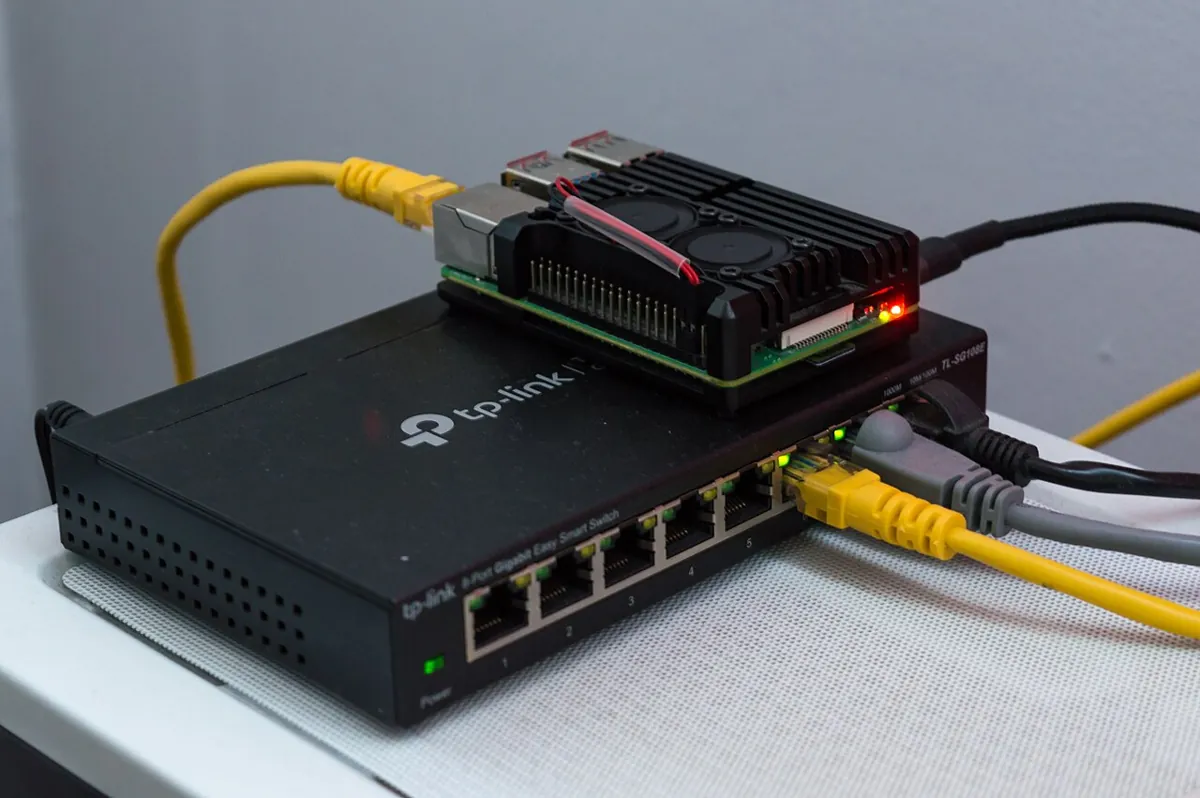
- Small robots: a Raspberry Pi on the robot runs ROS 2 nodes and talks over a network to a laptop running the simulator or RViz.
Think
Think about it
Think
Your simulator runs at real-time factor 0.4 on a laptop. Your safety node has a 10 Hz wall-time timer and rejects joint states older than 0.2 s using the computer clock. What do you see, and what two changes fix it?
Experiment
Try it in the lab
About 60 minutes. Python 3 for the script; an Arduino UNO, two pots, two LEDs and two 220 Ω resistors for the bench. If you have ROS 2 Jazzy and Gazebo installed, try the optional commands too.
Experiment
Clocks and bridges, step by step
You will need
- `sim_bridge_lab.py` (Python 3, no libraries)
- ROS 2 ↔ simulation bridge (in your browser)
- Arduino UNO, two 10 kΩ pots, green and yellow LEDs, two 220 Ω resistors
- Optional: ROS 2 Jazzy + Gazebo Harmonic + ros_gz
Steps
- Run `sim_bridge_lab.py`. Add your own bridge spec for `/joint_states` from Gazebo to ROS and check it parses.
- In part 2, add RTF 0.25. How many wall-time ticks per simulated second now?
- In part 4, add a message with 3 names and 3 positions but 2 velocities. Does the check catch it?
- Bench: send commands with increasing sequence numbers, then reuse an old one. Then pause with `P` for 5 s and resume — compare `t=` before and after.
- Stop sending commands and time how long until the yellow HOLD LED comes on.
- Optional (ROS installed): run the `/clock` bridge and `ros2 topic echo /clock --once` while Gazebo is paused and playing.
Interactive · ROS 2 ↔ simulation bridge · Educational approximation
Conceptual map → Gazebo: Classic/Ignition physics + ROS plugins (install later). This canvas does not install or launch them.
Bridge idle — educational pub/sub only.
Educational topics only — not a live ROS 2 DDS graph, not gazebo_ros2_control, not Isaac ROS. Latency slider is a teaching delay label (Stage 10 QoS intuition).
Sim time stops when the simulator stops; wall time does not. Sequence numbers and a watchdog keep a bridge safe when messages arrive late or stop.
Knowledge check
Check your understanding
Knowledge check
1. In a ros_gz_bridge spec, `[` means…
2. What does `use_sim_time:=true` do for a node?
3. The simulator runs at RTF 0.5. A 10 Hz timer on wall time fires how many times per simulated second?
4. A JointState has 3 names and 2 positions. This is…
5. ROS time with use_sim_time reads zero. What does it mean?
6. Which stream needs the most bandwidth?
7. Why should /clock be bridged one way only?
Mini assignment
Hands-on assignment
Mini assignment
A bridge and clock plan for your desk arm’s digital twin
Design how your arm’s simulator and ROS 2 nodes will talk, and prove the clock handling works.
Deliverables
- A bridge YAML (or list of specs) for every topic your twin needs, with direction and a reason for each.
- A list of every node you run, with `use_sim_time` set correctly, and a screenshot or log of `/clock` advancing and pausing.
- A JointState checker (from part 4) added to one of your nodes, rejecting bad messages with a clear log line.
- Bench log from `joint_bridge.ino` showing ACK, old-seq rejection, degree rejection, pause/resume and HOLD.
Do this, step by step
- List every topic your twin needs, with direction and a reason.
- Write the bridge specs and check them with
sim_bridge_lab.py. - Set
use_sim_timefor every node and log/clockadvancing and pausing. - Add the JointState checker from part 4 to one of your nodes.
- Bench: run
joint_bridge.inoand log ACK, old-seq rejection, degree rejection, pause/resume and HOLD.
Stuck? Hints, one at a time
- In the bridge spec,
@is both ways,[is Gazebo → ROS and]is ROS → Gazebo. - If time jumps to a 1.7-billion-second value, a node is still on wall time:
use_sim_timeis not set. - JointState positions are radians. A value like 90.0 is almost certainly degrees and must be rejected.
Challenges (pick by level)
- 🟢 Beginner: Write the bridge spec for a lidar
/scantopic (sensor_msgs/msg/LaserScan ↔ gz.msgs.LaserScan) from Gazebo to ROS. - 🟡 Intermediate: Write a Python script that reads
joint_bridge.inooutput over pyserial and converts eachJSline into a dictionary shaped like a JointState. - 🟠 Advanced: Turn that script into an rclpy node that publishes
/joint_statesand subscribes to/joint_commands, sendingClines with increasing sequence numbers. - 🔴 Expert: Make the Arduino publish its paused/running clock as
/clockthrough your node, and run a second node withuse_sim_time:=truethat follows it. - ⚫ Research: Read the ROS 2 clock and time design article. Explain the problems with time jumping backwards (for example during log playback) and how nodes are expected to handle them.
Next step
Messages now flow both ways. In Lesson 13 — Simulated Joint States & Commands you will go deeper into the joint data itself: publishing, recording and replaying joint states, and sending safe joint commands to a simulated 6DOF arm.
Look back: Lesson 11: Simulated Robot Controllers. Next: Lesson 13: Simulated Joint States & Commands. Related: Stage 10 — ROS 2.
Sources
- ros_gz_bridge README (Jazzy) — message type table (Clock, JointState ↔ gz.msgs.Model), one-way
/clockbridge, YAML/launch config with direction and lazy. - ros_gz_bridge parameter_bridge source (help text) —
@bidirectional,[Gazebo → ROS,]ROS → Gazebo. - ROS 2 design — Clock and Time —
/clocktime source,use_sim_time, zero means uninitialised, pausing and time jumps. - ROS 2 `sensor_msgs/JointState` message — name/position/velocity/effort arrays, same size or empty; rad, rad/s, N·m.
- Photos: Wikimedia Commons (credits under each image).
Self-attested for now — keep artifacts in your lab notebook.
Complete
Today's goal
0 of 1 done today
Mark this lesson complete when you have worked the experiment, knowledge check, and assignment (even roughly).