
Robot Simulation & Digital Twin · Lesson 13
Simulated Joint States & Commands
Est. 55–70 min
Why
Why this lesson matters
Lesson 12 connected ROS 2 and the simulator. Now we look at what actually travels: commands (where each joint should be, and when) and joint states (where each joint really is). Almost every arm program is built on these two streams, so getting them right in simulation means your code moves to the real arm with very few changes.
You will check trajectories before sending them, watch a simulated arm follow one, judge the result with path and goal tolerances, and replay a recording to test that your simulation is repeatable. On the bench, you record a motion with two pots and then try to follow it within a tolerance — you become the motor.
Concept
Trajectories in, joint states out
1. A command is a list of “be here by then” points
A trajectory_msgs/msg/JointTrajectory has joint_names and a list of points. Each point gives positions (radians) and a time_from_start. The ros2_controllers joint_trajectory_controller interpolates in time between points, so the points can be far apart. It needs values for all of its joints unless allow_partial_joints_goal is true. The order of names can differ from the controller’s order — the names tell it which value is which.
| Interface | Name pattern | Who uses it |
|---|---|---|
| Topic | <controller_name>/joint_trajectory | quick tests; no feedback, goal tolerances not used |
| Action | <controller_name>/follow_joint_trajectory | planners like MoveIt; reports success or abort, can set tolerances |
| State out | /joint_states (from joint_state_broadcaster) | RViz, robot_state_publisher, your nodes |
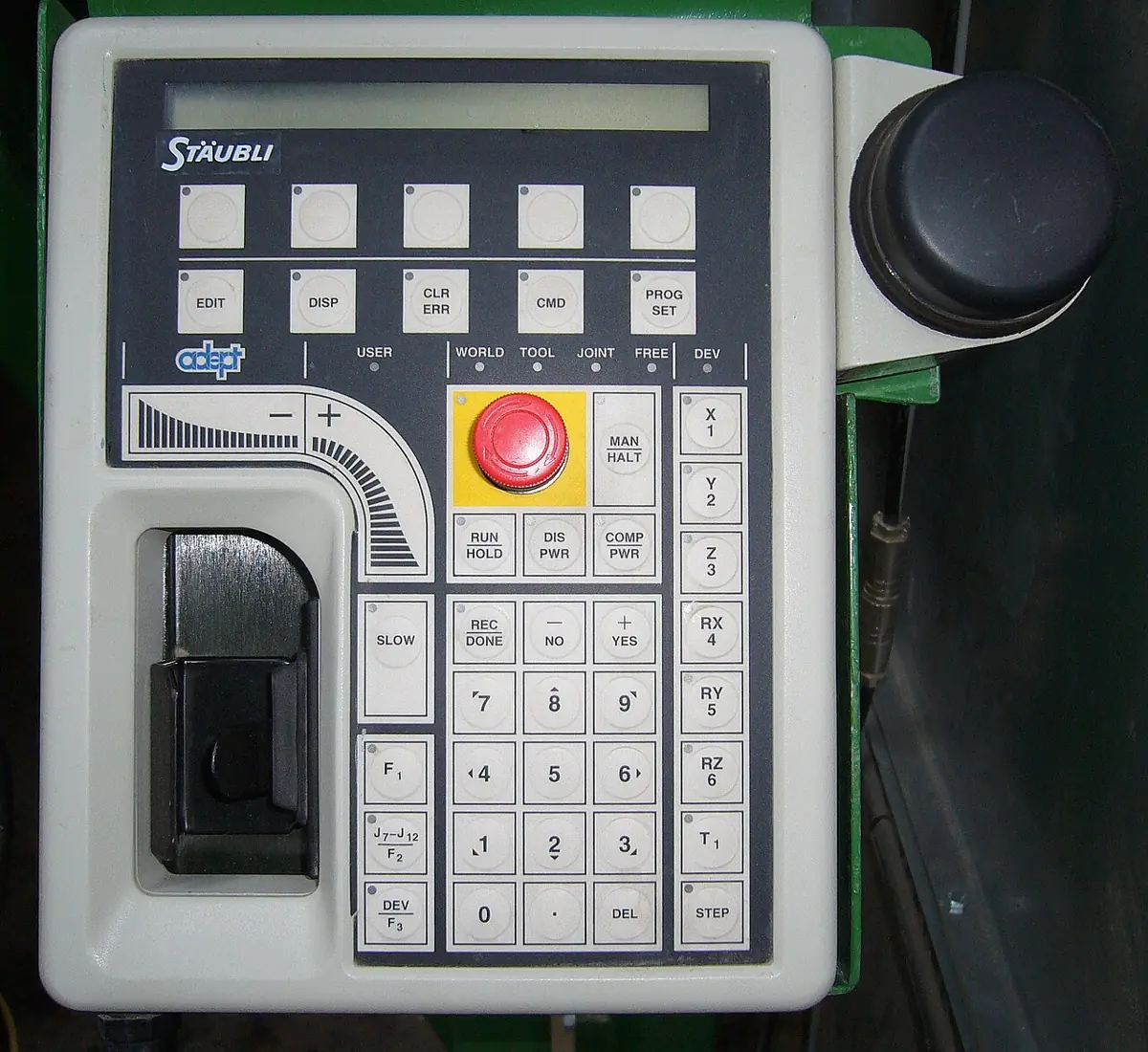
2. Check before you send
- All joints named (unless partial goals are allowed), no spelling mistakes.
- Inside limits: every position between the URDF lower and upper limits.
- Possible speed: distance between points ÷ time ≤ the joint’s velocity limit. The first point is measured from where the arm is now.
- Time goes forward: each
time_from_startlarger than the last. - Radians, not degrees.
3. Tolerances: how wrong is too wrong?
While the arm moves, the controller compares desired and actual position. The docs’ example config sets constraints: with joint1: trajectory: 0.05 (path tolerance) and goal: 0.03 (goal tolerance), plus stopped_velocity_tolerance and goal_time. If a tolerance is broken, the goal is aborted and the arm holds its current position. In simulation, an abort is a cheap lesson; on hardware it is a safety feature.
# watch the states
ros2 topic echo /joint_states --once

# send one test point on the topic interface (all six joints, radians, 2 s)
ros2 topic pub --once /joint_trajectory_controller/joint_trajectory trajectory_msgs/msg/JointTrajectory \
  "{joint_names: [joint1, joint2, joint3, joint4, joint5, joint6],
    points: [{positions: [0.5, 0.3, -0.4, 0.0, 0.6, 0.0], time_from_start: {sec: 2, nanosec: 0}}]}"
4. Record and replay
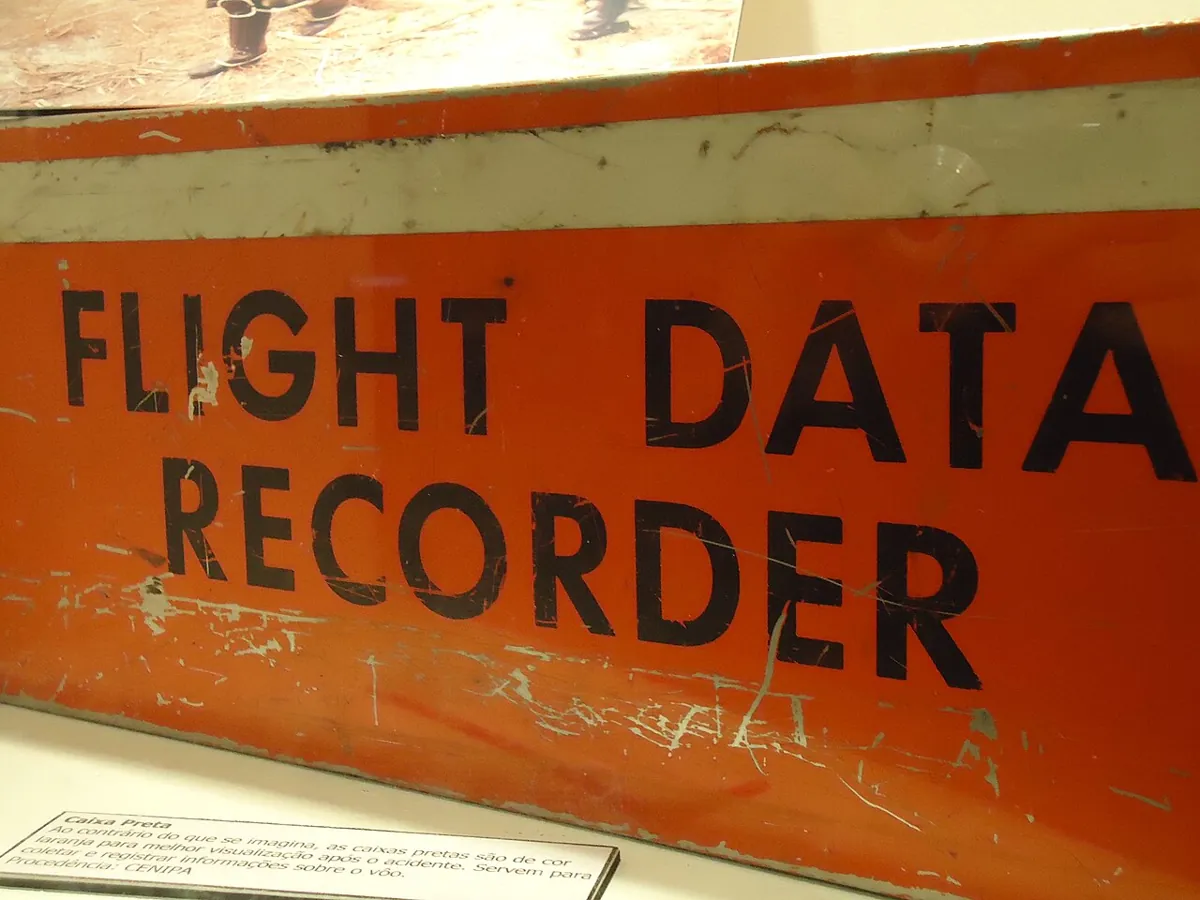
Recording joint states (for example with ros2 bag record /joint_states) is like an aircraft’s flight data recorder: after something goes wrong, you can see exactly what each joint did. Replaying the same commands into a deterministic simulation should give the same states every time. If it does not, something is using wall-clock time, unseeded randomness or racing threads.
Visual
Visualise it: command the joints, watch the states
Publish joint commands and watch noisy joint states follow; sample stamped /joint_states readings. (Educational toy, not a live ROS graph.)
Interactive · ROS 2 ↔ simulation bridge · Educational approximation


Conceptual map → Gazebo: Classic/Ignition physics + ROS plugins (install later). This canvas does not install or launch them.
Bridge idle — educational pub/sub only.
Educational topics only — not a live ROS 2 DDS graph, not gazebo_ros2_control, not Isaac ROS. Latency slider is a teaching delay label (Stage 10 QoS intuition).
Code lab
Code lab: check, follow, judge, replay
joint_command_lab.py needs no ROS install. A simulated 6-joint arm (simple lagging joints, 100 Hz) checks four trajectories, follows the good one, judges it with a 0.05 rad path tolerance and 0.03 rad goal tolerance, prints joint states, and runs twice to test repeatability. Joint limits are example values. Run python3 joint_command_lab.py.
"""Simulated joint states & commands lab (Stage 12, Lesson 13) - Python 3 stdlib only.

A simulated 6-joint arm receives a trajectory (like trajectory_msgs/JointTrajectory),
checks it, follows it, publishes joint states, and judges the result with path and
goal tolerances (like joint_trajectory_controller's constraints).

  1. Check a trajectory before sending it (names, limits, timing, speed)
  2. Follow it at 100 Hz with a simple lagging joint model; publish joint states
  3. Path tolerance 0.05 rad and goal tolerance 0.03 rad -> SUCCEEDED or ABORTED
  4. Record and replay: is the simulation repeatable?
Limits and tolerances are EXAMPLES (tolerance values match the controller docs' sample).
"""
import math

JOINTS = ["joint1", "joint2", "joint3", "joint4", "joint5", "joint6"]
LIMITS = {  # lower, upper (rad), max velocity (rad/s) - example desk arm
    "joint1": (-2.6, 2.6, 1.5), "joint2": (-1.6, 1.6, 1.2), "joint3": (-2.2, 2.2, 1.5),
    "joint4": (-2.6, 2.6, 2.0), "joint5": (-1.8, 1.8, 2.0), "joint6": (-3.0, 3.0, 2.5)}
PATH_TOL, GOAL_TOL, GOAL_TIME = 0.05, 0.03, 0.5

def check(traj):
    errs = []
    if sorted(traj["joint_names"]) != sorted(JOINTS):
        missing = set(JOINTS) - set(traj["joint_names"])
        errs.append(f"joints missing: {sorted(missing)} (allow_partial_joints_goal is false)")
        return errs
    prev_t, prev_p = 0.0, {j: 0.0 for j in JOINTS}      # the arm starts at all zeros
    for i, (t, pos) in enumerate(traj["points"]):
        if t <= prev_t:
            errs.append(f"point {i}: time_from_start {t} s is not after {prev_t} s")
        for name, p in zip(traj["joint_names"], pos):
            lo, hi, vmax = LIMITS[name]
            if not lo <= p <= hi:
                errs.append(f"point {i}: {name} = {p:.2f} outside [{lo}, {hi}]")
            if t > prev_t:
                v = abs(p - prev_p[name]) / (t - prev_t)
                if v > vmax:
                    errs.append(f"point {i}: {name} needs {v:.2f} rad/s > limit {vmax}")
        prev_t, prev_p = t, dict(zip(traj["joint_names"], pos))
    return errs or ["OK"]

def desired_at(traj, t):
    pts = [(0.0, [0.0] * 6)] + traj["points"]
    order = [traj["joint_names"].index(j) for j in JOINTS]
    for (t0, p0), (t1, p1) in zip(pts, pts[1:]):
        if t <= t1:
            a = (t - t0) / (t1 - t0)                       # straight-line interpolation
            return [p0[k] + a * (p1[k] - p0[k]) for k in order]
    return [pts[-1][1][k] for k in order]

def follow(traj, lag_s, stuck_joint=None, stuck_at=None):
    q = [0.0] * 6
    t_end = traj["points"][-1][0]
    worst, worst_name, log = 0.0, "", []
    dt = 0.01
    for k in range(int((t_end + GOAL_TIME) / dt) + 1):
        t = k * dt
        want = desired_at(traj, min(t, t_end))
        for j in range(6):
            q[j] += (want[j] - q[j]) * min(1.0, dt / lag_s)       # simple first-order lag
            if stuck_joint == j and q[j] > stuck_at:
                q[j] = stuck_at                                    # e.g. hits an obstacle
        if k % 25 == 0:
            log.append((round(t, 2), [round(x, 4) for x in q]))   # /joint_states at 4 Hz in this printout
        if t <= t_end:
            for j in range(6):
                err = abs(want[j] - q[j])
                if err > worst:
                    worst, worst_name = err, JOINTS[j]
                if err > PATH_TOL:
                    return "ABORTED", f"path error {err:.3f} rad on {JOINTS[j]} at t {t:.2f} s (limit {PATH_TOL})", log
    final = desired_at(traj, t_end)
    goal_err = max(abs(a - b) for a, b in zip(final, q))
    if goal_err > GOAL_TOL:
        return "ABORTED", f"goal error {goal_err:.3f} rad after {GOAL_TIME} s (limit {GOAL_TOL})", log
    return "SUCCEEDED", f"worst path error {worst:.3f} rad ({worst_name}), goal error {goal_err:.4f} rad", log

good = {"joint_names": JOINTS,
        "points": [(1.0, [0.5, 0.3, -0.4, 0.0, 0.6, 0.0]),
                   (2.5, [0.8, 0.6, -0.9, 0.4, 0.9, 1.0]),
                   (4.0, [0.0, 0.2, -0.3, 0.0, 0.4, 0.0])]}
shuffled = {"joint_names": ["joint2", "joint1", "joint3", "joint4", "joint5", "joint6"],
            "points": [(t, [p[1], p[0]] + p[2:]) for t, p in good["points"]]}
bad = {"joint_names": JOINTS[:5], "points": [(1.0, [0.5, 0.3, -0.4, 0.0, 0.6])]}
too_fast = {"joint_names": JOINTS,
            "points": [(0.5, [1.5, 0.3, -0.4, 0.0, 0.6, 0.0]), (0.5, [1.0, 0.3, -0.4, 0.0, 2.0, 0.0])]}

print("=== 1. Check before you send ===")
for name, tr in [("good", good), ("joint order shuffled", shuffled), ("missing joint6", bad), ("too fast + bad", too_fast)]:
    print(f"{name:>22}: " + "; ".join(check(tr)))
print("-> order of joint_names does not matter, but every joint must be there,")
print("   inside its limits, reachable at its max speed, with increasing times.")

print()
print("=== 2+3. Follow the good trajectory (100 Hz), judge with tolerances ===")
for label, lag, stuck in [("snappy joints (lag 0.02 s)", 0.02, None),
                          ("sluggish joints (lag 0.12 s)", 0.12, None),
                          ("joint2 blocked at 0.40 rad", 0.02, (1, 0.40))]:
    status, why, log = follow(good, lag, *(stuck or (None, None)))
    print(f"{label:>30}: {status:9s} {why}")
status, why, log = follow(good, 0.02)
print()
print("joint_states while following (first 6 samples, radians):")
print("    t   " + "  ".join(f"{j:>7}" for j in JOINTS))
for t, q in log[:6]:
    print(f"{t:5.2f}  " + "  ".join(f"{x:7.3f}" for x in q))

print()
print("=== 4. Record and replay ===")
_, _, run1 = follow(good, 0.02)
_, _, run2 = follow(good, 0.02)
diff = max(abs(a - b) for (_, qa), (_, qb) in zip(run1, run2) for a, b in zip(qa, qb))
print(f"two runs, same input: {len(run1)} samples each, biggest difference {diff} rad")
print("-> a deterministic simulation replays exactly. If yours does not, look for")
print("   wall-clock timing, random noise without a seed, or threads racing.")
Output (run with python3 joint_command_lab.py)
=== 1. Check before you send ===
                  good: OK
  joint order shuffled: OK
        missing joint6: joints missing: ['joint6'] (allow_partial_joints_goal is false)
        too fast + bad: point 0: joint1 needs 3.00 rad/s > limit 1.5; point 1: time_from_start 0.5 s is not after 0.5 s; point 1: joint5 = 2.00 outside [-1.8, 1.8]
-> order of joint_names does not matter, but every joint must be there,
   inside its limits, reachable at its max speed, with increasing times.

=== 2+3. Follow the good trajectory (100 Hz), judge with tolerances ===
    snappy joints (lag 0.02 s): SUCCEEDED worst path error 0.007 rad (joint6), goal error 0.0000 rad
  sluggish joints (lag 0.12 s): ABORTED   path error 0.051 rad on joint5 at t 0.17 s (limit 0.05)
    joint2 blocked at 0.40 rad: ABORTED   path error 0.052 rad on joint2 at t 1.76 s (limit 0.05)

joint_states while following (first 6 samples, radians):
    t    joint1   joint2   joint3   joint4   joint5   joint6
 0.00    0.000    0.000    0.000    0.000    0.000    0.000
 0.25    0.120    0.072   -0.096    0.000    0.144    0.000
 0.50    0.245    0.147   -0.196    0.000    0.294    0.000
 0.75    0.370    0.222   -0.296    0.000    0.444    0.000
 1.00    0.495    0.297   -0.396    0.000    0.594    0.000
 1.25    0.548    0.348   -0.480    0.064    0.648    0.160

=== 4. Record and replay ===
two runs, same input: 19 samples each, biggest difference 0.0 rad
-> a deterministic simulation replays exactly. If yours does not, look for
wall-clock timing, random noise without a seed, or threads racing.Try it: set the joint commands and press “Publish commands”; watch the joint states move towards them with noise. Press “Sample /joint_states” to read a stamped message. Raise the noise and see how close the states get. (Educational pub/sub toy, not a live ROS graph.)
Interactive · ROS 2 ↔ simulation bridge · Educational approximation
Conceptual map → Gazebo: Classic/Ignition physics + ROS plugins (install later). This canvas does not install or launch them.
Bridge idle — educational pub/sub only.
Educational topics only — not a live ROS 2 DDS graph, not gazebo_ros2_control, not Isaac ROS. Latency slider is a teaching delay label (Stage 10 QoS intuition).
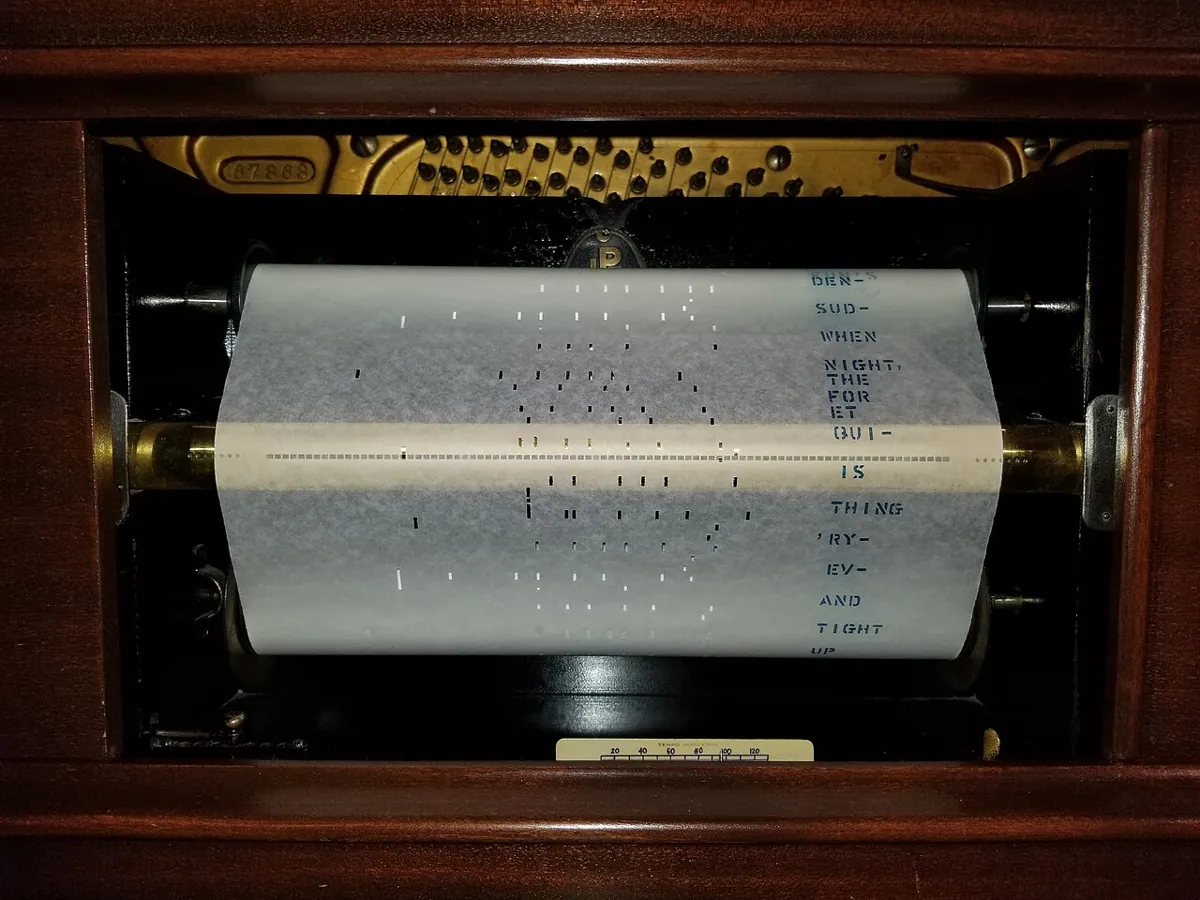
Bench build: record a motion, then follow it
six_joint_recorder.ino uses two pots as joint1 and joint2. Press RECORD and move them for 5 seconds: the UNO stores 100 samples at 20 Hz. Put the pots back and press REPLAY: the recording becomes the desired trajectory and you are the motor. If your hands fall more than 0.15 rad behind, the red LED lights and it prints ABORTED; finish within 0.08 rad and it prints SUCCEEDED.
| Part | Connection | Note |
|---|---|---|
| Pot 1 — joint1 | outer legs 5V/GND, wiper A0 | centre = 0 rad (example 270° pot) |
| Pot 2 — joint2 | outer legs 5V/GND, wiper A1 | centre = 0 rad |
| RECORD button | D2 → button → GND | INPUT_PULLUP |
| REPLAY button | D3 → button → GND | INPUT_PULLUP |
| Green LED + 220 Ω | D5 → resistor → LED → GND | on path during replay |
| Red LED + 220 Ω | D6 → resistor → LED → GND | ABORTED |
// six_joint_recorder.ino - Stage 12, Lesson 13: Simulated Joint States & Commands
// Record a joint trajectory by hand, then "follow" it by hand while the sketch
// checks a path tolerance - the same SUCCEEDED / ABORTED logic a trajectory
// controller uses. Two pots stand in for two joints of the 6DOF arm.
//
// Wiring (no motors):
//   Pot 1: outer legs 5V/GND, wiper A0 -> joint1
//   Pot 2: outer legs 5V/GND, wiper A1 -> joint2
//   RECORD button D2 to GND, REPLAY button D3 to GND (INPUT_PULLUP)
//   Green LED + 220 ohm on D5 -> GND : on path
//   Red LED + 220 ohm on D6 -> GND   : ABORTED (path error too big)
// Serial Monitor 115200.
//   RECORD: move the pots for 5 s -> 100 samples at 20 Hz are stored (like a rosbag of /joint_states)
//   REPLAY: the recording is played as the desired trajectory; you follow it with the pots.

const float RANGE_RAD = 270.0 * DEG_TO_RAD;   // example 270 degree pots
const int N = 100;                            // 5 s at 20 Hz
const unsigned long STEP_MS = 50;
const float PATH_TOL = 0.15;                  // rad - looser than a robot's, because you are the motor
const float GOAL_TOL = 0.08;                  // rad

int16_t rec[N][2];                            // raw ADC counts: 400 bytes of RAM
int recorded = 0;

float toRad(int counts) { return (counts / 1023.0 - 0.5) * RANGE_RAD; }

void waitStep(unsigned long t0, int i) { while (millis() - t0 < (unsigned long)i * STEP_MS) { } }

void record() {
  Serial.println(F("RECORD in 1 s... move the pots for 5 s"));
  delay(1000);
  unsigned long t0 = millis();
  for (int i = 0; i < N; i++) {
    waitStep(t0, i);
    rec[i][0] = analogRead(A0);
    rec[i][1] = analogRead(A1);
    if (i % 10 == 0) {
      Serial.print(F("t=")); Serial.print(i * STEP_MS / 1000.0, 2);
      Serial.print(F(" joint1=")); Serial.print(toRad(rec[i][0]), 3);
      Serial.print(F(" joint2=")); Serial.println(toRad(rec[i][1]), 3);
    }
  }
  recorded = N;
  Serial.println(F("RECORDED 100 samples. Put the pots back to the start and press REPLAY."));
}

void replay() {
  if (!recorded) { Serial.println(F("Nothing recorded yet - press RECORD first.")); return; }
  Serial.println(F("REPLAY in 2 s... follow the trajectory"));
  delay(2000);
  float worst = 0;
  unsigned long t0 = millis();
  for (int i = 0; i < N; i++) {
    waitStep(t0, i);
    float e1 = toRad(analogRead(A0)) - toRad(rec[i][0]);
    float e2 = toRad(analogRead(A1)) - toRad(rec[i][1]);
    float e = max(fabs(e1), fabs(e2));
    if (e > worst) worst = e;
    digitalWrite(5, HIGH);
    if (i % 10 == 0) {
      Serial.print(F("t=")); Serial.print(i * STEP_MS / 1000.0, 2);
      Serial.print(F(" want=[")); Serial.print(toRad(rec[i][0]), 2); Serial.print(',');
      Serial.print(toRad(rec[i][1]), 2); Serial.print(F("] error=")); Serial.println(e, 3);
    }
    if (e > PATH_TOL) {
      digitalWrite(5, LOW); digitalWrite(6, HIGH);
      Serial.print(F("ABORTED: path error ")); Serial.print(e, 3);
      Serial.print(F(" rad at t=")); Serial.print(i * STEP_MS / 1000.0, 2);
      Serial.println(F(" s - hold position."));
      return;
    }
  }
  digitalWrite(5, LOW);
  delay(500);                                  // goal time
  float g1 = fabs(toRad(analogRead(A0)) - toRad(rec[N - 1][0]));
  float g2 = fabs(toRad(analogRead(A1)) - toRad(rec[N - 1][1]));
  float g = max(g1, g2);
  if (g > GOAL_TOL) {
    digitalWrite(6, HIGH);
    Serial.print(F("ABORTED: goal error ")); Serial.println(g, 3);
  } else {
    Serial.print(F("SUCCEEDED: worst path error ")); Serial.print(worst, 3);
    Serial.print(F(" rad, goal error ")); Serial.println(g, 3);
  }
}

void setup() {
  Serial.begin(115200);
  pinMode(2, INPUT_PULLUP);
  pinMode(3, INPUT_PULLUP);
  pinMode(5, OUTPUT);
  pinMode(6, OUTPUT);
  Serial.println(F("six_joint_recorder: D2 = RECORD, D3 = REPLAY"));
}

void loop() {
  if (digitalRead(2) == LOW) { digitalWrite(6, LOW); delay(20); record(); while (digitalRead(2) == LOW) { } }
  if (digitalRead(3) == LOW) { digitalWrite(6, LOW); delay(20); replay(); while (digitalRead(3) == LOW) { } }
}six_joint_recorder: D2 = RECORD, D3 = REPLAY
RECORD in 1 s... move the pots for 5 s
t=0.00 joint1=0.012 joint2=-0.021
t=0.50 joint1=0.244 joint2=0.105
...
RECORDED 100 samples. Put the pots back to the start and press REPLAY.
REPLAY in 2 s... follow the trajectory
t=0.00 want=[0.01,-0.02] error=0.032
t=0.50 want=[0.24,0.11] error=0.071
ABORTED: path error 0.163 rad at t=0.85 s - hold position.Debugging
| Symptom | Likely cause | Fix |
|---|---|---|
| Trajectory rejected immediately | a joint missing or misspelt | Send all joints, or set allow_partial_joints_goal if you really mean it |
| Arm jumps at the start | first point too soon or far from the current pose | Start the trajectory from the current /joint_states; give more time |
| Goal aborted mid-motion | path tolerance broken: weak gains, too fast, or a collision | Check the joint that failed; slow down or retune before touching tolerances |
| Aborted at the end only | goal tolerance or goal_time too tight; arm still settling | Check stopped velocity and settle time |
| Replay differs run to run | wall-clock timing, unseeded noise, threads | Use sim time, fixed seeds and a fixed step |
| Bench: ABORTED instantly | pots not back at the start pose | Return pots to the first recorded values before REPLAY |
Real world
Joint commands and recordings in the real world
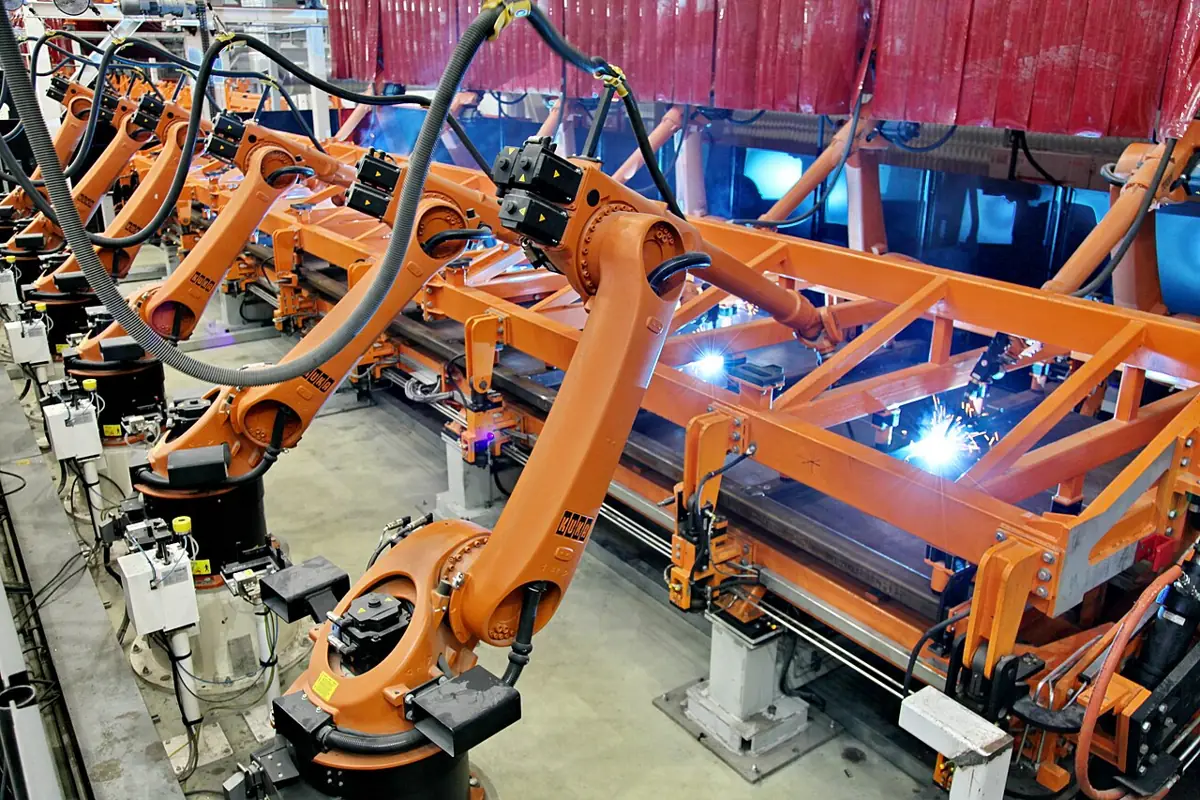
- Factory lines: welding robots repeat the same trajectory thousands of times; engineers test new trajectories offline in simulation before trying them on the line.
- Motion planners such as MoveIt send trajectories through the follow_joint_trajectory action and watch the result.
- Incident review: recorded joint states show exactly what happened before a fault, the way flight recorders help after an incident.
Think
Think about it
Think
Your trajectory keeps getting aborted on joint3 halfway through. A friend says “just set the path tolerance to 0.5 rad”. What would you check first, and why is the friend’s fix risky?
Experiment
Try it in the lab
About 60 minutes. Python 3 for the script; an Arduino UNO, two pots, two buttons, two LEDs and two 220 Ω resistors for the bench.
Experiment
Commands and states, step by step
You will need
- `joint_command_lab.py` (Python 3, no libraries)
- ROS 2 ↔ simulation bridge (in your browser)
- Arduino UNO, two 10 kΩ pots, two push buttons, green and red LEDs, two 220 Ω resistors
- Optional: ROS 2 Jazzy + Gazebo + gz_ros2_control
Steps
- Run `joint_command_lab.py`. Change the good trajectory’s first time from 1.0 s to 0.3 s. Which check fails, and on which joint?
- Try lag 0.06 and 0.09. Find roughly where the result changes from SUCCEEDED to ABORTED.
- Change the blocked joint to stop at 0.55 rad. Does it still abort? When?
- Add `import random` and `random.gauss(0, 0.001)` noise without a seed inside `follow()` and re-run part 4. What happens to the replay difference? Then add `random.seed(13)`.
- Bench: record a slow wave and a fast wave. Which one can you follow within 0.15 rad?
- Optional (ROS installed): echo `/joint_states` while sending one test point with `ros2 topic pub --once`.
Interactive · ROS 2 ↔ simulation bridge · Educational approximation
Conceptual map → Gazebo: Classic/Ignition physics + ROS plugins (install later). This canvas does not install or launch them.
Bridge idle — educational pub/sub only.
Educational topics only — not a live ROS 2 DDS graph, not gazebo_ros2_control, not Isaac ROS. Latency slider is a teaching delay label (Stage 10 QoS intuition).
Good commands are checked before sending, followed within a tolerance, and recorded so you can replay and compare. Aborts are information, not a nuisance.
Knowledge check
Check your understanding
Knowledge check
1. A JointTrajectory point gives positions and…
2. With allow_partial_joints_goal false, a trajectory naming 5 of 6 joints is…
3. joint1 must move 1.5 rad in 0.5 s and its limit is 1.5 rad/s. The check should…
4. If a path tolerance is violated, the joint_trajectory_controller…
5. Which interface lets the sender learn whether the goal succeeded?
6. Two replays of the same commands give different joint states. A likely cause is…
7. The best first response to frequent path aborts is…
Mini assignment
Hands-on assignment
Mini assignment
A safe command checker and recorder for your desk arm’s twin
Build the tools that check commands before they reach your simulated arm and record what the arm did.
Deliverables
- A trajectory checker (from part 1) using your arm’s real URDF limits, with 4 test trajectories and their results.
- A tolerance table for all six joints (path and goal), with one sentence of reasoning for each.
- A recording of a simulated (or script) run as CSV, plus a replay showing the biggest difference between two runs.
- Bench log from `six_joint_recorder.ino` with one SUCCEEDED and one ABORTED replay, and what you changed between them.
Do this, step by step
- Put your arm’s real limits in
LIMITSinjoint_command_lab.py. - Write 4 test trajectories (one good, one over a limit, one too fast, one with wrong joint names) and run the checker.
- Fill a path and goal tolerance table for all six joints.
- Record a run to CSV, replay it, and find the biggest difference between two runs.
- Bench: run
six_joint_recorder.inoand get one SUCCEEDED and one ABORTED replay.
Stuck? Hints, one at a time
- Joint names must match
JOINTSexactly, in the same order as the positions. - Speed check: change in angle ÷ change in time must stay under the joint’s max velocity.
- An ABORTED replay is useful. Write what tolerance it broke and what you changed.
Challenges (pick by level)
- 🟢 Beginner: Write a JointTrajectory (as YAML or a Python dict) that lifts joint2 to 0.5 rad in 2 s and returns in 2 s. Check it with the script.
- 🟡 Intermediate: Make the checker also warn when acceleration between points is too high, using an example acceleration limit.
- 🟠 Advanced: Write an rclpy node that subscribes to
/joint_states, checks a trajectory from the current pose, and only then publishes it to the trajectory topic. - 🔴 Expert: Use the follow_joint_trajectory action from rclpy with path and goal tolerances, and log the result code in simulation.
- ⚫ Research: Read the joint_trajectory_controller docs on trajectory replacement and preemption. Explain what happens when a new goal arrives in the middle of an old one, and why that matters for safety.
Next step
Commands and states now flow safely. In Lesson 14 — Simulation-Based Testing you will turn these checks into automatic tests that run your robot code against the simulation every time you change it.
Look back: Lesson 12: ROS 2 ↔ Simulator Communication. Next: Lesson 14: Simulation-Based Testing. Related: Stage 10 — ROS 2.
Sources
- joint_trajectory_controller user docs (ros2_controllers, Jazzy) — interpolation between points, topic and action interfaces, allow_partial_joints_goal, constraints example (trajectory 0.05, goal 0.03), abort and hold on tolerance violation, one active goal.
- joint_state_broadcaster user docs (ros2_controllers, Jazzy) — publishes
/joint_statesand/dynamic_joint_states. - ROS 2 `sensor_msgs/JointState` message — name/position/velocity/effort arrays.
- Photos: Wikimedia Commons (credits under each image).
Self-attested for now — keep artifacts in your lab notebook.
Complete
Today's goal
0 of 1 done today
Mark this lesson complete when you have worked the experiment, knowledge check, and assignment (even roughly).