
Trajectory Planning & Motion Generation · Lesson 06
Linear Interpolation
Est. 45–60 min
Why
Why this lesson matters
Linear interpolation — programmers call it lerp — is the simplest way to fill in the values between two known ones. In robotics it is everywhere: moving a joint from one angle to another, sliding the tool along a line, fading an LED, blending two colours on a screen. You have already used it in Lessons 2, 4 and 5. Now you will study it properly: its formula, its strengths, and the three classic traps that catch beginners.
By the end of this lesson you will be able to: write and use the lerp formula with a parameter s from 0 to 1; turn it into a timed motion with s = t/T; explain why a pure lerp has corners (velocity steps) at its start and end and how parabolic blends fix them; avoid the wrap-around trap with angles; and see, on a real servo, the staircase that whole-degree commands create during a slow lerp.
Concept
The lerp formula and its two corners
One formula, many uses
value(s) = a + s · (b − a),      s from 0 to 1

s = 0   → a          (start)
s = 0.5 → (a + b)/2  (exactly half-way)
s = 1   → b          (end)
Read it as “start at a, then walk a fraction s of the gap (b − a)”. The same formula works for a single joint angle, for every joint of an arm at once (just lerp each one with the same s), for x–y–z positions, for PWM duty cycles — anything you can describe with numbers. *Modern Robotics* writes the straight-line joint path this way: θ(s) = θstart + s·(θend − θstart).
| What you lerp | a | b | Result at s = 0.5 |
|---|---|---|---|
| One joint | 30° | 120° | 75° |
| Two joints together | (0°, 90°) | (90°, 30°) | (45°, 60°) |
| Tool position | (10, 8) cm | (−4, 16.93) cm | (3, 12.46) cm |
| LED brightness (PWM) | 0 | 255 | 127.5 → 127 or 128 |
From lerp to motion: s = t / T
To make it move in time, let s grow evenly with time: s = t/T. The joint then moves at a constant speed of (b − a)/T for the whole move. That is simple and predictable — but at t = 0 the speed jumps from 0 to (b − a)/T in an instant, and at t = T it jumps back to 0. A velocity step means, in theory, infinite acceleration: the “knock” you hear when a servo starts and stops abruptly.
Trap 1 — the angle wrap-around
A continuous-rotation base at 350° should turn to 10°. A naive lerp computes 350 → 265 → 180 → 95 → 10: it spins 340° the long way round! For angles that can wrap, first compute the shortest signed difference d = ((b − a + 180) mod 360) − 180, which is +20° here, then lerp a + s·d. But be careful: most robot joints have hard limits and cannot pass through 0°/360°. For them the long way is the only legal way.
Trap 2 — integer steps make a staircase
The Arduino Servo.write() takes whole degrees. A slow lerp from 90° to 95° over 2 s therefore moves in five 1° jumps with pauses between — a staircase, not a ramp. writeMicroseconds() maps the same 0–180° onto 544–2400 µs (the Servo library’s default pulse range), so one degree is about 10 µs and you can command roughly 0.1° steps. Whether a cheap servo actually moves for every tiny step depends on its own electronics, but you are no longer the bottleneck.
Trap 3 — lerping in the wrong space
Visual
Visualise it: lerp the joints of a 2R arm
Each joint lerps independently from start to goal with the same s. The tool path (dashed) is a curve — the joint lerp is straight only in joint space.
Interactive · Joint-space interpolator (2R educational)


Linear in joint space: each θᵢ lerps independently. The end-effector path (dashed) is generally not a straight line — that is expected.
θ₁(s)
52.0°
θ₂(s)
12.0°
Formula: q(s) = (1−s)q₀ + s q_f. Velocity jumps at s=0/1 unless you use higher-order polynomials (see cubic lab).
Code lab
Code lab: lerp, its corners and its traps
lerp.py has one tiny function, lerp(a, b, s), and four experiments with it. Run python3 lerp.py.
"""lerp.py — Stage 9, Lesson 6
Linear interpolation ("lerp"): value(s) = a + s * (b - a), s from 0 to 1.
Part 1: lerp numbers, joint angles and tip positions.
Part 2: time-scaled lerp s = t/T  -> constant speed, but jumps at start and end.
Part 3: the angle wrap-around trap (350 deg -> 10 deg).
Part 4: integer rounding makes a slow lerp a staircase (servo.write takes whole degrees).
"""
import math


def lerp(a, b, s):
    return a + s * (b - a)


def fk(t1, t2, L1=10.0, L2=8.0):
    a, b = math.radians(t1), math.radians(t1 + t2)
    return L1 * math.cos(a) + L2 * math.cos(b), L1 * math.sin(a) + L2 * math.sin(b)


print("Part 1 - lerp the joints (0,90) -> (90,30) of the Lesson 4 arm, and lerp the tip (10,8) -> (-4,16.93)")
print("  s     joint lerp       tip from FK       tip lerp")
for s in (0.0, 0.25, 0.5, 0.75, 1.0):
    q = (lerp(0, 90, s), lerp(90, 30, s))
    fx, fy = fk(*q)
    x, y = lerp(10.0, -4.0, s), lerp(8.0, 16.93, s)
    print(f"{s:4.2f}  ({q[0]:5.1f}, {q[1]:5.1f})  ({fx:6.2f}, {fy:6.2f})  ({x:6.2f}, {y:6.2f})")

T, DT = 2.0, 0.02
print("\nPart 2 - time-scaled lerp 30 -> 120 deg in T = 2 s, sampled at 50 Hz")
prev2 = prev = 30.0                     # resting at 30 before t = 0
vmax = amax = 0.0
for k in range(int(T / DT) + 10):       # run 0.2 s past the end (resting at 120)
    t = k * DT
    q = lerp(30, 120, min(1.0, t / T))
    v, a = (q - prev) / DT, (q - 2 * prev + prev2) / DT**2
    vmax, amax = max(vmax, abs(v)), max(amax, abs(a))
    prev2, prev = prev, q
print(f"speed during the move: {(120-30)/T:.1f} deg/s (constant)")
print(f"peak |acceleration| seen at 50 Hz: {amax:.0f} deg/s^2  <- only at the start and end corners")
print("halve DT to 0.01 s and that number doubles: in theory it is infinite (a velocity step)")

print("\nPart 3 - wrap-around: base turning from 350 deg to 10 deg")
a, b = 350.0, 10.0
naive = [lerp(a, b, s) for s in (0, 0.25, 0.5, 0.75, 1)]
d = (b - a + 180) % 360 - 180           # shortest signed difference, here +20
short = [(a + s * d) % 360 for s in (0, 0.25, 0.5, 0.75, 1)]
print("naive lerp   :", [round(x, 1) for x in naive], f"-> turns {abs(b - a):.0f} deg the long way")
print("shortest lerp:", [round(x, 1) for x in short], f"-> turns {abs(d):.0f} deg")
print("(only use the shortest way if the joint can really turn through 0/360 - check its limits!)")

print("\nPart 4 - slow lerp 90 -> 95 deg over 2 s, commanded every 0.2 s")
print("  t(s)   exact   write(int)   writeMicroseconds")
for k in range(0, 11):
    t = k * 0.2
    q = lerp(90, 95, t / T)
    us = 544 + q * (2400 - 544) / 180
    print(f"{t:5.1f}  {q:6.2f}   {int(q):6d}       {round(us):5d} us")
print("whole degrees move in 1-deg steps (a staircase); microseconds give ~0.1 deg steps")
Output (run with python3 lerp.py)
Part 1 - lerp the joints (0,90) -> (90,30) of the Lesson 4 arm, and lerp the tip (10,8) -> (-4,16.93)
  s     joint lerp       tip from FK       tip lerp
0.00  (  0.0,  90.0)  ( 10.00,   8.00)  ( 10.00,   8.00)
0.25  ( 22.5,  75.0)  (  8.19,  11.76)  (  6.50,  10.23)
0.50  ( 45.0,  60.0)  (  5.00,  14.80)  (  3.00,  12.46)
0.75  ( 67.5,  45.0)  (  0.77,  16.63)  ( -0.50,  14.70)
1.00  ( 90.0,  30.0)  ( -4.00,  16.93)  ( -4.00,  16.93)

Part 2 - time-scaled lerp 30 -> 120 deg in T = 2 s, sampled at 50 Hz
speed during the move: 45.0 deg/s (constant)
peak |acceleration| seen at 50 Hz: 2250 deg/s^2  <- only at the start and end corners
halve DT to 0.01 s and that number doubles: in theory it is infinite (a velocity step)

Part 3 - wrap-around: base turning from 350 deg to 10 deg
naive lerp   : [350.0, 265.0, 180.0, 95.0, 10.0] -> turns 340 deg the long way
shortest lerp: [350.0, 355.0, 0.0, 5.0, 10.0] -> turns 20 deg
(only use the shortest way if the joint can really turn through 0/360 - check its limits!)

Part 4 - slow lerp 90 -> 95 deg over 2 s, commanded every 0.2 s
  t(s)   exact   write(int)   writeMicroseconds
  0.0   90.00       90        1472 us
  0.2   90.50       90        1477 us
  0.4   91.00       91        1482 us
  0.6   91.50       91        1487 us
  0.8   92.00       92        1493 us
  1.0   92.50       92        1498 us
  1.2   93.00       93        1503 us
  1.4   93.50       93        1508 us
  1.6   94.00       94        1513 us
  1.8   94.50       94        1518 us
  2.0   95.00       95        1524 us
whole degrees move in 1-deg steps (a staircase); microseconds give ~0.1 deg steps
Try it: compare the linear profile with cubic and quintic. Look at the velocity plot — the linear profile jumps at the start and end; the others don’t.
Interactive · Motion profile comparator


Overlay linear, cubic, and quintic rest-to-rest profiles. Linear has velocity steps (harsh); cubic zeros velocity; quintic also zeros acceleration — lowest jerk among the three.
Position q(t)
Velocity q̇(t)
Acceleration q̈(t)
Jerk q⃛(t)
| Profile | peak |q̇| | peak |q̈| | peak |jerk| |
|---|---|---|---|
| Linear | 36.0 | 0.0 | ∞ (edge) |
| Cubic | 54.0 | 86.4 | 69.1 |
| Quintic | 67.5 | 83.1 | 345.6 |
Educational 1-DOF overlays — not full multi-DOF dynamics. Linear jerk shown as edge impulse in table.
Real world
Linear interpolation in the real world
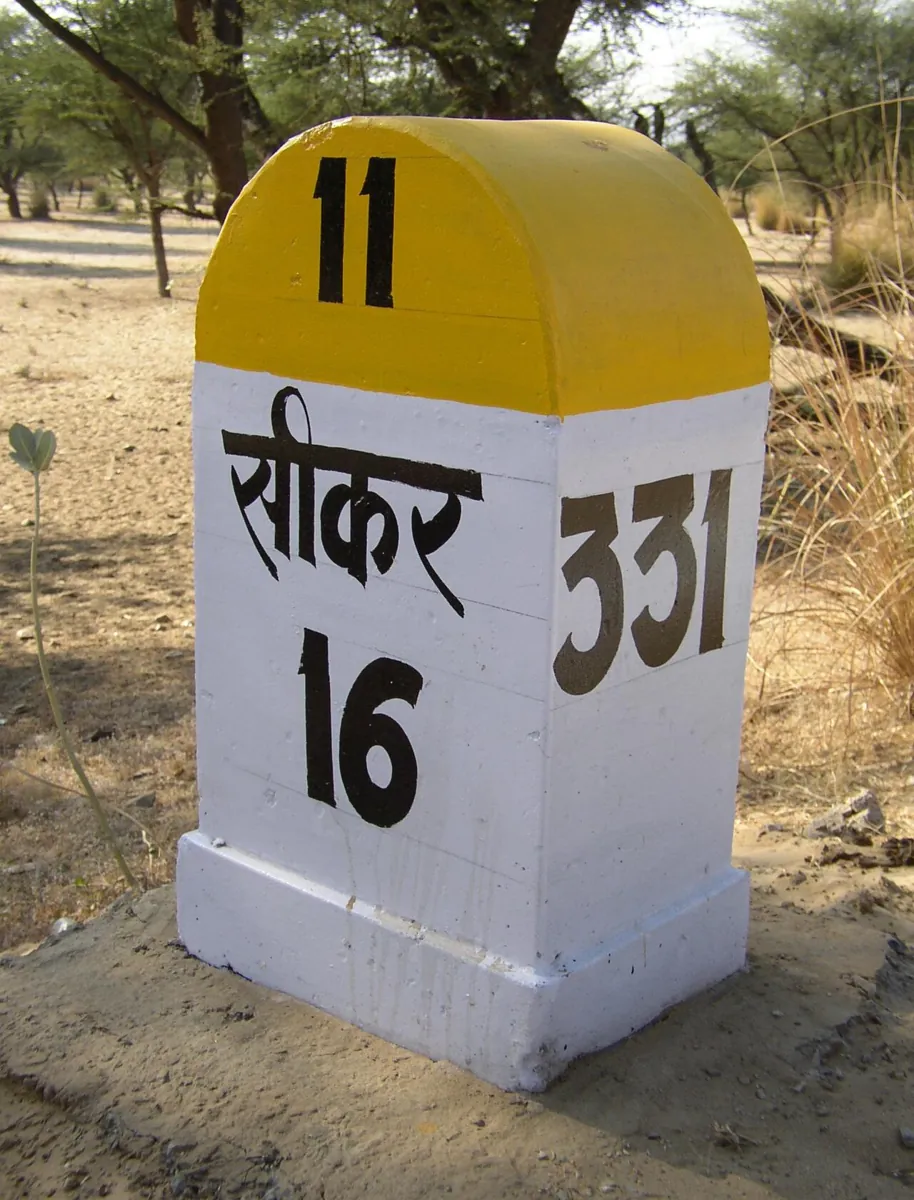
- Road travel: kilometre stones make lerp easy — at steady speed, half the time means half the distance.
- Robot programs: a simple joint move between two taught points is a lerp of every joint, usually wrapped in a smooth time scaling so it starts and stops gently.
- Animation and games: characters and cameras are moved by lerping between key poses; “ease-in, ease-out” curves replace s = t/T to hide the corners.
- Sensors: a lookup table of calibration points is read with linear interpolation between the two nearest entries.
Bench build
Bench build: see the staircase
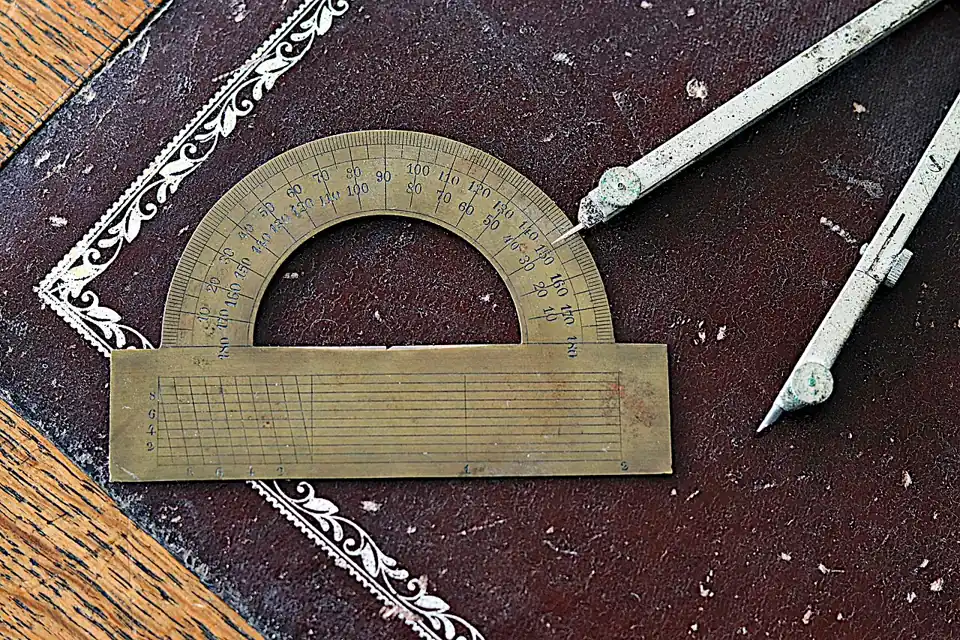
Tape a 15 cm drinking straw to a servo horn as a long pointer and stand a ruler near its tip. lerp_sweep.ino lerps 80° → 100° over a slow 10 s. Press D2 for whole-degree write() steps, D3 for writeMicroseconds(). At 15 cm, 1° moves the tip about 2.6 mm, so the staircase is easy to see.
| From | To | Note |
|---|---|---|
| Servo signal | D9 | — |
| Servo + and − | Separate 5–6 V supply | Never the Arduino 5 V pin |
| Supply − | Arduino GND | Common ground |
| Buttons | D2 ↔ GND, D3 ↔ GND | INPUT_PULLUP |
Mount and point
Fix the servo firmly, tape the straw on, and put a ruler 1–2 mm from the straw tip.
Whole-degree sweep (D2)
Watch the tip: it waits, jumps, waits, jumps — 20 jumps in 10 s. The Serial Monitor prints a line only when the commanded degree changes.
Microsecond sweep (D3)
Now the commanded value changes almost every 20 ms. Does the tip glide, or still move in small steps? Note what you see — that tells you about your servo’s own resolution.
Change T
Try T = 2 s. Is the staircase still visible? Why not?
// lerp_sweep.ino — Stage 9, Lesson 6
// Slow linear sweeps on one servo, two ways, so you can SEE the difference:
//   D2 pressed: lerp 80° -> 100° over 10 s using servo.write(int degrees)  -> 1° staircase
//   D3 pressed: same lerp using writeMicroseconds()                         -> ~0.1° steps
// Tape a 15 cm straw to the horn: the tip makes small steps easy to see against a ruler.
// Wiring: servo signal -> D9; servo + and - -> SEPARATE 5–6 V supply; supply GND -> Arduino GND.
//         Buttons D2, D3 -> GND (INPUT_PULLUP). Never power the servo from an Arduino pin.

#include <Servo.h>

const float A = 80.0, B = 100.0;    // degrees
const float T = 10.0;               // seconds — slow on purpose
const unsigned long DT_MS = 20;

Servo s;

float lerp(float a, float b, float u) { return a + u * (b - a); }

int degToUs(float deg) {            // same mapping as Servo.write(): 0..180 -> 544..2400 µs
  return 544 + (int)(deg * (2400 - 544) / 180.0 + 0.5);
}

void sweep(bool fine) {
  Serial.println(fine ? F("writeMicroseconds sweep") : F("write(int) sweep"));
  unsigned long t0 = millis();
  int last = -1;
  while (true) {
    float t = (millis() - t0) / 1000.0;
    float u = t / T;
    if (u > 1) u = 1;
    float q = lerp(A, B, u);
    if (fine) {
      int us = degToUs(q);
      s.writeMicroseconds(us);
      if (us != last) { Serial.print(t, 2); Serial.print(F(" s  ")); Serial.print(us); Serial.println(F(" us")); last = us; }
    } else {
      int d = (int)q;                // whole degrees only
      s.write(d);
      if (d != last) { Serial.print(t, 2); Serial.print(F(" s  ")); Serial.print(d); Serial.println(F(" deg")); last = d; }
    }
    if (u >= 1) break;
    delay(DT_MS);
  }
  delay(1000);
  s.write((int)A);                   // go back (quick, small move)
  delay(1000);
}

void setup() {
  Serial.begin(115200);
  pinMode(2, INPUT_PULLUP);
  pinMode(3, INPUT_PULLUP);
  s.attach(9);
  s.write((int)A);
  Serial.println(F("D2 = whole-degree lerp, D3 = microsecond lerp"));
}

void loop() {
  if (digitalRead(2) == LOW) sweep(false);
  if (digitalRead(3) == LOW) sweep(true);
}
Debugging
Debugging linear interpolation
| Symptom | Likely cause | Fix |
|---|---|---|
| Move overshoots the goal | s not clamped, goes above 1 | Clamp: if (s > 1) s = 1 |
| Arm spins almost a full turn for a small change | Wrap-around: lerp across 0°/360° | Use the shortest signed difference — if the joint allows it |
| Slow moves look jerky / stepped | Whole-degree commands | Use writeMicroseconds() or a finer unit |
| Knock at start and end of every move | Pure lerp has velocity steps | Add parabolic blends (trapezoid) or use a cubic s(t) |
| Move takes the wrong time | s computed from a loop counter, not real time | Compute s = (millis() − t0)/1000 / T |
Think
Think about it
Think
Your robot base can turn only from −170° to +170° (a cable stops it going further). It is at +160° and must go to −160°. The “shortest” wrap-around answer says turn +40° through 180°. What should your planner do, and what would happen if it trusted the shortest-angle formula?
Experiment
Try it in the lab
About 30 minutes with lerp.py and the browser labs; the servo straw test is optional but quick.
Experiment
Lerp, corners and traps
You will need
- `lerp.py` and Python 3
- Graph paper
- Motion profile comparator and joint-space interpolator (in your browser)
- Optional: Arduino UNO, one servo, separate 5–6 V supply, 2 buttons, a straw, a ruler or protractor
Steps
- Run `lerp.py`. Plot the joint-lerp tip column and the tip-lerp column of Part 1 on the same graph paper.
- In Part 2, change DT to 0.01 and 0.005. Write down the peak acceleration each time. What is the pattern?
- Replace s = t/T in Part 2 with the cubic s = 3u² − 2u³ (u = t/T). What is the new peak acceleration?
- In Part 3, try a = 10, b = 350. Which way does each version turn?
- In Part 4, change the move to 90° → 91° over 2 s. How many distinct whole-degree commands are there?
- Optional: run both servo sweeps and count the jumps you see at the straw tip.
Interactive · Joint-space interpolator (2R educational)
Linear in joint space: each θᵢ lerps independently. The end-effector path (dashed) is generally not a straight line — that is expected.
θ₁(s)
52.0°
θ₂(s)
12.0°
Formula: q(s) = (1−s)q₀ + s q_f. Velocity jumps at s=0/1 unless you use higher-order polynomials (see cubic lab).
Lerp is exact and simple, but its timed version has velocity steps at both ends — the measured acceleration grows as the sample time shrinks. A cubic s(t) removes them. Angles need special care at 0°/360°, and integer commands turn slow ramps into staircases.
Knowledge check
Check your understanding
Knowledge check
1. lerp(20, 60, 0.25) equals…
2. With s = t/T, the joint’s speed during the move is…
3. Why does a pure timed lerp “knock” at the start and end?
4. A naive lerp from 350° to 10° turns…
5. When is the shortest-angle (wrap-around) lerp NOT allowed?
6. Why does a slow servo lerp using `write(int)` look like a staircase?
7. Adding short parabolic blends to the ends of a lerp gives…
Mini assignment
Hands-on assignment
Mini assignment
A safe lerp library
Turn the bare lerp into a small, safe helper you will reuse for the rest of this stage — and test it.
Deliverables
- Write `safe_lerp(a, b, s)` that clamps s to [0, 1]. Write `angle_lerp(a, b, s, wraps)` that uses the shortest signed difference only if `wraps` is True.
- Write `lerp_move(a, b, t, T, smooth)` that uses s = t/T if smooth is False and the cubic s(t) if True.
- Test each function with at least three cases (including s < 0, s > 1, 350° → 10° with and without wrap). Print a small table.
- Plot (paper or spreadsheet) position and velocity for lerp_move with smooth False and True. Mark the velocity steps.
- Optional: port `lerp_move` to Arduino and drive the straw pointer with it using writeMicroseconds().
Do this, step by step
- Run
python3 lerp.py. In Part 1, check one row by hand with a + s·(b − a). - In Part 2, note the velocity at t = 0 and at t = T. Write why a plain lerp has a speed jump at both ends.
- Study Part 3 (350° → 10°). Write the long way and the short way, and when the short way is wrong for a real joint.
- Write your own
safe_lerp(a, b, s)that clamps s to [0, 1] and test it with s = −0.2, 0.5 and 1.3. - Optional bench: upload
lerp_sweep.ino, changeAandT, and watch the straw pointer. Note when whole-degree steps become visible.
Stuck? Hints, one at a time
- s goes from 0 at the start to 1 at the end; s = 0.5 is exactly halfway.
- Shortest signed difference: ((b − a + 180) mod 360) − 180.
- A joint with hard stops (like a servo’s 0–180°) cannot pass through the wrap point, so it must take the long way.
Challenges (pick by level)
- 🟢 Easy: Two kilometre stones say “Jaipur 120” and “Jaipur 60”, 45 minutes apart. Where will you be after another 15 minutes at the same speed?
- 🟢 Easy: Compute lerp((0, 90), (90, 30), s) for s = 0.1, 0.2, 0.3 by hand.
- 🟡 Medium: Lerp an RGB LED from orange (255, 120, 0) to blue (0, 80, 255) over 3 s on an Arduino.
- 🟠 Hard-ish: Add parabolic blends of length tb to
lerp_moveso the result is a trapezoid; check the area under velocity still equals b − a. - 🔴 Hard: Write an inverse lerp,
unlerp(a, b, v), that returns s for a value v, and use it to read a non-linear sensor from a 5-point calibration table. - ⚫ Research: Read the Wikipedia article on linear interpolation and find two other fields (outside robotics) where it is used every day.
Next step
The cure for lerp’s corners is a smooth time scaling. In Lesson 7 — Cubic Polynomial Trajectories you will derive the cubic from its four conditions, so you can design one for any start, goal, time and end speeds.
Look back: Lesson 5: Waypoints & Motion Segments. Next: Lesson 7: Cubic Polynomial Trajectories. Related: Stage 1 — Math for Robotics.
Sources
- Wikipedia — Linear interpolation — the lerp formula and its uses.
- Modern Robotics (Lynch & Park) — book home page and free PDF — §9.2.1 straight-line joint path θ(s) = θstart + s(θend − θstart); §9.2.2 trapezoid as parabola + linear segment + parabola.
- Arduino — Servo library —
write()in degrees andwriteMicroseconds(); default pulse range 544–2400 µs (MIN_PULSE_WIDTH / MAX_PULSE_WIDTH in Servo.h). - Photos: Wikimedia Commons (credits under each image).
Self-attested for now — keep artifacts in your lab notebook.
Complete
Today's goal
0 of 1 done today
Mark this lesson complete when you have worked the experiment, knowledge check, and assignment (even roughly).