
Programming & Python · Lesson 11
Python for Robotics
Est. 35–45 min
Try it · Python in your browser
Run this lesson's example (spa_skeleton.py), change a number, run it again.
Why
Why structure the host app as sense → decide → act
By the end you will sketch and run a 3-function SPA skeleton with a shrinking distance demo.
Concept
The big idea: a tiny robot application skeleton
- sense: return a state dict (readings + flags).
- decide: pure-ish policy from state → command.
- act: side effects (print / publish / serial write).
- main: loop ticks; keep timing simple for now.
How it works
How it actually works, step by step
Define state keys
distance_cm, battery_v, …
Write decide()
No printing inside if you can help it — return a command.
Write act()
One place that talks to the world.
Loop in main
Tick, log, repeat with a budget.
Visual
Visualise it: controller challenge
Connect policy to motion in the challenge playground — SPA in miniature.
Interactive · Robot controller challenge
Wire a sense → decide → act loop. Tune the stop threshold, then step the controller.
distance = sensor.read()  # 55
if distance < 20:
    stop(); turn_left()
elif distance < 35:
    drive_forward(slow=True)
else:
    drive_forward()
# last action: idleDecision now: drive_forward · turns=0 · t=0
Code lab
Code lab: SPA skeleton
#!/usr/bin/env python3
"""Sense → Decide → Act application skeleton."""

def sense():
    return {"distance_cm": 28.0, "battery_v": 11.8}

def decide(state: dict) -> str:
    if state["battery_v"] < 10.5:
        return "ABORT"
    if state["distance_cm"] < 20:
        return "STOP"
    if state["distance_cm"] < 45:
        return "SLOW"
    return "CRUISE"

def act(cmd: str) -> None:
    print(f"act({cmd})")

def main():
    for tick in range(3):
        state = sense()
        # pretend distance shrinks each tick
        state["distance_cm"] = 28.0 - tick * 8
        cmd = decide(state)
        print(f"tick={tick} state={state} → {cmd}")
        act(cmd)

if __name__ == "__main__":
    main()
Expected output
tick=0 state={'distance_cm': 28.0, 'battery_v': 11.8} → SLOW
act(SLOW)
tick=1 state={'distance_cm': 20.0, 'battery_v': 11.8} → SLOW
act(SLOW)
tick=2 state={'distance_cm': 12.0, 'battery_v': 11.8} → STOP
act(STOP)
Real world
Where SPA shows up
- Host PCs supervising microcontrollers.
- Simulation using the same decide() as hardware.
- Unit tests on decide() with fake state.
Mistakes
Common mistakes and confusions
Hardware & safety
Hardware lab and safety notes
Map the skeleton to real parts: sense() = HC-SR04 + battery voltage, decide() = pure Python, act() = the only function that talks to a motor driver. Test it all with stubs on the desk first.
- Battery voltage: a 3S LiPo is about 12.6 V full and ~11.1 V nominal; 10.5 V is a sensible abort level.
- Measure battery voltage only through a resistor divider into an ADC — never connect the pack straight to a pin.
- Keep the robot's wheels off the desk (on a block) for the first real
act()test.
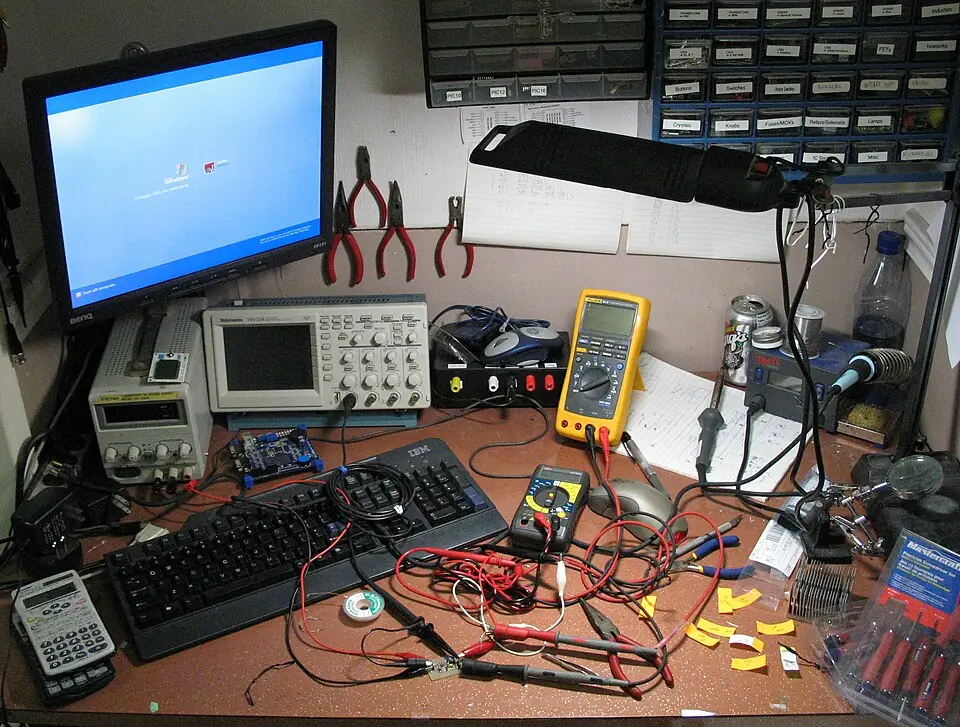
act() with the wheels lifted off the table.Photo: James Bastow · CC BY-SA 2.0 · Source: Wikimedia Commons · resized, converted to WebPDebugging
Debugging: when it doesn’t work
| Symptom | Likely cause | Fix |
|---|---|---|
KeyError: 'battery_v' | sense() returned a dict without that key | Return all keys every tick |
| Robot ignores ABORT | Battery check is not first | Check hazards first in decide() |
Hard to unit-test decide() | It prints or drives motors | Return a command; do side effects in act() |
| No idea why it stopped | No tick log | Print state → cmd every tick |
Think
Think about it
Think
Why is decide() easier to test than a mixed script?
Experiment
Try it in the lab: architecture box
Experiment
Architecture box
- Run spa_skeleton.py; confirm tick 2 → STOP.
- Change thresholds; predict new outputs; verify.
- Draw boxes Sense / Decide / Act for your capstone idea.
Interactive · Robot controller challenge
Wire a sense → decide → act loop. Tune the stop threshold, then step the controller.
distance = sensor.read()  # 55
if distance < 20:
    stop(); turn_left()
elif distance < 35:
    drive_forward(slow=True)
else:
    drive_forward()
# last action: idleDecision now: drive_forward · turns=0 · t=0
Knowledge check
Check your understanding
Knowledge check
1. SPA here means…
2. In the demo, tick 2 distance became…
3. act() should…
4. State is often a…
5. Keeping decide pure-ish helps…
Practice quiz
Coding practice
Mini assignment
Hands-on assignment
Mini assignment
App skeleton
Fork spa_skeleton.py with your own thresholds and a battery abort path; print tick logs.
Deliverables
- spa_custom.py
- Sample run output
Do this, step by step
- Run
spa_skeleton.py: distances 28, 20, 12 → SLOW, SLOW, STOP. - Set
battery_vto 10.2 and check every tick says ABORT. - Write 3 asserts for
decide()(one per command). - Fork it as
spa_custom.pywith your thresholds and print the tick log.
Stuck? Hints, one at a time
- Hint 1: 20 is not
< 20, so tick 1 is SLOW, not STOP. - Hint 2:
assert decide({"distance_cm": 10, "battery_v": 12}) == "STOP". - Hint 3: Pass the tick number into a fake
sense(tick)to make test runs repeatable.
Challenges (pick by level)
- 🟢 Easy: Run 6 ticks instead of 3.
- 🟡 Medium: Add a
time.sleep(0.1)and print the loop rate. - 🟠 Hard: Replace
act()with a function that writes the command to a JSONL log (Lesson 10).
Next step
Next, Lesson 12: NumPy Fundamentals. Related: nodes and topics in Stage 10 — ROS 2 and motor drivers in Stage 4 — Electronics & Embedded Systems.
Sources
- Python docs — assert statement
- Python docs — __main__
- Wikipedia — Lithium polymer battery
- Photos: Wikimedia Commons (credits under each image).
Self-attested for now — keep artifacts in your lab notebook.
Complete
Today's goal
0 of 1 done today
Mark this lesson complete when you have worked the experiment, knowledge check, and assignment (even roughly).