
Linux & Dev Environment · Lesson 08
Bash & Shell Scripting
Est. 45–55 min
Why
Why your bring-up should be one command, not ten
In this lesson you will write a real bringup_check.sh with arguments, defaults, checks and safe failure, and you will learn pipes — the shell’s superpower for filtering logs.
Concept
The big idea: a script is your terminal steps written down
| Piece | Example | Meaning |
|---|---|---|
| Shebang | #!/usr/bin/env bash | First line: run this file with bash |
| Variable | MODE=sim … echo "$MODE" | No spaces around =; quote when using |
| Argument | $1, $2, $# | Words after the script name; $# = how many |
| Default | ${1:-sim} | Use $1, or sim if missing |
| Test | [ -e /dev/ttyUSB0 ] | -e exists, -d folder, -f file, -x executable |
| If | if [ "$MODE" = real ]; then … fi | Spaces inside [ ] are required |
| Loop | for d in logs config; do … done | Repeat for each item |
| Function | log() { echo "[bringup] $*"; } | Reusable mini-command |
| Exit code | exit 1, $? | 0 = success, anything else = failure |
| Safety line | set -euo pipefail | Stop on errors, unset variables and failed pipes |
| Symbol | Meaning | Example |
|---|---|---|
| | Send output of left into input of right | grep ERROR app.log | wc -l |
> | Write output to a file (overwrite) | ./run.sh > logs/run.log |
>> | Append to a file | echo done >> logs/run.log |
2> | Redirect error messages | ./run.sh 2> logs/errors.log |
&& / || | Run next only if previous succeeded / failed | mkdir -p logs && echo ok |
How it works
How it actually works: running your script
Write
Create
scripts/bringup_check.shin VS Code. Start with the shebang andset -euo pipefail.Make executable
chmod +x scripts/bringup_check.sh(Lesson 4 — the x bit).Run
./scripts/bringup_check.sh real. The kernel reads the shebang and starts bash with your file.Line by line
bash runs each line. With
set -e, the first failing command stops the script instead of carrying on blindly.Exit code
The script ends with the last command’s status, or your explicit
exit 1.echo $?right after shows it.
Visual
Visualise it: pipe & grep filter lab
Change the grep pattern, -i, -v, the second filter, the count step or head -n. Every stage shows how many lines survive — cause and effect for each pipe.
Interactive · Pipe & grep filter lab
A 12-line robot log, like a kirana shop register. Each | passes the lines that survive to the next tool. Change one control and watch the line count at every stage.
- cat robot_session.log12 lines
- | grep ERROR3 lines
- | head -n 123 lines
$ cat robot_session.log | grep ERROR | head -n 12
10:00:05 ERROR serial  timeout waiting for reply
10:00:09 ERROR camera  no frames for 2 s
10:00:12 ERROR serial  checksum mismatch
Code lab
Code lab: a bring-up script with safety checks
#!/usr/bin/env bash
# bringup_check.sh — one-command bring-up with safety checks (Lesson 8)
set -euo pipefail                      # stop on errors, unset vars, failed pipes

MODE="${1:-sim}"                       # first argument, default "sim"
SERIAL_PORT="${SERIAL_PORT:-/dev/ttyUSB0}"
WS=/tmp/aihub-lab/bringup-demo

log() { echo "[bringup] $*"; }

mkdir -p "$WS/logs" "$WS/config"
for d in logs config; do
  [ -d "$WS/$d" ] && log "folder ok: $d"
done

if [ "$MODE" = "real" ] && [ ! -e "$SERIAL_PORT" ]; then
  log "ERROR: $SERIAL_PORT not found. Is the USB cable in?"
  exit 1
fi

log "mode=$MODE port=$SERIAL_PORT"
log "starting controller (demo: just a message)"
Run as: ./bringup_check.sh (no argument → sim mode)
[bringup] folder ok: logs
[bringup] folder ok: config
[bringup] mode=sim port=/dev/ttyUSB0
[bringup] starting controller (demo: just a message)
./bringup_check.sh real; echo "exit code: $?"Expected output
[bringup] folder ok: logs
[bringup] folder ok: config
[bringup] ERROR: /dev/ttyUSB0 not found. Is the USB cable in?
exit code: 1
Pipes lab
Code lab: read the robot register with pipes
Save this log as robot_session.log — it is the same data as the interactive above.
10:00:01 INFO  serial  opened /dev/ttyUSB0 at 115200
10:00:02 INFO  camera  started /dev/video0 640x480
10:00:03 WARN  battery voltage 11.2 V (low)
10:00:04 INFO  arm     homing joints 1-6
10:00:05 ERROR serial  timeout waiting for reply
10:00:06 INFO  serial  reconnected
10:00:07 WARN  camera  frame dropped
10:00:08 INFO  arm     reached home pose
10:00:09 ERROR camera  no frames for 2 s
10:00:10 WARN  battery voltage 11.0 V (low)
10:00:11 INFO  camera  restarted
10:00:12 ERROR serial checksum mismatch#!/usr/bin/env bash
# log_filter.sh — read the robot "register" with pipes (Lessons 5 and 8)
# Run it next to robot_session.log
LOG=robot_session.log
echo "total lines : $(wc -l < "$LOG")"
echo "errors : $(grep -c ERROR "$LOG")"
echo "--- serial errors only ---"
grep ERROR "$LOG" | grep serial
echo "--- warnings+errors per component ---"
grep -E 'WARN|ERROR' "$LOG" | awk '{print $3}' | sort | uniq -c | sort -rnExpected output
total lines : 12
errors      : 3
--- serial errors only ---
10:00:05 ERROR serial  timeout waiting for reply
10:00:12 ERROR serial  checksum mismatch
--- warnings+errors per component ---
      2 serial
      2 camera
2 batteryReal world
Where scripts run real robots
scripts/bringup.shandscripts/shutdown.shin every serious robot repo.journalctl -u robot.service | grep ERROR— filtering system service logs.dmesg | grep tty— finding which port your USB adapter became.ps aux | grep python— spotting a controller that is still running.- Competition day: one
./scripts/bringup.sh realinstead of ten remembered commands.
Mistakes
Common mistakes and debugging
Hardware & safety
Hardware lab and safety notes
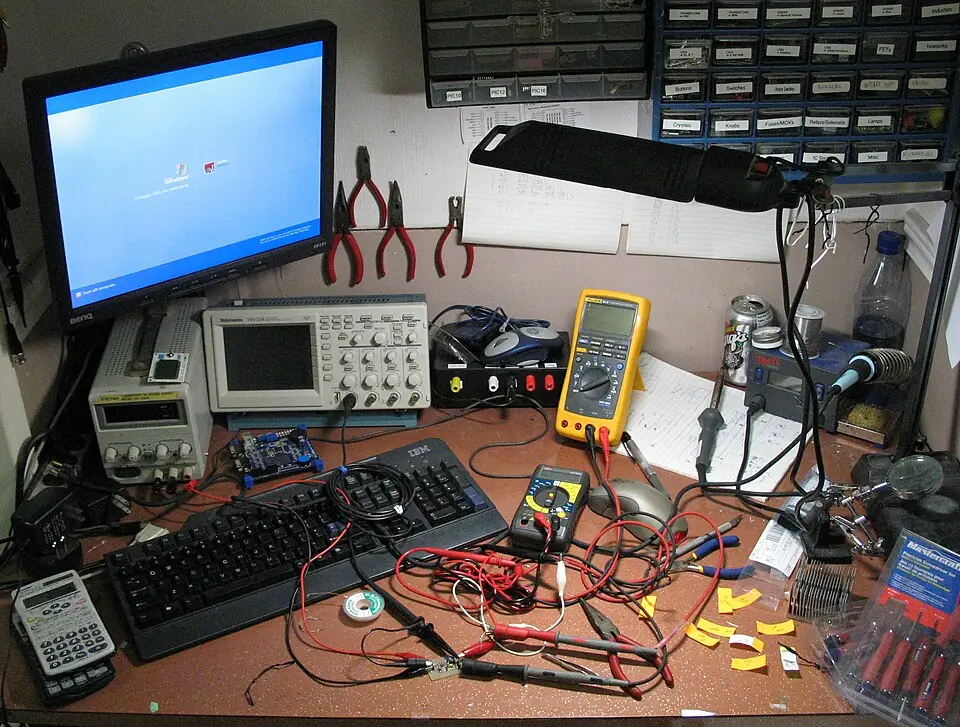
A bringup script is the first thing that runs on a real robot. It must check the hardware and fail safely.
- Make the default mode
sim; require an explicitrealargument before touching the serial port. - Check that the port exists (
[ -e /dev/ttyACM0 ]) before starting any motor code. shutdown.shshould stop motor processes first, then sensors and logging.
Debugging
Debugging: when it doesn’t work
| Symptom | Likely cause | Fix |
|---|---|---|
bash: ./bringup.sh: Permission denied | No execute bit | chmod u+x bringup.sh |
/bin/bash^M: bad interpreter | Windows CRLF line endings | sed -i 's/\r$//' bringup.sh, set VS Code to LF |
unbound variable | set -u caught an unset variable | Give a default: MODE=${1:-sim} |
| Script “succeeds” but a check failed | Error hidden inside a pipe | Add set -o pipefail; check echo $? |
Think
Think about it
Think
What should `shutdown.sh` always do first, and why should it mirror `bringup.sh`?
Experiment
Try it in the lab: filter the robot register
Answer each question with the pipe lab, then confirm it with the real log_filter.sh.
Experiment
Filter the robot register
You will need
- Pipe & grep filter lab
- Optional: Ubuntu terminal with robot_session.log
Steps
- How many ERROR lines are there? (pattern ERROR)
- Pick `error` (lower case). Why 0 lines? Now tick `-i`.
- Pick ERROR and tick `-v`. What do the remaining lines have in common?
- Pick WARN, then component `battery`. What voltage was the lowest?
- Pick `(no grep)`, tick the per-component count. Which two components wrote the most lines?
- Drag `head -n` down to 2. What does head do to the output, and when is that useful on a 10,000-line log?
Interactive · Pipe & grep filter lab
A 12-line robot log, like a kirana shop register. Each | passes the lines that survive to the next tool. Change one control and watch the line count at every stage.
- cat robot_session.log12 lines
- | grep ERROR3 lines
- | head -n 123 lines
$ cat robot_session.log | grep ERROR | head -n 12
10:00:05 ERROR serial  timeout waiting for reply
10:00:09 ERROR camera  no frames for 2 s
10:00:12 ERROR serial  checksum mismatch
Each stage can only remove or reshape lines, never invent them. When a stage shows 0 lines, every later stage gets nothing too.
Knowledge check
Check your understanding
Knowledge check
1. A shebang like `#!/usr/bin/env bash`…
2. `set -euo pipefail` mainly helps scripts…
3. A good bring-up script should…
4. `grep ERROR robot_session.log | wc -l` prints…
5. `MODE="${1:-sim}"` means…
Mini assignment
Hands-on assignment
Mini assignment
bringup.sh and shutdown.sh
Write the two scripts for your robot and prove they fail safely.
Deliverables
- `bringup.sh` with: shebang, `set -euo pipefail`, a mode argument with default, at least two checks, a log function
- `shutdown.sh` that stops things in the reverse order
- Terminal output of one successful run and one failed run (with `echo $?`)
- One useful pipeline for your own logs
Do this, step by step
- Run
bringup_check.shwith no argument and note the mode. - Run
log_filter.shnext torobot_session.logand confirm 12 lines / 3 errors. - Write your own
bringup.shandshutdown.shwith the required parts. - Show one passing and one failing run, each followed by
echo $?.
Stuck? Hints, one at a time
- Hint 1: Start with
#!/usr/bin/env bashandset -euo pipefailon the first two lines. - Hint 2: A tiny log function:
log() { echo "[$(date +%T)] $*"; }. - Hint 3: To force a failure, check for a port that does not exist, e.g.
/dev/ttyUSB9.
Challenges (pick by level)
- 🟢 Easy: Count WARN lines in the log with
grep -c WARN. - 🟡 Medium: Run ShellCheck on your script and fix every warning.
- 🟠 Hard: Add a
trapsobringup.shcallsshutdown.shon Ctrl + C.
Next step
Look back: Lesson 7: Environment Variables. Next: Lesson 9: Git & GitHub for Robotics. Related: Stage 2 — Files, Data & JSON.
Sources
- bash(1) manual page — set builtin
- ShellCheck — shell script analysis
- grep(1) manual page
- Photos: Wikimedia Commons (credits under each image).
Self-attested for now — keep artifacts in your lab notebook.
Complete
Today's goal
0 of 1 done today
Mark this lesson complete when you have worked the experiment, knowledge check, and assignment (even roughly).