
Kinematics & Inverse Kinematics · Lesson 15
Capstone: Design & Solve the Kinematics of Your 6DOF Robot
Est. 2–3 hours
Why
Why this capstone matters
In Lessons 1–14 you learned each piece on its own: frames, rotations, transforms, FK, DH tables, poses, workspace, analytical and numerical IK, and how to choose answers and avoid singularities. A real robot needs all of them together, in the right order, with checks that catch mistakes before the motors move. This capstone joins them into one pipeline for your arm, and makes you *prove* it works with numbers.
By the end you will have: a measured and validated DH model of your arm; an IK function for straight-down picks that is checked by FK; a solution-choice rule; a singularity and joint-limit guard; a straight-line path checker; and a printed gate report that ends with CAPSTONE PASS — plus one honest failure case that your system correctly refuses.
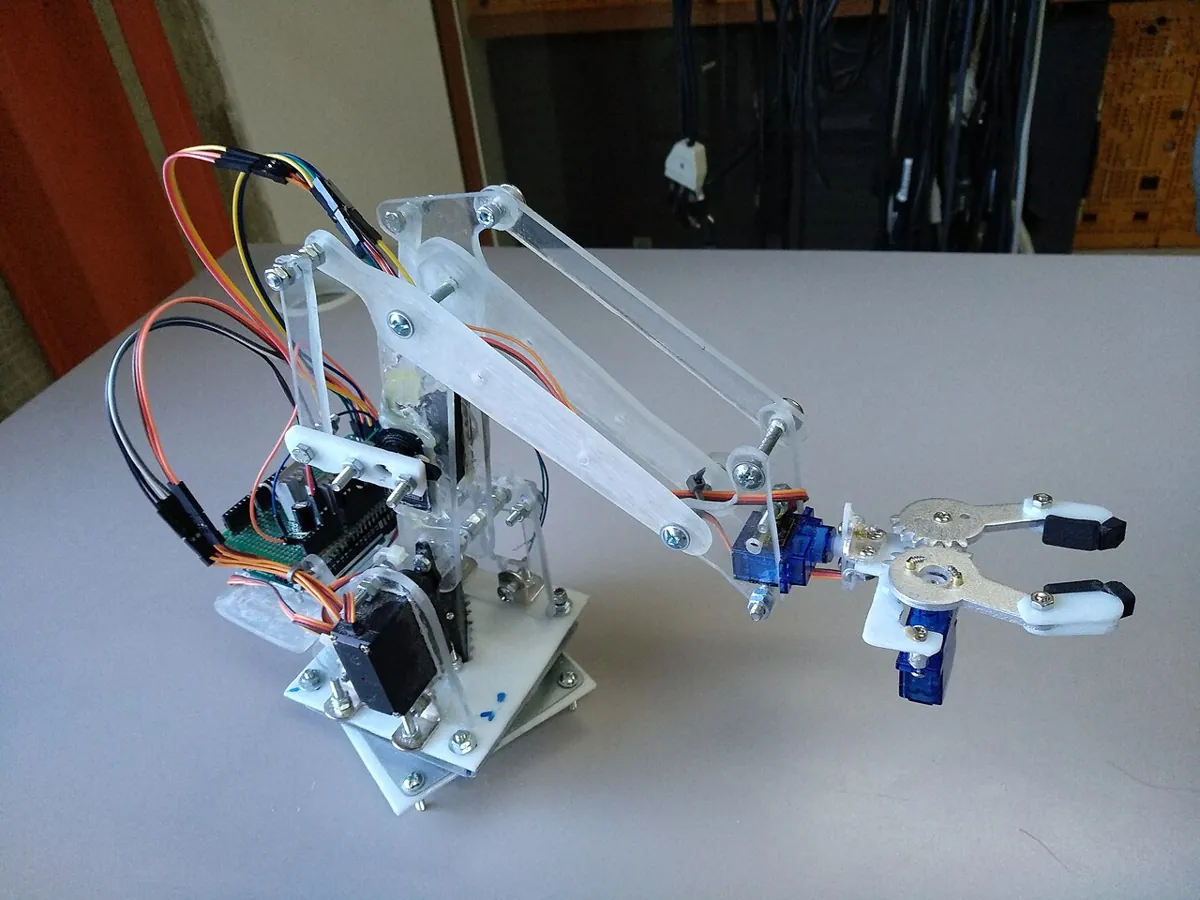
Concept
The full kinematics pipeline, with pass/fail gates
The seven gates
| Gate | What it checks | From lesson |
|---|---|---|
| G1 | The DH table reproduces 4 poses you measured with a ruler (error < 0.01 cm in code, < 0.5 cm on the bench) | 8, 9 |
| G2 | Every frame’s rotation is proper (det R = 1) | 3, 4 |
| G3 | Each target is inside the reach band for the chosen tool direction | 11 |
| G4 | The IK answer, put back through FK, lands on the target | 12, 13 |
| G5 | The answer is inside joint limits and the elbow stays above the table | 11, 14 |
| G6 | The pose is not near a singularity (|sin q3| > 0.17) | 14 |
| G7 | Straight-line moves keep one elbow family and no joint jumps more than 5° per 0.5 cm | 14 |
Think of it like a railway signal system. The train (your arm) moves only when every signal on the route is green. One red signal — an unreachable target, a joint past its limit, a pose near a singularity — and the train waits. That is what makes the system safe, not luck.
Order matters
Measure
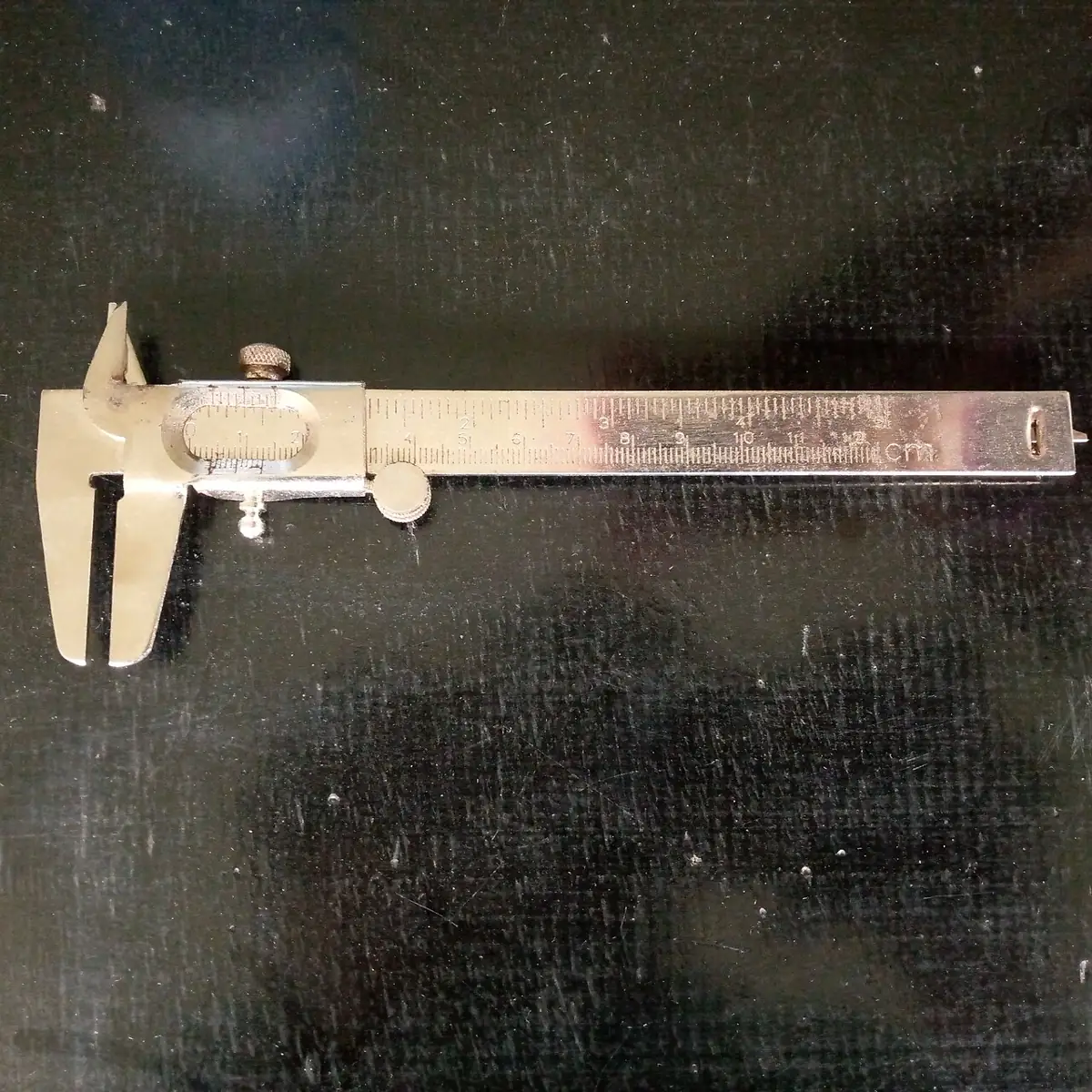
Measure link lengths with a ruler or vernier caliper and note each joint’s zero and direction.
Model
Write the DH table (Lesson 8–9). Run G1 and G2 before anything else — if the model is wrong, every later answer is wrong.
Plan
List the job as tip targets (above tray, pick, lift, over box, place). Run G3 for each.
Solve
Use IK for each target, then G4 (FK check) and G5 (limits, collisions).
Choose
If several answers pass, take the one nearest the current pose (Lesson 14).
Guard
Run G6 for singularities and G7 for every straight-line move between targets.
Move
Only now send angles to the servos — slowly, with the STOP command ready.
Visual
Visualise it: run the capstone checklist
Tick the checklist honestly, then solve targets until the FK error is under the gate: CAPSTONE PASS. Educational 2R stand-in, simplified.
Interactive · Kinematics capstone (integrated FK/IK)
Design & solve a 2R educational arm (stand-in for your 6DOF position chain). Pass when checklist + FK residual ≤ 0.5.
Target
(110, 40)
FK err
0.000
Solutions
2
Status
ok
Code lab
Code lab: capstone_kinematics.py
capstone_kinematics.py is the whole pipeline in one file. It validates the DH model, solves a five-step pick-and-place job with straight-down IK, chooses the nearest valid answer, checks singularity margin, checks every straight-line move in 0.5 cm steps, and finally confirms that an out-of-reach target is refused. Change the four lengths and the joint limits to your arm’s numbers.
# capstone_kinematics.py - Stage 8 capstone: design, validate and solve the kinematics of your arm.
# One pipeline, with PASS/FAIL gates you can show to someone else:
#   G1 DH table reproduces 4 ruler poses (Lesson 9)          G2 every frame's R is a proper rotation
#   G3 each pick target is inside the straight-down band      G4 IK answer verified by FK  (< 0.01 cm)
#   G5 answer inside joint limits, elbow above the table      G6 not near a singularity (|sin q3| > 0.17)
#   G7 straight-line moves (0.5 cm steps) keep one elbow family, largest joint move per step < 5 deg
# EXAMPLE arm (cm). Replace the numbers with YOUR measured arm.
import math

D1, L2, L3, L4 = 9.0, 10.5, 9.8, 14.0
DH = [(0, D1, 0, 90), (0, 0, L2, 0), (0, 0, L3, 0), (90, 0, 0, 90), (0, L4, 0, 0)]   # (offset, d, a, alpha)
LIM = [(-90, 90), (0, 180), (-150, 0), (-120, 90), (-90, 90)]                       # degrees
TOL_FK, MIN_SIN, MAX_STEP, STEP_CM = 0.01, 0.17, 5.0, 0.5
results = []


def gate(name, ok, note=""):
    results.append(ok)
    print(f"  [{'PASS' if ok else 'FAIL'}] {name}{'  - ' + note if note else ''}")


def dh(th, d, a, al):
    ct, st = math.cos(math.radians(th)), math.sin(math.radians(th))
    ca, sa = math.cos(math.radians(al)), math.sin(math.radians(al))
    return [[ct, -st * ca, st * sa, a * ct], [st, ct * ca, -ct * sa, a * st], [0, sa, ca, d], [0, 0, 0, 1]]


def mul(A, B):
    return [[sum(A[i][k] * B[k][j] for k in range(4)) for j in range(4)] for i in range(4)]


def fk(q):
    T = [[float(i == j) for j in range(4)] for i in range(4)]
    frames = []
    for qi, (off, d, a, al) in zip(q, DH):
        T = mul(T, dh(qi + off, d, a, al))
        frames.append(T)
    return frames


def pos(T):
    return tuple(T[i][3] for i in range(3))


def proper(T):
    R = [r[:3] for r in T[:3]]
    det = (R[0][0] * (R[1][1] * R[2][2] - R[1][2] * R[2][1]) - R[0][1] * (R[1][0] * R[2][2] - R[1][2] * R[2][0])
           + R[0][2] * (R[1][0] * R[2][1] - R[1][1] * R[2][0]))
    return abs(det - 1) < 1e-9


def ik_down(x, y, z):
    """All straight-down answers (J1..J5) for tip (x, y, z); J5 = 0."""
    j1 = math.degrees(math.atan2(y, x))
    rw, zw = math.hypot(x, y), z + L4 - D1
    d2 = rw * rw + zw * zw
    c = (d2 - L2 * L2 - L3 * L3) / (2 * L2 * L3)
    if abs(c) > 1:
        return []
    out = []
    for s in (1, -1):
        j3 = math.degrees(s * math.acos(c))
        j2 = math.degrees(math.atan2(zw, rw) - math.atan2(L3 * math.sin(math.radians(j3)), L2 + L3 * math.cos(math.radians(j3))))
        out.append((j1, j2, j3, -90 - j2 - j3, 0.0))
    return out


print("Stage 8 capstone - example arm D1 9, L2 10.5, L3 9.8, L4 14 cm (classic DH)\n")
print("1) Validate the model")
checks = [((0, 0, 0, 0, 0), (34.3, 0, 9.0)), ((0, 90, 0, 0, 0), (0, 0, 43.3)),
          ((0, 90, -90, -90, 0), (9.8, 0, 5.5)), ((90, 0, 0, 0, 0), (0, 34.3, 9.0))]
worst = max(math.dist(pos(fk(q)[-1]), exp) for q, exp in checks)
gate("G1 DH table matches 4 ruler poses", worst < 0.01, f"worst {worst:.1e} cm")
gate("G2 all frames are proper rotations", all(proper(T) for q, _ in checks for T in fk(q)))

def best(target, current):
    """Verified answer (G4), inside limits with elbow above table (G5), nearest to current pose."""
    good = []
    for q in ik_down(*target):
        frames = fk(q)
        err = math.dist(pos(frames[-1]), target)
        if err < TOL_FK and all(lo <= v <= hi for v, (lo, hi) in zip(q, LIM)) and frames[1][2][3] > 0:
            good.append((q, err))
    if not good:
        return None, None
    return min(good, key=lambda g: max(abs(a - b) for a, b in zip(g[0], current)))


def family(q):
    return "elbow-up" if q[2] < 0 else "elbow-down"


print("\n2) Solve a pick-and-place job (gripper straight down)")
job = [("home above tray", (14.0, -6.0, 6.0)), ("pick sweet", (14.0, -6.0, 1.0)),
       ("lift", (14.0, -6.0, 6.0)), ("over box", (10.0, 9.0, 6.0)), ("place", (10.0, 9.0, 2.0))]
current, prev_t = None, None
for name, target in job:
    gate(f"G3 '{name}' {target} reachable straight down", bool(ik_down(*target)))
    q, err = best(target, current or (0, 60, -60, -90, 0))
    if q is None:
        gate(f"G4/G5 '{name}' verified answer inside limits", False)
        break
    s3 = abs(math.sin(math.radians(q[2])))
    gate(f"G4/G5 '{name}' q = ({', '.join(f'{v:.1f}' for v in q)})", True, f"FK error {err:.0e} cm, {family(q)}")
    gate(f"G6 '{name}' away from singularity", s3 > MIN_SIN, f"|sin q3| = {s3:.2f}")
    if current is not None:
        n = max(1, math.ceil(math.dist(prev_t, target) / STEP_CM))
        worst, same, path_q = 0.0, True, current
        for k in range(1, n + 1):
            p = tuple(a + (b - a) * k / n for a, b in zip(prev_t, target))
            qk, _ = best(p, path_q)
            if qk is None:
                same = False
                break
            worst = max(worst, max(abs(a - b) for a, b in zip(qk, path_q)))
            same = same and family(qk) == family(current)
            path_q = qk
        gate(f"G7 line to '{name}': {n} steps, largest joint step {worst:.1f} deg", same and worst < MAX_STEP)
    current, prev_t = q, target

print("\n3) An honest failure case")
far = (32.0, 0.0, 1.0)
gate(f"far target {far} correctly REJECTED", not ik_down(*far), "outside the straight-down band - do not move")

print(f"\nCAPSTONE {'PASS' if all(results) else 'NOT YET'}: {sum(results)}/{len(results)} gates passed")
Output (run with python3 capstone_kinematics.py)
Stage 8 capstone - example arm D1 9, L2 10.5, L3 9.8, L4 14 cm (classic DH)

1) Validate the model
  [PASS] G1 DH table matches 4 ruler poses  - worst 3.2e-15 cm
  [PASS] G2 all frames are proper rotations

2) Solve a pick-and-place job (gripper straight down)
  [PASS] G3 'home above tray' (14.0, -6.0, 6.0) reachable straight down
  [PASS] G4/G5 'home above tray' q = (-23.2, 57.3, -44.5, -102.8, 0.0)  - FK error 4e-15 cm, elbow-up
  [PASS] G6 'home above tray' away from singularity  - |sin q3| = 0.70
  [PASS] G3 'pick sweet' (14.0, -6.0, 1.0) reachable straight down
  [PASS] G4/G5 'pick sweet' q = (-23.2, 56.3, -72.6, -73.8, 0.0)  - FK error 4e-15 cm, elbow-up
  [PASS] G6 'pick sweet' away from singularity  - |sin q3| = 0.95
  [PASS] G7 line to 'pick sweet': 10 steps, largest joint step 4.1 deg
  [PASS] G3 'lift' (14.0, -6.0, 6.0) reachable straight down
  [PASS] G4/G5 'lift' q = (-23.2, 57.3, -44.5, -102.8, 0.0)  - FK error 4e-15 cm, elbow-up
  [PASS] G6 'lift' away from singularity  - |sin q3| = 0.70
  [PASS] G7 line to 'lift': 10 steps, largest joint step 4.1 deg
  [PASS] G3 'over box' (10.0, 9.0, 6.0) reachable straight down
  [PASS] G4/G5 'over box' q = (42.0, 69.2, -62.3, -96.9, 0.0)  - FK error 4e-15 cm, elbow-up
  [PASS] G6 'over box' away from singularity  - |sin q3| = 0.89
  [PASS] G7 line to 'over box': 32 steps, largest joint step 3.4 deg
  [PASS] G3 'place' (10.0, 9.0, 2.0) reachable straight down
  [PASS] G4/G5 'place' q = (42.0, 67.4, -83.4, -74.0, 0.0)  - FK error 6e-15 cm, elbow-up
  [PASS] G6 'place' away from singularity  - |sin q3| = 0.99
  [PASS] G7 line to 'place': 8 steps, largest joint step 3.3 deg

3) An honest failure case
  [PASS] far target (32.0, 0.0, 1.0) correctly REJECTED  - outside the straight-down band - do not move

CAPSTONE PASS: 22/22 gates passed
Try it: tick each checklist item only when you have really done it, then hit a preset and a custom target with FK error under the gate. Also try an unreachable target. (Educational 2R stand-in — simplified.)
Interactive · Kinematics capstone (integrated FK/IK)
Design & solve a 2R educational arm (stand-in for your 6DOF position chain). Pass when checklist + FK residual ≤ 0.5.
Target
(110, 40)
FK err
0.000
Solutions
2
Status
ok
Real world
In the real world
- Robot makers publish DH tables for their arms — Universal Robots, for example, publishes the DH parameters of its UR arms (Lesson 9). Programmers start from a model like that, just as you did.
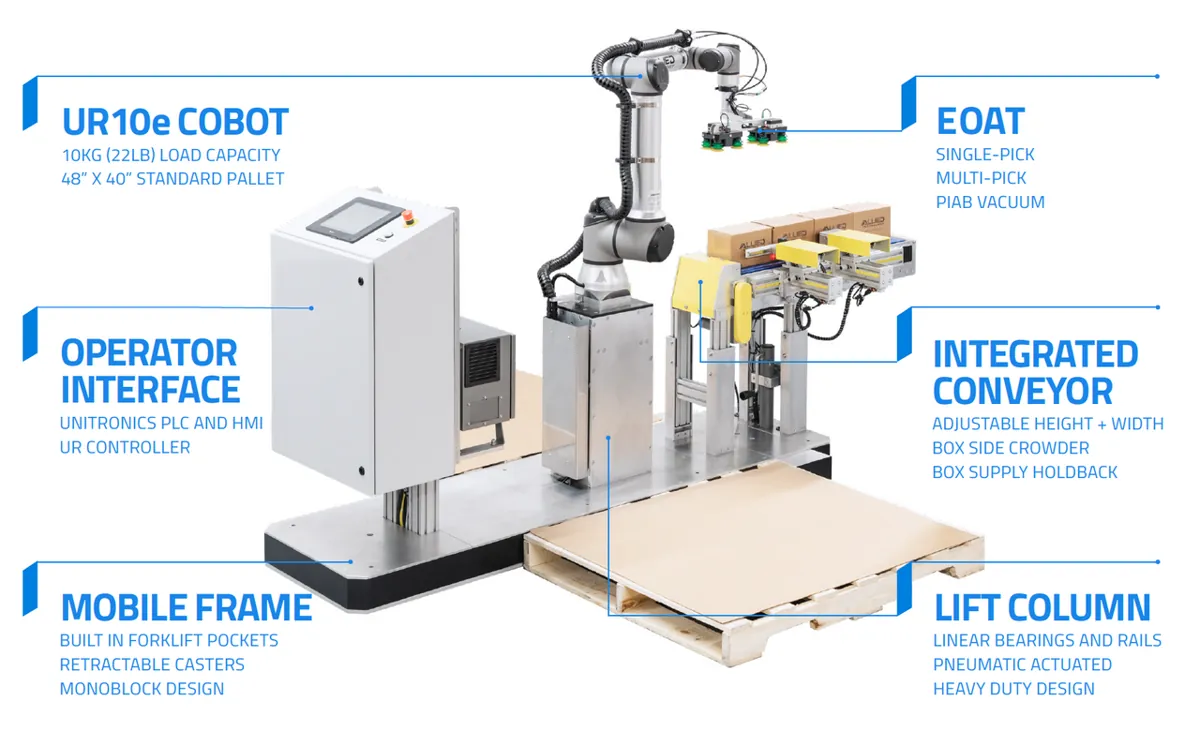
- Palletizing cells repeat the same pick-and-place pattern for hours. A small model or path mistake would repeat on every box, so the job is checked carefully before full speed.
- The professional pipeline is the same as yours: model → FK → IK → choose an answer → avoid singularities → plan the path. Textbooks such as *Modern Robotics* follow this order too.
Bench build
Bench build: a guarded pick-and-place on your arm
capstone_pick_place.ino runs the same gates on an Arduino UNO. Type P 14 -6 to pick at (14, −6) cm and D 10 9 to drop at (10, 9). The arm moves up to a safe height, down, grips, and back up — every move a straight line in 0.5 cm steps. Before moving, it checks the whole line; if any step fails reach, limits, singularity margin or the FK check, it refuses and prints why. Typing S stops it at once; H re-arms and goes home.
Power
All five servos on a separate 5–6 V supply that can give 3 A or more; supply GND joined to Arduino GND. Signals: base D3, shoulder D5, elbow D6, wrist D9, gripper D10.
Calibrate
Set ZERO_US and US_PER_DEG for each servo from your Lesson 9 calibration. Check the sign of each joint.
Dry run
Run capstone_kinematics.py with your numbers first. Only use targets that pass there.
First move
With a hand on the servo supply switch, type H. Then P and D with small targets near the middle of the workspace.
Test the guard
Type P 32 0 — the sketch must print REFUSED and not move.
// capstone_pick_place.ino - Stage 8 capstone: a guarded straight-down pick-and-place.
// Arduino Uno, servos wired directly: J1 base D3, J2 shoulder D5, J3 elbow D6,
// J4 wrist D9, gripper D10. ALL servos on a SEPARATE 5-6 V supply (>= 3 A),
// common GND with the Arduino. Never power servos from the Arduino 5 V pin.
// Serial Monitor 115200: type "P x y" (pick at x,y cm), "D x y" (drop), "H" (home), "S" (STOP).
// The arm moves only when EVERY gate passes: reach, joint limits, FK check, singularity margin.
#include <Servo.h>
#include <math.h>

const float D1 = 9.0, L2 = 10.5, L3 = 9.8, L4 = 14.0;   // measure YOUR arm (cm)
const float Z_SAFE = 6.0, Z_PICK = 1.0, STEP_CM = 0.5, MIN_SIN = 0.17;
const float LO[4] = {-90, 0, -150, -120}, HI[4] = {90, 180, 0, 90};
const int PIN[5] = {3, 5, 6, 9, 10};
const float ZERO_US[4] = {1500, 600, 2400, 1500}, US_PER_DEG[4] = {10.3, 10.3, 10.3, 10.3};  // calibrate (Lesson 9)
const int GRIP_OPEN = 1300, GRIP_CLOSED = 1800;
Servo sv[5];
float q[4] = {0, 60, -60, -90};
float tip[3] = {14.0, 0.0, Z_SAFE};
bool stopped = false;

bool ikDown(float x, float y, float z, float out[4]) {
  float j1 = atan2(y, x);
  float rw = sqrt(x * x + y * y), zw = z + L4 - D1;
  float c = (rw * rw + zw * zw - L2 * L2 - L3 * L3) / (2 * L2 * L3);
  if (fabs(c) > 1) return false;                           // gate: reach
  float j3 = -acos(c);                                     // elbow-up family only
  float j2 = atan2(zw, rw) - atan2(L3 * sin(j3), L2 + L3 * cos(j3));
  out[0] = degrees(j1); out[1] = degrees(j2); out[2] = degrees(j3);
  out[3] = -90 - out[1] - out[2];
  for (int i = 0; i < 4; i++) if (out[i] < LO[i] || out[i] > HI[i]) return false;   // gate: limits
  if (fabs(sin(j3)) < MIN_SIN) return false;               // gate: singularity margin
  float r = L2 * cos(j2) + L3 * cos(j2 + j3);              // gate: FK check of the wrist centre
  float zz = D1 + L2 * sin(j2) + L3 * sin(j2 + j3) - L4;
  return fabs(r - rw) < 0.01 && fabs(zz - z) < 0.01 && L2 * sin(j2) + D1 > 0;  // elbow above table
}

void writeJoints(const float a[4]) {
  for (int i = 0; i < 4; i++) sv[i].writeMicroseconds((int)(ZERO_US[i] + (i == 2 ? -1 : 1) * a[i] * US_PER_DEG[i]));
}

void checkStop() {
  if (Serial.available() && toupper(Serial.peek()) == 'S') { Serial.read(); stopped = true; Serial.println("STOP - send H to re-arm"); }
}

bool lineTo(float x, float y, float z) {
  float d = sqrt(sq(x - tip[0]) + sq(y - tip[1]) + sq(z - tip[2]));
  int n = max(1, (int)ceil(d / STEP_CM));
  float sol[4];
  if (!ikDown(x, y, z, sol)) { Serial.println("REFUSED: target fails a gate"); return false; }
  for (int k = 1; k <= n; k++) {                           // check the WHOLE line first
    float t = (float)k / n;
    if (!ikDown(tip[0] + (x - tip[0]) * t, tip[1] + (y - tip[1]) * t, tip[2] + (z - tip[2]) * t, sol)) {
      Serial.print("REFUSED: path fails a gate at step "); Serial.println(k); return false;
    }
  }
  float start[3] = {tip[0], tip[1], tip[2]};
  for (int k = 1; k <= n; k++) {
    checkStop(); if (stopped) return false;
    float t = (float)k / n;
    ikDown(start[0] + (x - start[0]) * t, start[1] + (y - start[1]) * t, start[2] + (z - start[2]) * t, q);
    writeJoints(q);
    tip[0] = start[0] + (x - start[0]) * t; tip[1] = start[1] + (y - start[1]) * t; tip[2] = start[2] + (z - start[2]) * t;
    delay(40);                                             // slow: about 12 cm/s
  }
  return true;
}

void pickOrDrop(float x, float y, bool pick) {
  if (!lineTo(x, y, Z_SAFE) || !lineTo(x, y, Z_PICK)) return;
  sv[4].writeMicroseconds(pick ? GRIP_CLOSED : GRIP_OPEN);
  delay(500);
  if (lineTo(x, y, Z_SAFE)) Serial.println(pick ? "PICKED" : "PLACED");
}

void setup() {
  Serial.begin(115200);
  ikDown(tip[0], tip[1], tip[2], q);
  for (int i = 0; i < 5; i++) sv[i].attach(PIN[i]);
  writeJoints(q);
  sv[4].writeMicroseconds(GRIP_OPEN);
  Serial.println("Capstone ready. P x y | D x y | H | S");
}

void loop() {
  checkStop();
  if (!Serial.available()) return;
  char c = toupper(Serial.read());
  if (c == 'H') { stopped = false; lineTo(14.0, 0.0, Z_SAFE); Serial.println("HOME"); return; }
  if (stopped || (c != 'P' && c != 'D')) return;
  float x = Serial.parseFloat(), y = Serial.parseFloat();
  pickOrDrop(x, y, c == 'P');
}
Debugging
Debugging the capstone
| Symptom | Likely cause | Fix |
|---|---|---|
| G1 fails | A link length, joint offset or sign is wrong in the DH table | Re-measure; check each joint’s zero against Lesson 9 |
| All gates pass but the real tip is 1–2 cm off | Servo calibration (ZERO_US, US_PER_DEG) or play in the joints | Re-calibrate; tighten horns and brackets |
| Target refused that ‘looks’ reachable | Outside the straight-down band, or a joint limit | Print which gate failed; move the target inwards |
| Elbow flips during a move | Solver switching families | Keep one family; check G7 |
| Servos jitter or Arduino resets | Servos powered from the Arduino, or supply too weak | Separate 5–6 V supply, 3 A+, common ground |
| Gripper misses objects | Z_PICK too high, or the object’s height not counted | Measure object height; adjust Z_PICK |
Think
Think about it
Think
Ritu says, “Our demo worked three times. Why do we still need the gate report?”
Experiment
Capstone build
About 2–3 hours. Do it in order — software gates first, then the bench.
Experiment
Capstone pass
You will need
- `capstone_kinematics.py` and Python 3
- Ruler or vernier caliper, graph paper
- Optional: your arm, separate 5–6 V servo supply (3 A+), Arduino UNO
Steps
- Measure your arm and put the numbers in the script. Measure four poses with a ruler and update G1.
- Run until G1 and G2 pass. Write down any number you had to correct.
- Write your own 5-step job and run until all gates pass.
- Add one target that should fail and confirm it is refused.
- In the capstone lab above, tick the checklist and hit a preset and a custom target under the error gate.
- If you built the arm: run the sketch, measure the real tip error at each target, and compare with the software gates.
Interactive · Kinematics capstone (integrated FK/IK)
Design & solve a 2R educational arm (stand-in for your 6DOF position chain). Pass when checklist + FK residual ≤ 0.5.
Target
(110, 40)
FK err
0.000
Solutions
2
Status
ok
When every gate passes, the arm’s behaviour becomes predictable. When one fails, the report tells you where to look. That is the difference between a demo and an engineered system.
Knowledge check
Check your understanding
Knowledge check
1. Which gate should you run first?
2. What does the FK check (G4) after IK prove?
3. Every target passes, but the elbow flips in the middle of a move. Which gate catches it?
4. The script refuses (32, 0, 1). Is that a failure of the capstone?
5. Why does the sketch check the whole line before it starts moving?
6. How should five servos be powered?
7. All software gates pass but the real tip is 2 cm off. Most likely cause?
Mini assignment
Capstone portfolio
Mini assignment
Capstone portfolio
Submit a short portfolio that proves your arm’s kinematics works — with numbers, not just a video.
Deliverables
- Your measured lengths, joint zeros and directions, and the DH table.
- The four ruler poses and the G1/G2 result.
- Your 5-step job and the full gate report ending in CAPSTONE PASS.
- One unreachable or unsafe target and proof that it was refused.
- A note on your arm’s singular poses and how your guard avoids them.
- If you built the arm: real tip error at each target, and what you calibrated.
Do this, step by step
- Measure your arm’s lengths, joint zeros and directions, and put them into
DHandLIMincapstone_kinematics.py. - Set the arm to four poses and check them with a ruler (gates G1 and G2). Fix the table until they pass.
- Write your own 5-step pick-and-place job and run the script until the full gate report ends in CAPSTONE PASS.
- Add one target that is out of reach or below the table, and show that a gate refuses it.
- Optional bench: run
capstone_pick_place.inoslowly with the gripper empty, measure the real tip at each target and note what you calibrated.
Stuck? Hints, one at a time
- Fix the DH table before the job: if G1/G2 fail, nothing later can pass.
- Run one gate at a time and read its note; the first red gate is the one to fix.
- Keep the arm away from stretched poses in your job so the singularity gate stays green.
Challenges (pick by level)
- 🟢 Easy: Change the job to pick from three tray positions and place in one box. Keep all gates green.
- 🟢 Easy: Explain each gate in one line to a friend who has not done this stage.
- 🟡 Medium: Add an obstacle (a box 5 cm tall) and a gate that refuses any path step whose tip or elbow enters it.
- 🟠 Hard-ish: Allow tilted gripper picks (45°) using the reach checks from Lesson 11 and compare the usable area.
- 🔴 Hard: Replace straight-down IK with the numerical solver from Lesson 13 for a free tool orientation, keeping all gates.
- ⚫ Research: Read *Modern Robotics* Chapters 4–6 and compare the product-of-exponentials model with your DH model for the same arm.
Next step
Congratulations — Stage 8 is complete. You can now describe, solve and check where your arm goes. The next stage moves from *where* to *how*: controlling motion over time — speed, smooth trajectories and feedback — so the arm moves well, not just correctly.
Look back: Lesson 14: Multiple Solutions & Singularities and Lesson 9: Building a DH Table. You have finished Stage 8! Next: Stage 9 L01: Why Robots Need Trajectories. Related: Stage 6 — 6DOF Arm, Stage 7: Capstone: Tune a Robot Joint and Stage 12 — Simulation & Digital Twin.
Sources
- Modern Robotics — K. M. Lynch & F. C. Park (book home page, free preprint) — forward kinematics (Ch. 4, DH in App. C), workspace (§2.5), inverse kinematics (Ch. 6) and singularities (§5.3).
- Universal Robots — DH parameters for calculations of kinematics and dynamics — a manufacturer’s published DH table.
- Wikipedia — Inverse kinematics — analytical and numerical IK.
- Lessons 8–14 of this stage — DH, validation, poses, workspace, IK, solution choice and singularities.
- Photos: Wikimedia Commons (credits under each image).
Self-attested for now — keep artifacts in your lab notebook.
Complete
Today's goal
0 of 1 done today
Mark this lesson complete when you have worked the experiment, knowledge check, and assignment (even roughly).