
Kinematics & Inverse Kinematics · Lesson 12
Inverse Kinematics — Concept
Est. 60–80 min
Why
Why this lesson matters
Forward kinematics (Lessons 6–10) answers: *given the joint angles, where is the gripper?* Real jobs ask the opposite: *I want the gripper here — what joint angles do I need?* That is inverse kinematics (IK). It is what lets you click a point, or let a camera find an object, and have the arm go there.
By the end of this lesson you will be able to: state the IK problem; explain why it can have zero, one, two or many answers while FK has exactly one; solve a planar two-link arm with the law of cosines and atan2; split the example arm’s ‘pick from above’ problem into base yaw + a two-link problem + wrist pitch; and follow the safe IK routine — check reach, solve, verify with FK, check joint limits, then move.

Concept
Turning the question around
FK vs IK
| Forward kinematics | Inverse kinematics | |
|---|---|---|
| Input | Joint angles | Desired gripper position (and orientation) |
| Output | Gripper pose | Joint angles |
| How many answers? | Exactly one | Zero, one, two … or infinitely many |
| Difficulty | Multiply matrices | Solve equations (by formula or by searching) |
Solving the two-link arm
For a planar arm with links L1 and L2 and a target (x, y): draw the triangle *shoulder – elbow – target*. You know all three sides: L1, L2 and d = √(x² + y²). The law of cosines (c² = a² + b² − 2ab·cos C) then gives every angle of the triangle.
d² = x² + y²                     (target must satisfy |L1 − L2| ≤ d ≤ L1 + L2)
β = acos((L1² + L2² − d²) / (2·L1·L2))     elbow interior angle
α = acos((d² + L1² − L2²) / (2·L1·d))      angle between L1 and the target line
γ = atan2(y, x)                             direction of the target

Answer A:  q1 = γ − α,   q2 = 180° − β
Answer B: q1 = γ + α, q2 = β − 180°0, 1 or 2 answers
- Outside the reach ring (too far or too close): no answer. No solver can fix this — move the target or the robot.
- Exactly on the edge (fully stretched or fully folded): one answer.
- Inside the ring: two answers. A three-link planar arm reaching only a position has infinitely many — it is ‘redundant’.
The safe IK routine
1. Check reach
Is the target inside the workspace (Lesson 11)?
2. Solve
Get all the answers.
3. Verify with FK
Put each answer back into FK. The error should be almost zero; if not, the IK has a bug.
4. Check limits and collisions
Throw away answers outside joint limits or that hit the table or the base.
5. Choose and move slowly
Pick the answer closest to where the arm is now (Lesson 14), then move in small steps.
Visual
Visualise it: target → joints → check
Educational 2R IK: pick a target, see both elbow solutions, verify each with FK and read the error. Simplified planar solver — not full 6DOF IK.
Interactive · IK solver lab (analytical 2R — educational)


Workflow: target → IK → joints → FK verify → residual. Not a black box — elbow-up/down closed form. Not full 6DOF analytic IK.
Status · ok
2 analytical solution(s) (2R planar).
θ₁
-12.2°
θ₂
92.3°
FK err
0.000
Code lab
Code lab: ik_concept.py
ik_concept.py Part 1 solves the planar 2R arm for four targets and verifies every answer with FK. Part 2 solves the example arm for a pick *straight down*: J1 turns the base towards the target, the wrist centre must sit L4 straight above the tip, a 2R problem places the wrist, and J4 makes the pitch angles add up to −90°. Each answer is checked with FK and against the Lesson 11 joint limits.
# ik_concept.py - inverse kinematics: target -> joint angles -> FK verify -> error.
# Part 1: planar 2R arm with the law of cosines (Modern Robotics, Section 6 intro): 0, 1 or 2 answers.
# Part 2: the example 5-joint arm picking from straight above, solved by splitting it into
#         base yaw (J1) + a 2R problem for the wrist centre + wrist pitch to keep the gripper down.
import math

# ---------- Part 1: planar 2R ----------
L1, L2 = 10.0, 8.0


def fk2(q1, q2):
    a, b = math.radians(q1), math.radians(q1 + q2)
    return L1 * math.cos(a) + L2 * math.cos(b), L1 * math.sin(a) + L2 * math.sin(b)


def ik2(x, y, l1=L1, l2=L2):
    """Return a list of (q1, q2) in degrees: [] if out of reach, else elbow-down and elbow-up."""
    d2 = x * x + y * y
    d = math.sqrt(d2)
    if d > l1 + l2 + 1e-9 or d < abs(l1 - l2) - 1e-9:
        return []
    beta = math.acos(max(-1, min(1, (l1 * l1 + l2 * l2 - d2) / (2 * l1 * l2))))   # elbow interior angle
    alpha = math.acos(max(-1, min(1, (d2 + l1 * l1 - l2 * l2) / (2 * l1 * d)))) if d > 0 else 0
    gamma = math.atan2(y, x)
    sols = [(gamma - alpha, math.pi - beta), (gamma + alpha, beta - math.pi)]   # "righty", "lefty"
    out = []
    for q1, q2 in sols:
        s = (math.degrees(q1), math.degrees(q2))
        if all(math.dist(s, o) > 1e-9 for o in out):
            out.append(s)
    return out


print(f"Part 1 - planar 2R arm, L1 = {L1}, L2 = {L2} cm (reach ring {abs(L1 - L2)} .. {L1 + L2} cm)")
for target in ((12.0, 6.0), (18.0, 0.0), (1.0, 0.5), (20.0, 5.0)):
    sols = ik2(*target)
    print(f"  target {target}: {len(sols)} solution(s)")
    for q1, q2 in sols:
        x, y = fk2(q1, q2)
        err = math.dist((x, y), target)
        print(f"     q = ({q1:7.2f}, {q2:7.2f}) deg  -> FK ({x:6.2f}, {y:6.2f})  error {err:.1e} cm")

# ---------- Part 2: example arm, pick straight down ----------
D1, A2, A3, L4 = 9.0, 10.5, 9.8, 14.0


def fk5(q):
    j1, j2, j3, j4 = (math.radians(v) for v in q[:4])
    r = A2 * math.cos(j2) + A3 * math.cos(j2 + j3) + L4 * math.cos(j2 + j3 + j4)
    z = D1 + A2 * math.sin(j2) + A3 * math.sin(j2 + j3) + L4 * math.sin(j2 + j3 + j4)
    return r * math.cos(j1), r * math.sin(j1), z


def ik_pick_down(x, y, z):
    j1 = math.degrees(math.atan2(y, x))                # 1) turn the base to face the target
    r = math.hypot(x, y)
    rw, zw = r, z + L4                                 # 2) wrist centre sits L4 straight above the tip
    sols = []
    for j2, j3 in ik2(rw, zw - D1, A2, A3):            # 3) 2R problem in the arm's vertical plane
        j4 = -90 - j2 - j3                             # 4) pitch angles must add to -90 (pointing down)
        sols.append((j1, j2, j3, j4, 0.0))
    return sols


print(f"\nPart 2 - example arm (D1 {D1}, L2 {A2}, L3 {A3}, L4 {L4} cm), gripper straight down")
for target in ((15.0, 8.0, 3.0), (18.0, 0.0, 0.0), (0.0, 22.0, 6.0), (30.0, 10.0, 2.0)):
    sols = ik_pick_down(*target)
    if not sols:
        print(f"  target {target}: NO solution - wrist centre out of reach for a straight-down pick")
        continue
    for q in sols:
        p = fk5(q)
        qs = "(" + ", ".join(f"{v:.2f}" for v in q) + ")"
        inside = 0 <= q[1] <= 180 and -150 <= q[2] <= 0 and -120 <= q[3] <= 90   # Lesson 11 example limits
        px, py, pz = (round(v, 6) + 0.0 for v in p)
        print(f"  target {target}: q = {qs}  -> FK ({px:6.2f}, {py:6.2f}, {pz:6.2f})  "
              f"error {math.dist(p, target):.0e} cm  {'within limits' if inside else 'OUTSIDE joint limits'}")

print("\nWhat to notice")
print("- FK has ONE answer; IK can have 0, 1 or 2 here (and more for longer chains)")
print("- always check IK by running FK on the answer: error should be ~0")
print("- before sending to a real arm, also check joint limits (e.g. J4 within servo travel)")
Output (run with python3 ik_concept.py)
Part 1 - planar 2R arm, L1 = 10.0, L2 = 8.0 cm (reach ring 2.0 .. 18.0 cm)
  target (12.0, 6.0): 2 solution(s)
     q = (  -9.83,   84.26) deg  -> FK ( 12.00,   6.00)  error 3.2e-15 cm
     q = (  62.96,  -84.26) deg  -> FK ( 12.00,   6.00)  error 2.7e-15 cm
  target (18.0, 0.0): 1 solution(s)
     q = (   0.00,    0.00) deg  -> FK ( 18.00,   0.00)  error 0.0e+00 cm
  target (1.0, 0.5): 0 solution(s)
  target (20.0, 5.0): 0 solution(s)

Part 2 - example arm (D1 9.0, L2 10.5, L3 9.8, L4 14.0 cm), gripper straight down
  target (15.0, 8.0, 3.0): q = (28.07, 3.74, 44.53, -138.28, 0.00)  -> FK ( 15.00,   8.00,   3.00)  error 4e-15 cm  OUTSIDE joint limits
  target (15.0, 8.0, 3.0): q = (28.07, 46.66, -44.53, -92.13, 0.00)  -> FK ( 15.00,   8.00,   3.00)  error 0e+00 cm  within limits
  target (18.0, 0.0, 0.0): q = (0.00, -6.68, 46.10, -129.41, 0.00)  -> FK ( 18.00,   0.00,   0.00)  error 1e-14 cm  OUTSIDE joint limits
  target (18.0, 0.0, 0.0): q = (0.00, 37.73, -46.10, -81.64, 0.00)  -> FK ( 18.00,   0.00,   0.00)  error 1e-14 cm  within limits
  target (0.0, 22.0, 6.0): NO solution - wrist centre out of reach for a straight-down pick
  target (30.0, 10.0, 2.0): NO solution - wrist centre out of reach for a straight-down pick

What to notice
- FK has ONE answer; IK can have 0, 1 or 2 here (and more for longer chains)
- always check IK by running FK on the answer: error should be ~0
- before sending to a real arm, also check joint limits (e.g. J4 within servo travel)Try it: set a target, see both elbow answers, and read the FK error. Move the target outside the dashed circle and watch the solver report no solution. (Educational 2R solver — simplified.)
Interactive · IK solver lab (analytical 2R — educational)
Workflow: target → IK → joints → FK verify → residual. Not a black box — elbow-up/down closed form. Not full 6DOF analytic IK.
Status · ok
2 analytical solution(s) (2R planar).
θ₁
-12.2°
θ₂
92.3°
FK err
0.000
Real world
IK in the real world
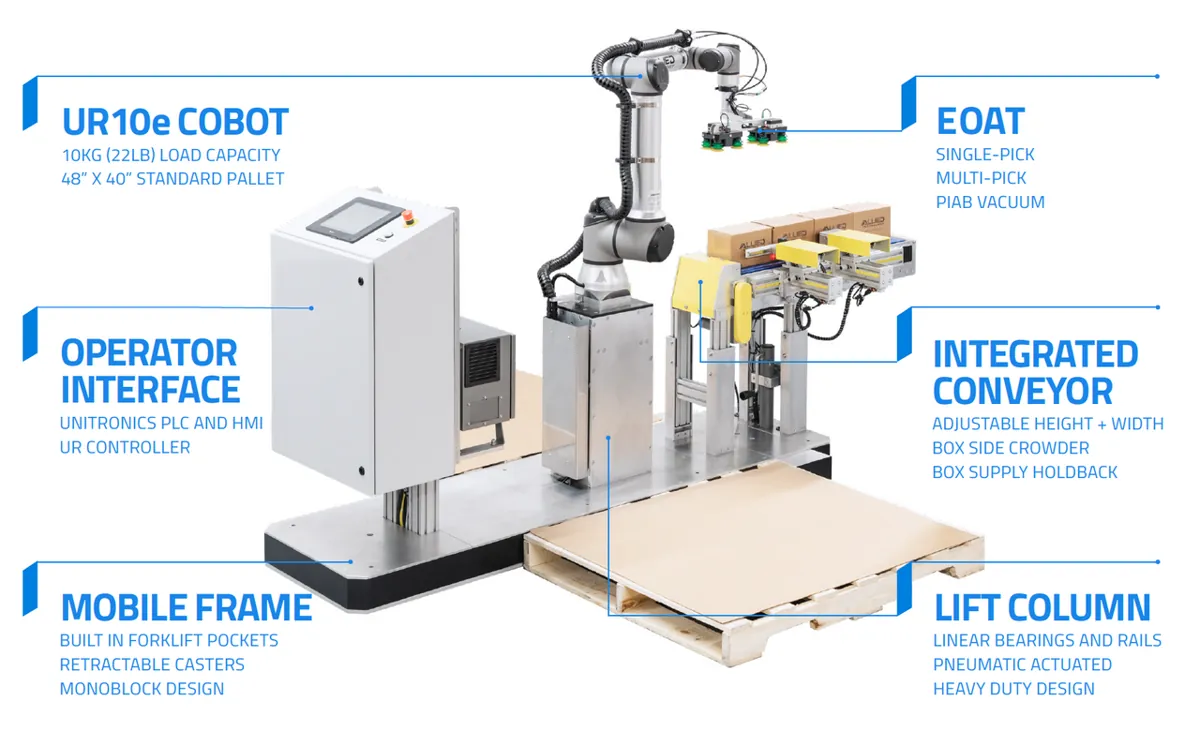
- Pick and place: a camera or conveyor gives the object’s position; IK turns it into joint angles.
- Animation: IK places an animation rig’s hand or foot at a target — the same maths as a robot arm, and animation tools often solve it numerically (Lesson 13).
- Palletising: a robot stacks boxes at a grid of target positions; each one is an IK problem.
Bench build
Bench build: IK on a real two-servo arm
Reuse the two-servo arm from Lesson 6 (L1 = 10 cm, L2 = 8 cm). ik_2servo.ino takes a target ‘x y’ in cm, checks reach, solves both answers, keeps only one inside safe servo travel (−70°…70°), verifies it with FK, and then moves both servos slowly together. Tape graph paper under the arm with the shoulder shaft at (0, 0).
Power first
Servos on their own 5–6 V supply (2 A or more). Supply GND joined to Arduino GND. Shoulder signal → pin 5, elbow signal → pin 6.
Zero the joints
Find the servo commands that make each link point along +x and put them in SH_ZERO and EL_ZERO.
Try targets
Type 12 6, then 15 0, then 8 8. Mark where the tip lands and measure the error.
Try a bad target
Type 25 0. The sketch must refuse and not move.
// ik_2servo.ino - inverse kinematics on a real 2-link servo arm (the Lesson 6 build).
// Type a target "x y" in cm (e.g. "12 6"). The sketch:
//   1) checks the target is inside the reach ring |L1 - L2| .. L1 + L2,
//   2) computes both IK answers (elbow one way / the other) with the law of cosines,
//   3) keeps only answers inside safe servo travel (-70..70 deg),
//   4) runs FK on the chosen answer and prints the error, then moves the servos SLOWLY.
// SERVOS run from their OWN 5-6 V supply (2 A or more), NEVER from the Arduino 5 V pin.
// Join the servo supply GND to Arduino GND. Signal wires: shoulder -> pin 5, elbow -> pin 6.
#include <Servo.h>
const float L1 = 10.0, L2 = 8.0;                 // cm, shaft to shaft and shaft to tip - MEASURE
const int SH_ZERO = 90, EL_ZERO = 90;            // servo command that gives 0 deg for each joint
const float QMIN = -70, QMAX = 70;               // safe travel for both joints
Servo shoulder, elbow;
float cur1 = 0, cur2 = 0;

bool ik(float x, float y, int which, float &q1, float &q2) {
  float d2 = x * x + y * y, d = sqrt(d2);
  if (d > L1 + L2 || d < fabs(L1 - L2) || d < 0.001) return false;
  float beta = acos(constrain((L1 * L1 + L2 * L2 - d2) / (2 * L1 * L2), -1, 1));
  float alpha = acos(constrain((d2 + L1 * L1 - L2 * L2) / (2 * L1 * d), -1, 1));
  float gamma = atan2(y, x);
  if (which == 0) { q1 = degrees(gamma - alpha); q2 = degrees(PI - beta); }
  else            { q1 = degrees(gamma + alpha); q2 = degrees(beta - PI); }
  return q1 >= QMIN && q1 <= QMAX && q2 >= QMIN && q2 <= QMAX;
}

void moveSlowly(float t1, float t2) {            // 1 degree per step, both joints together
  while (fabs(t1 - cur1) > 0.5 || fabs(t2 - cur2) > 0.5) {
    cur1 += constrain(t1 - cur1, -1, 1);
    cur2 += constrain(t2 - cur2, -1, 1);
    shoulder.write(SH_ZERO + (int)round(cur1));
    elbow.write(EL_ZERO + (int)round(cur2));
    delay(15);
  }
}

void setup() {
  shoulder.attach(5); elbow.attach(6);
  shoulder.write(SH_ZERO); elbow.write(EL_ZERO);
  Serial.begin(115200);
  Serial.println(F("Type target: x y   (cm, reach ring 2..18)"));
}

void loop() {
  if (!Serial.available()) return;
  float x = Serial.parseFloat(), y = Serial.parseFloat();
  while (Serial.available()) Serial.read();
  float q1, q2;
  bool ok = ik(x, y, 0, q1, q2) || ik(x, y, 1, q1, q2);   // try one elbow, then the other
  if (!ok) { Serial.println(F("No safe solution: out of reach or outside servo travel. Not moving.")); return; }
  float fx = L1 * cos(radians(q1)) + L2 * cos(radians(q1 + q2));
  float fy = L1 * sin(radians(q1)) + L2 * sin(radians(q1 + q2));
  Serial.print(F("IK q = (")); Serial.print(q1, 1); Serial.print(F(", ")); Serial.print(q2, 1);
  Serial.print(F(")  FK check (")); Serial.print(fx, 2); Serial.print(F(", ")); Serial.print(fy, 2);
  Serial.print(F(")  error ")); Serial.print(sqrt(sq(fx - x) + sq(fy - y)), 3); Serial.println(F(" cm  -> moving"));
  moveSlowly(q1, q2);
}
Debugging
Debugging IK
| Symptom | Likely cause | Fix |
|---|---|---|
| acos ‘math domain error’ / NaN | Target out of reach, or rounding just outside ±1 | Check reach first; clamp the cos value to [−1, 1] |
| Arm goes to the mirror-image point | atan used instead of atan2, or x/y swapped | Use atan2(y, x) |
| FK of the IK answer is not the target | Sign or formula error in IK | Always verify with FK; test with known poses |
| Real arm lands off by a constant angle | Servo zero offset | Re-zero (SH_ZERO, EL_ZERO) |
| Arm flips elbow between nearby targets | Picking a different answer each time | Choose the answer closest to the current pose (Lesson 14) |
| Servo buzzes at the target | Answer near the end of servo travel | Keep a margin inside the limits |
Think
Think about it
Think
Aditi says, “IK is just FK backwards, so it should always have one answer.” Use your elbow to show why she is wrong.
Experiment
Try it in the lab
About 45 minutes with ik_concept.py, graph paper and (optionally) the two-servo arm.
Experiment
Solve, verify, choose
You will need
- `ik_concept.py` and Python 3
- Graph paper, ruler, protractor
- Optional: two-servo arm from Lesson 6, separate 5–6 V servo supply, Arduino UNO
Steps
- Run `ik_concept.py`. Draw both answers for (12, 6) on graph paper with a protractor.
- Add the targets (2, 0) and (0, 18). Predict how many answers each has, then run.
- In Part 2, find a target on the table (z = 0) that has exactly one answer inside the limits.
- Change the joint-limit check to J3 between −90 and 0. Which earlier answers are now rejected?
- If you built the arm, test three targets with `ik_2servo.ino` and record target vs measured tip.
- In the IK solver lab, find the target where the two elbow answers merge into one.
Interactive · IK solver lab (analytical 2R — educational)
Workflow: target → IK → joints → FK verify → residual. Not a black box — elbow-up/down closed form. Not full 6DOF analytic IK.
Status · ok
2 analytical solution(s) (2R planar).
θ₁
-12.2°
θ₂
92.3°
FK err
0.000
Inside the reach ring there are two answers that differ by the elbow’s bend; on the edge they merge; outside there is none. A correct-looking answer is not enough — FK verification, joint limits and the table decide which answer the robot may use.
Knowledge check
Check your understanding
Knowledge check
1. Inverse kinematics answers which question?
2. A 2R arm (10 cm, 8 cm) and a target 12 cm away. How many IK answers?
3. The same arm and a target 20 cm away…
4. Which rule gives the elbow angle from three known side lengths?
5. Why use atan2(y, x) instead of atan(y/x)?
6. For a straight-down pick with the example arm, where must the wrist centre be?
7. IK gives an answer with zero FK error, but J3 is outside its limit. You should…
Mini assignment
Hands-on assignment
Mini assignment
IK test sheet
Make a test sheet that proves your IK works and fails safely.
Deliverables
- Five 2R targets: inside, on the outer edge, inside the hole, outside, and on the y axis — with the number of answers predicted and found.
- Both answers for one target drawn to scale on graph paper.
- Three straight-down picks for the example (or your) arm with FK error and limit check.
- If you built the arm: target vs measured tip for three targets, with the error.
- One paragraph on how your code refuses unsafe targets.
Do this, step by step
- Run
python3 ik_concept.py. Add five 2R targets: inside, on the outer edge (18 cm), inside the hole (under 2 cm), outside, and on the y axis. Predict the number of answers first. - Pick one target with two answers and draw both arm shapes to scale on graph paper.
- Run Part 2 for three straight-down picks of your own and record the FK error and whether every joint is inside its limit.
- Try a target outside reach and confirm the code refuses it instead of giving a wrong answer.
- Optional bench: flash
ik_2servo.ino, send three targets, and measure the real tip with a ruler.
Stuck? Hints, one at a time
- Use the law of cosines to get the elbow angle first, then the shoulder angle.
- If the cosine of the elbow angle is above 1 or below −1, the target is out of reach.
- For straight-down picks, solve for the wrist point first: move up by the tool length from the target.
Challenges (pick by level)
- 🟢 Easy: Solve the 2R arm for (0, 12) by hand and check with the script.
- 🟢 Easy: Explain why (18, 0) has only one answer.
- 🟡 Medium: Add a 45°-down pick to Part 2 (pitch angles add to −45°).
- 🟠 Hard-ish: Make the Arduino sketch pick the answer closest to the current joint angles instead of ‘first that fits’.
- 🔴 Hard: Add an elbow-height check: reject answers where the elbow goes below the table.
- ⚫ Research: Find out how character animation software uses IK for feet on uneven ground.
Next step
You solved IK with a formula. That only works for some arms. In Lesson 13 — Analytical vs Numerical IK you will compare formula-based IK with iterative solvers that ‘walk’ the joints towards the target.
Look back: Lesson 11: Robot Workspace. Next: Lesson 13: Analytical vs Numerical IK. Related: Stage 1: Trigonometry for Robots and Stage 7: Saturation, Windup & Safety Limits.
Sources
- Modern Robotics — K. M. Lynch & F. C. Park (book home page, free preprint) — Chapter 6 introduction: 2R IK with the law of cosines and atan2, lefty/righty (elbow-up/elbow-down) answers, zero/one/two solutions, redundancy of a 3-link planar chain.
- Wikipedia — Inverse kinematics — IK in robotics and computer animation.
- Wikipedia — Atan2 — the two-argument arctangent and its quadrant handling.
- Lessons 6 and 11 of this stage — the two-servo build and the example arm’s joint limits.
- Photos: Wikimedia Commons (credits under each image).
Self-attested for now — keep artifacts in your lab notebook.
Complete
Today's goal
0 of 1 done today
Mark this lesson complete when you have worked the experiment, knowledge check, and assignment (even roughly).